Cold Chain Tabs
How to Navigate: Click on Shipping > Cold Chain
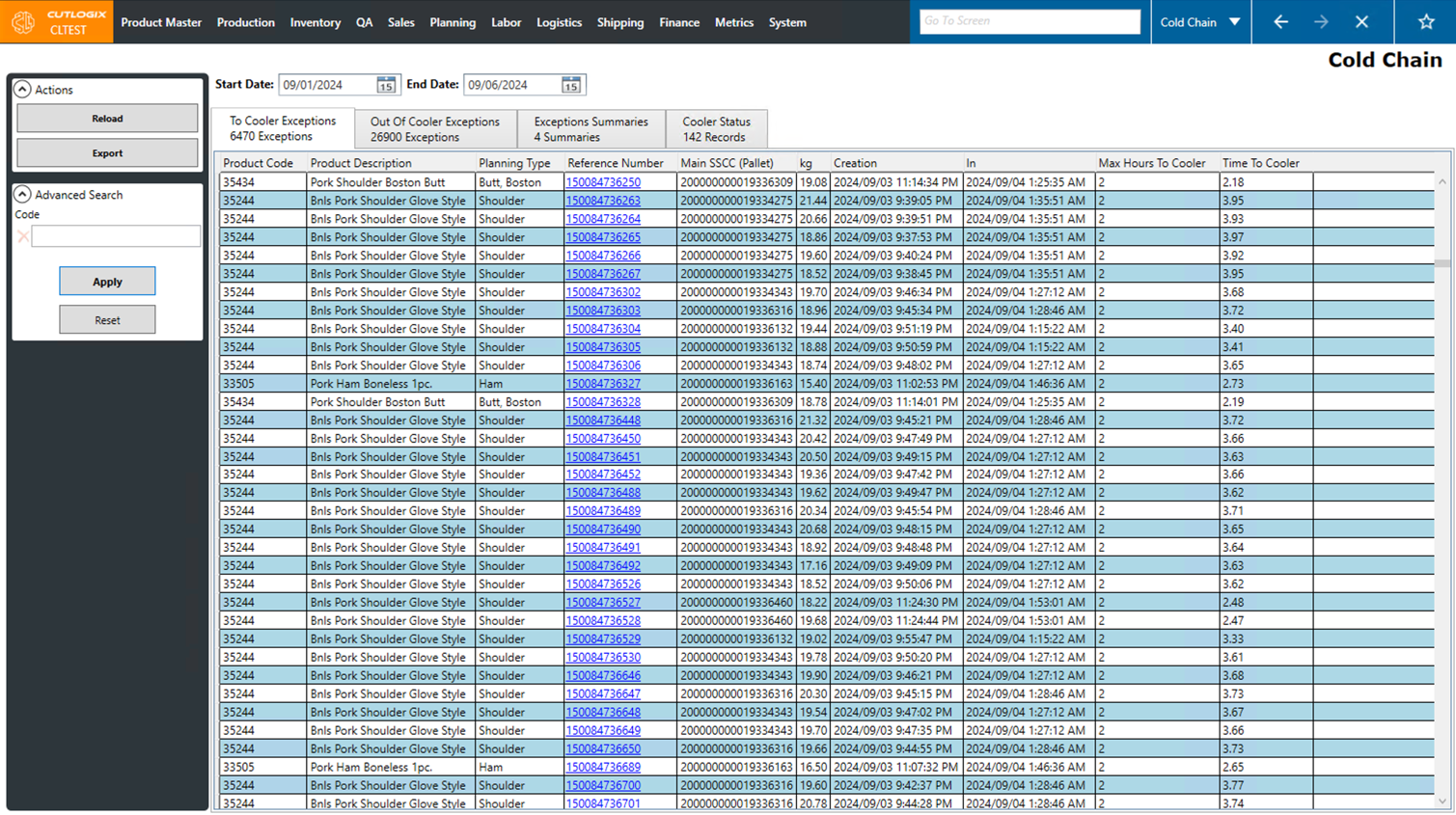
To Cooler Exceptions Tab
- Product Code: The product code for the item the exception is for.
- Product Description: The description of the product on the exception.
- Planning Type: The planning type of the product on the exception.
- Reference Number: The reference number for this specific item.
- Main SSCC (Pallet): The pallet that the item is on.
- KG: The weight of the item.
- Creation: The time that the item was created/finished.
- In: The time that the item went into the cooler.
- Max Hours To Cooler: The maximum number of hours that it should take for the product to get into the cooler, starting at its creation time. This is configured on each product, in the "Product Master List" → "Storage" tab.
- Time To Cooler: The time it actually took the item to get to the cooler, the difference between the "In" time and "Creation" time.
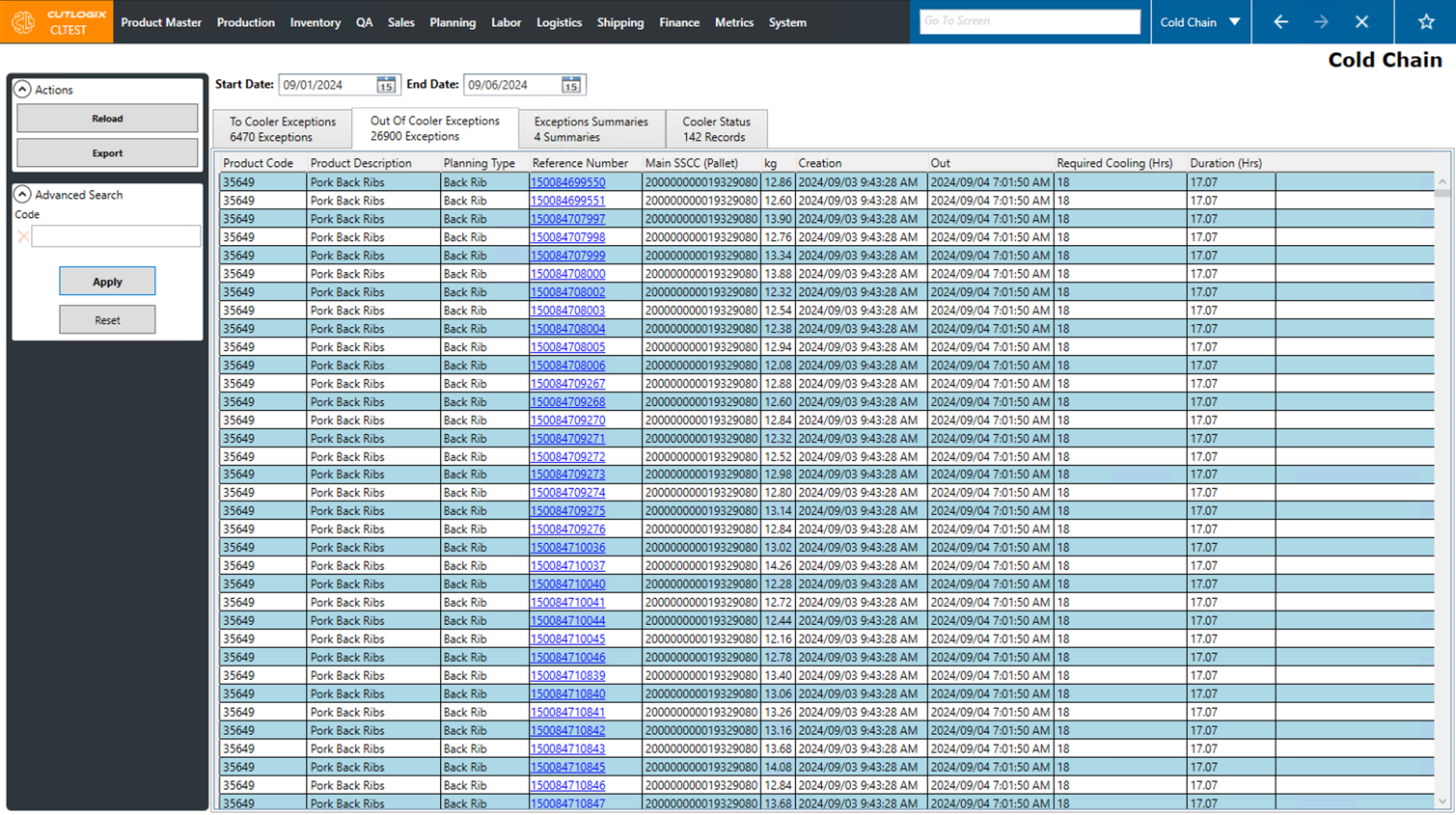
Out of Cooler Exceptions Tab
- Product Code: The product code for the item the exception is for.
- Product Description: The description of the product on the exception.
- Planning Type: The planning type of the product on the exception.
- Reference Number: The reference number for this specific item.
- Main SSCC (Pallet): The pallet that the item is on.
- KG: The weight of the item.
- Creation: The time that the item was created/finished.
- Out: The time that the item was taken out of the cooler.
- Required Cooling (Hrs): The required amount of time that the item needs to stay in the cooler. This is configured in the "Product Master List" → "Storage" tab.
- Duration (Hrs): The duration of time that the item actually stayed in the cooler. This either comes from your MES or is calculated based on the difference between the time the item went in the cooler and the time it was taken out.
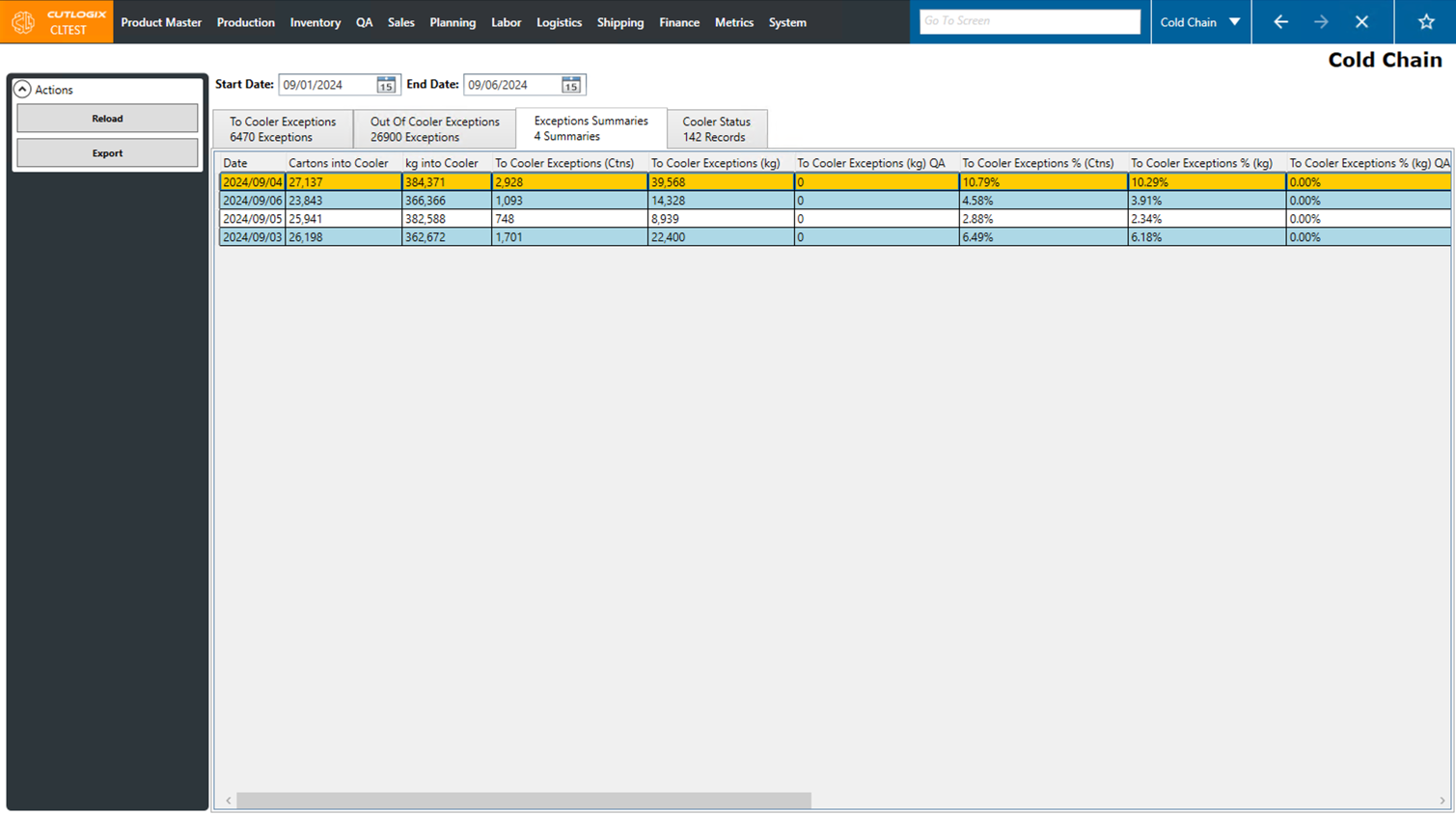
Exceptions Summaries Tab
- Date: The date that the summary is showing data for.
- Cartons into Cooler: The number of cartons that went into the cooler on the specified date.
- kg into Cooler: The total weight of product that went into the cooler on the specified date.
- To Cooler Exceptions (Ctns): The number of cartons that had a "to cooler" exception on the specified date.
- To Cooler Exceptions (kg): The total weight of product that had a "to cooler" exception on the specified date.
- To Cooler Exceptions % (Ctns): The total percentage of cartons that went into the cooler on the specified date that had a "to cooler" exception.
- To Cooler Exceptions % (kg): The total percentage of kgs that went into the cooler on teh specified date that had a "to cooler" exception.
- Cartons Out of Cooler: The total number of cartons that were taken out of the cooler on the specified date.
- kg out of Cooler: The total weight of product that was taken out of the cooler on the specified date.
- Out of Cooler Exceptions (Ctns): The number of cartons that had an "out of cooler" exception on the specified date.
- Out of Cooler Exceptions (kg): The weight of product that had a "out of cooler" exception on the specified date.
- Out of Cooler Exceptions % (Ctns): The percentage of cartons that were taken out of the cooler on the specified date that had an out of cooler exception.
- Out of Cooler Exceptions % (kg): The percentage of the total kilogram amount of product that was taken out of the cooler on the specified day, that had a "out of cooler" exception.
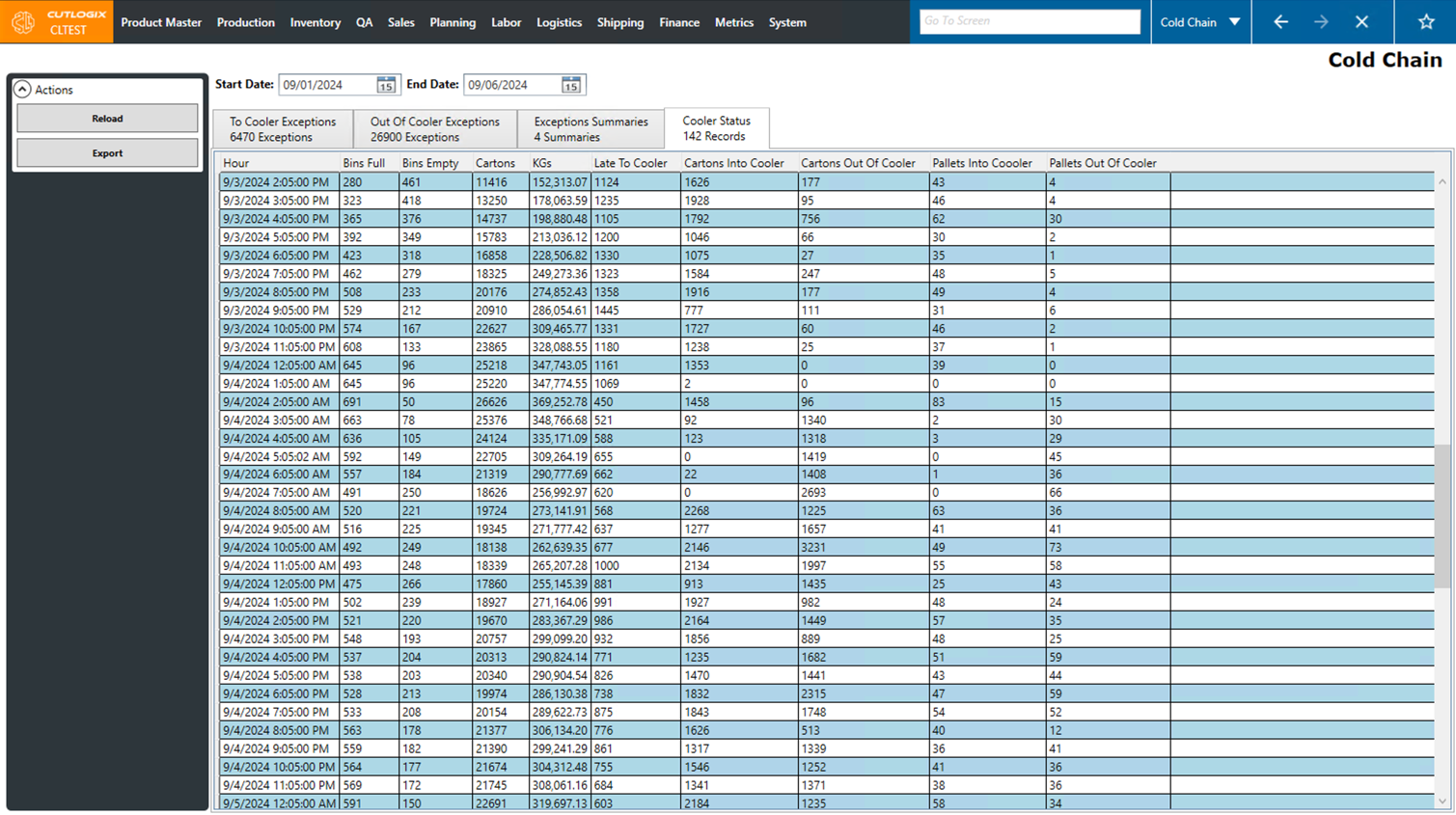
Cooler Status Tab
- Hour: The time that the snapshot of the cooler's state was taken.
- Bins Full: The number of bins (pallet spaces) in the cooler that are full.
- Bins Empty: The number of bins (pallet spaces) in the cooler that are empty.
- Cartons: The number of cartons in the cooler at the time of the snapshot.
- KGs: The amount of product in Kgs that is in the cooler at the time of the snapshot.
- Late To Cooler: The number of cartons that were late getting into the cooler.
- Cartons Into Cooler: The number of cartons that were moved into the cooler since the last snapshot.
- Cartons Out Of Cooler: The number of cartons that were moved out of the cooler since the last snapshot.
- Pallets Into Cooler: The number of pallets moved into the cooler since the last snapshot.
- Pallets Out Of Cooler: The number of pallets moved out of the cooler since the last snapshot.