Production Defaults Overview
How to Navigate: Click on Planning > Planning Rules Config > Production Defaults
Summary
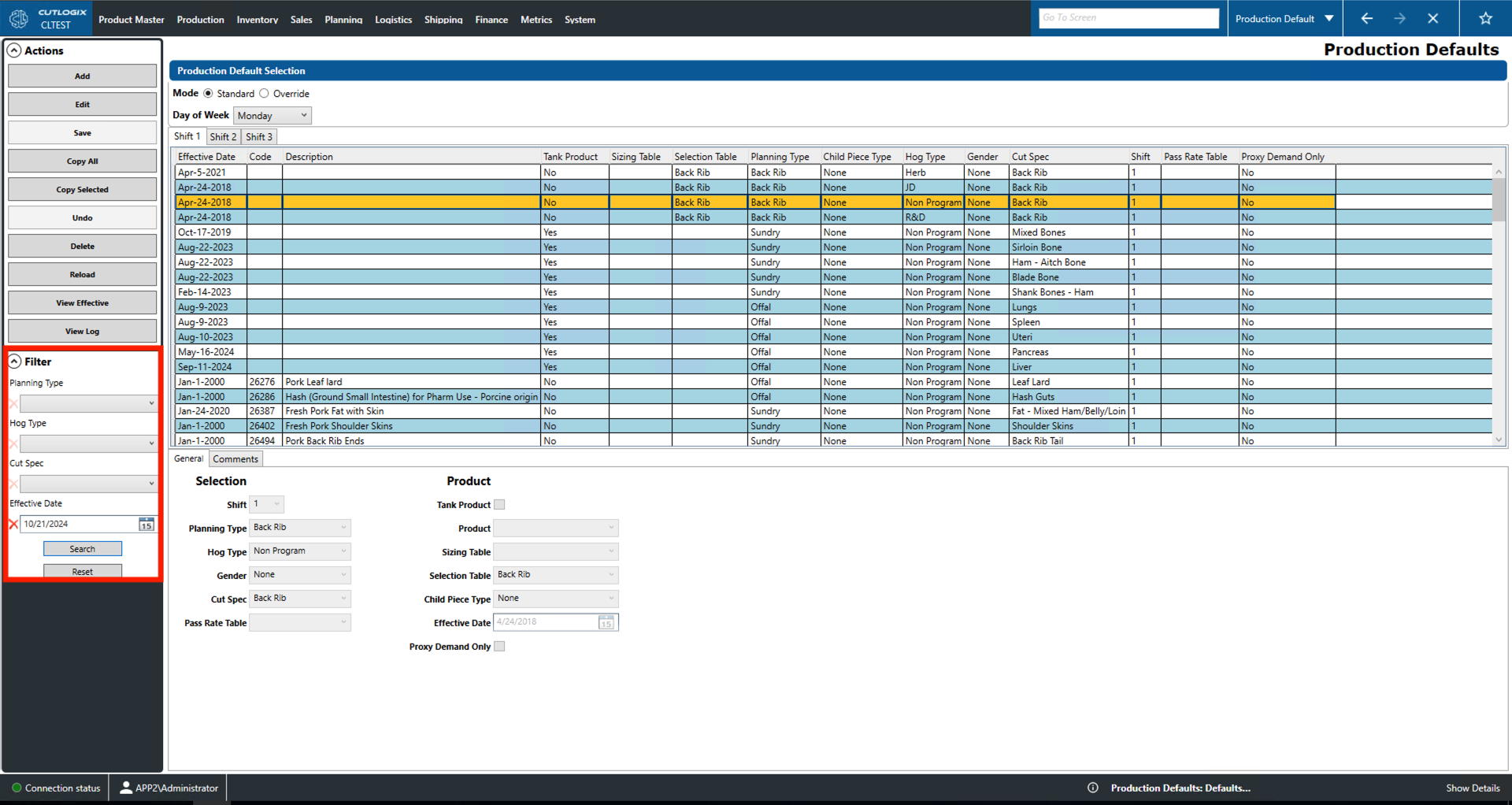
Users can create default production entries for specific shifts and days of the week on this page. Using override mode, they can also create manual overrides for specific dates to deal with special circumstances. Through the use of the 'Add' and 'Edit' actions users can use the fields in the 'General' tab for data entry. Lastly, the comments tab provides a space for extra notes on the currently selected entry.
- Mode: Select if the list displays standard product defaults or manual overrides.
- Day of the Week/Production Day: Select the day of the week/production day you would like to set defaults/overrides for.
- Shifts 1, 2, 3: Select which shift to view the defaults/overrides for.
- Effective Date: The date that this default/override comes into effect.
- Code: A unique identifier for the product.
- Description: Name/description for the product.
- Tank Product: Indicates whether this product is produced from discarded cuts.
- Sizing Table: The sizing table to use when producing this product. This indicates what percentage of a parent cut spec goes into producing its children cut specs.
- Selection Table: The selection table to use when producing this product. This indicates the percentage of cuts that each set of size (in pounds, ounces, kgs, etc.) and bone count standards specified in the table.
- Planning Type: The type assigned to this product in the planning system.
- Child Piece Type: The piece type of a child cut produced when making this product.
- Hog Type: The type (genetics, diet) of hog used to produce this product.
- Gender: The gender of hog used to produce this product.
- Cut Spec: The cut specification of the product.
- Shift: Shift on which this product is produced.
- Pass Rate Table: The pass rate table to use when producing this product. This indicates how often a cut qualifies as a particular product and, if it doesn't pass, what similar products can be produced instead.
- Proxy Demand Only: Indicates whether this product should only be produced as proxy demand. Proxy demand refers to product that are necessarily produced when making other products there are no orders they can fulfil.
Actions
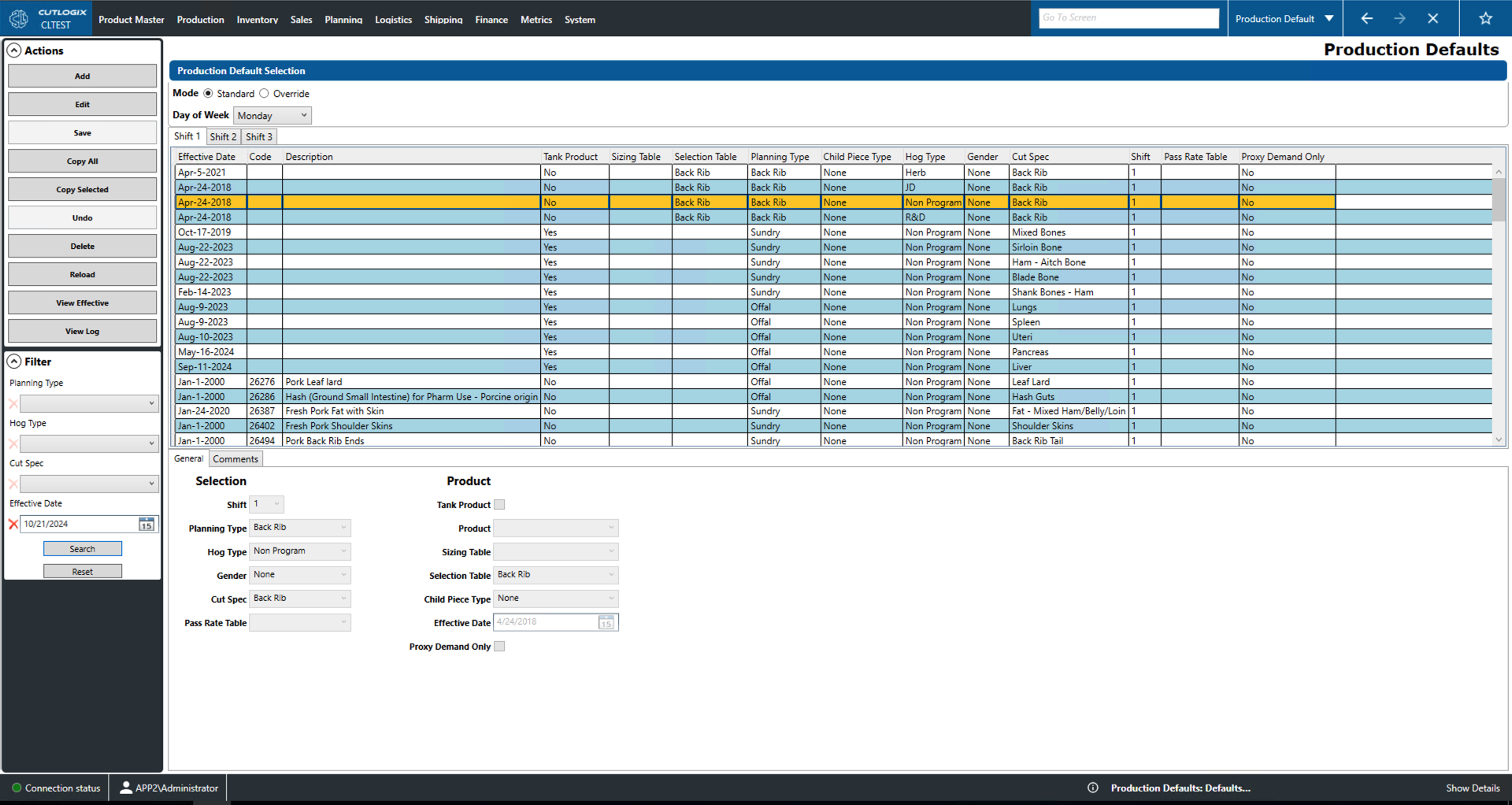
- Add: Add a new production default to the list.
- Edit: Edit the currently selected production default (highlighted in yellow).
- Save/Undo: Save/undo all changes made in the current add/edit session.
- Copy All: Copy the entire list of production defaults for the current day to be applied to another day of the week.
- Copy Selected: Copy the currently selected production default.
- Delete: Delete the currently selected production default.
- Reload: Reload the list of production defaults displaying the most up to date information from the database.
- Report: Prompts the user to select a date range. Then allows the user to save the production default list for the currently selected day locally as a .xlsx file (excel) format.
- View Log: View the change log for the currently selected production default. This will show what change was made, by whom and when.
Filter
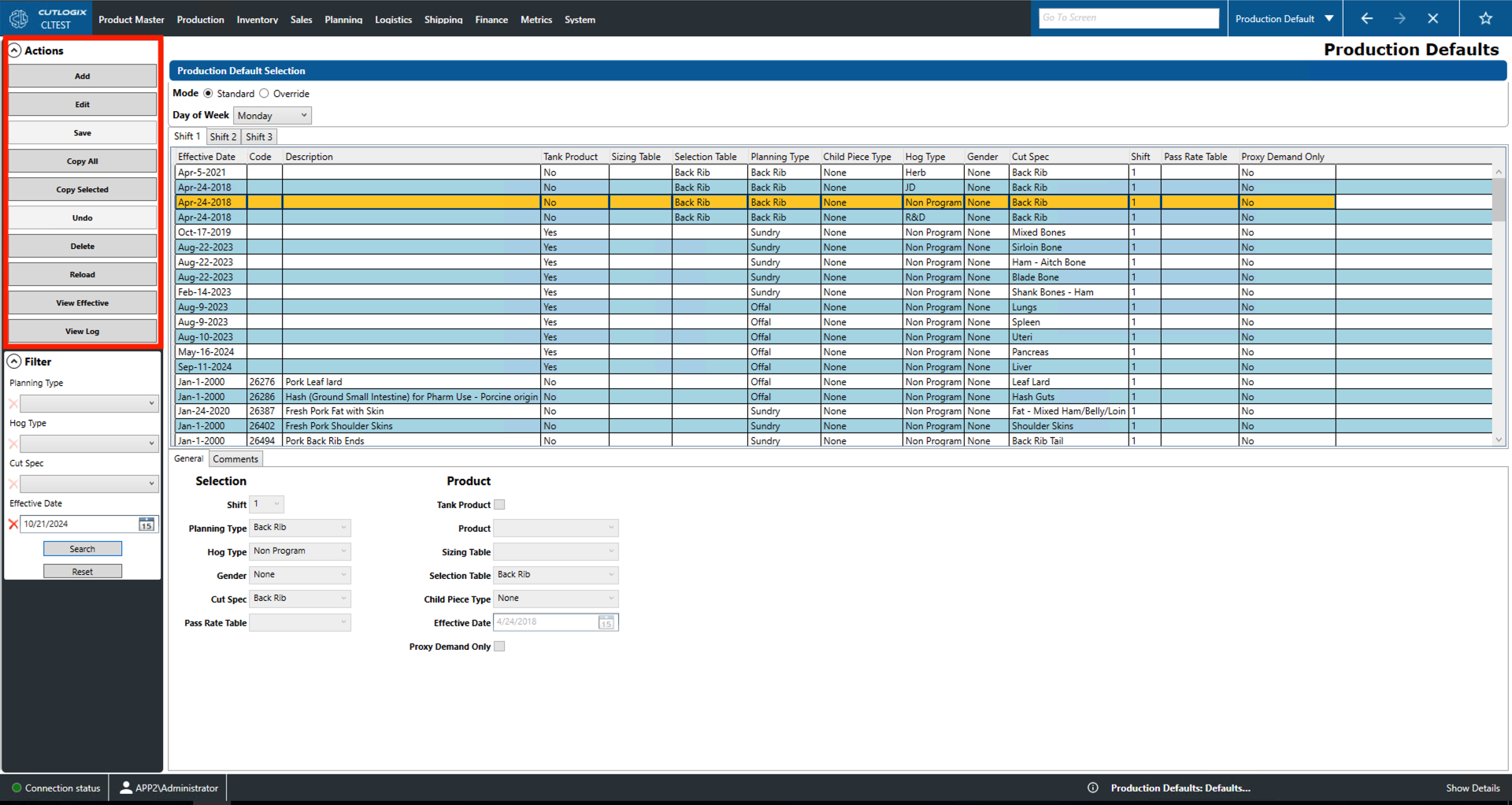
- Planning Type: Filter by planning type.
- Hog Type: Filter by hog type (i.e. genetics, diet, etc.).
- Cut Spec: Filter by cut spec.
- Effective Date: Filter the to the date selected.