USDA Loader Tasks
How to Fetch USDA Data
Demo
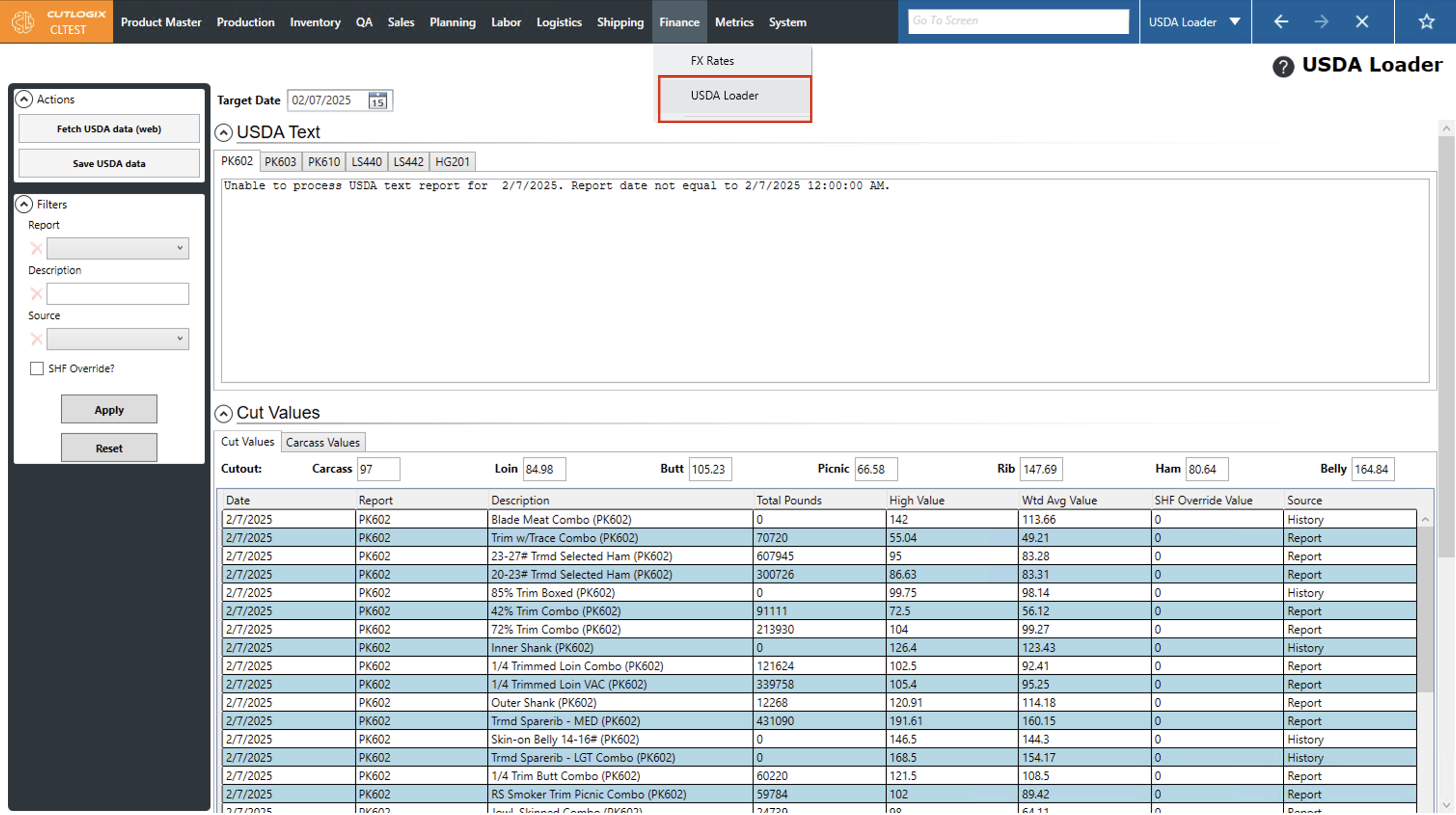
Step 1: Navigate to the "USDA Loader" page (Under the Finance menu → USDA Loader).
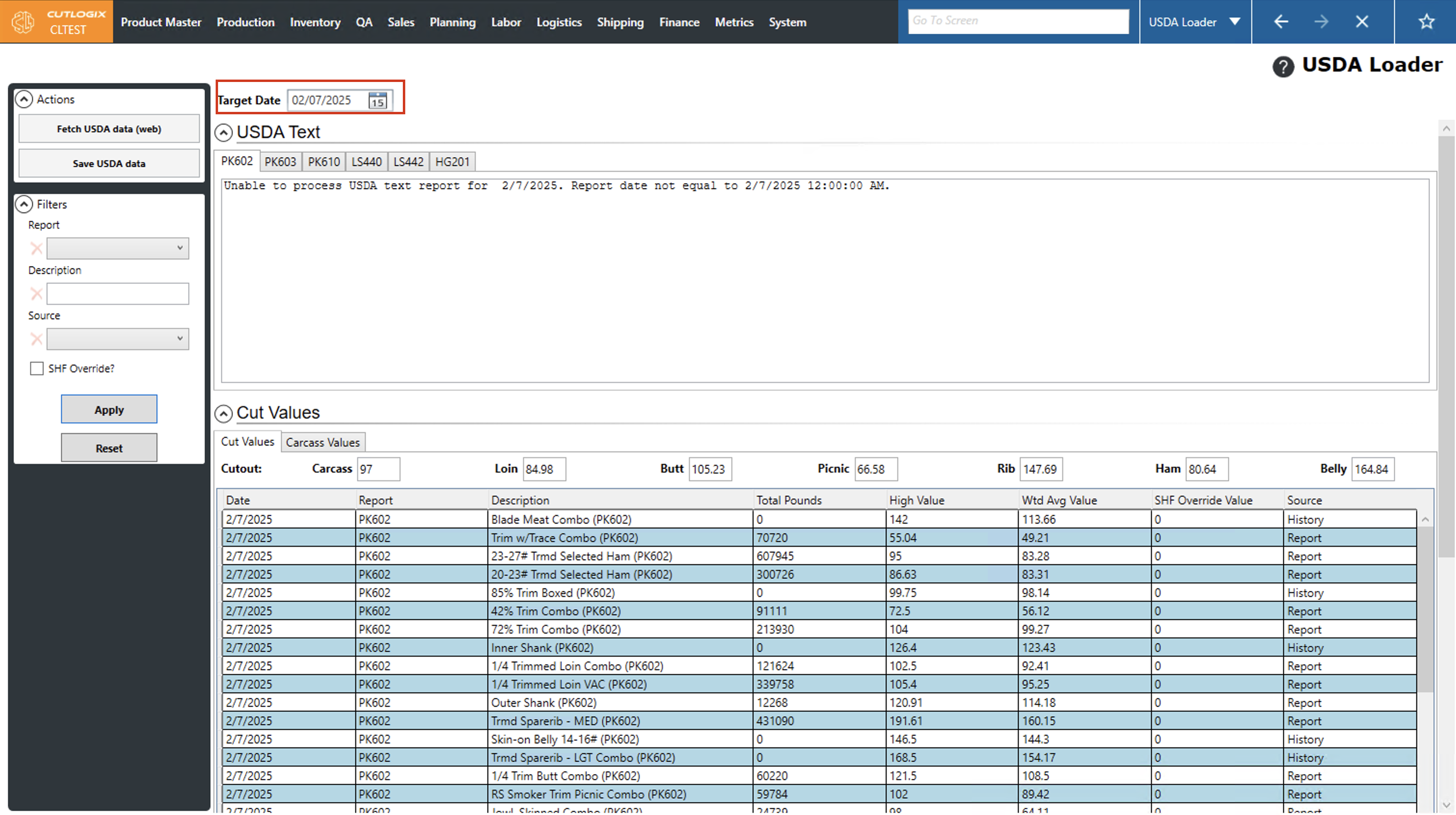
Step 2: The "Target Date" is the date that the screen is showing data for. By default, this is set to the previous day. You can change the target date by clicking on the calendar icon and choosing a different day.
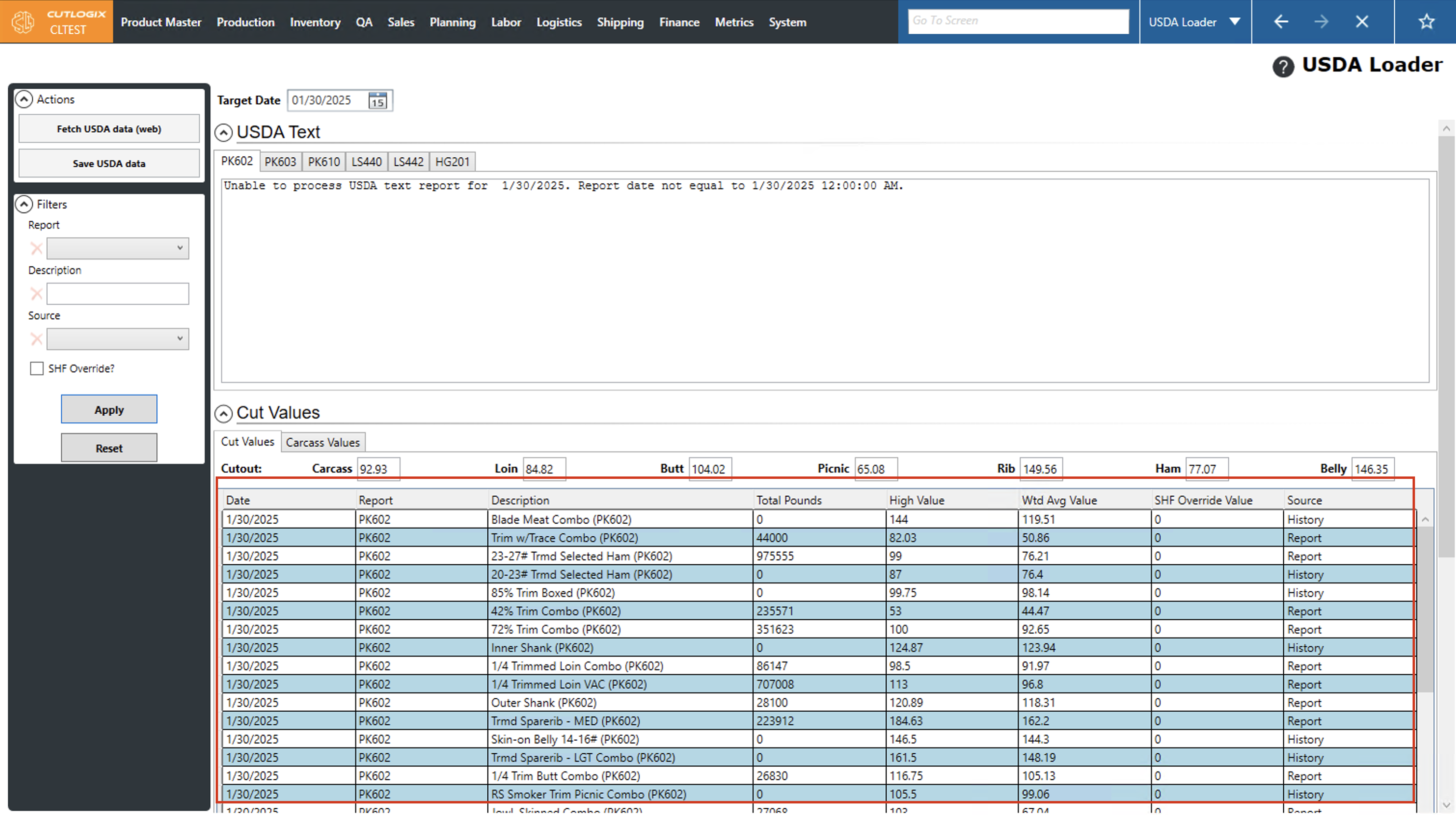
Step 3: After choosing a different day, the page will reload and show the values for the selected target date under the "Cut Values" section. The values are shown in USD per 100Lbs.
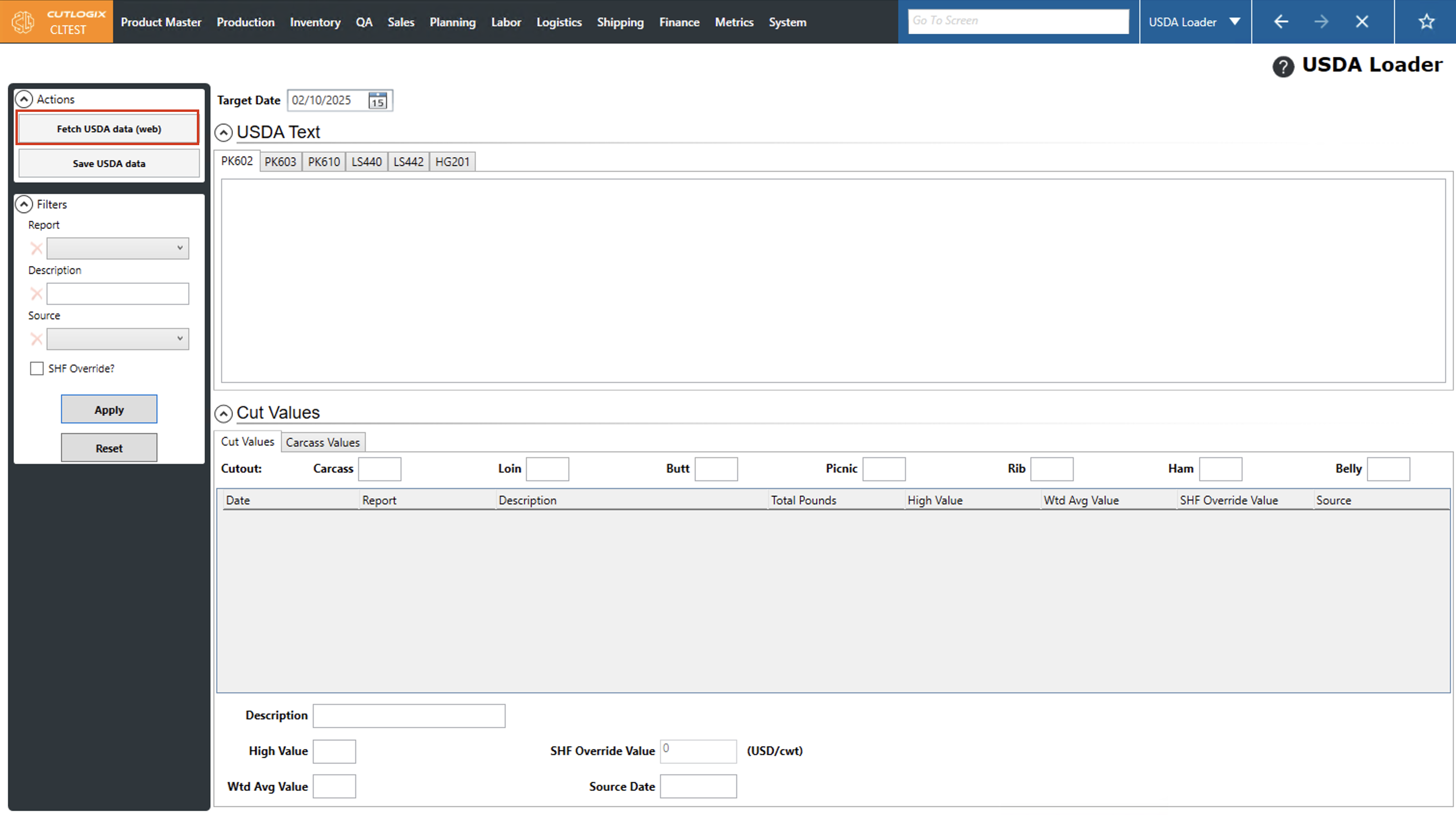
Step 4: To fetch USDA data from the web, set the target date to the previous day, then click the "Fetch USDA Data" button. If the data already exists in CutLogix you'll be promoted asking if you want to fetch it again. Clicking "Yes" on this prompt will fetch the new data and delete the existing data, clicking "No" will close the dialog without fetching new data. The new data will then be visible in the table.