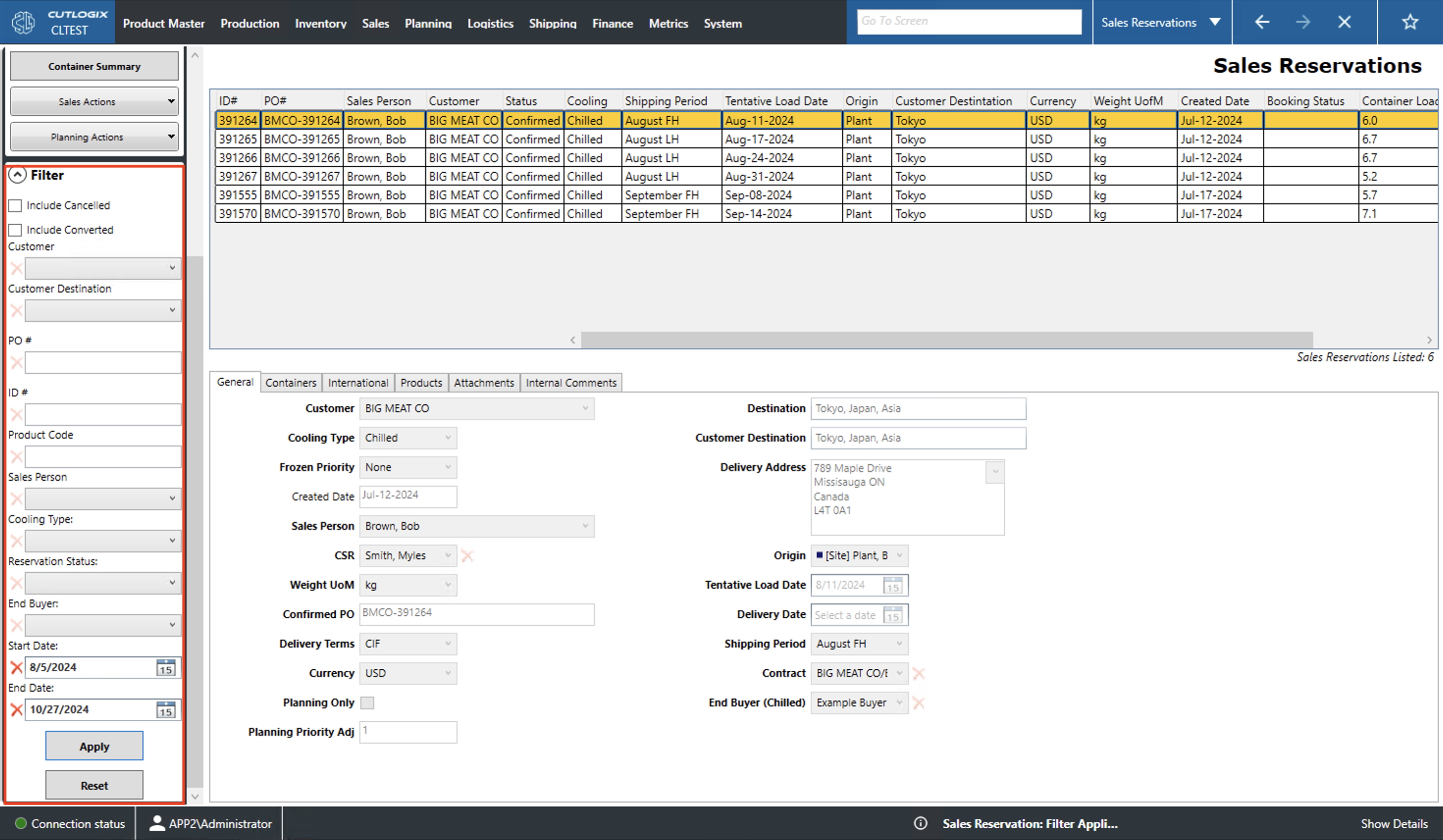
Sales Reservations Overview
How to Navigate: Click on Sales > Sales Reservations
Summary
This page displays a variety of information on sales reservations. A sales reservation is used to allocate stock or time on the production plan for customer orders that have not yet been confirmed.
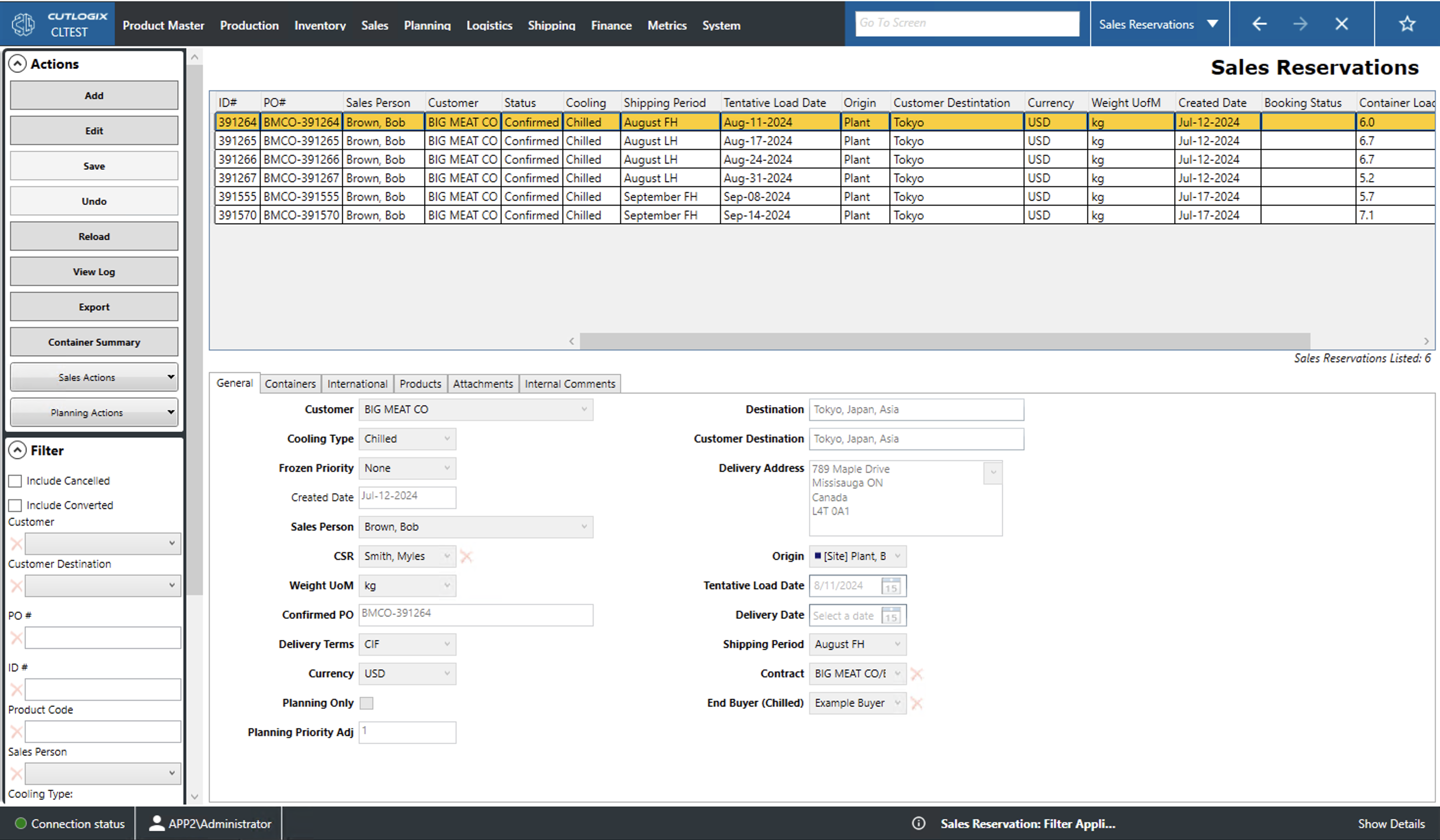
Actions
- Add: Add a new sales reservation to the list.
- Edit: Edit the currently selected reservation (highlighted in yellow).
- Save/Undo: Save/undo all changes made in the current add/edit session.
- Reload: This will reload the list and display the most up to date information from the database.
- View Log: This will allow the user to view the change log on the currently selected reservation. This will include what was changed, by whom and when.
- Export: This will allow the user to save the reservation list locally as a .xlsx file (excel format).
- Container Summary: Actioning this will allow the user to save a container summary report for the specified day.
- Sales Actions
- Copy: This will create a new customer order with the details of the currently selected reservation.
- Cancel: This will cancel the currently selected reservation.
- Convert: This will convert the currently selected reservation to an sales order.
- Mark as Revised: This will mark the currently selected reservation's status field as 'Revised' meaning the feedback given in review has been addressed and it has been re-submitted for review.
- Request Booking: This will allow the user to select a ship booking for the reservation.
- Update Container Settings: Updates the settings for the reservations containers.
- Planning Actions
- Needs Revision - Not Scheduled: Marks the reservation as needing revision but not to be scheduled by the planning system.
- Needs Revision - Scheduled: Marks the reservation as needing revision and to be scheduled by the planning system.
- Mark as Revised: This will mark the currently selected reservations status field as 'Revised' meaning the feedback given in review has been addressed and it has been re-submitted for review.
- Confirm: Sets the reservation status field to confirmed meaning that it has passed review.
- Request Booking: This will allow the user to select a ship booking for the reservation.
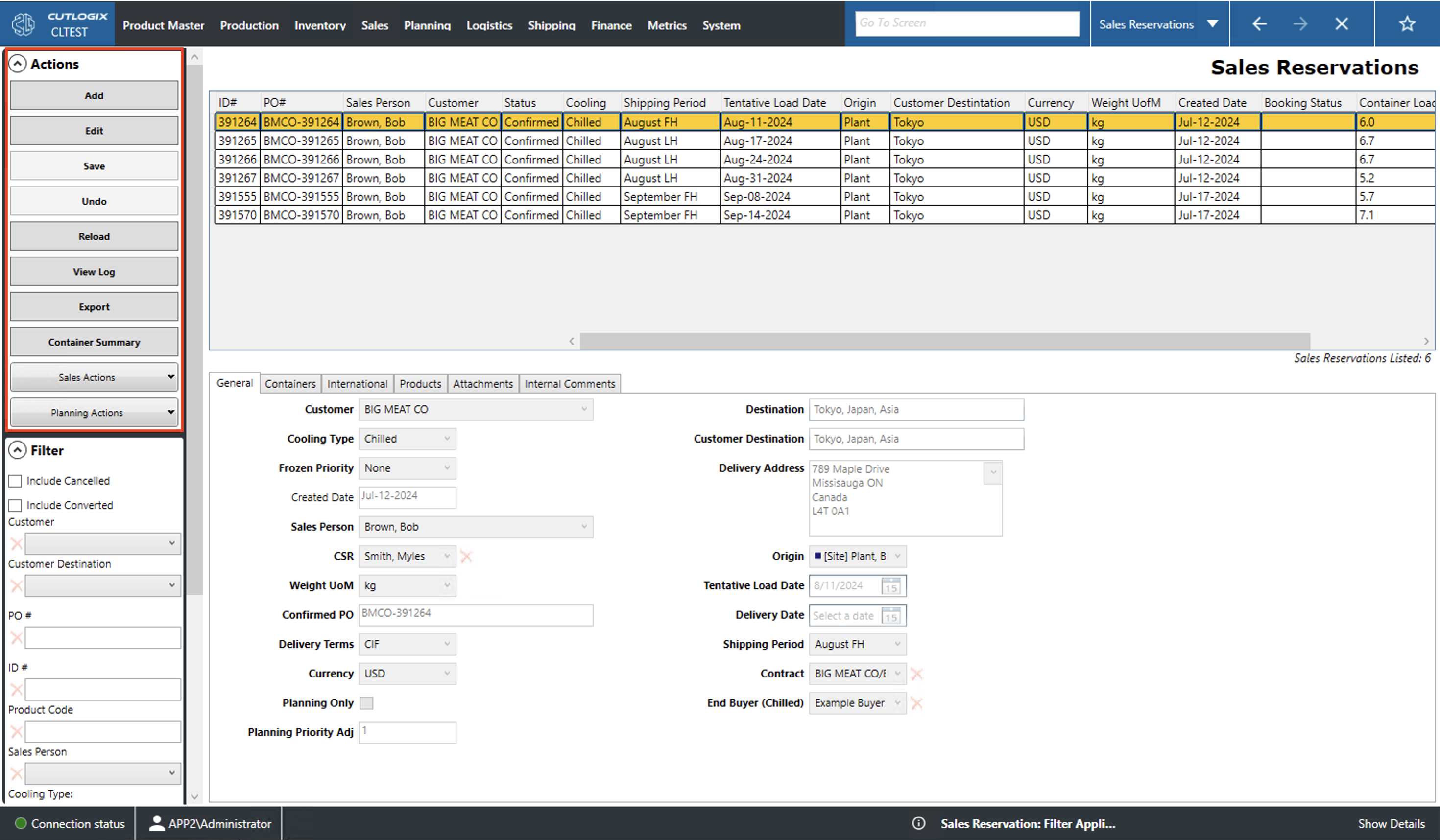
Filter
- Include Cancelled/Converted: Set the list to include cancelled reservations or ones that have been converted to customer orders.
- PO #: Filter by the specified product order (PO) number.
- ID #: Filter by the specified reserveration id.
- Product Code: Filter by the specified product code.
- Sales Person: Filter by the sales person associated with the reservation.
- Cooling Type: Filter by cooling type (fresh, frozen or chilled).
- Reservation Status: Filter by the contents of the 'Status' field.
- End Buyer: Filter by the contents of the 'End Buyer' field (i.e. the customer that placed the order).
- Start/End Date: Setting just the start date will show entries created on or after that date. Setting just the end date will show entries created on or before that date. Setting both will show all entries that fall within the range inclusive of the both dates.
- Apply: Hitting this will reload the list applying the currently set filters.
- Reset: Hitting this will reset the filters and reload the list to an unfiltered state.