Shift Configuration Tabs
How to Navigate: Click on Planning > Plant Configuration > Tabs
Default Shift Configuration Tab
Types of Shifts
- Cut/Kill Shift One/Two etc.: The first, second, etc. shift on the plant's cut/kill floor.
- Specialty Shift: A shift scheduled for a reason outside of the common reasons.
- Shipping: A shift working on loading and unloading freight.
- Rework: A shift spent reworking product that has already been processed once.
Tabs
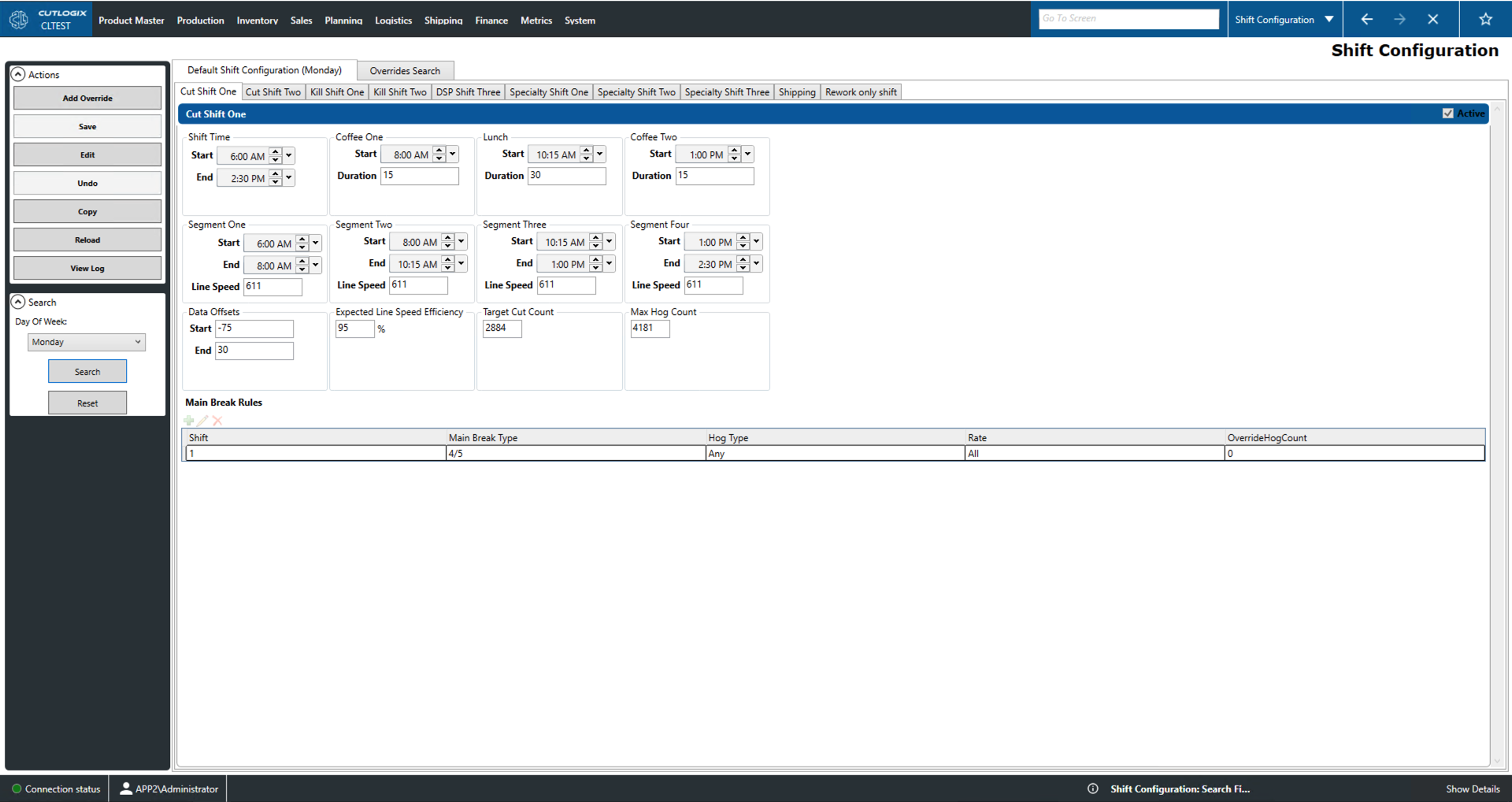
- Active: In the top right of each tab's blue title bar is a checkbox that can be used to activate or de-activate each type of shift.
- Shift Time: Indicates the start and end time for the relevant shift.
- Coffee One, Two and Lunch: Indicates the start time and duration of the relevant shift's breaks.
- Segment One, Two, Three, Four: Indicates the start and end time of each shift segment. Also indicates the line speed of that segment in hogs processed per hour.
- Data Offsets: Indicates how many mins to add or subtract from the start or end of the relevant shift.
- Expected Line Speed Efficiency: Indicates the expected line efficiency of the relevant shift. 100% line efficiency is equal to the line speed (in hogs processed per hour) multiplied by the length of the shift. So, 95% line efficiency means that they expect a 5% reduction in hog throughput on this shift perhaps due to machine downtime, lack of labour, human error, etc.
- Target Cut Count: Gives the number of hogs that are estimated to be processed on this shift.
- Max Hog Count: This indicates the maximum number of hogs that may be processed on this shift. Knowing the line speed allows you to calculate the maximum number of hogs that can be processed in a set time frame. Thus, going over that maximum necessitates longer shifts. Thus, setting a maximum hog count is a way of setting the maximum amount of extra time workers on a shift may take before they must stop.
- Main Break Rules: This indicates the shift that this main break applies to, the default type of main break, the accepted hog types, the rate and provides a space for manually entering the hog count.
Shipping
- Shipping Team Shifts: These check boxes can be used to indicate which shipping teams will have shifts scheduled on the relevant day by default.
Rework only shift: Indicates whether the shift is rework shift.
Overrides Search Tab
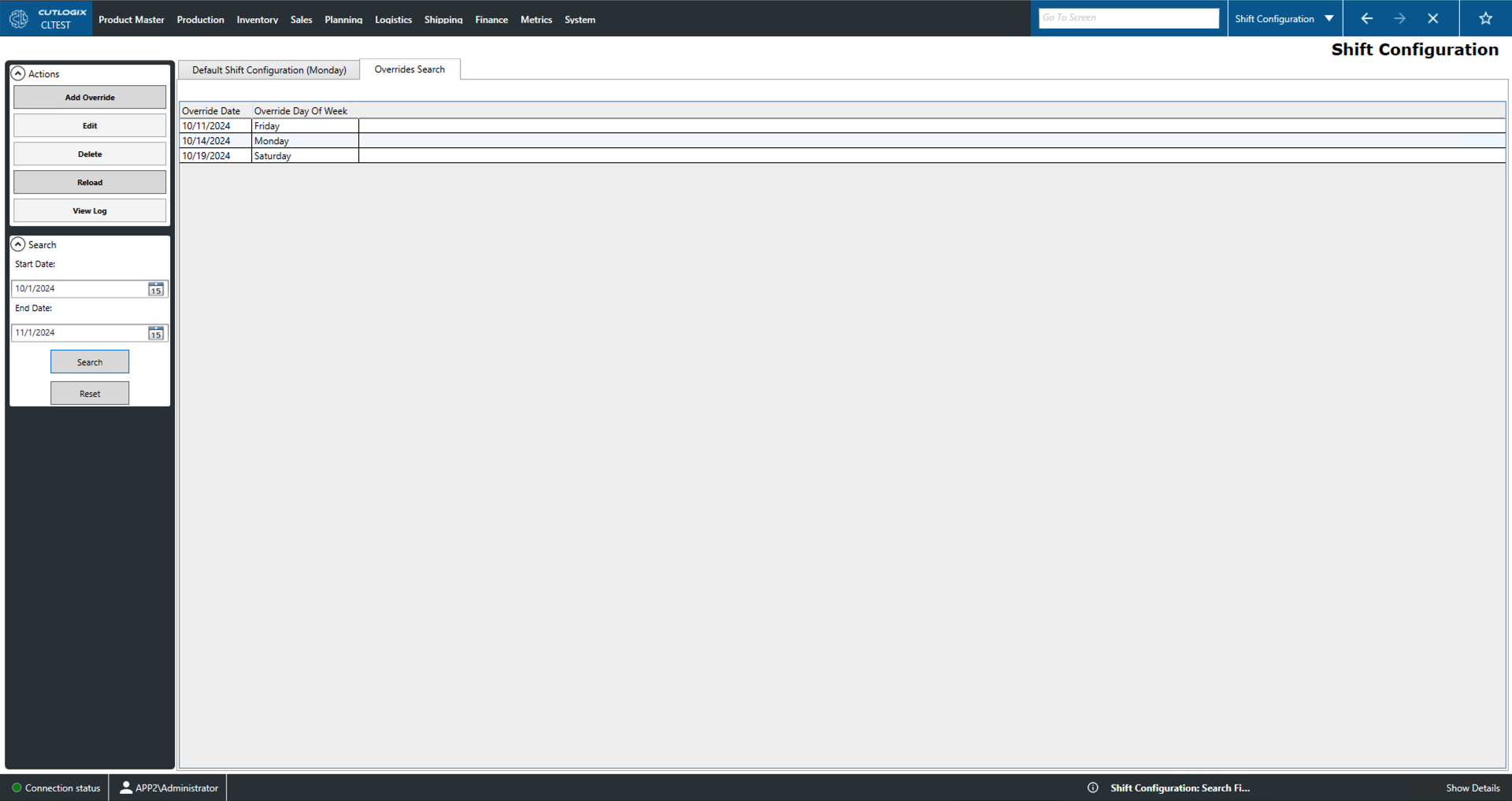
- Override Date: This is the date that the default will be overridden.
- Override Day Of Week: Indicates which day of the week the default is being overridden.
- Override Details: Double-clicking on an override entry will open a new tab named 'Override for *override date*'. This will allow you to click through the tabs that were available on the 'Default Shift Configuration' tab and see all of the configuration details set for the override.