Locations Overview
How to Navigate: Click on Logistics > Locations
Summary
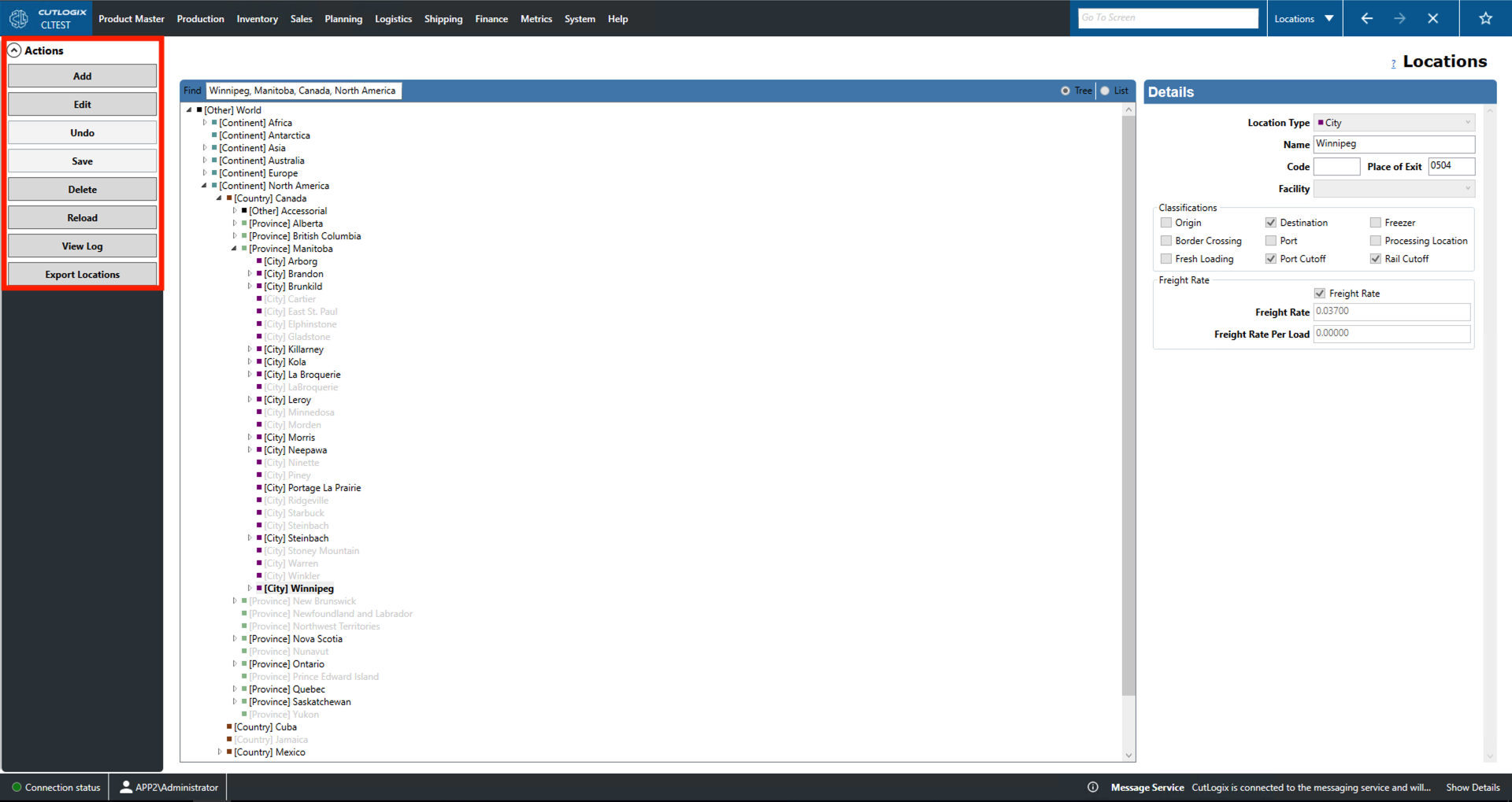
This screen visualizes the location data in the system. Using the toggle on the top left of the data window, the user can choose between a tree and list layout. At the root of the tree is the world. From there, users can select more specific options such as countries, provinces/states, cities, specific sites, etc. Lastly, users can use the Find bar on the top left of the data window to search for any locations that contain the search term.
-
Details
- Location Type: The type of the currently selected location.
- Name: Name of the currently selected location.
- Code: Unique identifier for the location.
- Place of Exit: Specifies the border port code for the port used by this location.
- Facility: Name of the facility/site at that location.
- Classifications: Listed here are various traits that locations can have. If a box is checked, then the location has that specific trait.
- Freezer Email Addresses: Email addresses that can be used to contact the location about its freezer storage.
- Freight Rate: The freight rate to ship from this location.
- Transload Flat Rate: The flat rate charged to switch from one shipping type to another. Freezer Details:
- China Eligible: Indicates whether the freezer is eligible to ship to China.
- Freezer Rate: Cost to store in the site's freezer.
- Pallet Spaces Available: Number of pallets that can be stored in this location's cooler space.
- Max Inbound/Outbound Shipments: The maximum number of inbound shipments that this site is willing to accept in a day.
- Average Pallet Weight: The average weight of a pallet that can be stored at this site.
- Address: Specific address of the selected site.
Actions
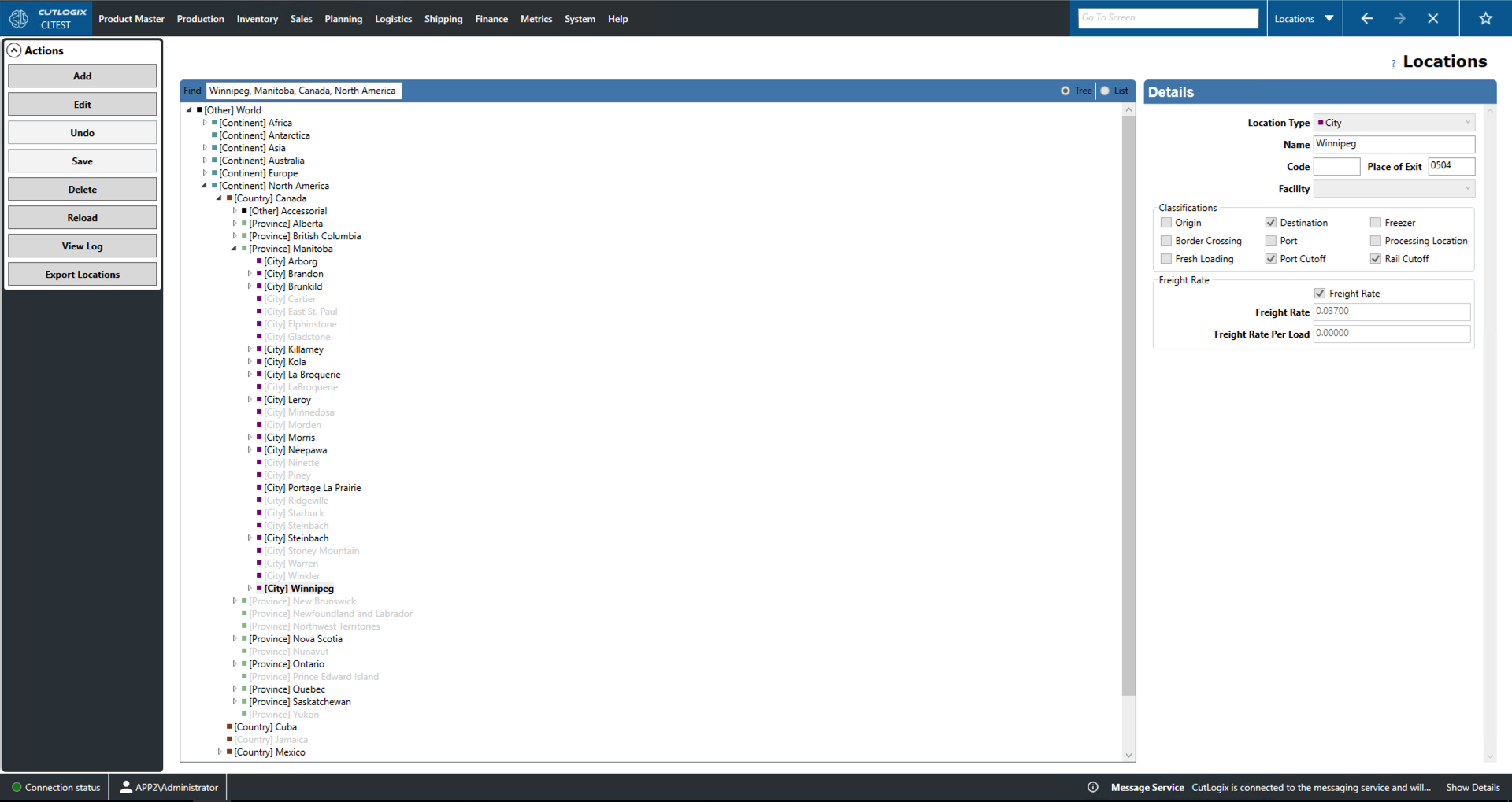
- Add: Allows the user to add a new location.
- Edit: Allows the user to edit the currently selected location. Users can only edit from Country locations and down.
- Save/Undo: Save/undo all changes made in the current add/edit session.
- Delete: Deletes the currently selected location and all of its child locations.
- Reload: Reloads the list of locations and displays the most up to date date from the data base.
- View Log: View the change log for the currently selected location. This includes what was changed, by whom and when.
- Export Locations: Allows the user to save location data locally as a .xlsx file (excel format).