Labor Master Data Tabs
How to Navigate: Click on Labor > Labor Master Data > Tabs
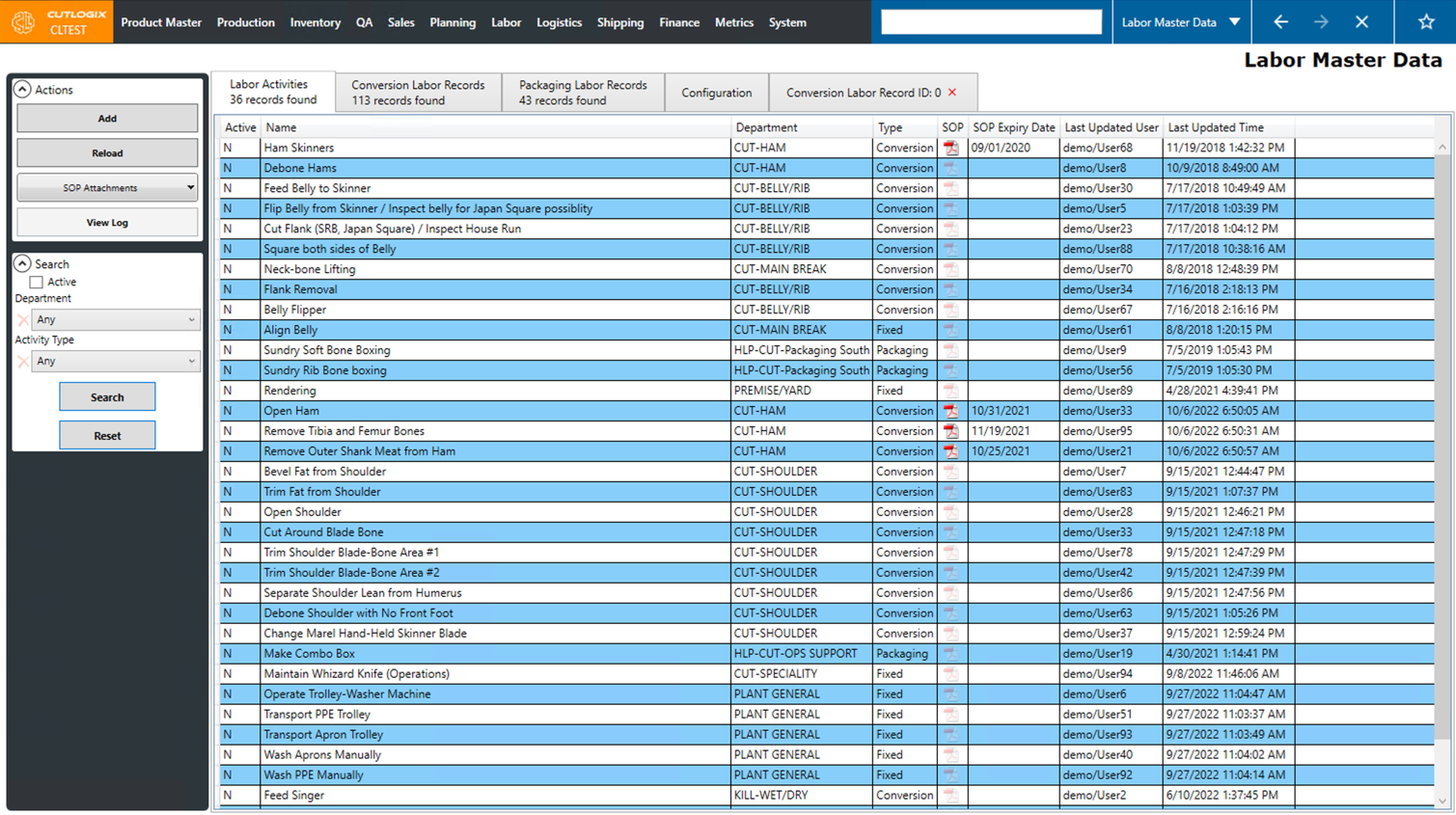
Labor Activities Tab
- Active: Indicates whether the labor activity is active (Y) or inactive (N).
- Name: The name of the labor activity.
- Department: The department that the labor activity is a part of.
- Type: The type that the labor activity is. (Conversion, Fixed or Packaging)
- SOP: This icon indicates if the labor activity has an SOP attached or not. When the icon is in full color, there in an attached SOP. When the icon is washed out, it means there is not an attached SOP.
- SOP Expiry Date: The expiry date of the attached SOP (if one exists).
- Last Updated User: The user that last updated the labor activity.
- Last Updated Time: The date & time at which the labor activity was last updated.
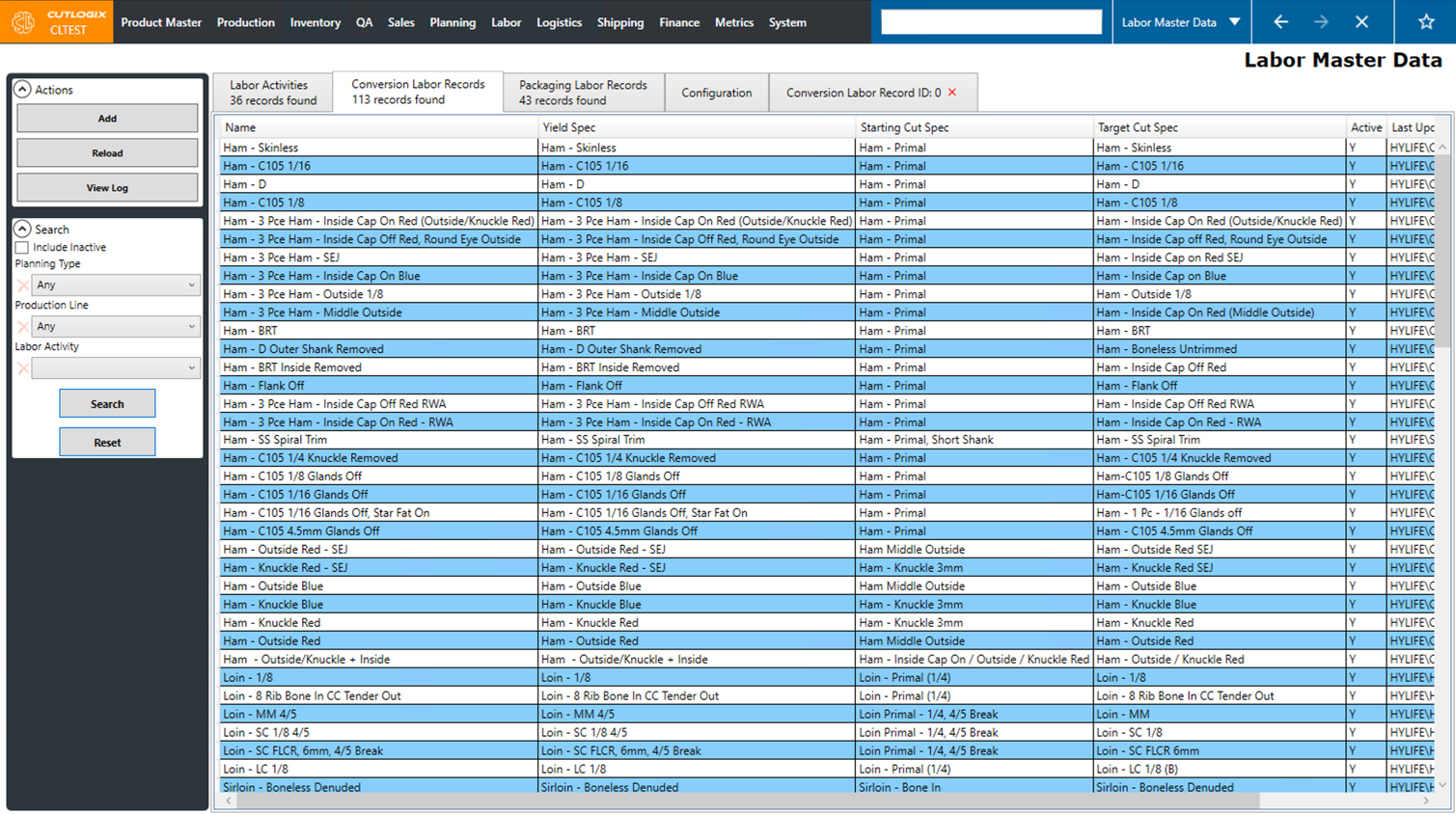
Conversion Labor Records Tab
- Name: The name of the conversion labor record.
- Yield Spec: The yield spec that the conversion labor record is for.
- Starting Cut Spec: The starting cut spec on the selected yield spec.
- Target Cut Spec: The target cut spec on the selected yield spec.
- Active: Indicates whether the conversion labor record is active (Y) or inactive (n).
- Last Updated User: Displays the username of the last user that updated the conversion labor record.
- Last Updated Time: The date and time that the labor record was last updated.
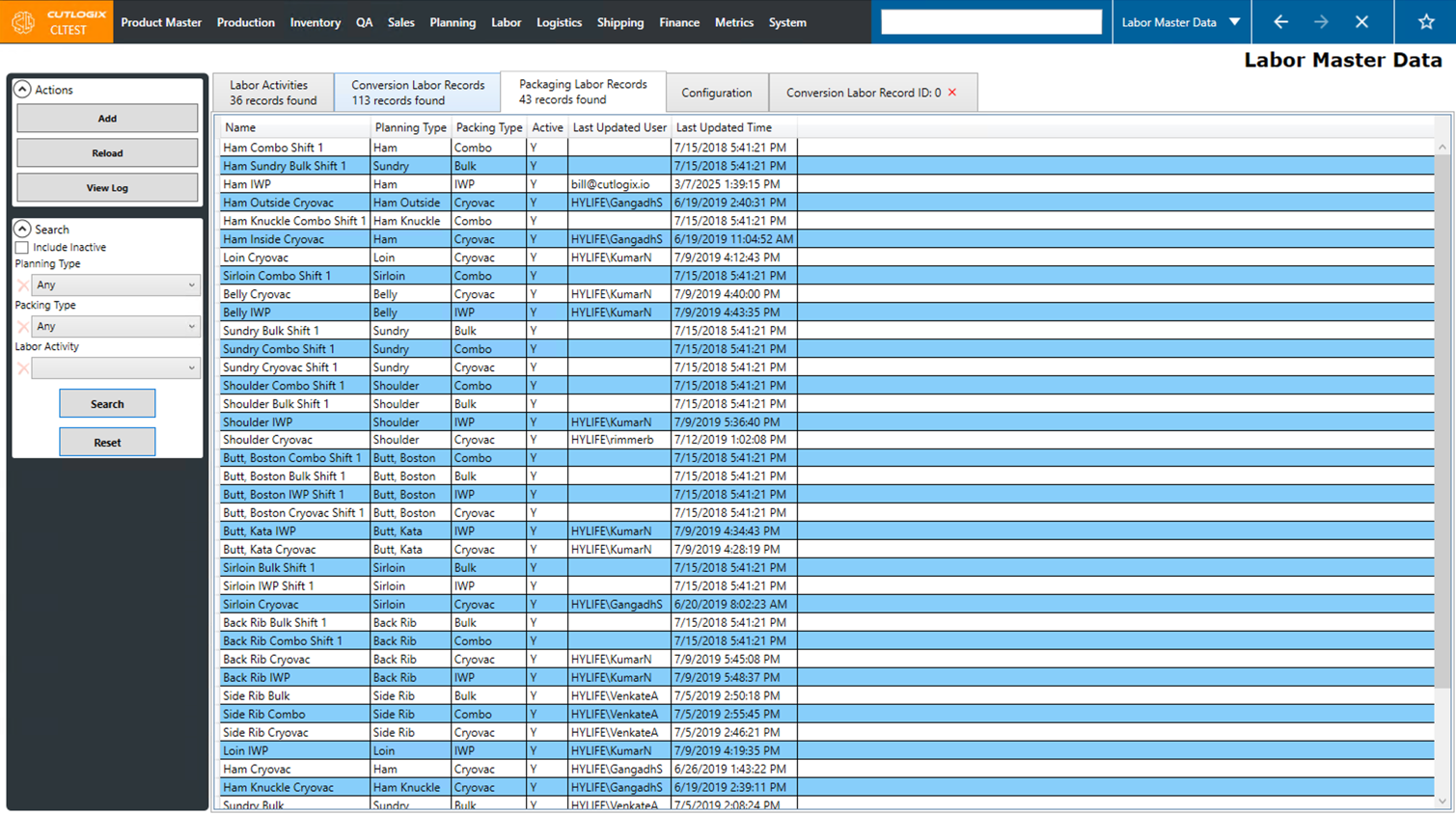
Packaging Labor Records Tab
- Name: The name of the packaging labor record.
- Planning Type: The planning type associated with the packaging labor record.
- Packing Type: The packing type that the labor record is for (Bulk, Combo, Cryovac, etc..)
- Active: Indicates whether the packaging labor record is active (Y) or inactive (N).
- Last Updated User: Displays the username of the last user that updated the labor record.
- Last Updated Time: The date and time that the labor record was last updated.
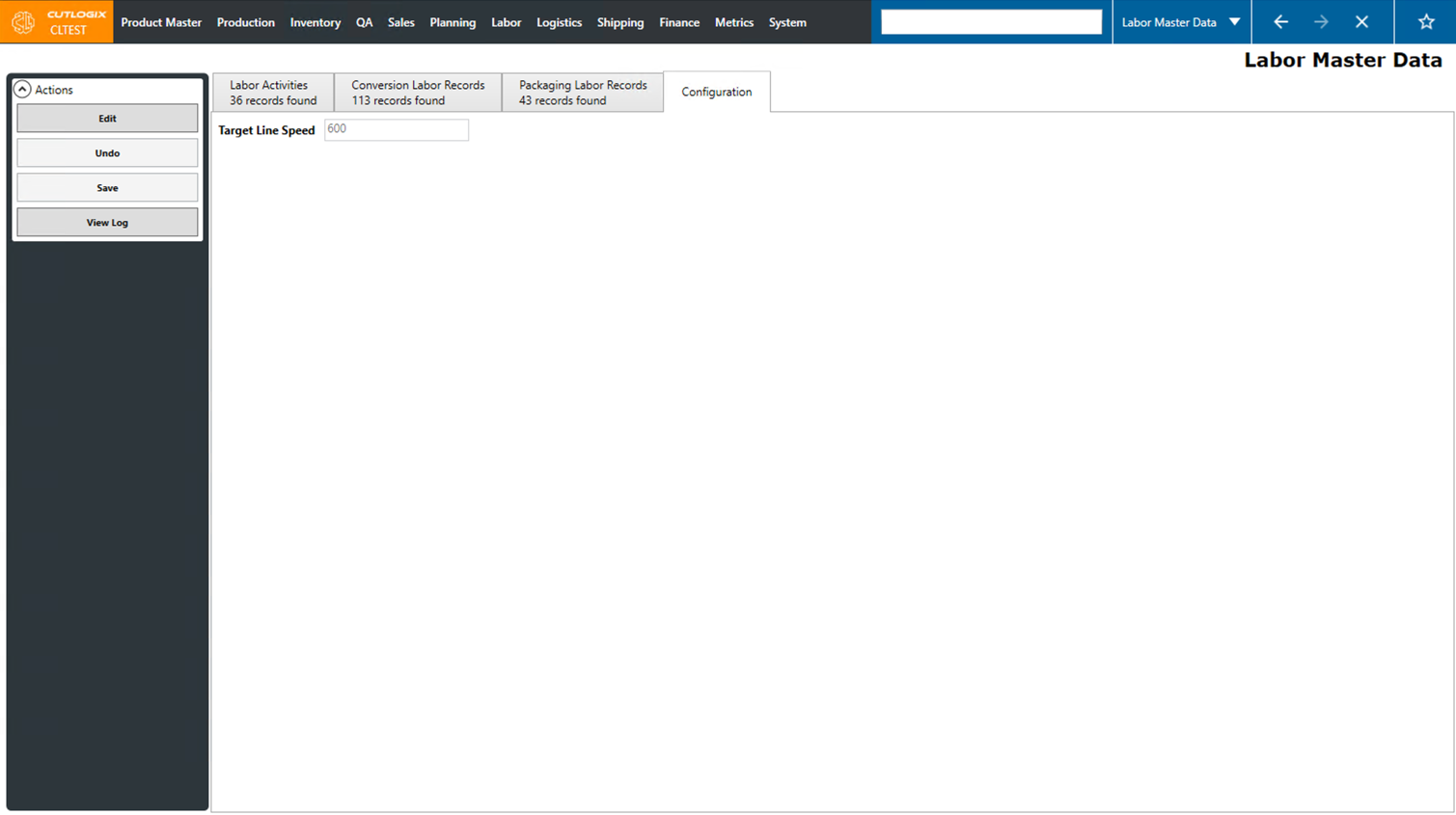
Configuration Tab
- Target Line Speed: The target line speed at which the plant will be running at. This will be used to help calculate how much labor will be required for each labor record.