Freezer Planning Override Overview
How to Navigate: Click on Planning > Planning Rules Config > Freezer Planning Override
Summary
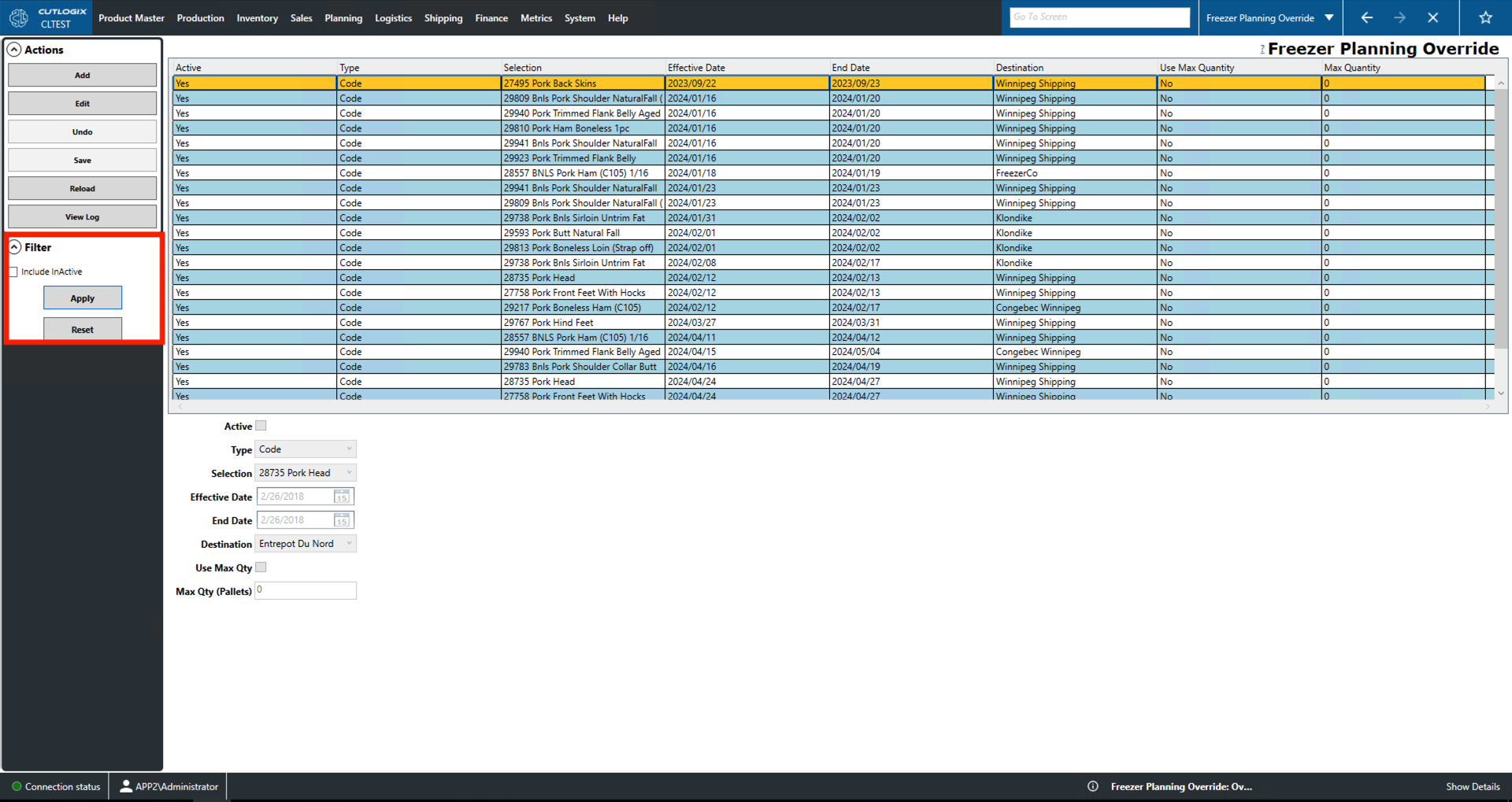
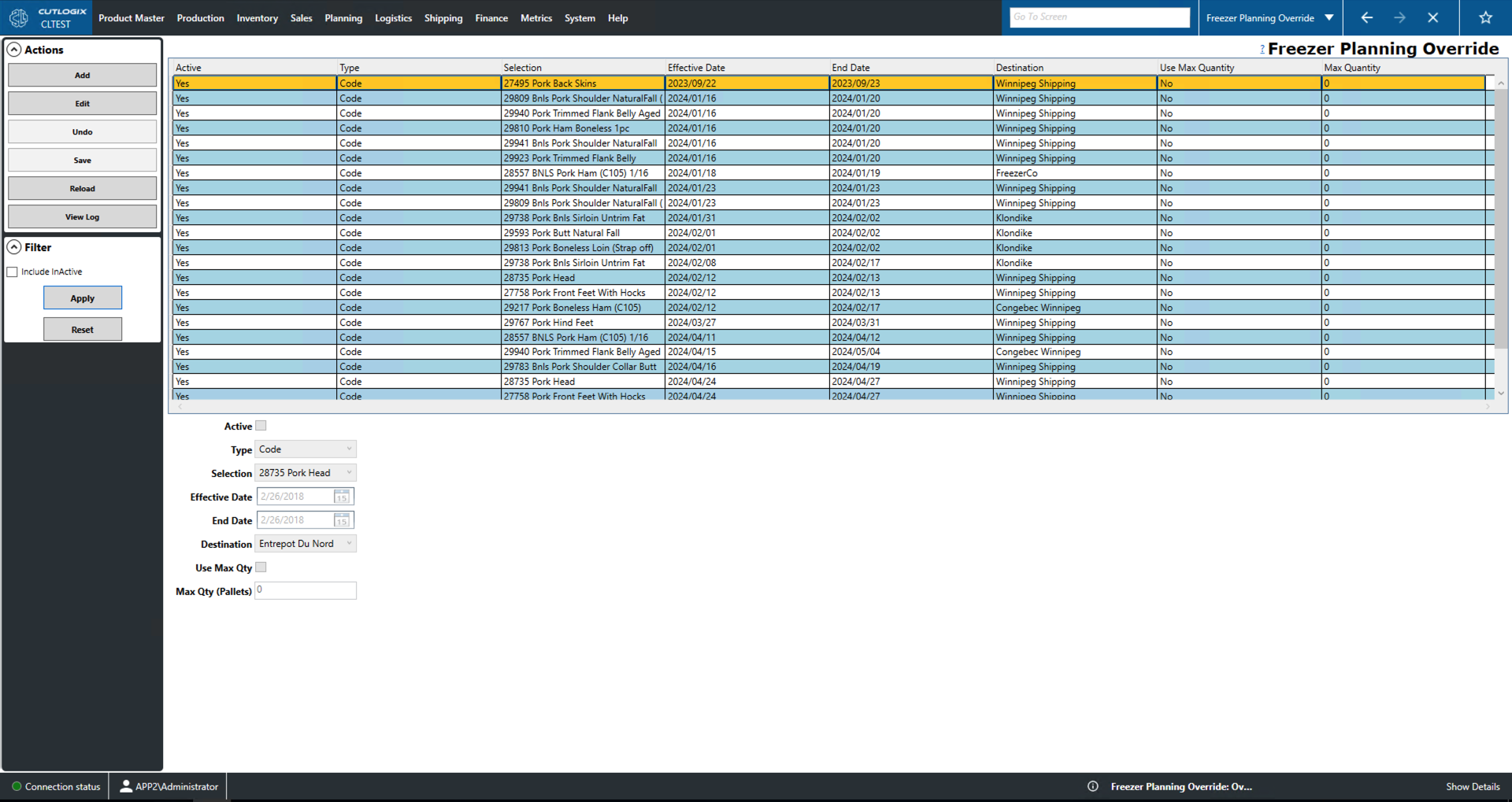
This page lists a series of manual override records for freezer storage. The list itself is on the top half of the screen and the data entry fields, which become available when adding/editing, are on the bottom half of the screen.
- Active: Indicates whether the freezer override record is active.
- Type: Indicates the type of freezer override.
- Planning Type/Code/Cut Spec: Specify a planning type/code/cut spec to override.
- Selection: The product and its unique identifier code.
- Effective/End Date: Date that the override takes effect/ends.
- Destination: Where the product is to be re-routed to.
- Use Max Quantity: Indicates whether the freezer override should re-route frozen product for the whole duration or whether it should stop once a maximum cap of product is hit.
- Max Quantity: If the record uses a max quantity then it is listed here.
Actions
- Add: Adds a new freezer override to the list.
- Edit: Edit the currently selected (highlighted in yellow) freezer override.
- **Required fields for adding/editing**:
- Type, Effective Date, End Date, Destination.
- Save/Undo: Save/undo all changes made in the current editing session.
- Reload: Reloads the list to reflect the most up to date data from the data base.
- View Log: View the change log for the currently selected freezer override record. This includes what changes were made, by whom and when.

Filter
- Include InActive: Indicates whether InActive freezer override records should be included in the list.
- Apply: Reloads the list with the current filters applied.
- Reset: Resets the filters and reloads the list to an unfiltered state.