Certificates Tabs
How to Navigate: Click on Logistics > Certificates > Tabs
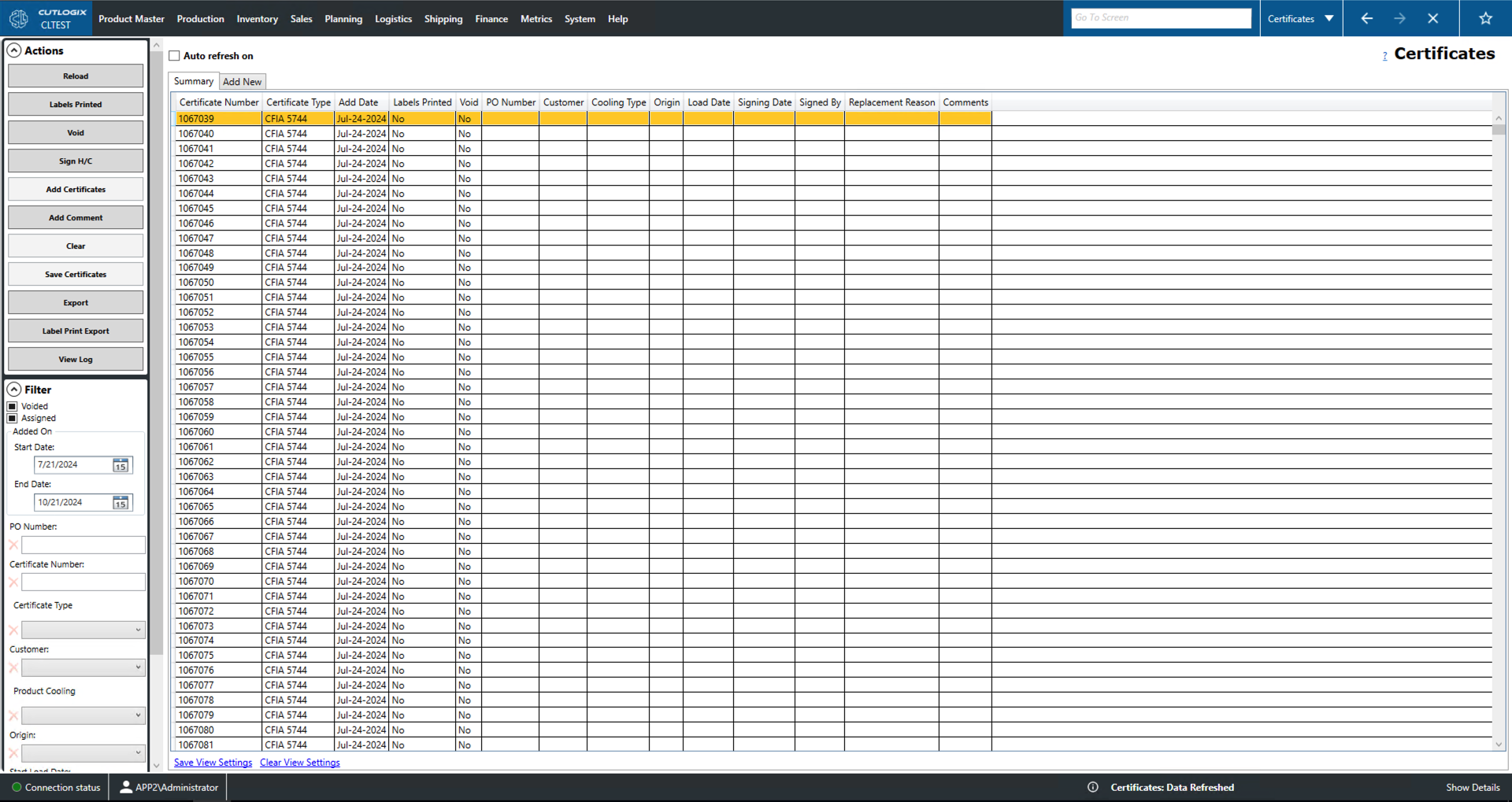
Summary Tab
- Certificate Number: A unique identifier for the certificate record.
- Certificate Type: Indicates the certificate's type. The Canadian Food Inspection Agency (CFIA) issues different certificates to indicate adherence to differing sets of regulatory requirements.
- Add Date: Records the date that the certificate was added to the system.
- Labels Printed: Whether or not the certificate has had its associated labels printed yet.
- Void: Whether or not the certificate has been voided (no longer a legally valid shipping document).
- PO Number: The purchase order (PO) number associated with this certificate.
- Customer: The customer purchasing the order associated with this certificate.
- Cooling Type: The cooling type associated with this certificate.
- Origin: Where the order associated with this certificate is being shipped from.
- Load Date: The load date of the certificate's associated order.
- Signing Date: The date the certificate was signed.
- Signed By: The individual that signed the health certificate.
- Replacement Reason: A field to list the reason why this certificate was replaced.
- Comments: A space for comments on the particular certificate.
Add New Tab
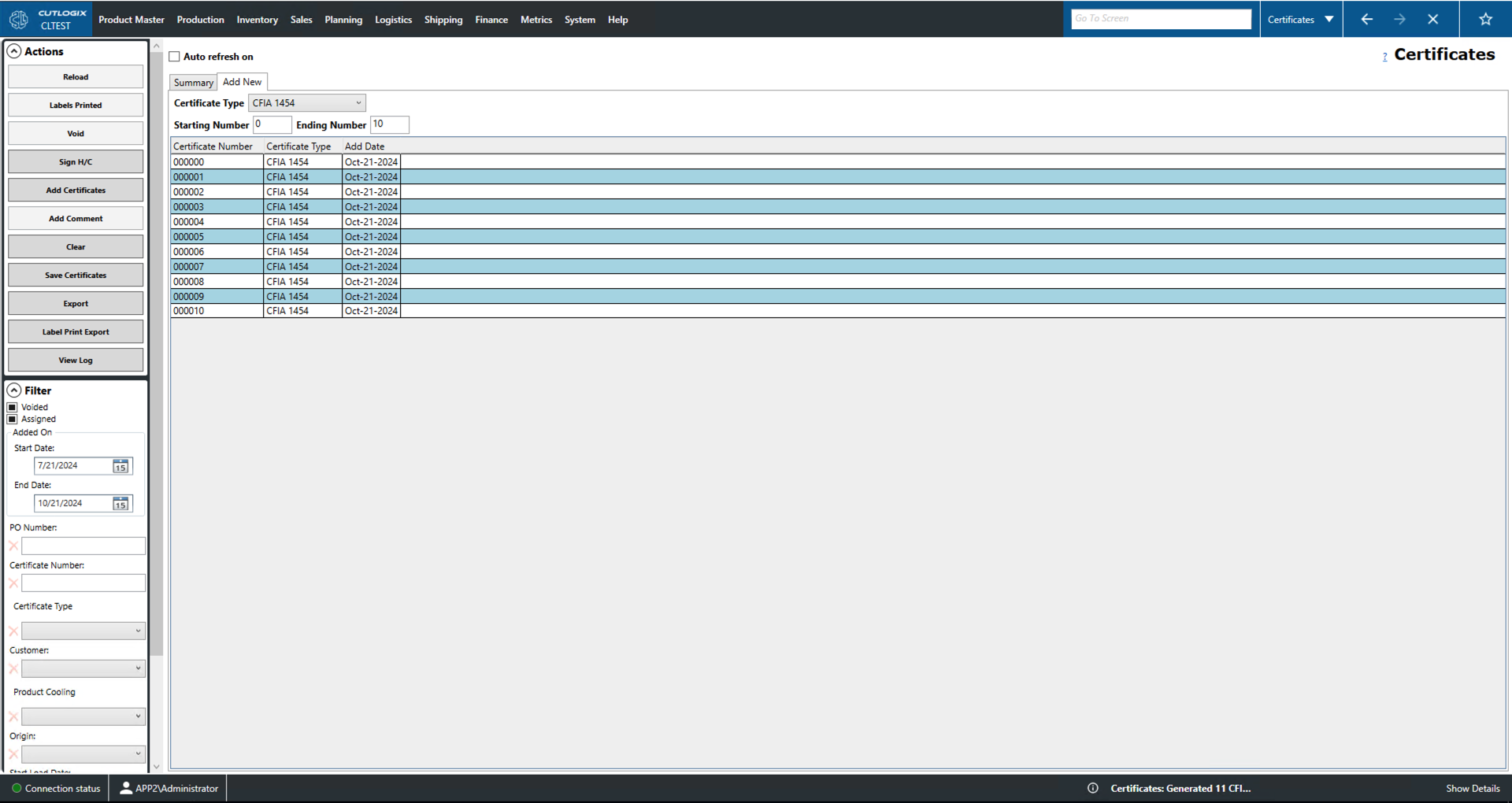
Users can use this tab to create new certificate records.
- Certificate Type: Use this dropdown to select the type of certificate record you would like to create. Selecting a type will enable the 'Add Certificates' button.
- Starting/Ending Number: Use these fields to specify the start and end number for the certificate range to be added.
- Certificate Number: A unique identifier for the certificate record.
- Add Date: The date the certificate record was added.