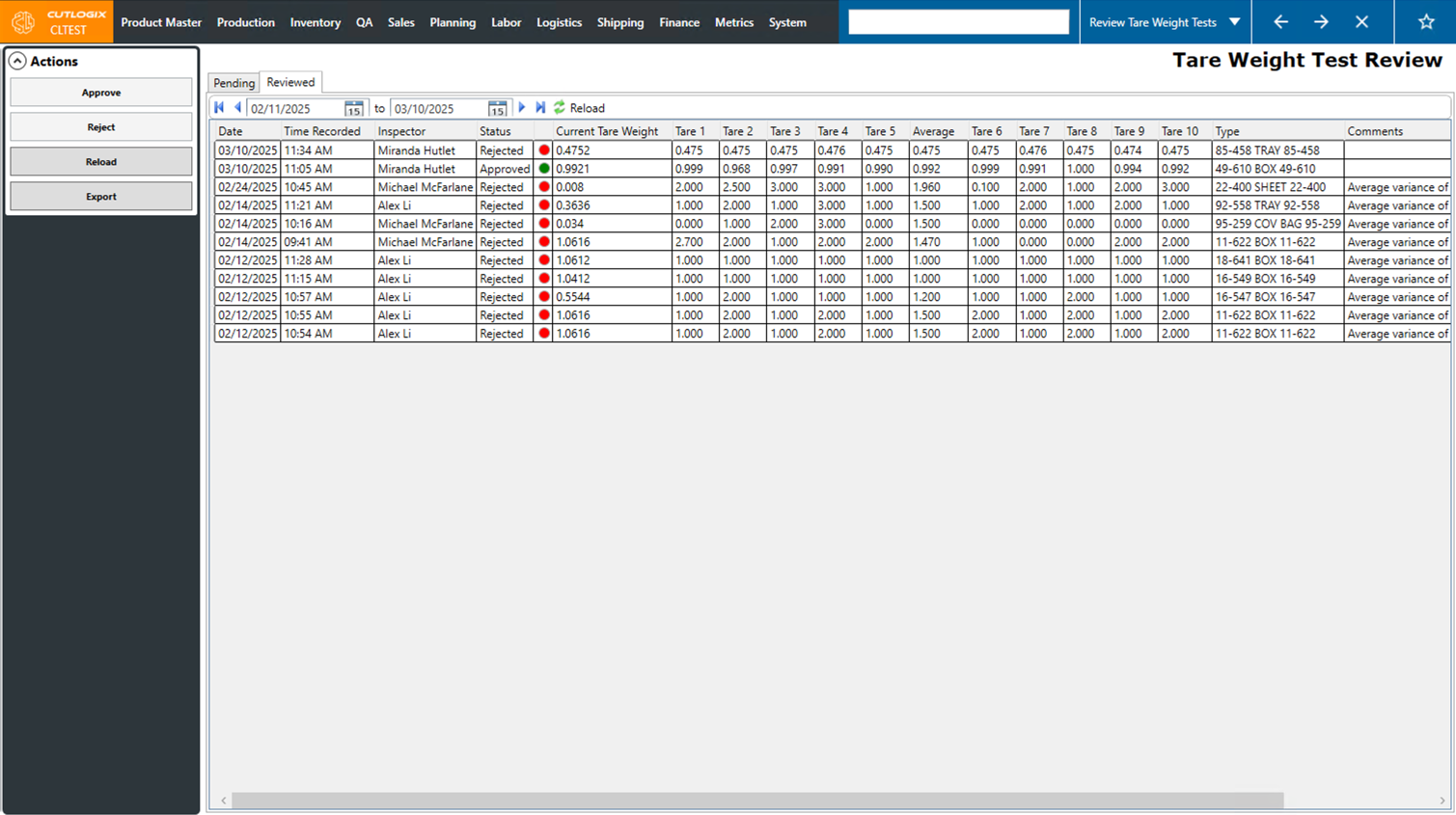
Tare Weight Test Review Tasks
How to Approve or Reject Tare Weight Tests
Demo
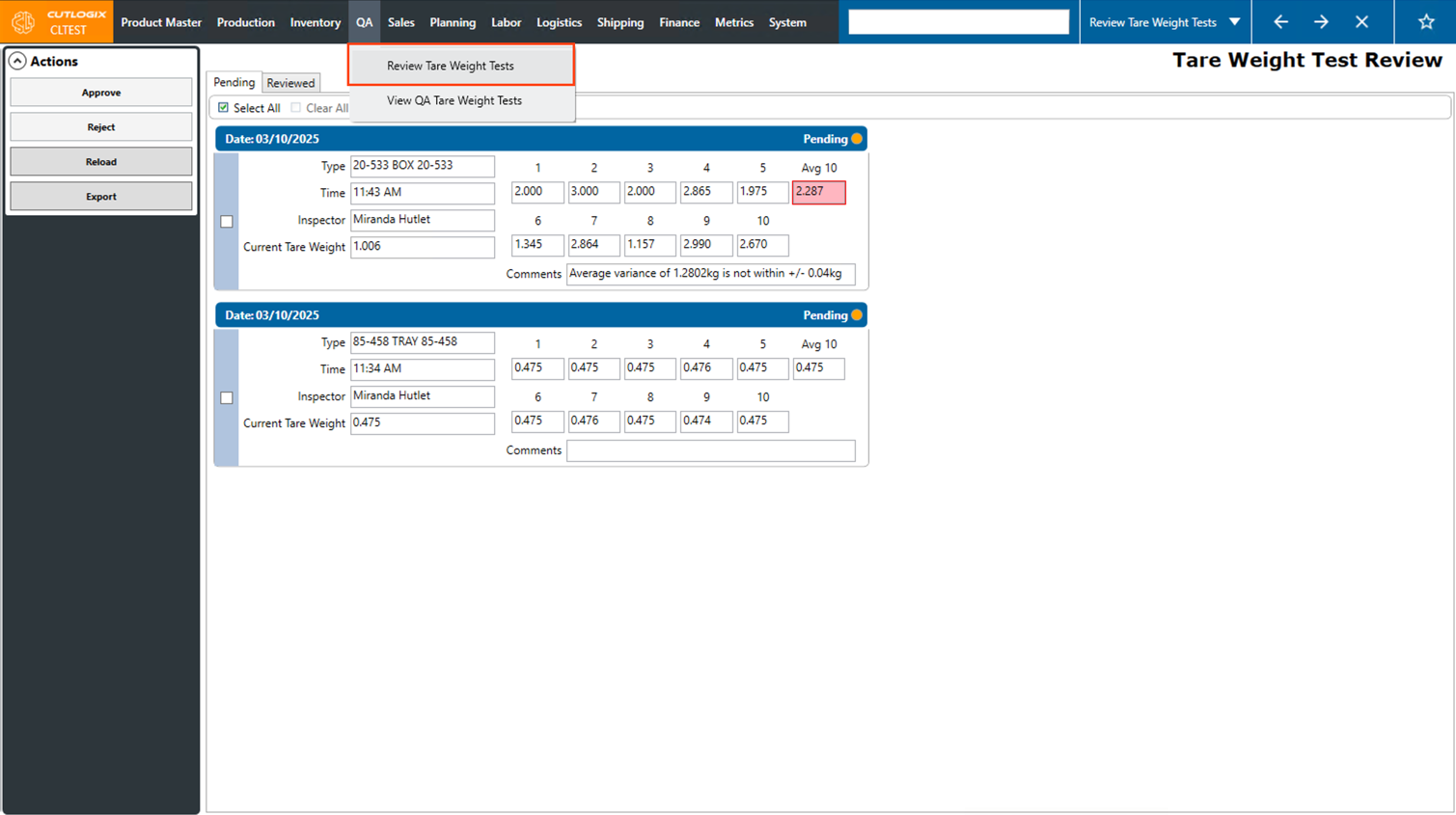
Step 1: Navigate to the "Tare weight Test Review" page (Under the QA menu → Tare Weight Test Review)
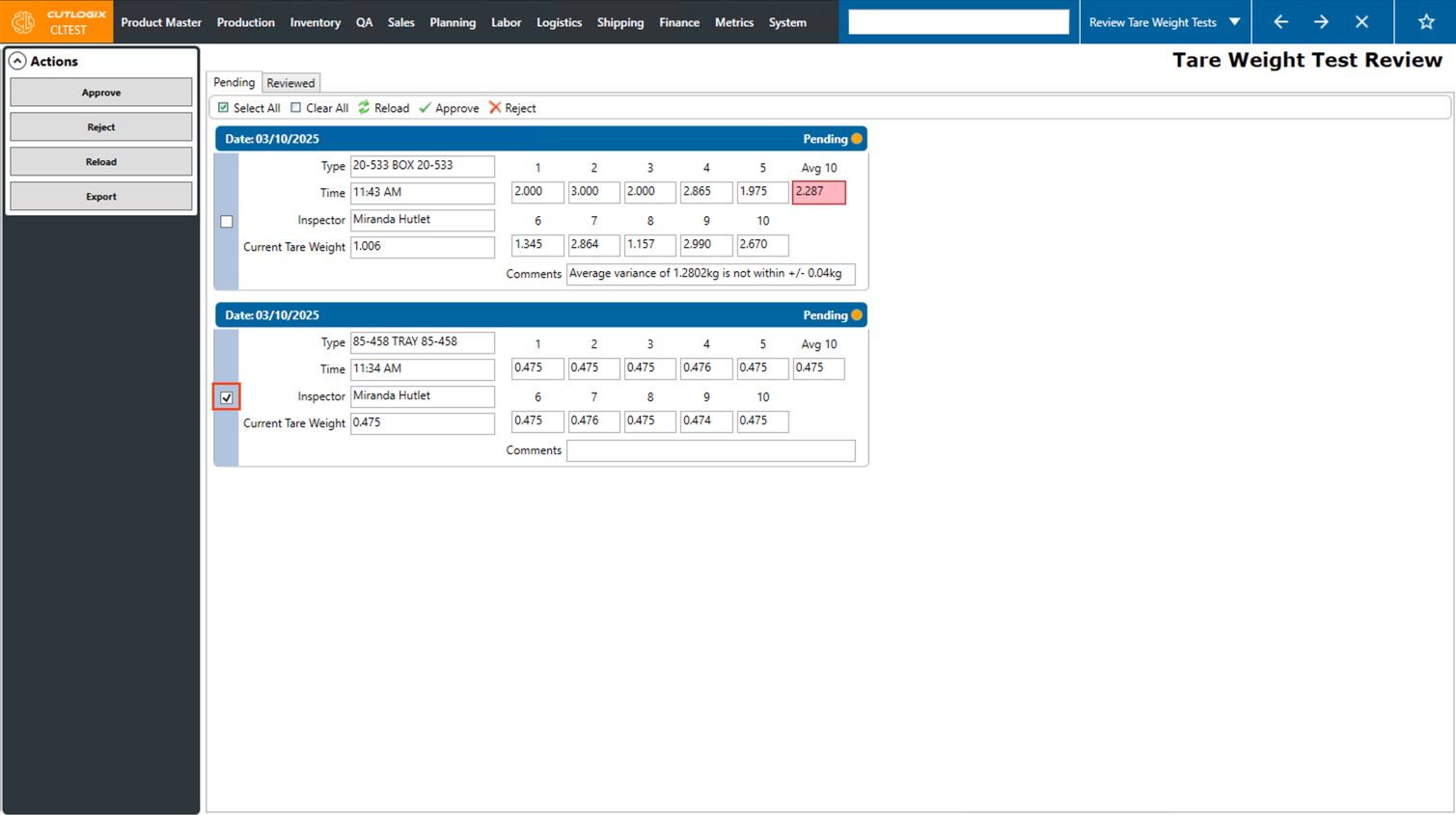
Step 2: Click the checkbox beside each tare weight test that you want to approve or reject.
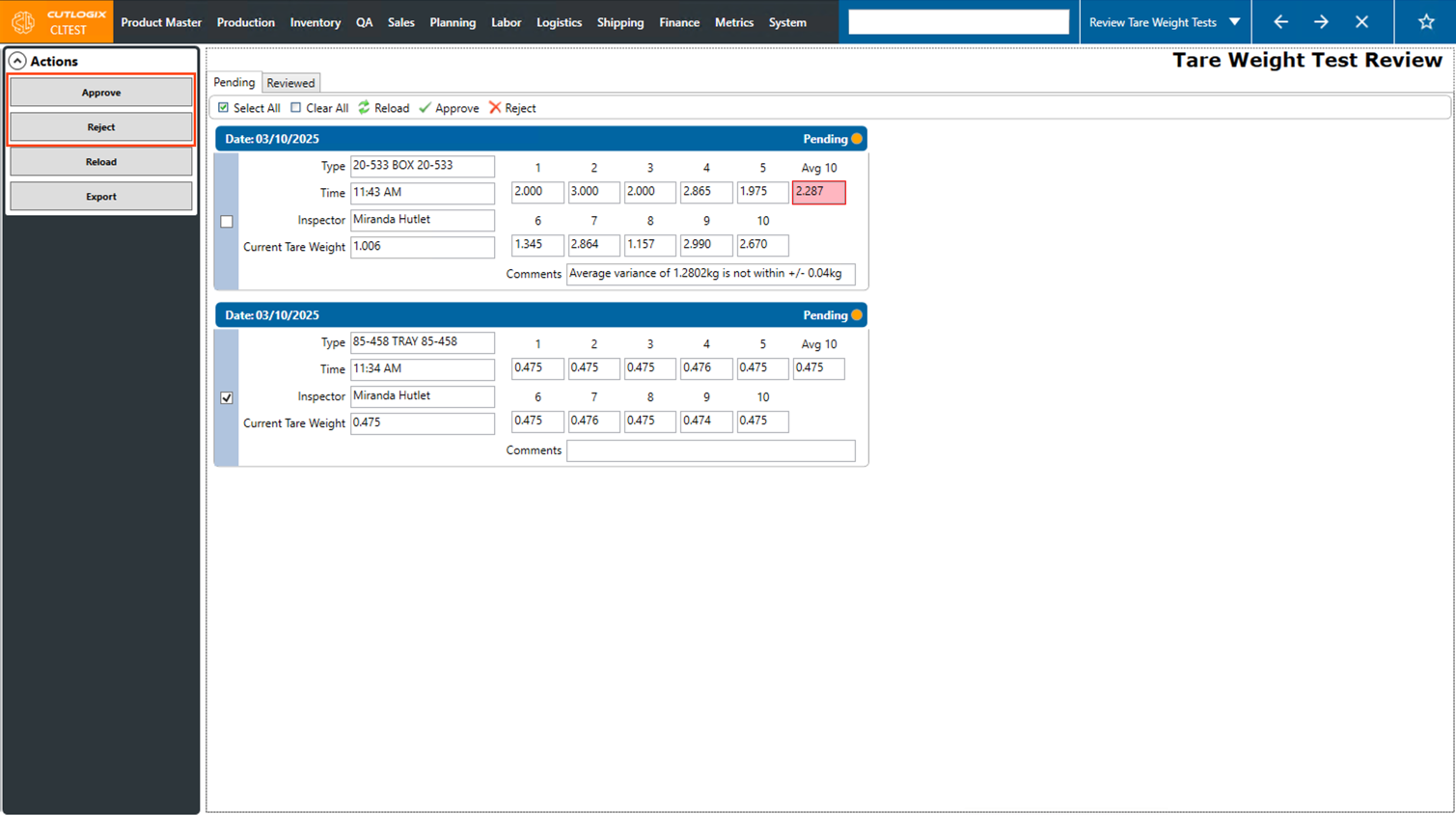
Step 3: Click either the "Approve" button to approve the selected tare weights and apply the average weight of each test as the new tare weight on the tested material OR click the "Reject" button to reject the tare weight tests. Rejecting the tests will not update the current tare weight of the packaging material on the test.
Step 4: The tare weights will then be moved to the "Reviewed" tab where you can view whether they were approved or rejected.
Note: If you approved the tare weight tests, the tare weights on the associated packaging materials will be adjusted to match the average of the test weights.
Note: If you approved the tare weight tests, the tare weights on the associated packaging materials will be adjusted to match the average of the test weights.