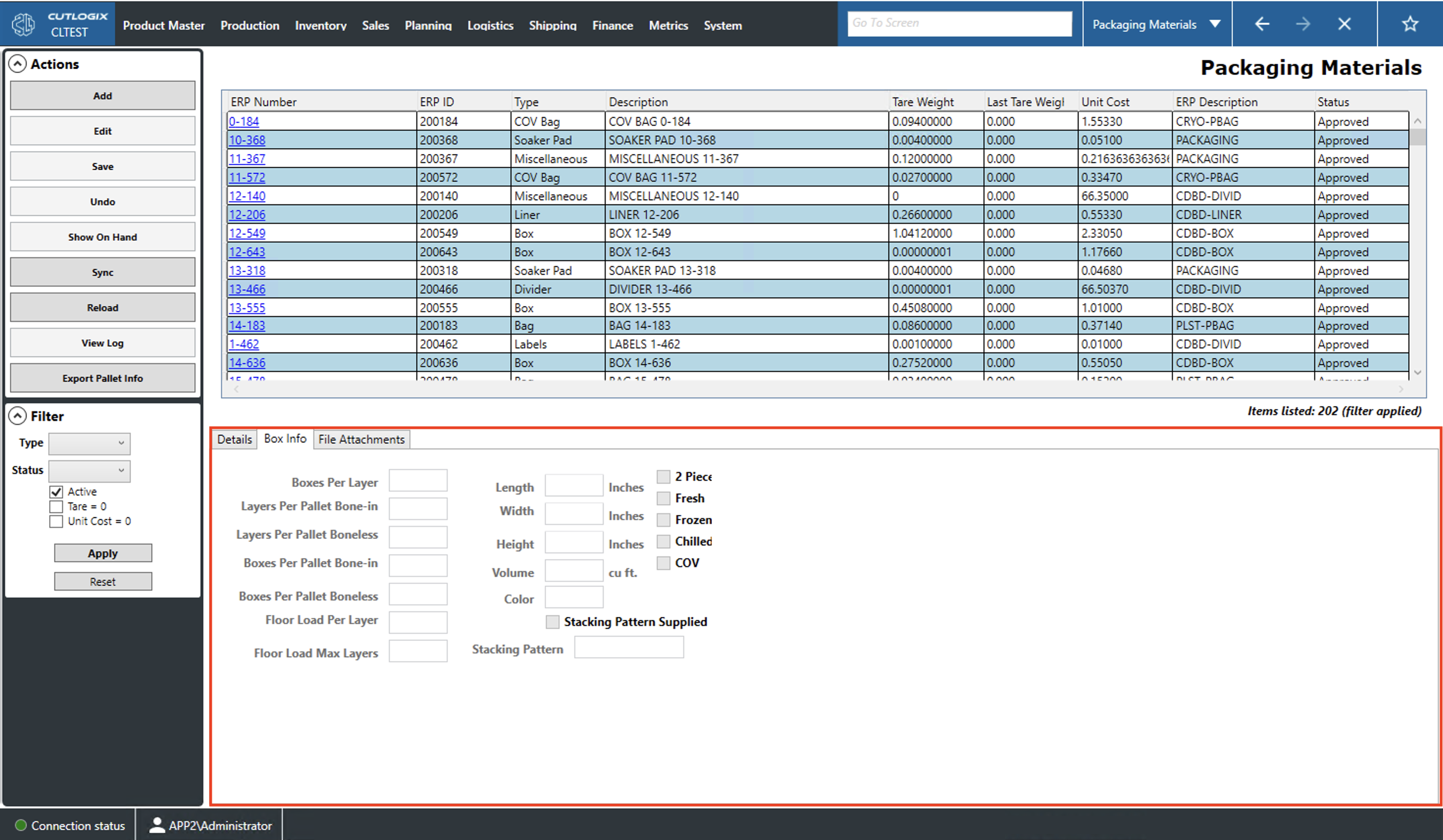
Box Info
How to Navigate: Click on Product Master > Packaging Materials > Box Info
Box Info Tab
- Boxes Per Layer: How many boxes should be on each layer on the pallet.
- Layers Per Pallet Bone-in/Boneless: The number of box layers per pallet for bone-in products.
- Boxes Per Pallet Bone-in/Boneless: Total number of boxes per pallet for bone-in products.
- Floor Load Per Layer: The number of boxes per layer when floor loaded (i.e. in a shipping container).
- Floor Load Max Layers: Maximum number of layers that can be stacked up if boxes are floor loaded (i.e. in a shipping container).
- Length, Width, Height: The length/width/height of the box in inches.
- Volume: The volume of the box in cubic feet. This value is calculated upon saving changes to the box using the input length, width and height values.
- Color: The color of the box.
- Stacking Pattern Supplied: Indicates that a stacking pattern will be manually input by the user.
- Stacking Pattern: Users can enter their stacking pattern here if the Stacking pattern Supplied checkbox is enabled.
- 2 Piece, Fresh, Frozen, Chilled, COV: Users can check these boxes to indicate that the box is used for the type of products indicated.
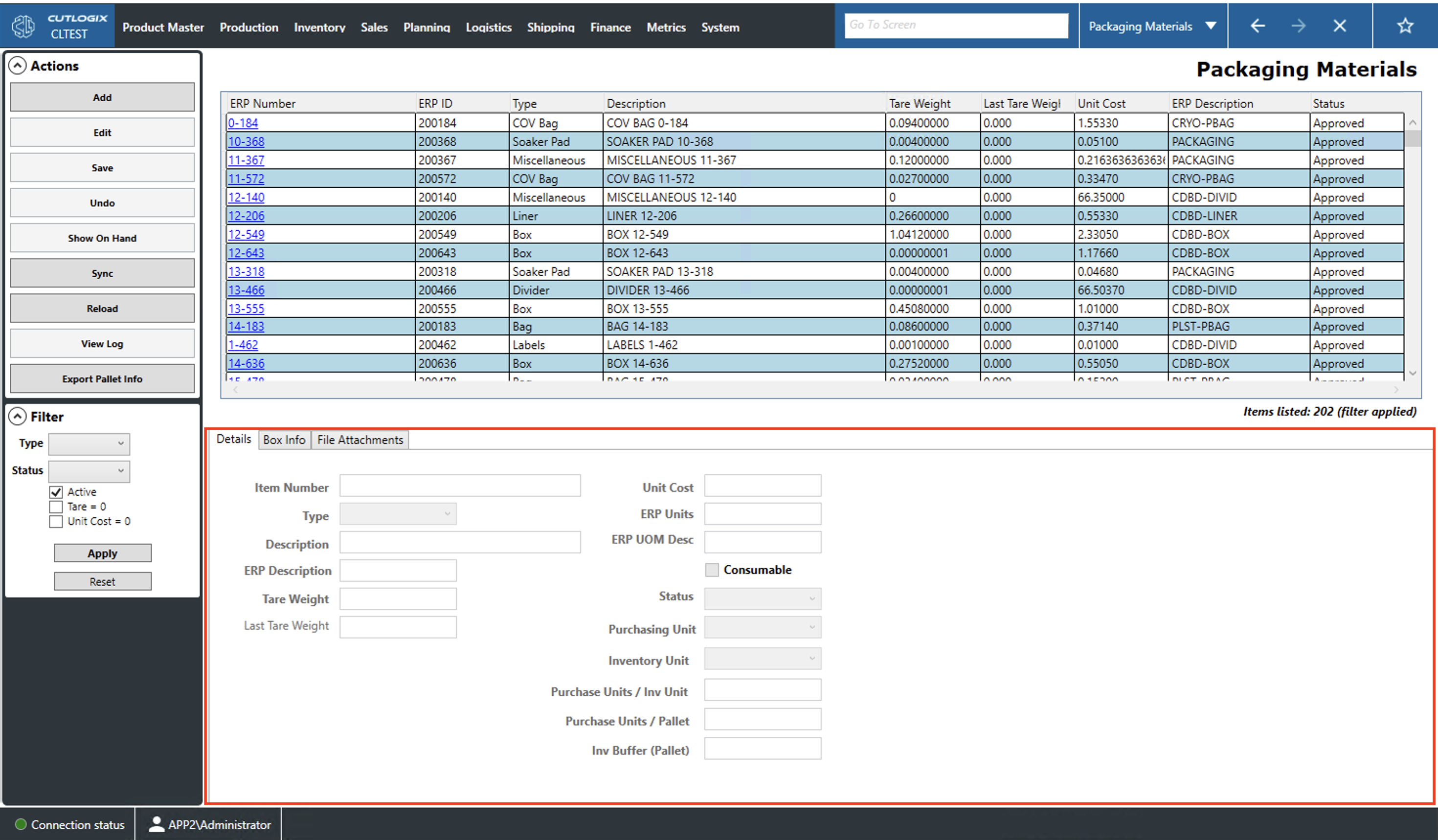
Details Tab
- Item Number: Functions as a name/description in the enterprise resource planning (ERP) system.
- Type: The type of packaging material (i.e.: Box, Bag, Divider).
- Description: A description for the packaging material.
- ERP Description: The packaging material description in the ERP system.
- Tare Weight: The weight of one unit of the packaging material.
- Last Tare Weight: If the tare weight of a packaging material is changed, the previous weight will appear in this field.
- Unit Cost: The cost for one unit of the selected packaging material.
- ERP Units: Records how many individual pieces of the packaging material are included in the unit cost. For example, if the unit cost is how much it costs to buy 1 box of 20 items then the ERP units would be equal to 20.
- ERP UOM Desc: This is queried from the ERP system and reflects how the packaging material is purchased (i.e. is it bought by individiaul units, by the box, etc.).
- Consumable: If selected, this indicates that the product is used on the cut floor but may not be part of a packaging BOM for a product (i.e. rubber gloves).
- Status: The status of the selected packaging material.
- Purchasing Unit: The unit of measurement by which the packaging material is purchased.
- Inventory Unit: The unit of measurement by which the packaging material is counted in inventory.
- Purchase Units / Inv Unit: The number of purchase units stored per inventory unit.
- Purchase Units / Pallet: The number of purchase units it takes to fill a pallet.
- Inv Buffer (Pallet): The number of pallets of the packaging item to maintain in inventory at all times (minimum stock level).
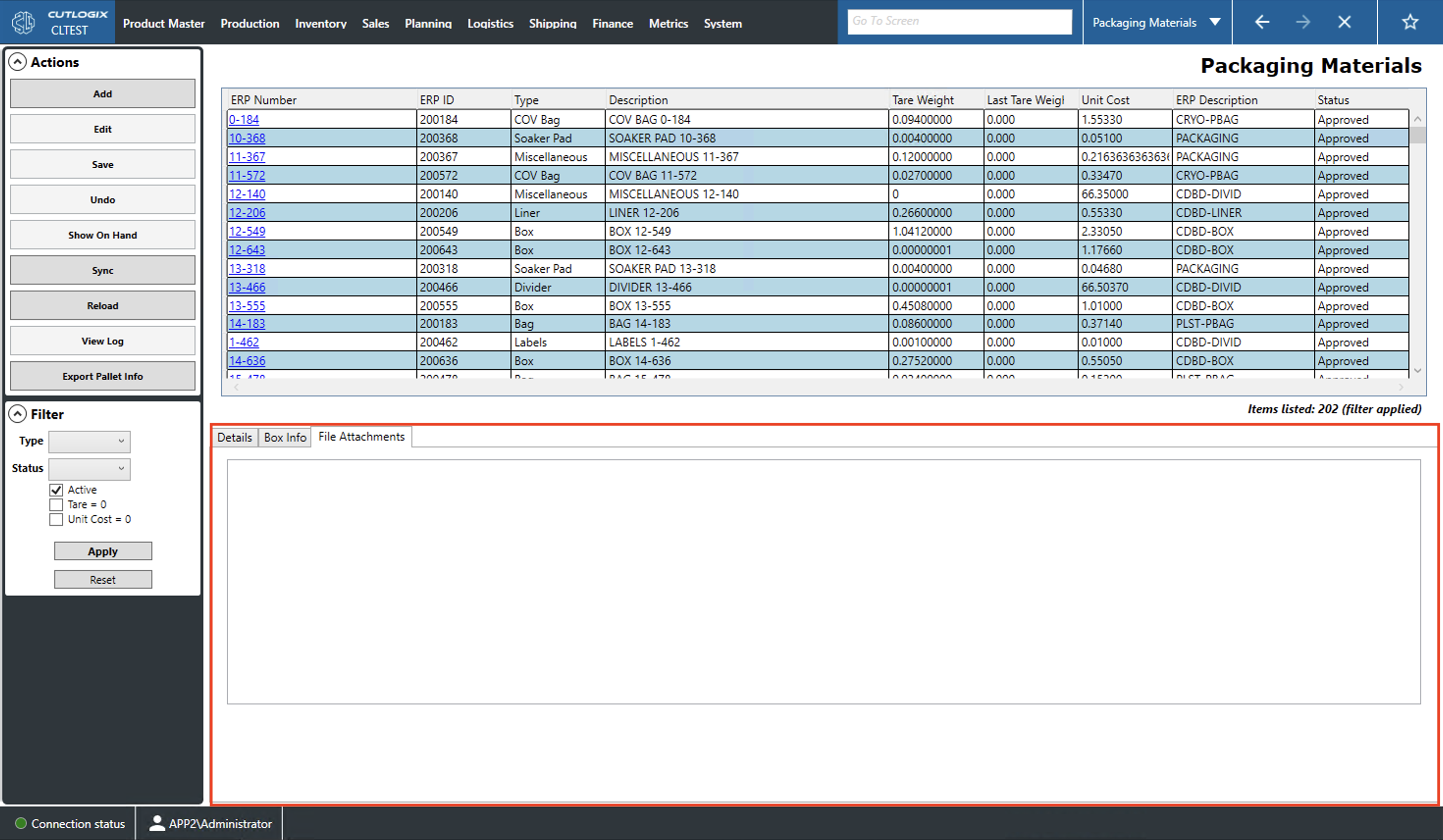
File Attachments Tab
This page displays all files that have been attached to the currently selected packaging material (highlighted in yellow).