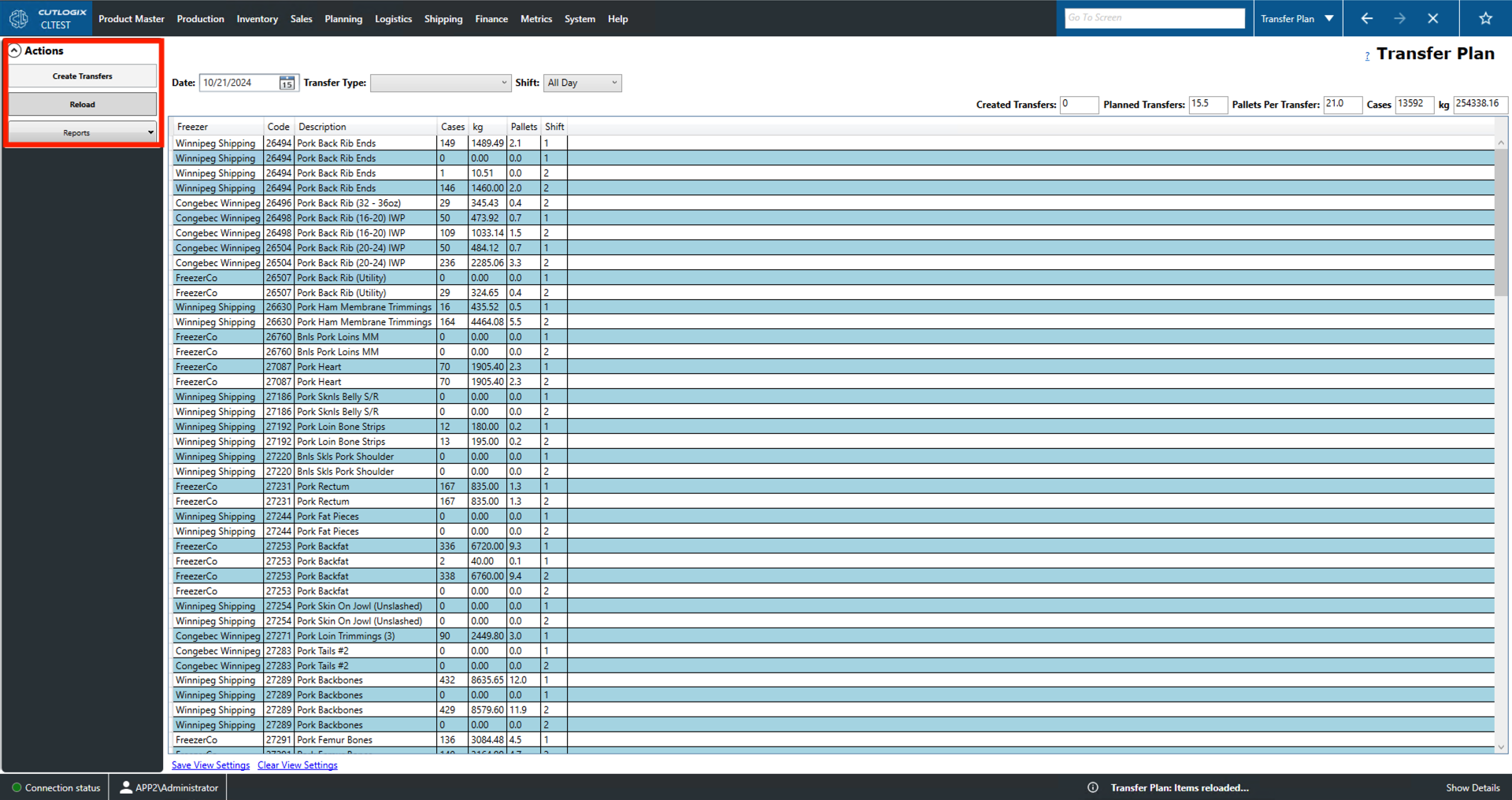
Transfer Plan Overview
How to Navigate: Click on Logistics > Transfer Plan
Summary
The purpose of this page is to provide a place for users to create transfers of frozen product.
-
Top of the Screen Fields
- Date: Use this to set the date that you want to view transfers for.
- Transfer Type: The location to which the transfer will be made.
- Shift: The shift on which the transfer will take place.
- Created Transfers: The number of transfers created on the selected day.
- Planned Transfers: The number of loads it will take to ship the transfers
- Pallets Per Transfer: Average number of pallets per transfer for the selected day.
- Cases: Total number of cases of product included in the selected days transfers.
- kg: Total weight of the product included in the selected day's transfers. List Fields
- Freezer: The location the frozen product will be transferred to for storage.
- Code: A unique identifier for the product being transferred.
- Description: A description/name for the product being transferred.
- Cases: The number of cases of product being transferred
- kg: The weight in kilograms (kg) that are being transferred.
- Pallets: The number of pallets of product in the transfer.
- Shift: The shift on which the transfer will take place.
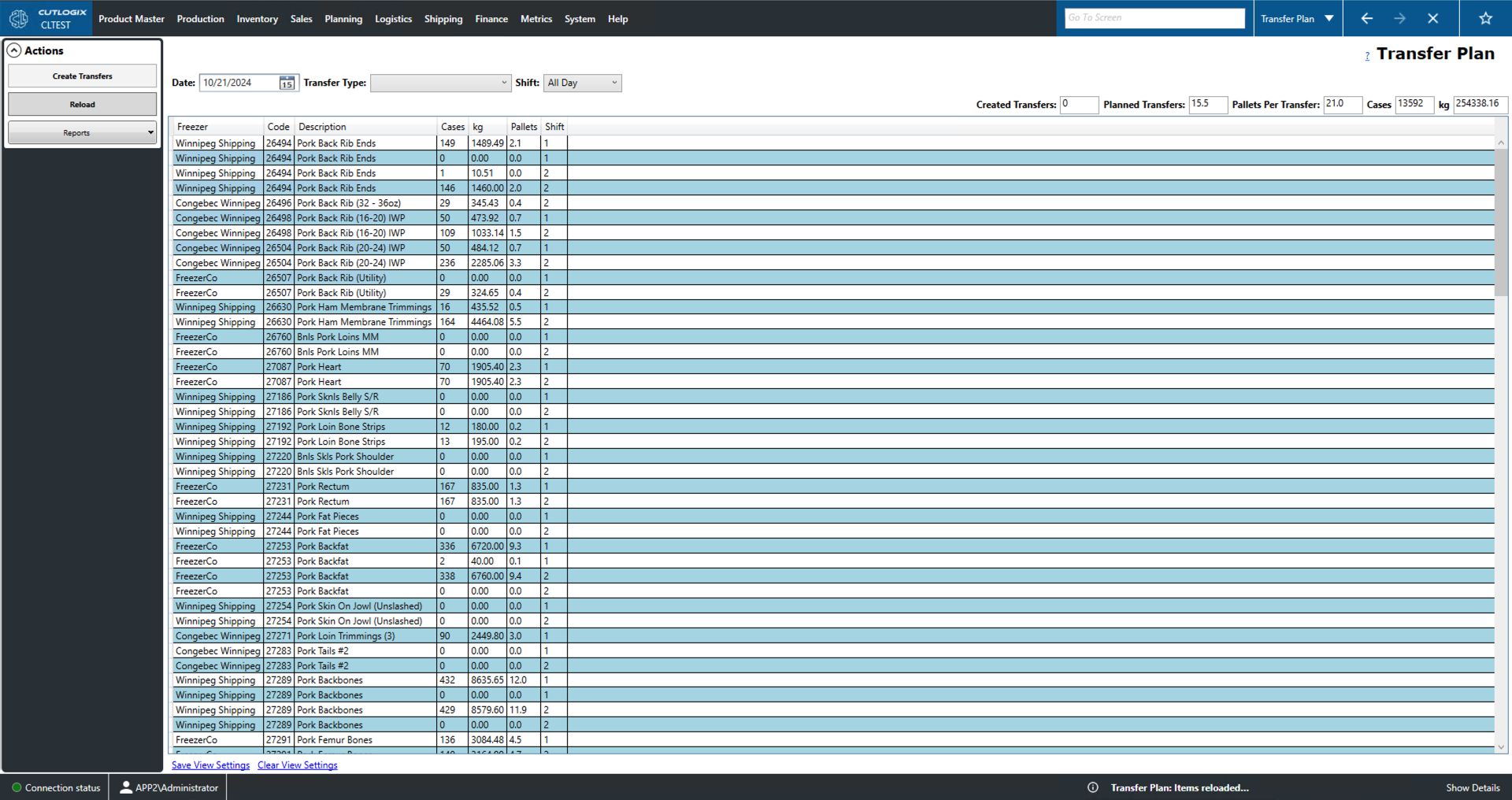
Actions
- Create Transfers: This will bring up a window that will allow the user to create a product transfer. In order to enable the button, a selection must be made in the 'Transfer Type' dropdown. Create Transfers Fields:
- Base Transfer Number: By default this is the location number associated with the transfer destination.
- Starting Transfer Number: The number at which the user wants to start numbering the transfers.
- Number of Transfers: The number of transfers to create with this information.
- Load Date: The date that this transfer will be loaded.
- Delivery Date/Time: The date and time that this transfer will be delivered.
- Origin: The location the transfer is being shipped from.
- Destination: The location the transfer is being shipped to.
- Transfer Type: This will be either stock or freezer.
- Stock: Product being shipped from the plant to a location with a freezer for storage.
- Freezer: Product that is being shipped from one freezer location to another.
- Product Cooling: The type of product cooling that the transfer requires (fresh, frozen or chilled).
- Temps: Temperature overrides.
- Comments: A space for comments on the transfer.
- Reload: This will reload the list of transfers for the selected day displaying the most up to date data from the data base.
- Reports: This dropdown will contain a number of reports on product transfers. These reports are customizable by customer request.