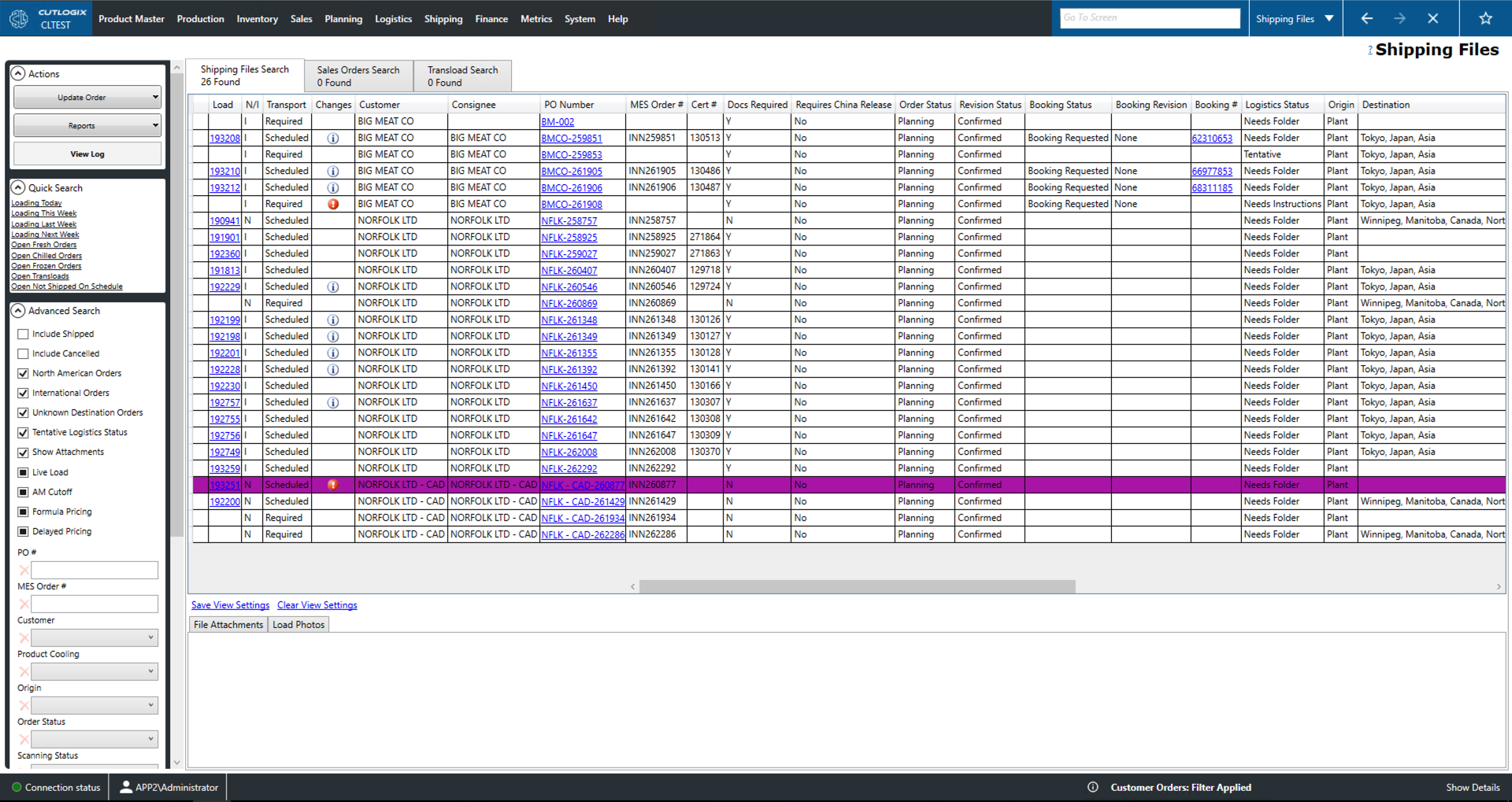
How to Navigate: Click on Logistics > Shipping Files > Shipping Files Search Tab
Shipping Files Tab
Load: The load number associated with this shipping file. This is a unique identifier for the associated load.
N/I: Whether the load will shipped internationally or nationally.
Changes: An 'i' icon will appear in this column for those shipping files that have been changed. Clicking the icon will open up a window in which the user can browse what the changes were made to the order.
Customer: Customer that placed the order.
Consignee: Consignee responsible for receiving the shipment.
PO Number: Purchase order (PO) number. A unique identifier for the customer order.
MES Order #: Order number assigned to the order in the manufacturing execution system (MES).
Cert #: Canadian Food Inspection Agency (CFIA) certificate number.
Docs Required: Whether or not shipping documents are required.
Requires China Release: Whether or not the load requires special shipping documents for shipping to China.
Order Status: The status of the sales order.
Not Verified: A new order that has not passed review.
Planning: The order is in the planning system to be produced.
Shipped: The order has been planned, loaded and shipped to the customer.
SNB: The order has been shipped but not billed.
Cancelled: The order will no longer be produced for the customer.
Revision Status: The revision status of the order.
CSR: The order has been entered by the customer service representative (CSR) but not yet reviewed.
Revision Requested: The order has been reviewed and requires changes.
Revised: The CSR has revised the order according to feedback and re-submitted it for review.
Confirmed: The order has passed review and can now be planned by the planning system.
Booking Status, Revision, #: These fields record information about the shipping files booking on a shipping liner.
Origin/Destination: The location the order will be shipped from/to.
Cust. Dest.: The location that the order will ultimately arrive at.
Tranload Date: Indicates the date that this order will need be changed from one mode of transportation to another.
Trans Location: Indicates the location that the order's mode of transportation will be changed.
Load Date: The date that the order will be loaded.
Delivery Date: The date on which the load will be delivered.
Product Cooling: Whether the product order requires fresh, frozen or chilled cooling.
Delivery Terms: These terms indicate the responsibilities of the shipper and the receiver while the route is in transit. These are also known as 'incoterms'.
Cartons: The number of cartons on the order.
Scanned Pallets: The total number of pallets that have been scanned onto the order.
Scanning Status: The scanning status of the order.
Not Started: Scanning the order into the MES has not started.
In Progress: Scanning the order into the MES is underway.
Complete: Scanning the order into the MES is complete.
Complete - Short: Scanning the order into the MES is complete but the order has been shorted (not all ordered product is available to ship).
Scanned Cases/kg: The number of cartons/kilograms of product that have been scanned onto the order.
Gross Scanned kg: The weight of the scanned product including the weight of the packaging materials.
Not Shipped On Schedule: Indicates whether or not the load was shipped late.
Load Tender Status: Status of the load tender to a 3rd party carrier.
Live Load: Whether or not this the driver will wait while for load they are picking up/dropping to be completed rather than dropping off their trailer.
AM Cutoff: Marks the load as needing to be completed in the morning shift (i.e. because it needs to cross the border before the port closes, etc.).
Formula Pricing: Whether or not the United States Department of Agriculture's (USDA) formula pricing was used not or not for this order.
Delayed Pricing: Non-USDA pricing that has yet to be determined.
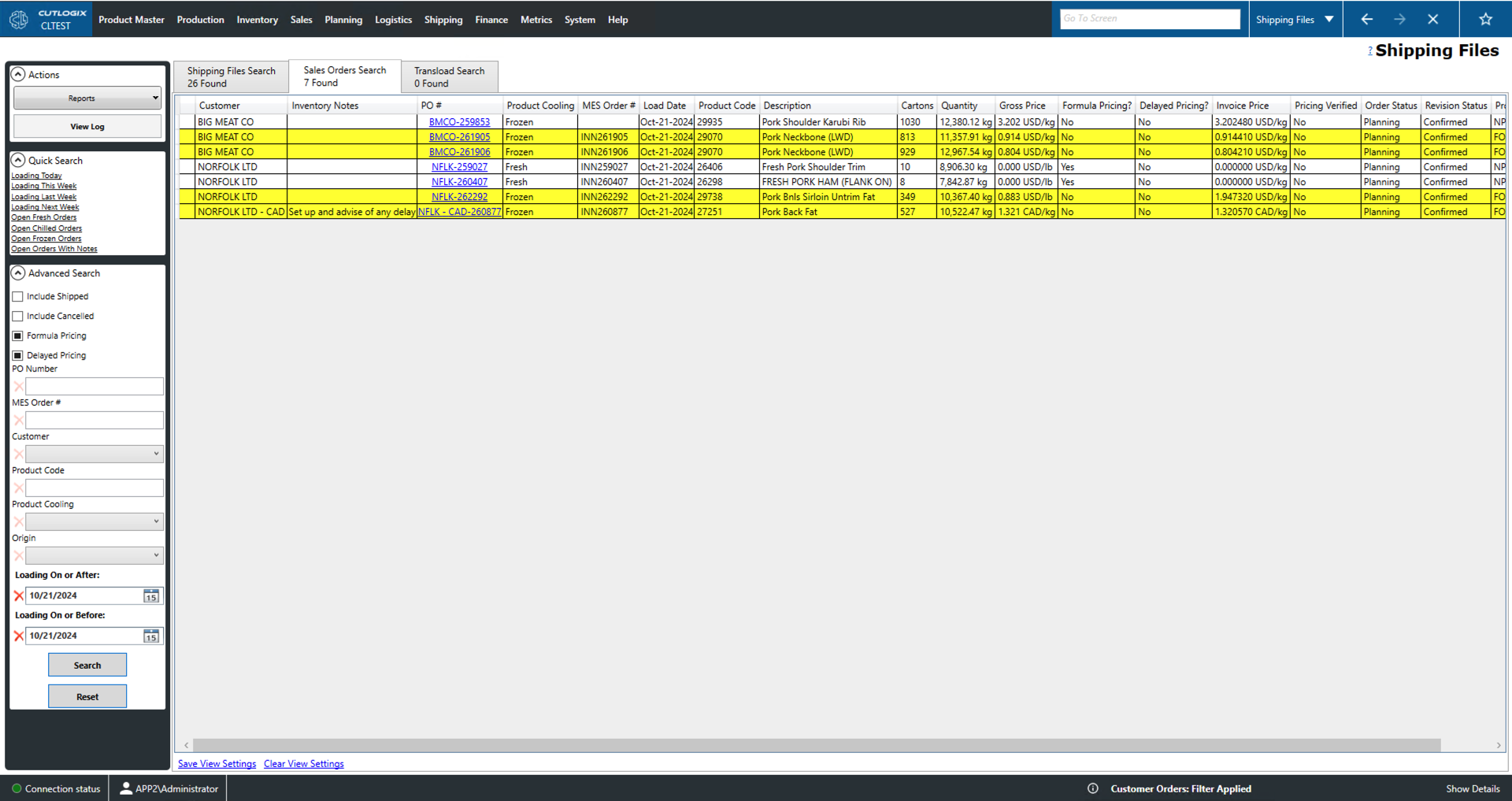
Sales Orders Search Tab
Customer: The customer being sold to.
Inventory Notes: A space for inventory notes on the sales orders.
PO#: The purchase order number (PO#). This is a unique identifier for the purchase order.
Product Cooling: Indicates whether the product's cooling is fresh, frozen or chilled.
MES Order #: The order number assigned to the sales order in the manufacturing execution system (MES).
Load Date: The load date of the sales order.
Product Code: A unique identifier for the product on the order.
Description: A name/description of the product on the order.
Cartons: The number of cartons of product that will be loaded onto the order.
Quantity: The weight of the product ordered in kilograms (kgs).
Gross Price: The price per unit of weight of the product including the packaging materials.
Formula Pricing?: Indicates whether or not the order is using United States Department of Agriculture (USDA) pricing for this product.
Delayed Pricing?: Indicates whether or not the order is using non-USDA pricing that has yet to be determined.
Invoice Price: The price of the product that will be listed on the invoice.
Pricing Verified: Indicates whether or not the price has been verified.
Order Status: The status of the sales order.
Not Verified: A new order that has not passed review.
Planning: The order is in the planning system to be produced.
Shipped: The order has been planned, loaded and shipped to the customer.
SNB: The order has been shipped but not billed.
Cancelled: The order will no longer be produced for the customer.
Revision Status: The revision status of the order.
CSR: The order has been entered by the customer service representative (CSR) but not yet reviewed.
Revision Requested: The order has been reviewed and requires changes.
Revised: The CSR has revised the order according to feedback and re-submitted it for review.
Confirmed: The order has passed review and can now be planned by the planning system.
Product Status: Indicates the status of this product on this order (i.e. shipped not billed (SNB), new order (NW), etc.).
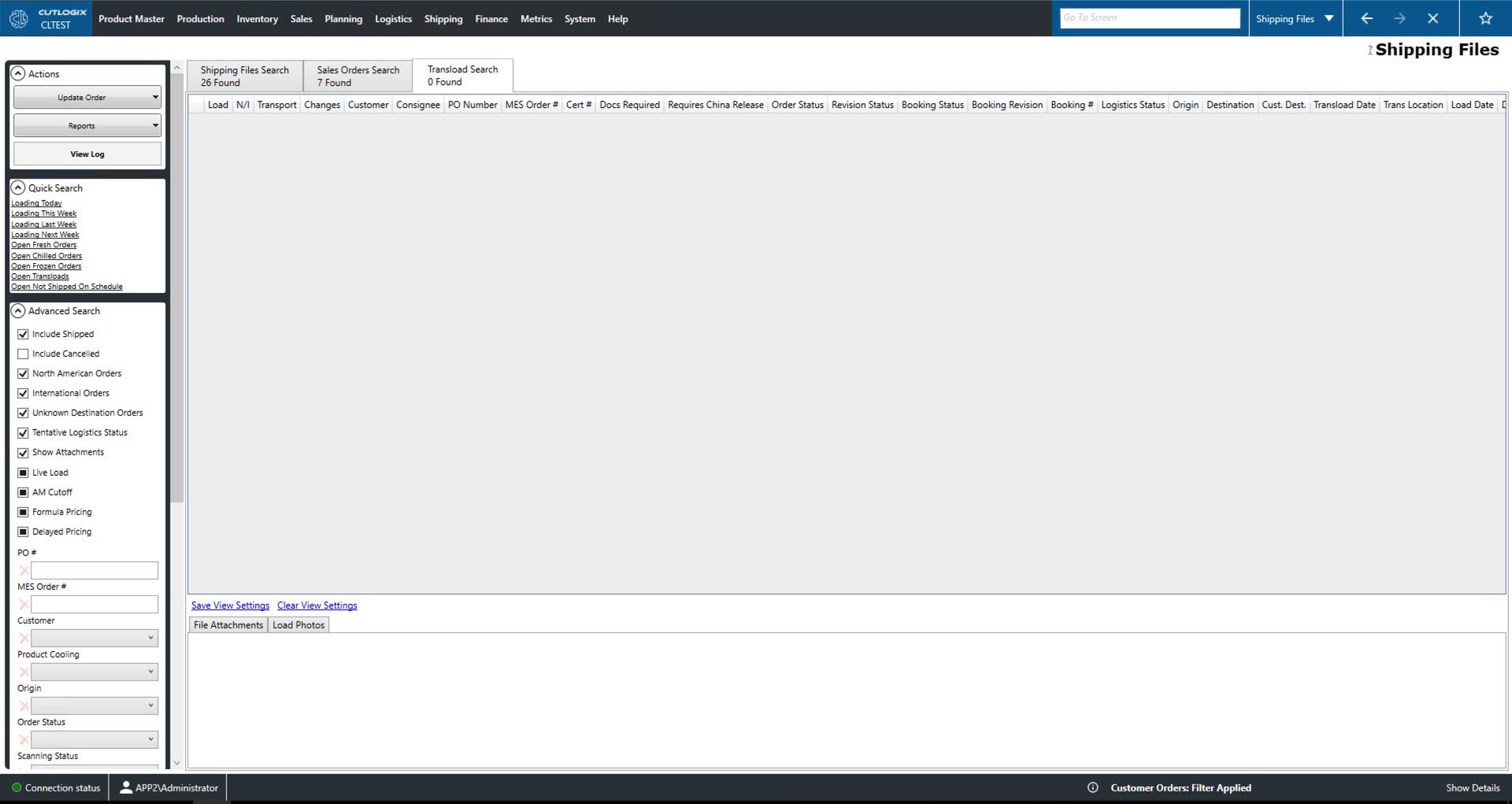
Transload Search Tab
Load: The load number associated with this shipping file. This is a unique identifier for the associated load.
N/I: Whether the load will shipped internationally or nationally.
Transport: Whether or not this load requires transportation scheduled.
Changes: An 'i' icon will appear in this column for those shipping files that have been changed. Clicking the icon will open up a window in which the user can browse what the changes were.
Customer: Customer that placed the order.
Consignee: Consignee responsible for receiving the shipment.
PO Number: Purchase order (PO) number. A unique identifier for the customer order.
MES Order #: Order number assigned to the order in the manufacturing execution system (MES).
Cert #: Canadian Food Inspection Agency (CFIA) certificate number.
Docs Required: Whether or not shipping documents are required.
Requires China Release: Whether or not the load requires special shipping documents for shipping to China.
Logistics Status: The logistics status of the transload.
New Order: The order is a new order.
Needs Instructions: The order still requires shipping instructions.
Needs Transload Instructions: The order requires transload instructions.
Needs Folder: The load requires a folder.
Waiting To Load: The order is ready to load.
Needs Docs: The order still requires shipping documentation.
Shipped Not Billed: The order has been shipped but the customer has not been billed.
Origin/Destination: The location the order will be shipped from/to.
Cust. Dest.: The location that the order will ultimately arrive at.
Tranload Date: Indicates the date that this order will need be changed from one mode of transportation to another.
Trans Location: Indicates the location that the order's mode of transportation will be changed.
Load Date: Indicates the date on which the order will be loaded.
Delivery Date: Indicates the date on which the load will be delivered.
Product Cooling: Whether the product order requires fresh, frozen or chilled storage temperatures.
Delivery Terms: These terms indicate the responsibilities of the shipper and the receiver while the route is in transit. Also known as 'incoterms'.
Cartons: The number of cartons on the order.
Scanned Pallets: The total number of pallets that have been scanned onto the order.
Scanning Status: The scanning status of the order.
Not Started: Scanning the order into the MES has not started.
In Progress: Scanning the order into the MES is underway.
Complete: Scanning the order into the MES is complete.
Complete - Short: Scanning the order into the MES is complete but the order has been shorted (not all ordered product is available to ship).
Scanned Cases/kg: The number of cartons/kilograms of product that have been scanned onto the order.
Gross Scanned kg: The weight of the scanned product including the weight of the packaging materials.
Not Shipped On Schedule: Indicates whether or not the load was shipped late.
Load Tender Status: Status of the load tender to a 3rd party carrier.
Live Load: Whether or not this the driver will wait while for load they are picking up/dropping to be completed rather than dropping off their trailer.
AM Cutoff: Marks the load as needing to be completed in the morning shift (i.e. because it needs to cross the border before the port closes, etc.).
Formula Pricing: Whether or not the United States Department of Agriculture's (USDA) formula pricing was used not or not for this order.
Delayed Pricing: Non-USDA pricing that has yet to be determined.