Product Collection Points Overview
How to Navigate: Click on Planning > Planning Rules Config > Product Collection Points
Summary
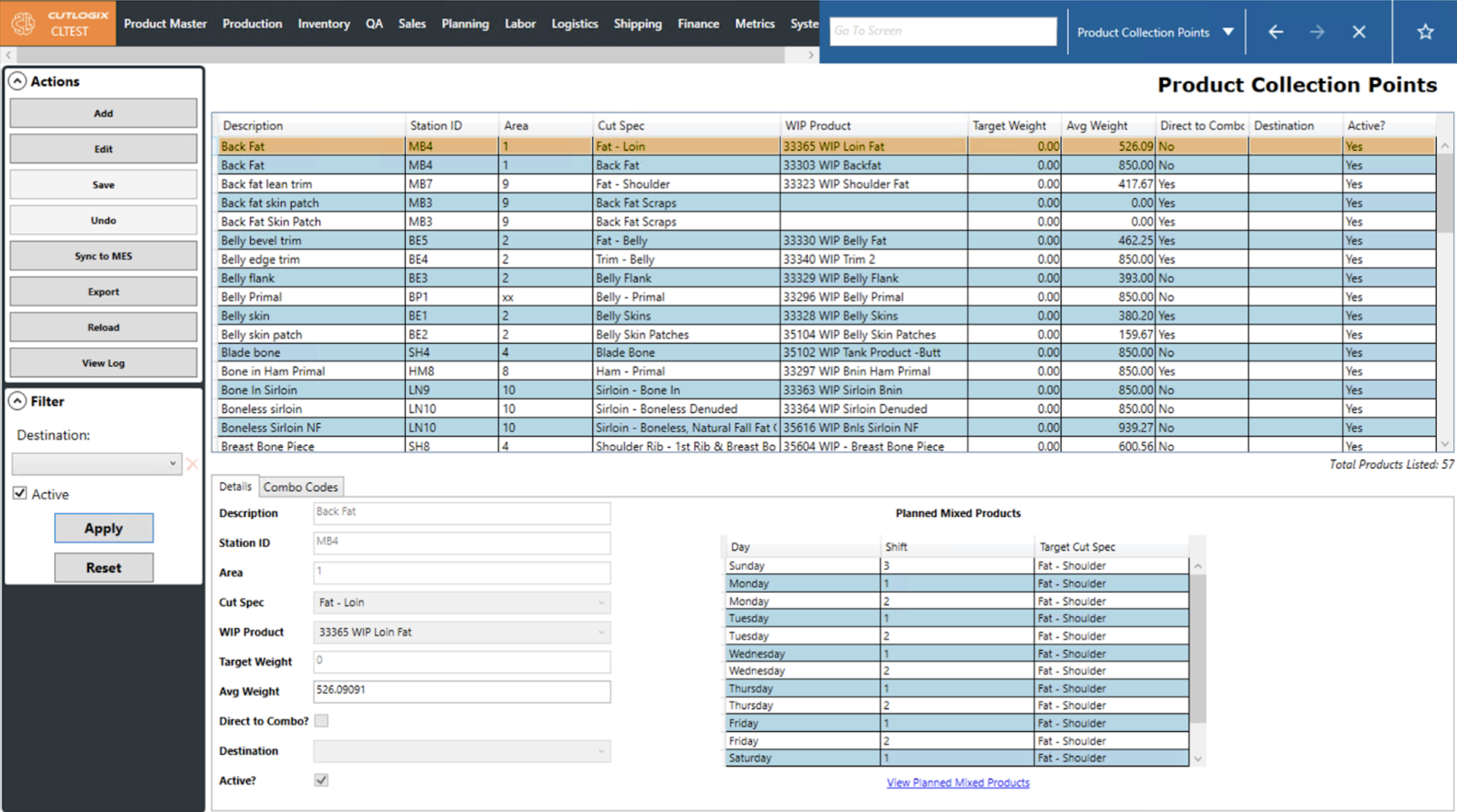
The product collection points screen allows users to enter the plant’s collection at which credits or work in progress (WIP) products are accumulated before being moved to an offline processing area. The main data grid at the top of the screen presents users with a list where each row is a collection point/station. The fields on the left of details tab on the bottom of the screen presents the same information as the data grid and is used for data entry when adding or editing. The Planned Mixed Products data grid to the right pulls any planned mixed products defined for the chosen cut specification from the Planned Mixed Products screen. More information on this screen is available above.
The Combo Codes tab displays any products that are made with the selected cut specification but are sold as a combo. In this context, combo refers to the large bins that materials are often collected in at product collection points.
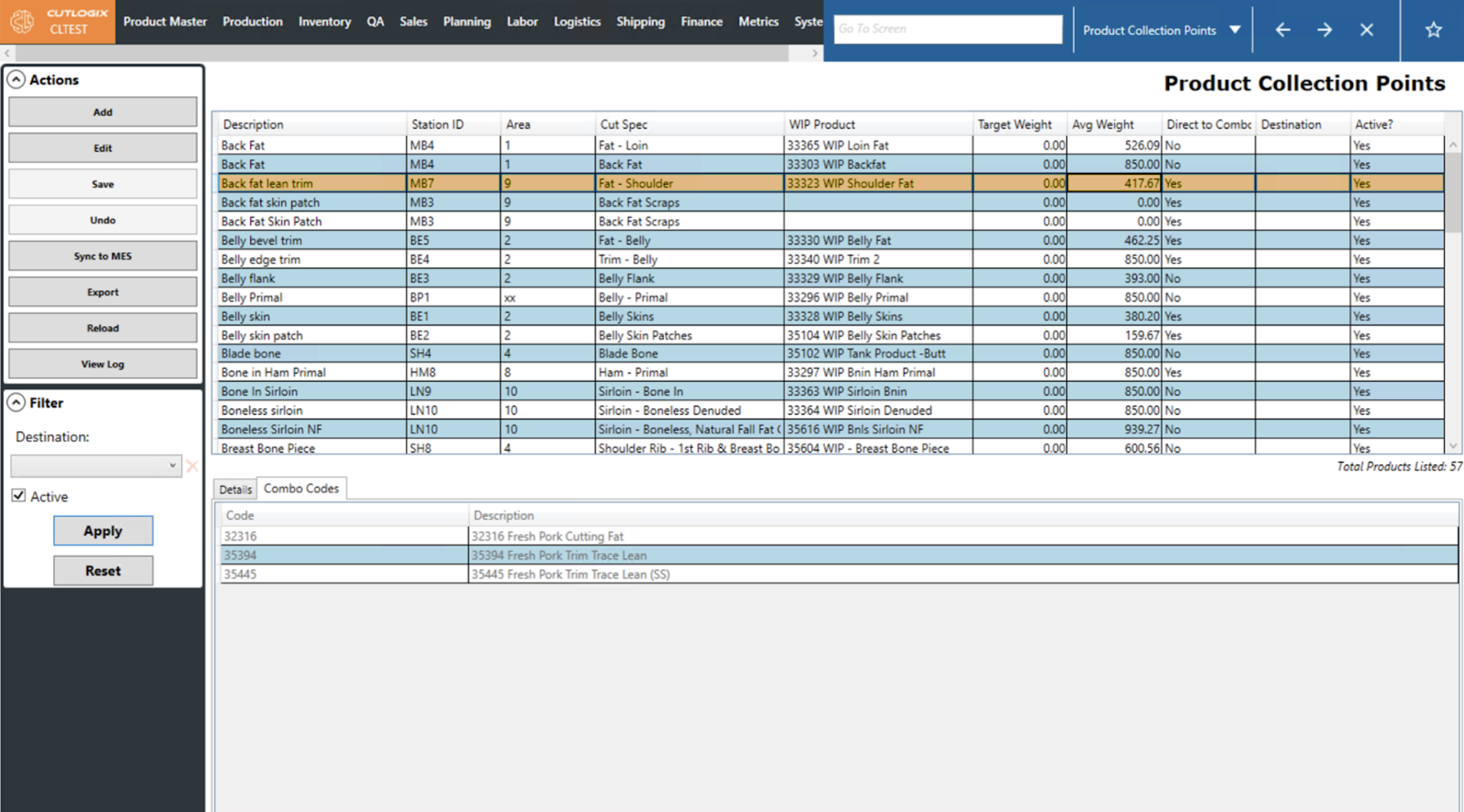
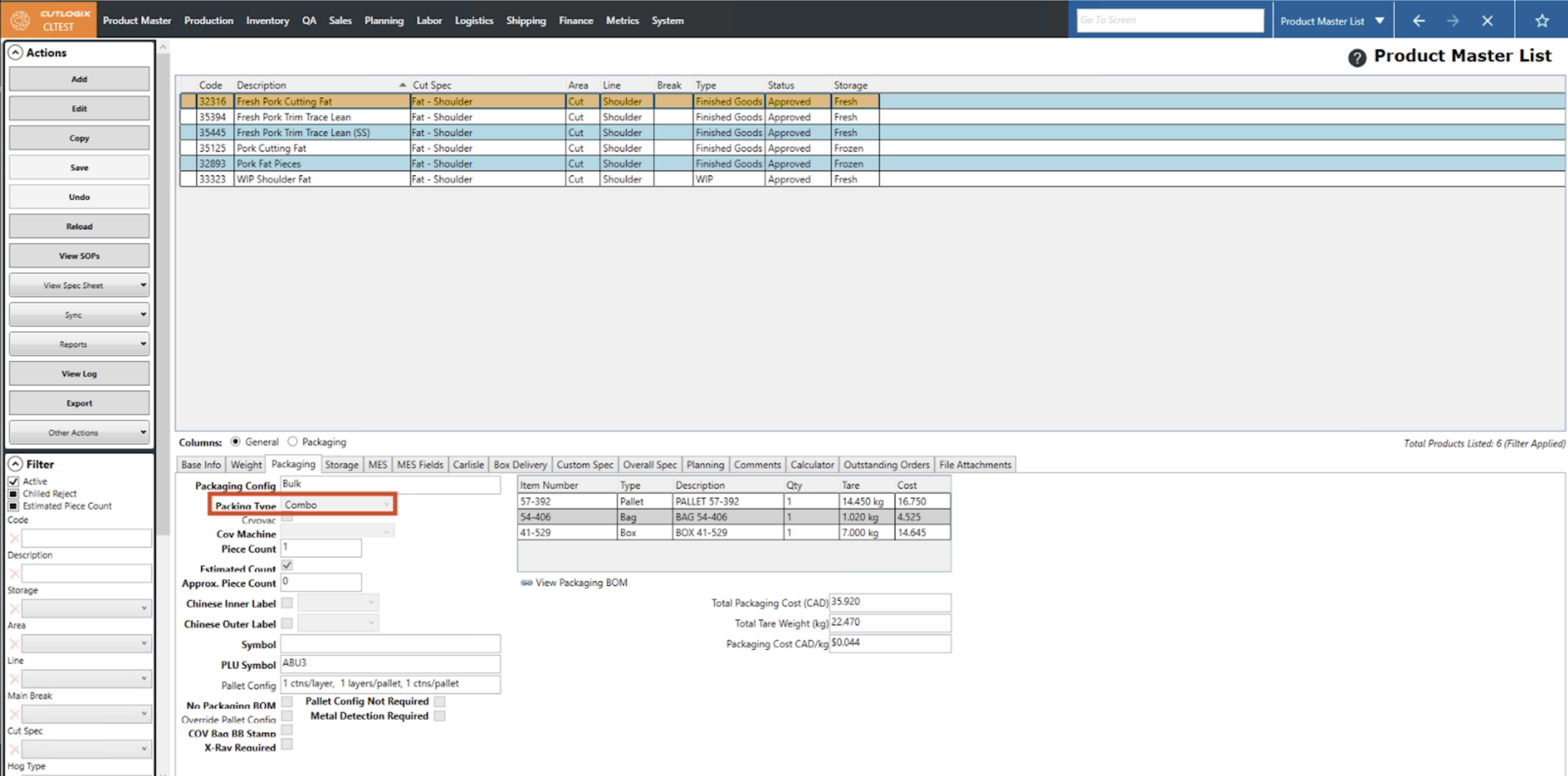
An entry will appear on the Combo Codes tab when the chosen Cut Spec for the collection point is used in a product marked as Packing Type ‘Combo’ on the Product Master > Product Master List > Packaging tab. All products that use that cut spec and are marked as the ‘Combo’ packaging type will be pulled to appear on this tab.