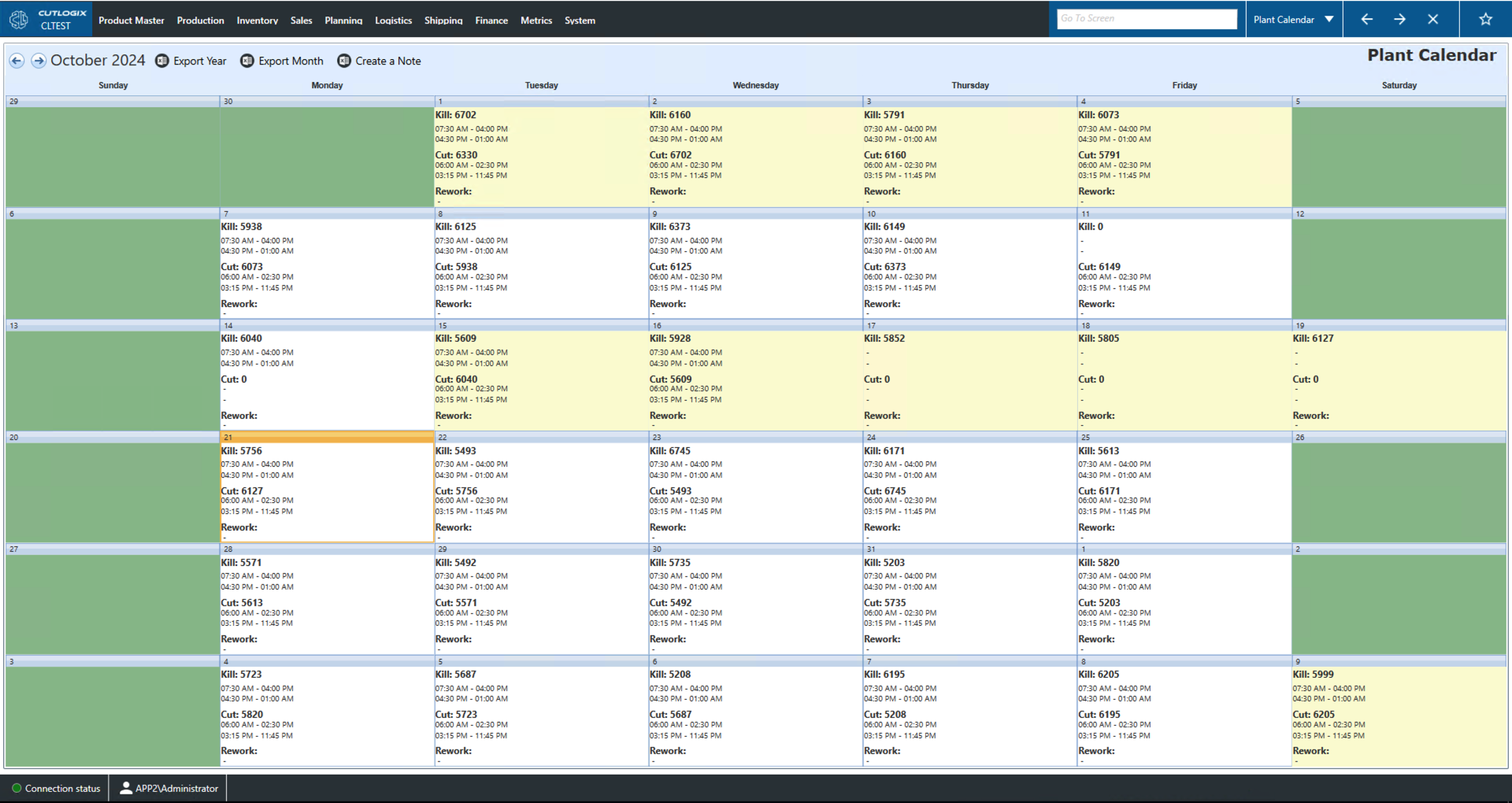
Plant Calendar Overview
How to Navigate: Click on Planning > Plant Calendar
Plant Calendar
At a glance, this page shows the shifts and work that is planned for each day in the current month. Double clicking a day will bring up a page with more details about the cut and kill shifts such as their breaks, start and end times etc.
- Export Year/Month: These actions will allow you to save the entire year or the current month locally as a .xlsx file (excel format).
- Create a Note: This feature allows a user to add a note to a day to indicate some kind of special occurrence.
- Kill: Indicates the number of hogs to be processed on the kill floor that day.
- Cut: Indicates the number of hogs to be processed on the cut floor that day.
- Rework: The time span of a rework shift.