Cut Tree Explorer Overview
How to Navigate: Product Master > Cut Tree Explorer
Cut Tree Explorer
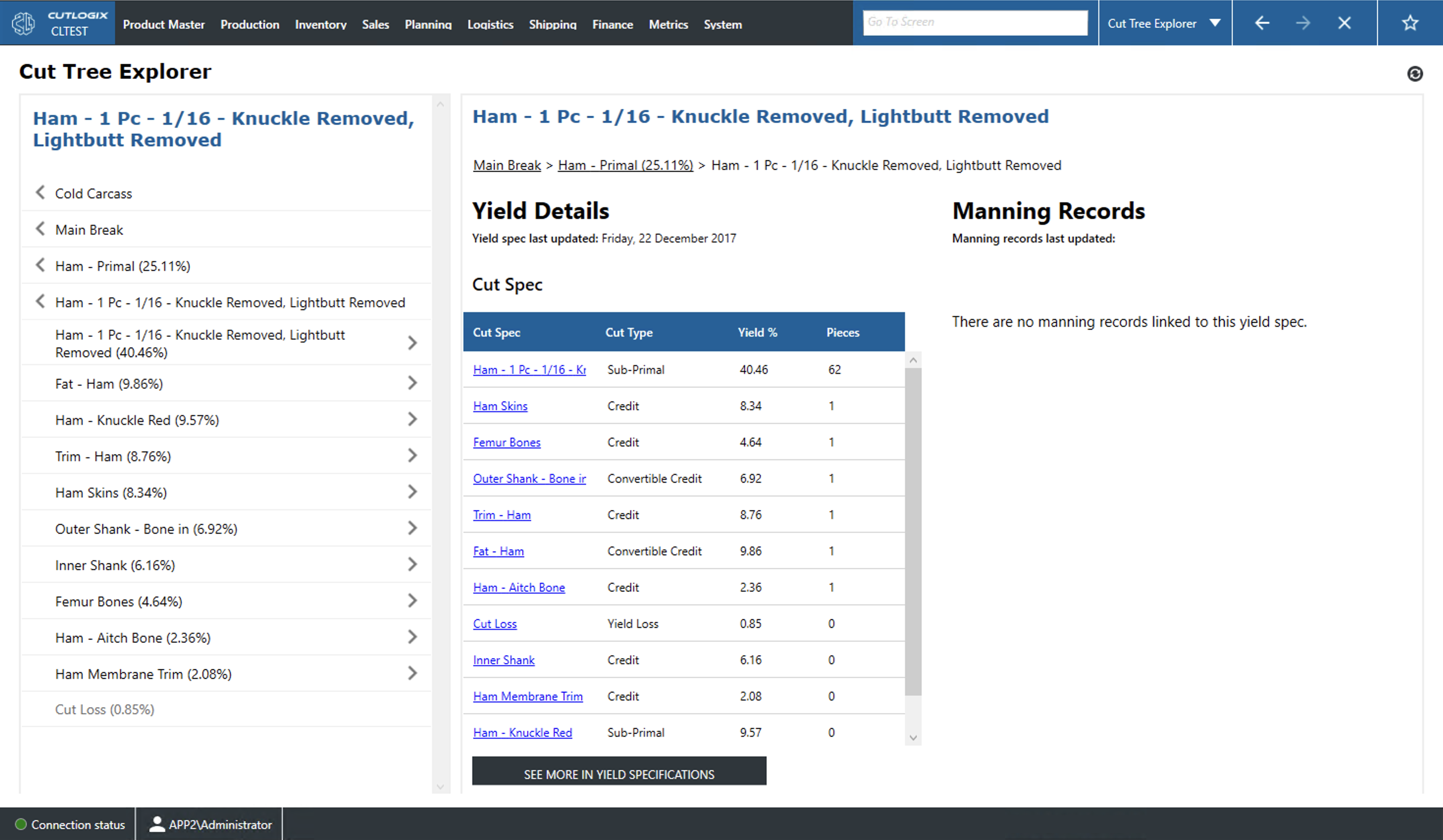
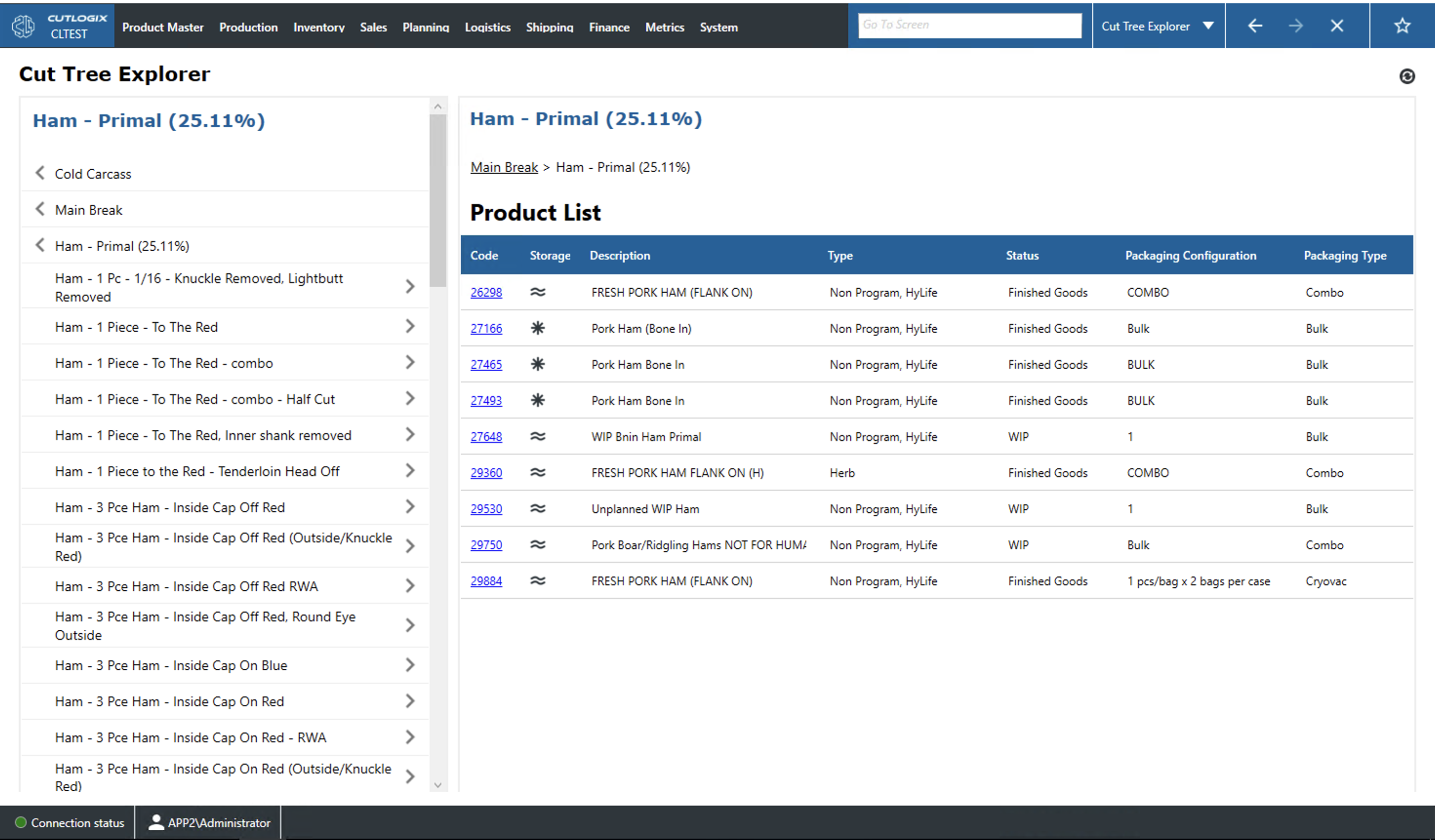
On this page, users can easily navigate through the cut tree. The cut tree is a hierarchical sequence of associated cut and yield specs. It starts at the cold carcass and allows the user to select a type of main break. From there it gives information on primals (shoulder, ham, loin, etc.), the products made from the primals, the products made from those and so on. When the user is viewing a cut spec on the tree they will see a list of corresponding products. When the user is viewing a yield spec they will see a list of associated cut specs and manning records.
-
Product List
- Code: This is the unique code for the product.
- Storage: This is how this product is stored. A wave indicates fresh, a drop indicates that the product is chilled and a snowflake indicate frozen storage.
- Description: This is the name/description of the product.
- Type: This indicates the hog type, as determined by genetics and feed regimen, that must be used to make this product.
- Status: This indicates what type of product this is (e.g. a work in progress or WIP, a product ready for packaging i.e. Finished Goods, etc.).
- Packaging Configuration: Indicates how this product is packaged (i.e. comes in combo bins, individually wrapped pieces, bulk, etc.).
- Packaging Type: Indicates the type of packaging that is used for this product (i.e. is packaged bulk, cryovac, etc.).
-
Yield Details
- Cut Spec: The name of the cut spec that is yielded from the selected entry in the tree.
- Cut Type: The type of product produced by the cut spec (i.e. primal, sub-primal, credit, etc.).
- Yield %: The % of the selected entry that goes to each yielded cut spec after processing.
- Pieces: The number of pieces of each cut spec that will be yielded after processing the selected entry.