Packaging Materials Overview
How to Navigate: Click on Product Master > Packaging Materials
Summary
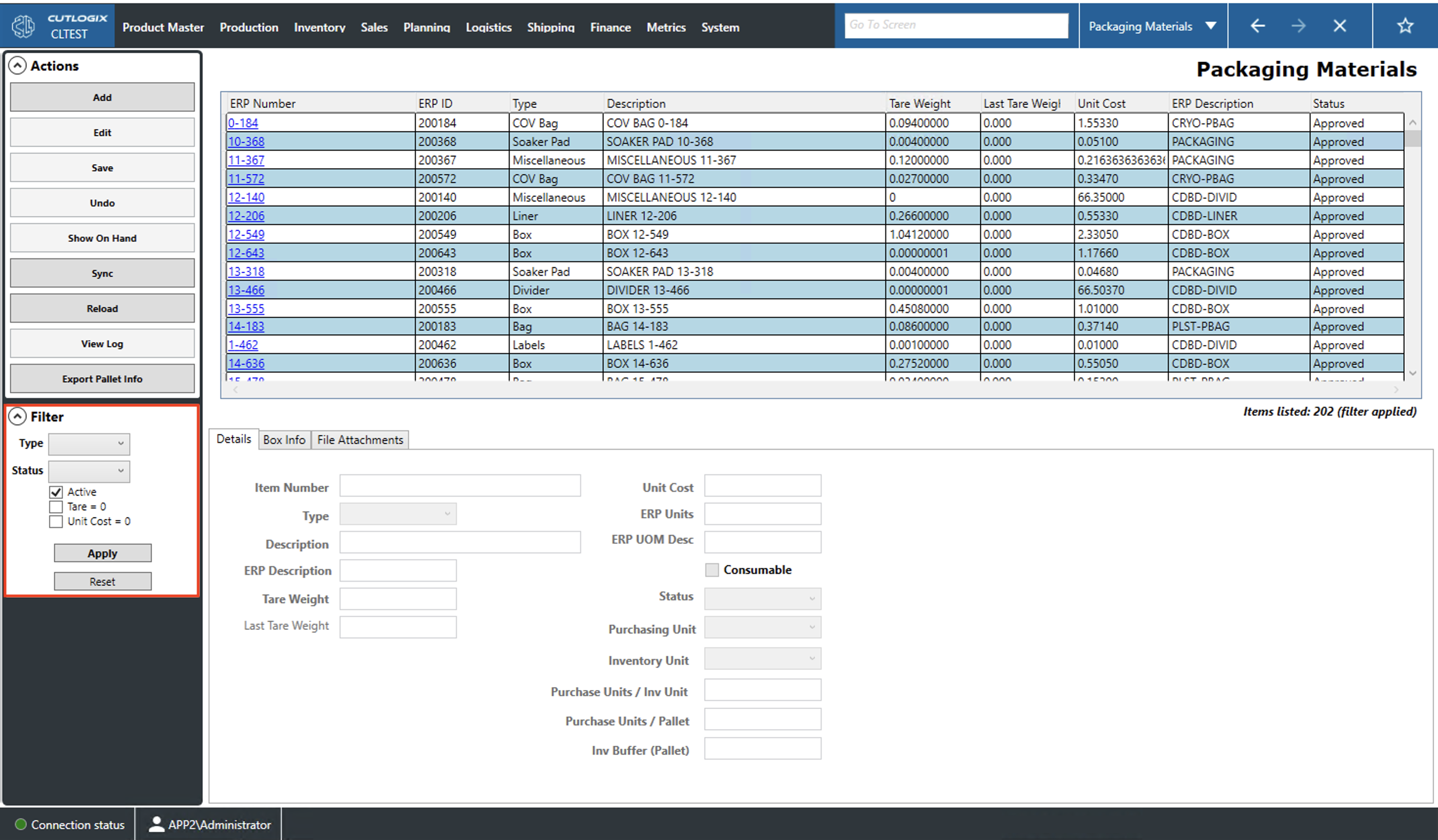
The packaging materials page is where you can manage and view the packaging materials that are used for packaging your products. Packaging materials can include items like boxes, bags and cryovac film. The tabs at the bottom of the screen can be used to view information about the currently selected (highlighted in yellow) packaging material. As the user selected different materials, the tabs with dynamically populate with the new data. They can also be used for data entry when adding or editing packaging materials.
- ERP Number: Enterprise resource planning (ERP) number. This functions as a name/description for a packaging item in the ERP system.
- ERP ID: This is a unique identifier given to this packaging material by the ERP.
- Type: Indicates the type of the packaging material (i.e. carton, COV film, divider, soaker, etc.).
- Description: A description of the packaging material.
- Tare Weight: The weight in kilograms of one unit of the packaging material.
- Last Tare Weight: If the tare weight of a packaging material is changed, the previous weight will appear in this field.
- Unit Cost: The cost for one unit of the packaging material.
- ERP Description: The description of the packaging material in the ERP system.
- Status: The status of the packaging material. Can be 'Draft', 'Approved', 'Obsolete' or 'Slow Moving Item'.
Packaging Materials Actions
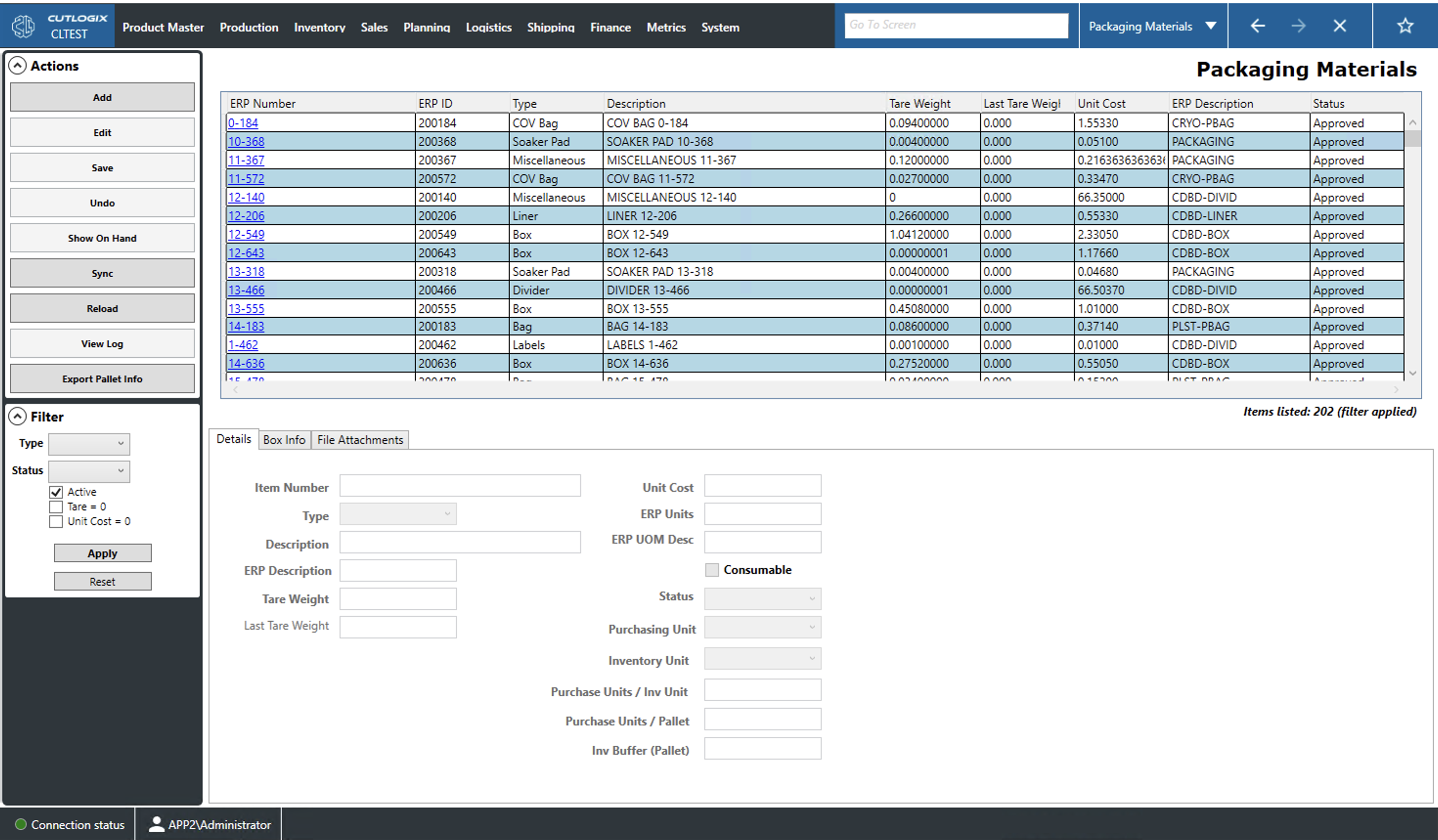
- Add: Add new item to the packaging materials list.
- Edit: Edit the currently selected (highlighted in yellow) packaging material.
- Required Fields
- Details Tab: Item Number, Description, ERP Description, Tare Weight
- Box Info Tab: Color
- Save/Undo: Save/Undo all changes made in the current add/edit session.
- Reload: Reload the packaging materials page from the database displaying the most up to date data.
- View Log: View the change log for the currently selected packaging material. This includes what was changed, by whom and when.
- Export Pallet Info: Allows the user to locally save the pallet configuration for each item in the packaging materials list as a .xlsx file (excel format).
Filtering the Packaging Materials List
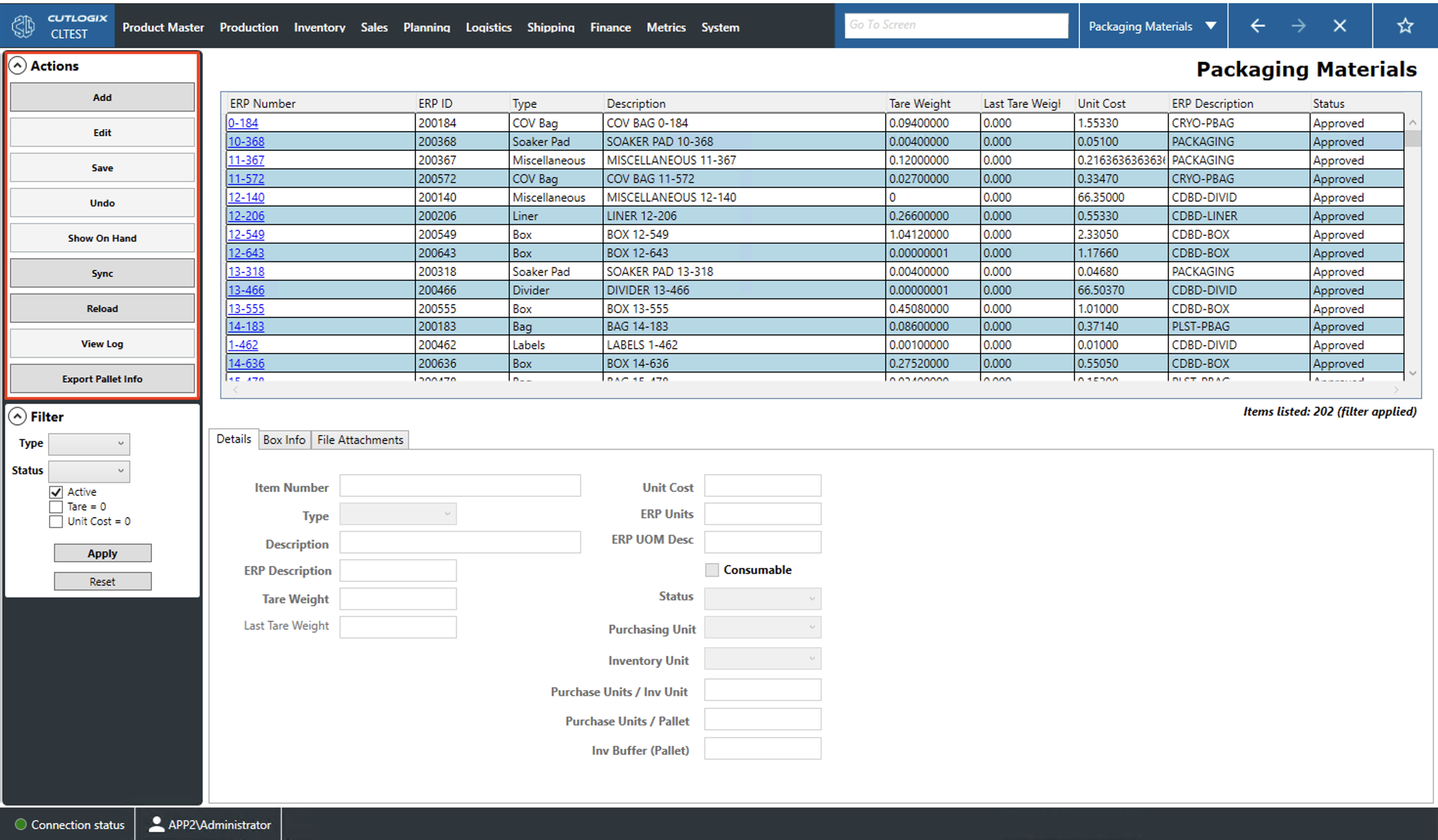
The packaging materials page can be filtered by the following:
- Type: Filter by the packaging material type (i.e. box, bag, divider, soaker, etc.).
- Status: The status of the packaging material (i.e.: Draft, Approved or Obsolete).
- Active: If selected this checkbox will filter packaging materials with the 'Obsolete' status. If unchecked then only obsolete materials will be shown. If the black square is showing then the list will not be filtered by status.
- Tare = 0, Unit Cost = 0: Indicates whether or not to filter to items with a tare weight/unit cost equal to 0.
- Apply: This will reload the list with the relevant filters applied.
- Reset: This will reset the filters and reload the list to an unfiltered state.