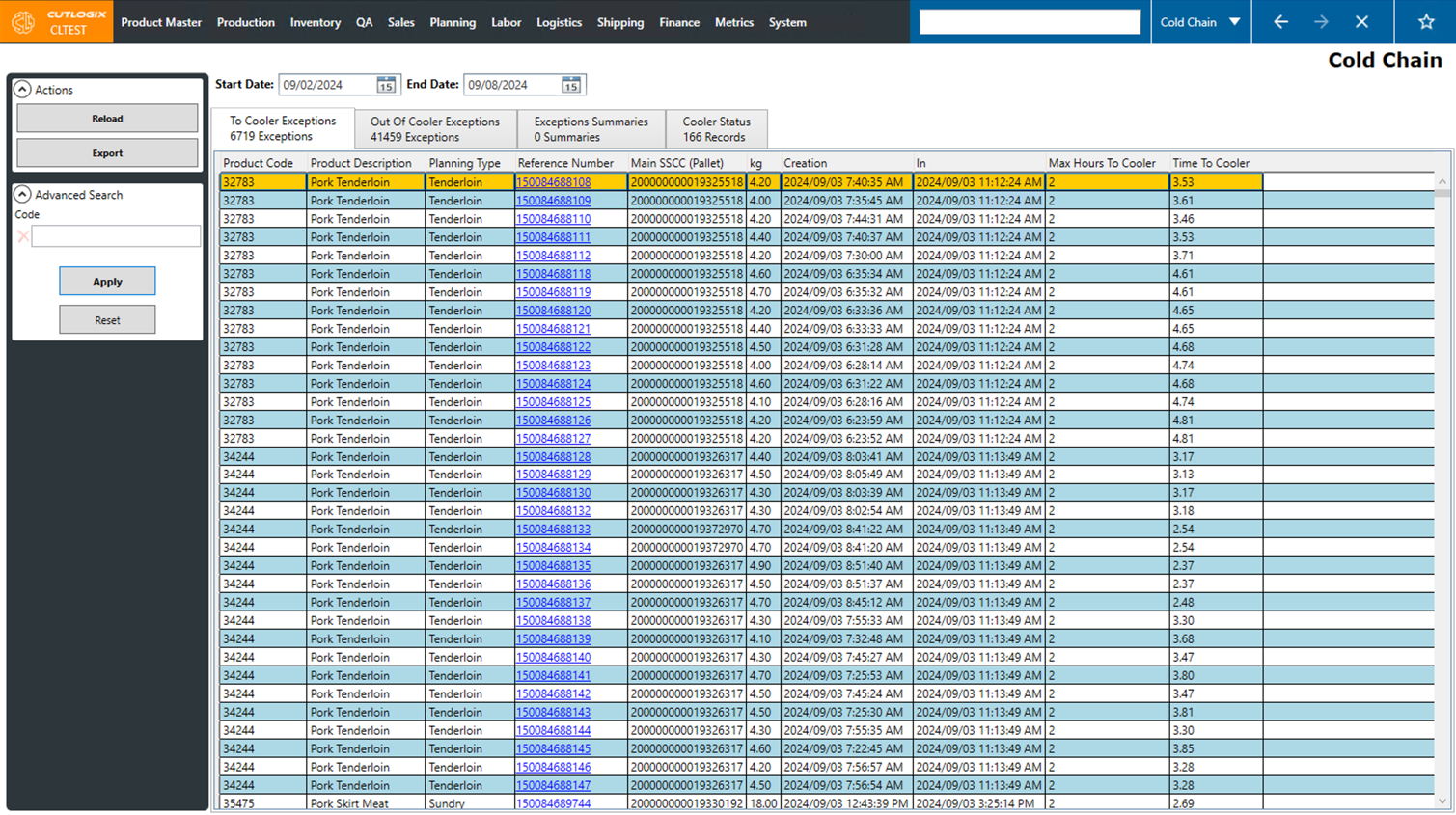
Cold Chain Tasks
How to View Cold Chain Data for Different Date Ranges
Demo
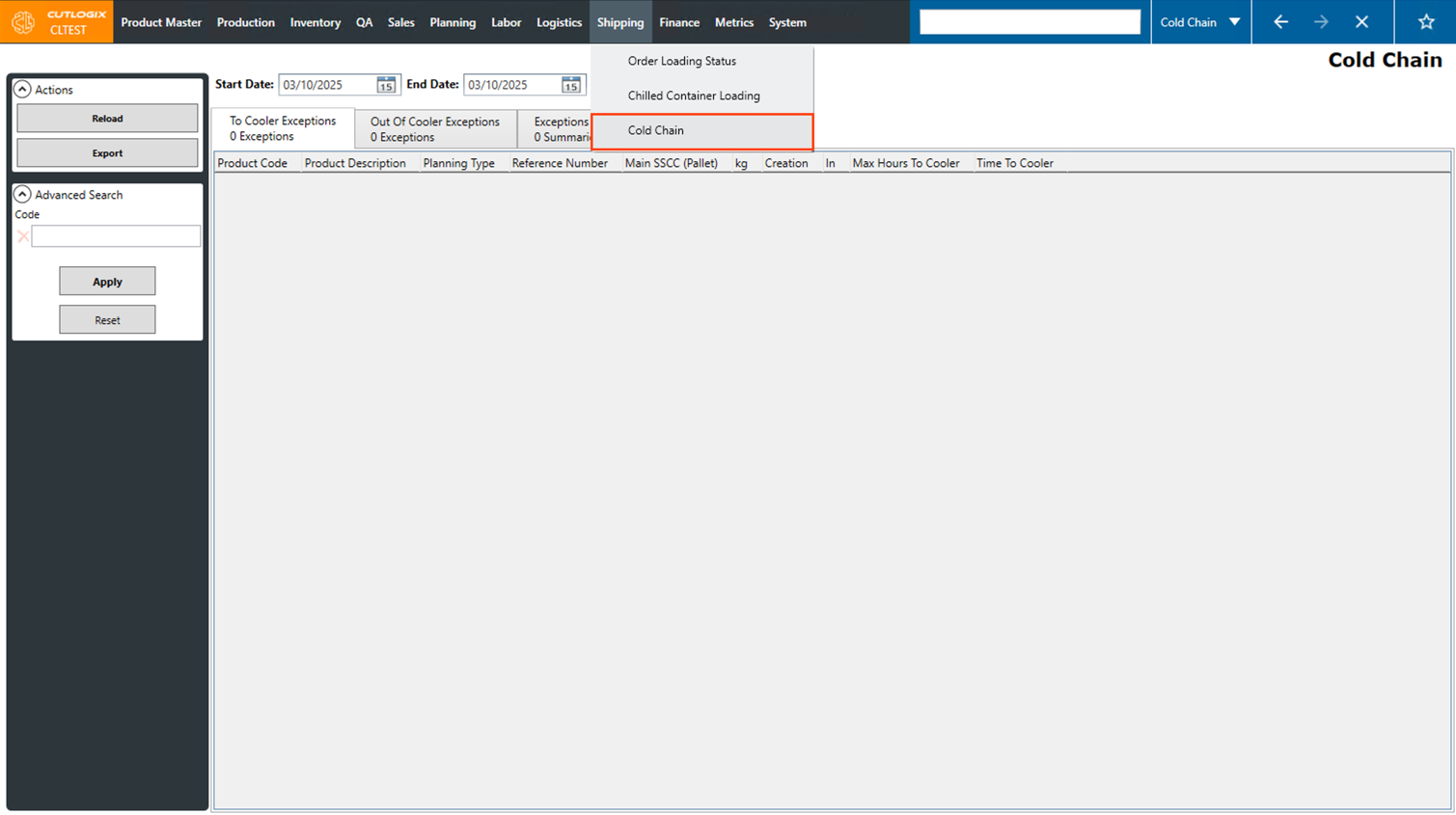
Step 1: Navigate to the "Cold Chain" page (Under the Shipping menu → Cold Chain).
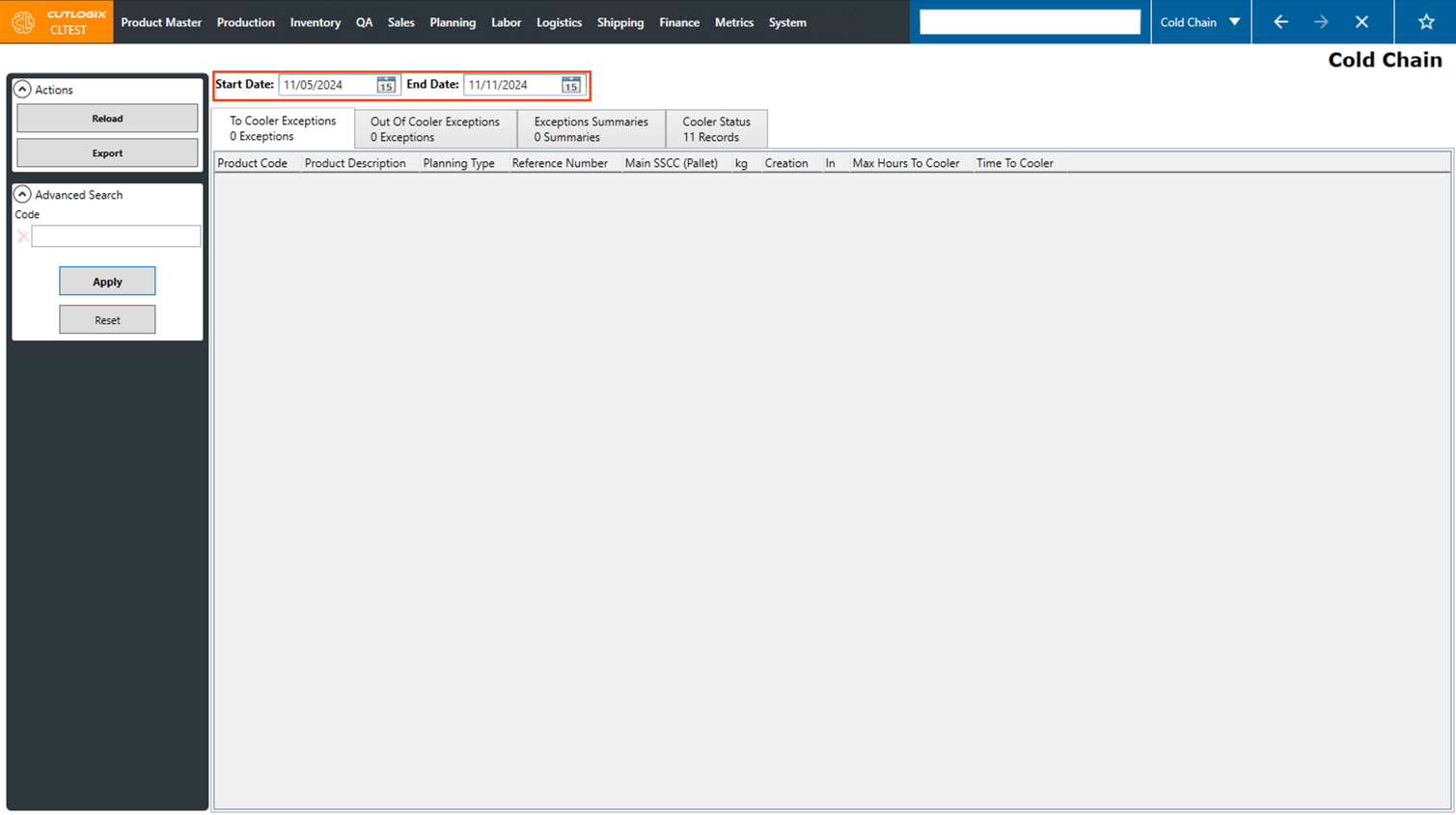
Step 2: Using the "Start Date" and "End Date" fields at the top of the page, enter the start and end dates that you would like to see the cold chain data for. Clicking on the calendar icon will bring up a date picker to choose the desired dates.
Note: The selected date range cannot exceed a duration of more than 7 days.
Note: The selected date range cannot exceed a duration of more than 7 days.
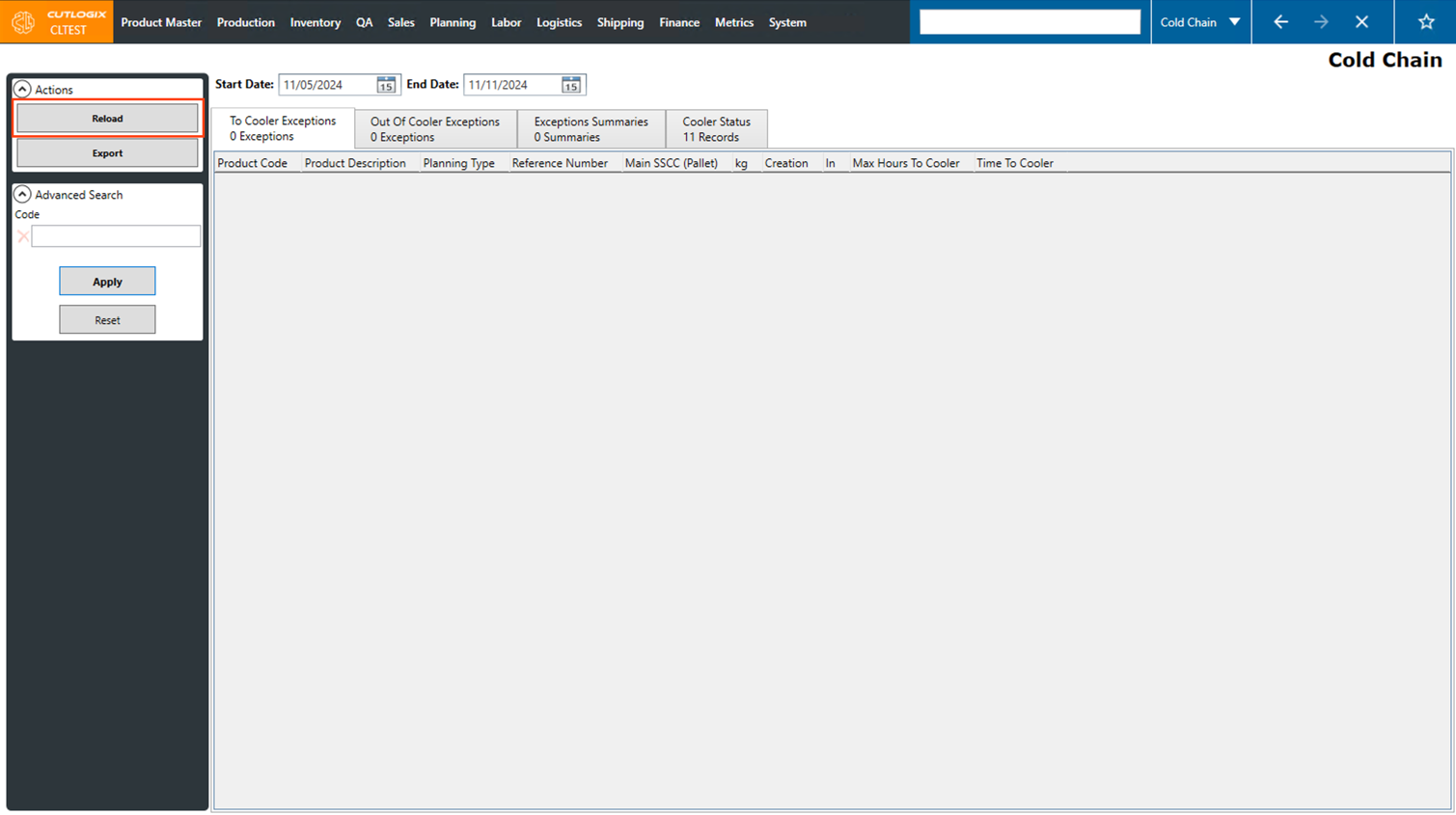
Step 3: Click the "Reload" button in the Actions Panel to fetch the data for the newly selected dates.
Step 4: The screen will then be reloaded with all the data available within the selected dates. Now you can view information in the "To Cooler Exceptions," "Out of Cooler Exceptions," "Exceptions Summaries" and "Cooler Status" tabs.