Metrics
How to Navigate: Click on Metrics > Metrics
Summary
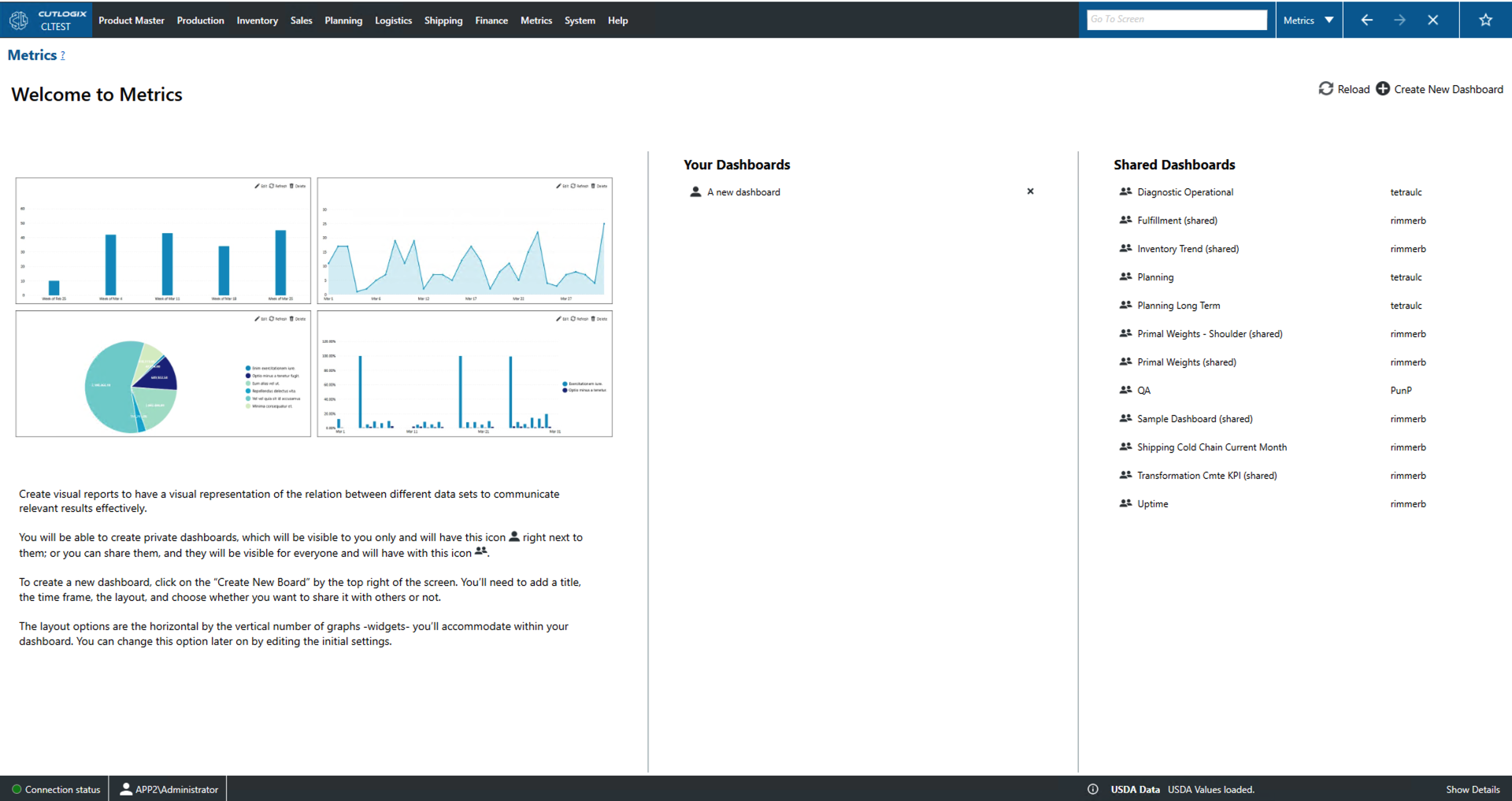
On this page users can create dashboards to visualize their data. The 'Your Dashboards' section shows dashboards made by you. When creating these dashboards they can be flagged as shared or not. Sharing the dashboards lets other users see what you have created while not sharing it keeps it private to your account. Dashboards that have been shared will also appear under the 'Shared Dashboards' heading along with the username of their creator. Once a dashboard has been created it can be saved locally as a pdf file.
- Reload: This will reload the list of shared dashboards displaying the most up to date list from the data base.
- Create New Dashboard: This will show a popup that the user can use to name their dash board, selected the layout/time frame and to mark it as shared or not.
Editing/Creating a Dashboard
- Metrics home: This will take you back to the metrics landing page.
- Edit Dashboard: Allows editing of the currently selected dashboard.
- Copy Dashboard: Copy the currently selected dashboard.
- Create PDF: Allows the user to save a dashboard locally as a .pdf file.
- Reload All: Reloads all of the widgets/graphs that are a part of the current dashboard.
- Add Widget: Allows the user to add a widget/graph to the current dashboard.
