Shift Configuration Overview
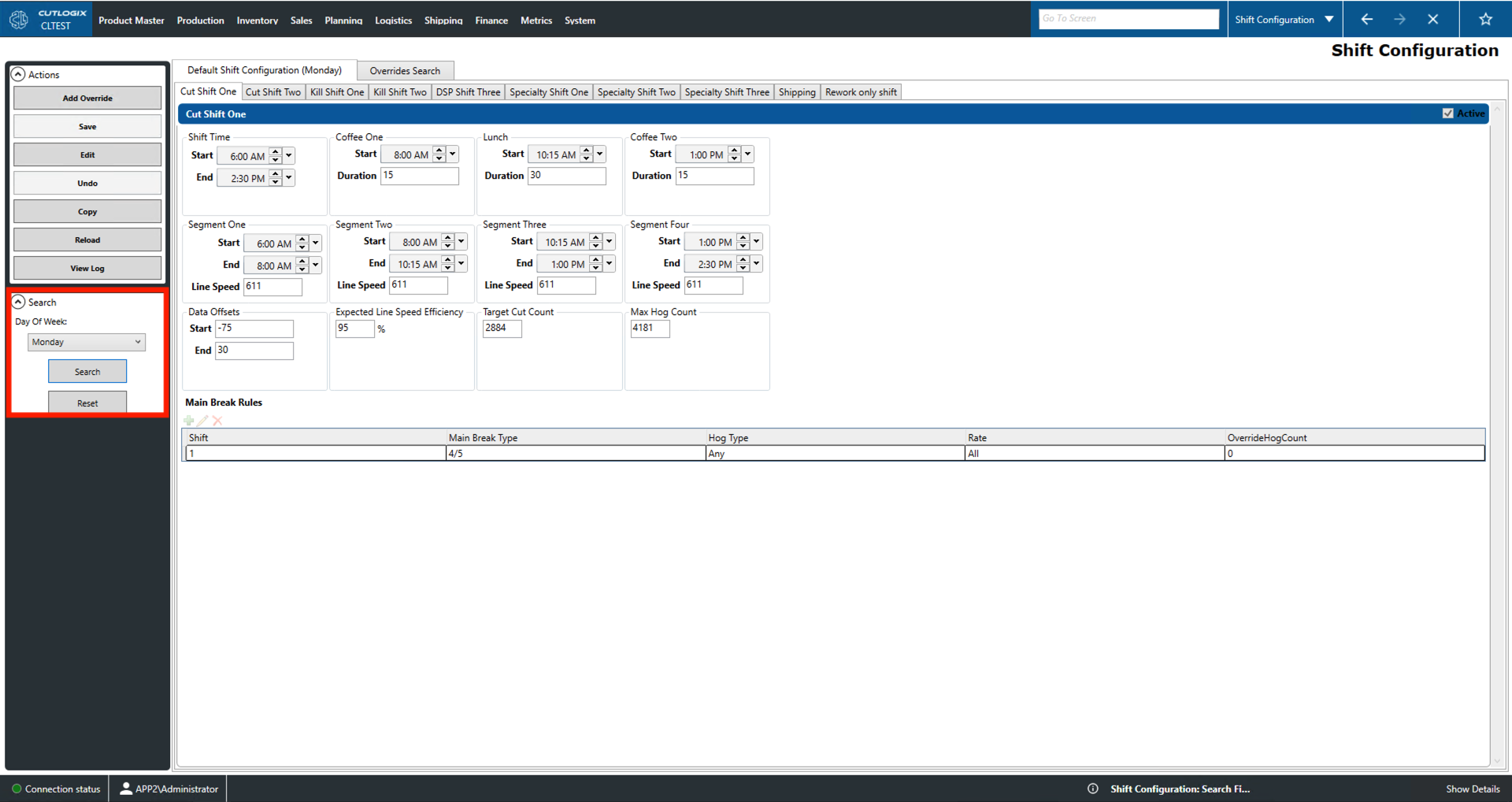
How to Navigate: Click on Planning > Plant Config > Shift Configuration
Summary
This page allows users to view and edit information for the various shifts at their plant. On the 'Default Shift Configuration' tab users can choose a day of the week and set a series of default configurations for that day. Users can also use the 'Add Override' button to create a shift configuration override for a specific date. Overrides entered into the system can be viewed from the 'Overrides Search' tab. Double-clicking an override entry will open another tab from which users can view and edit the overrides details.
Actions
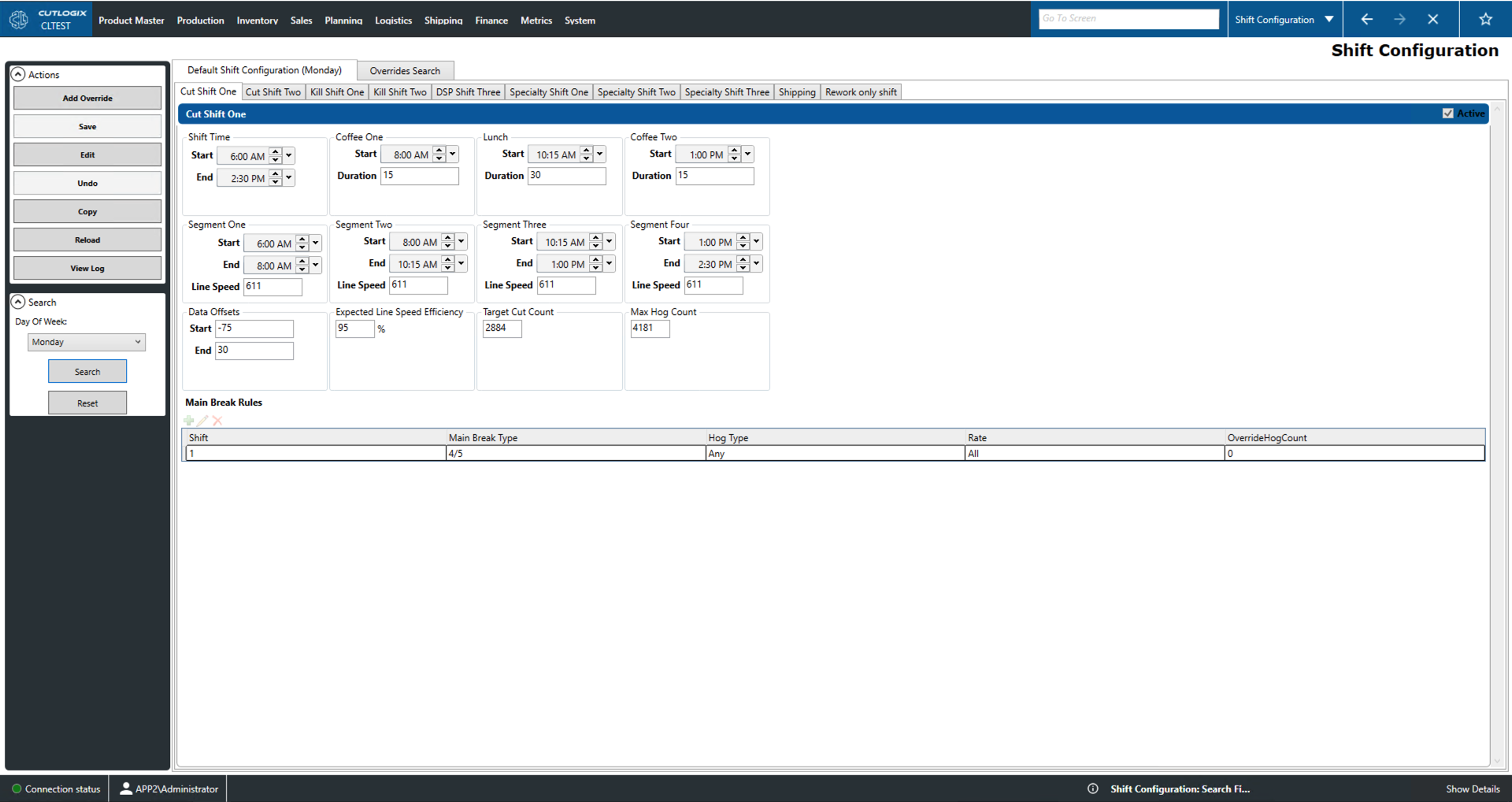
- Add Override: This will allow the user to create an override shift configuration for a selected day. This override can be designated as a rework shift.
- Save/Undo: This will save/undo all changes made in the current editing session.
- Edit: This will enable editing of the current shift configuration.
- Copy: This will allow the user to copy the current shift configuration.
- Reload: This will reload the shift configuration records from the data base to display the most update to date versions.
- View Log: This will allow the user to view the change log for the current shift configuration. This will include what was changed, by whom and when.
Search
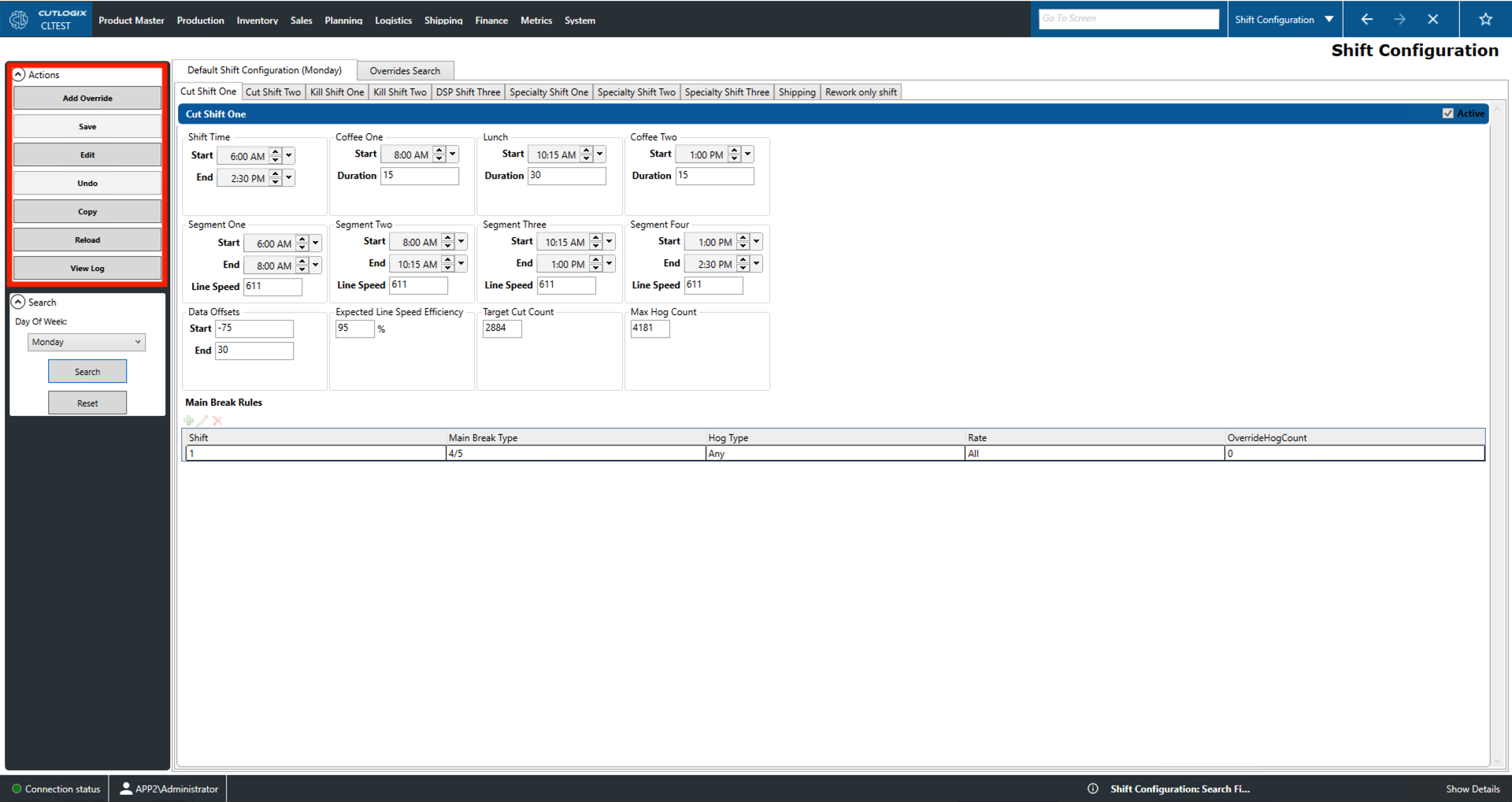
- Day of the Week: Select the day to edit the default shift configuration for.
- Search: This will reload the current default shift configuration to reflect the day specified.
- Reset: This will set default shift configuration to the current day of the week.