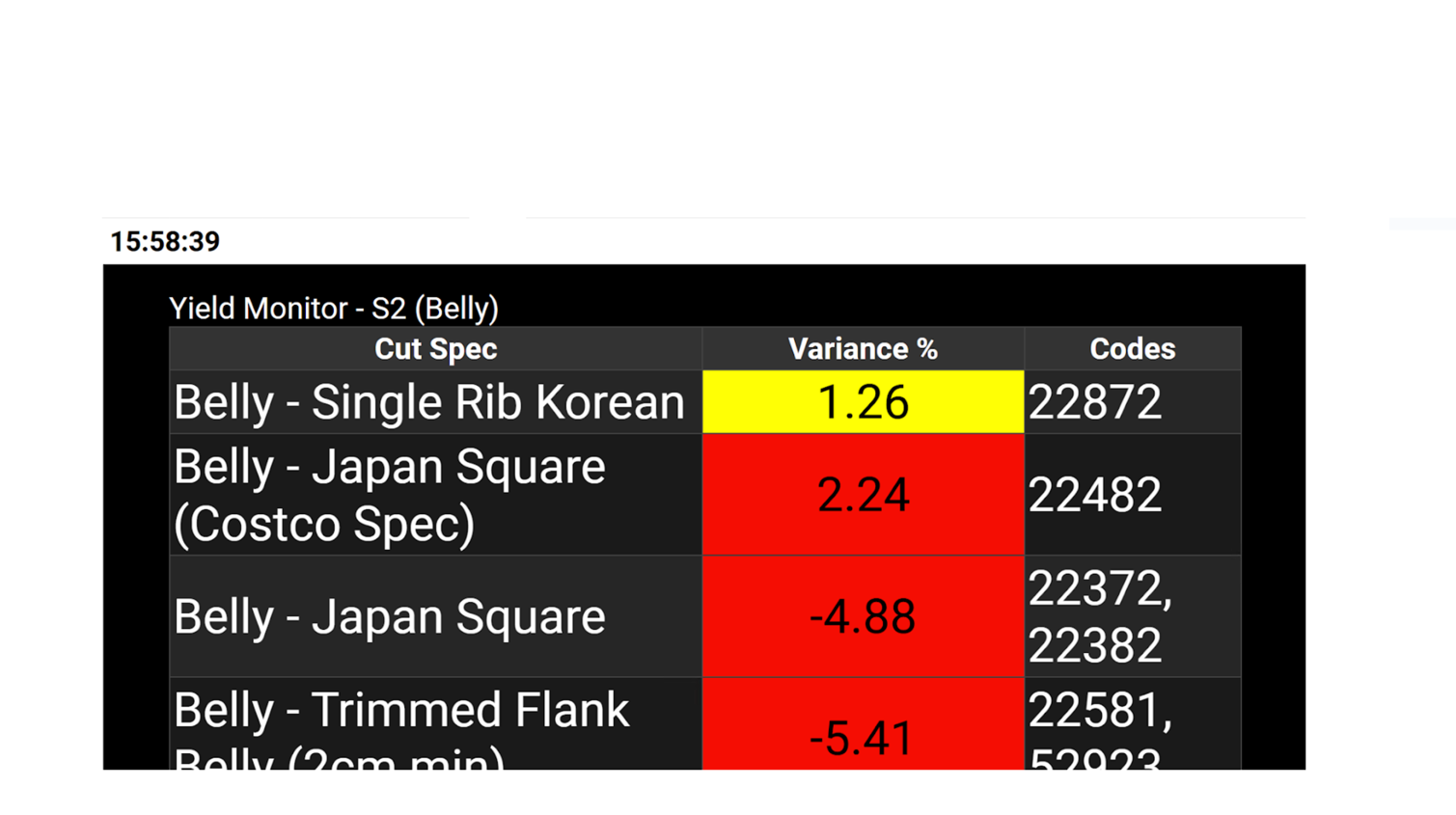
VMS Tasks
How to Open a VMS Link
Demo
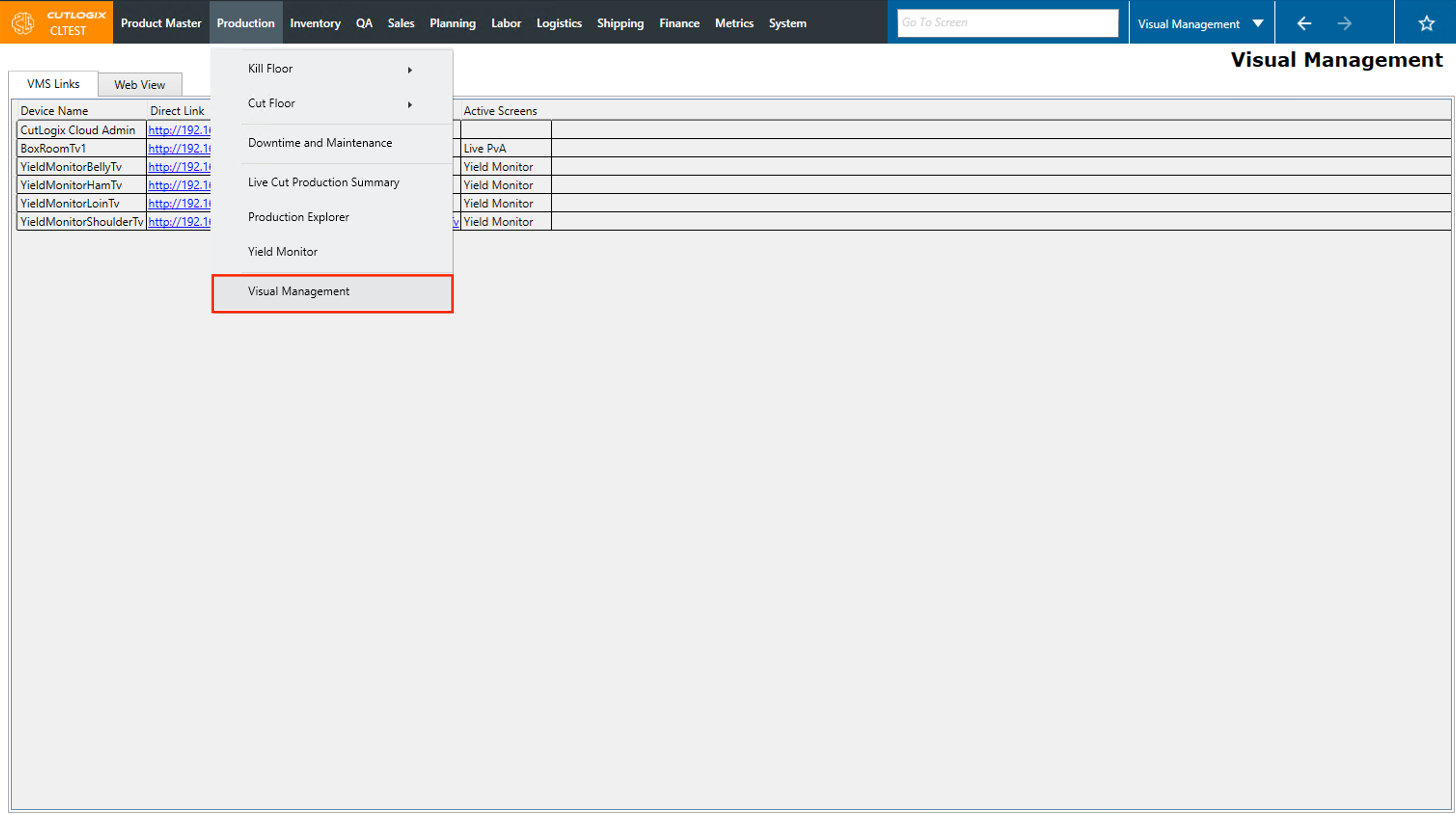
Step 1: Navigate to the "Visual Management" page (Under the Production menu → Visual Management).
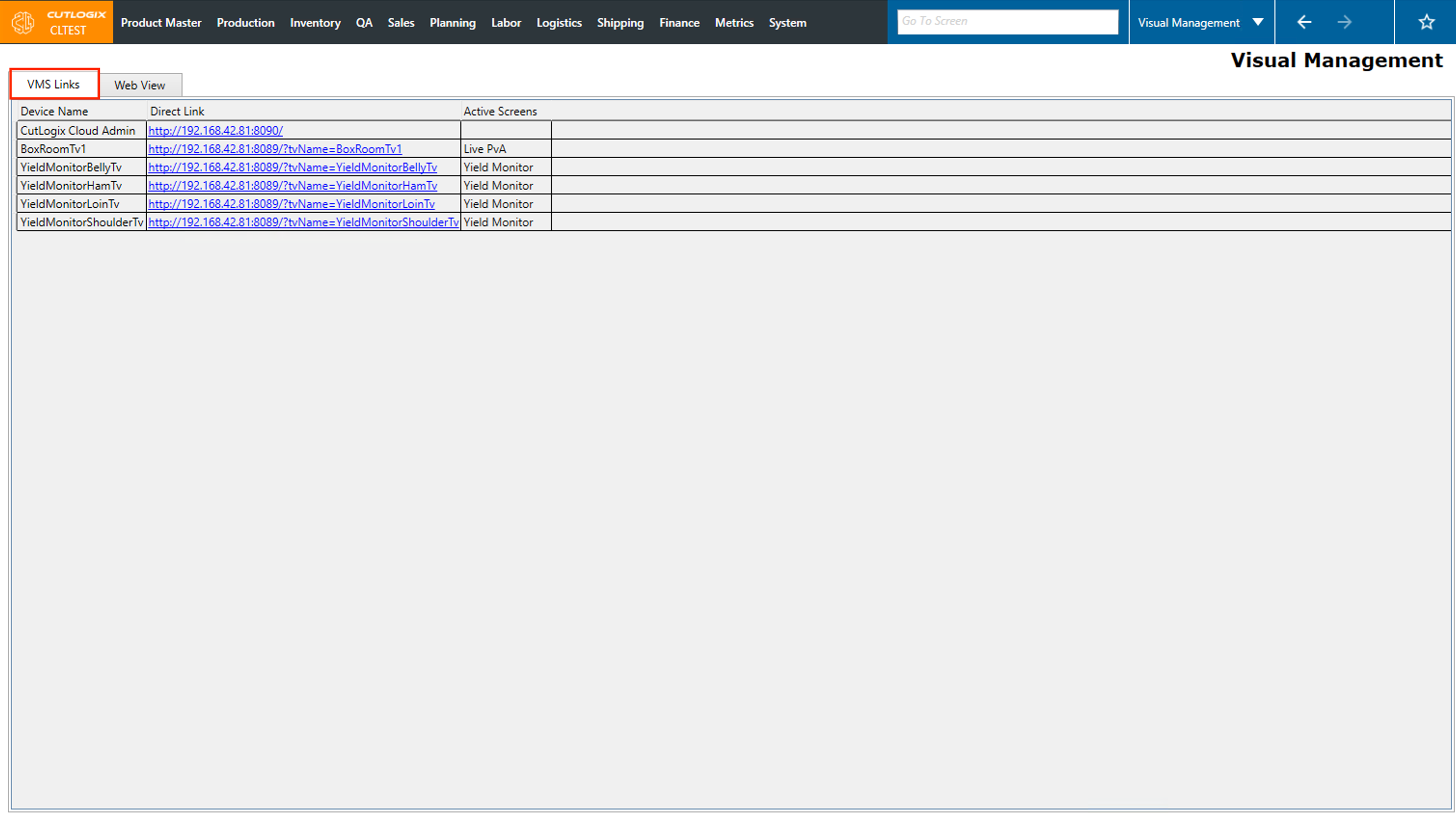
Step 2: Ensure that you are on the "VMS Links" tab.
Step 3: In the list, locate the item that you want to view the TV for. In this example we'll look yield monitor tv for the belly line.
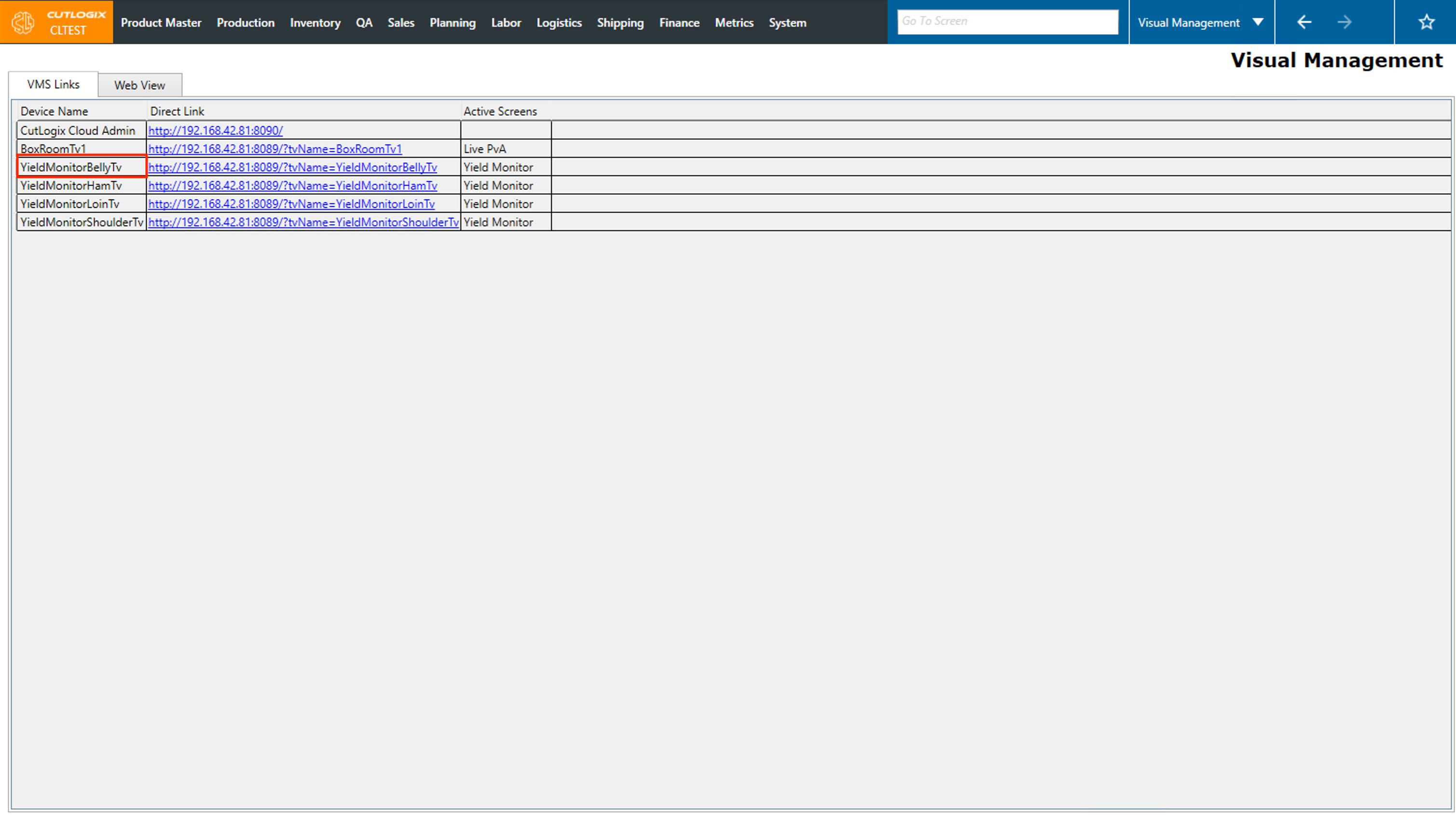
Step 4: Click on the direct link beside the one that you want to view.
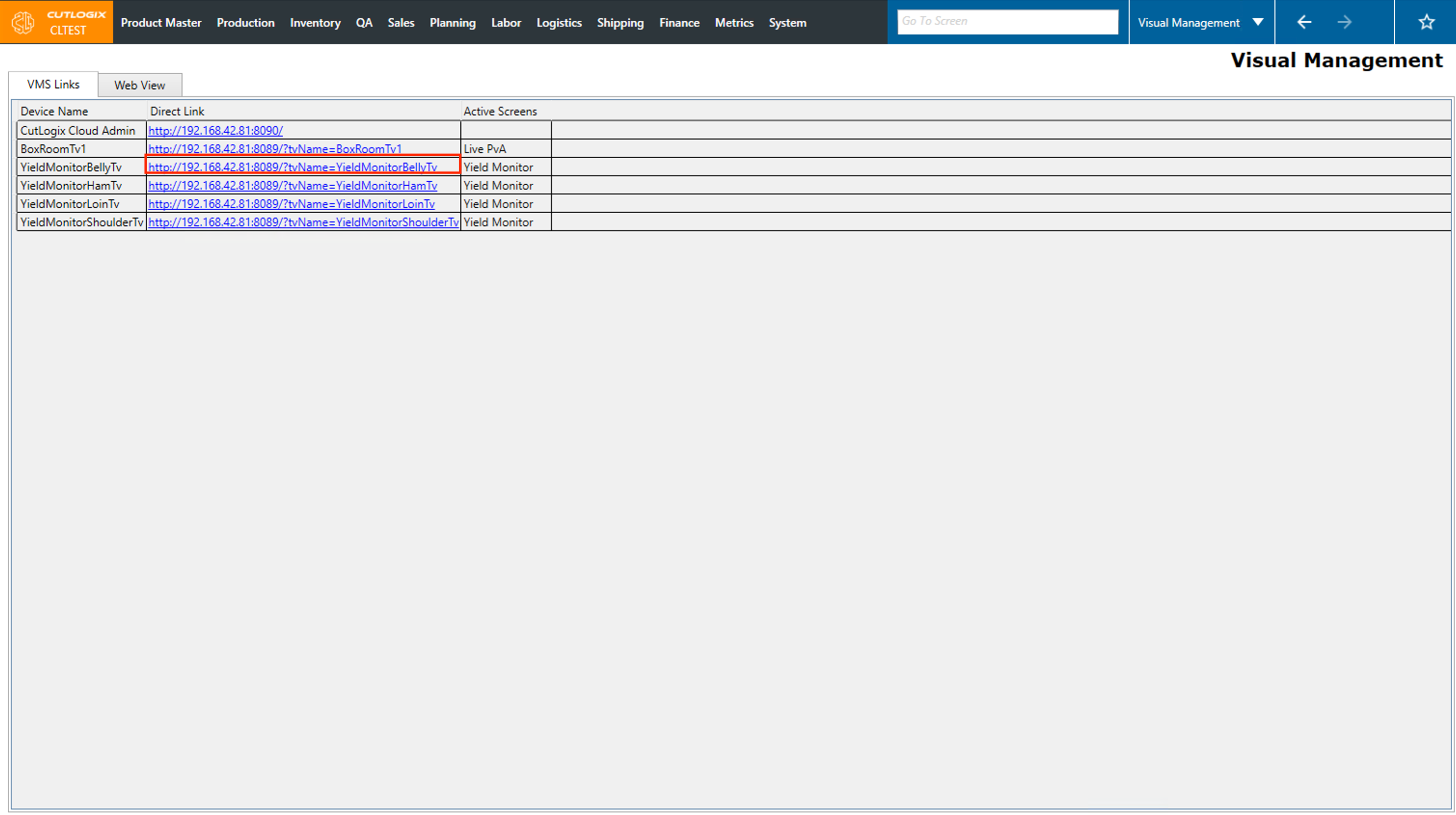
Step 5: It will then open in the "Web View" tab and you can see what the TV looks like on the line.