Sales Programs
How to Navigate: Click on Sales > Sales Programs
Summary
This screen provides a way to define a series of sales strategies and what their priority is relative to the others. Sales programs can be given very specific criteria such as gender, cooling type, customers, countries, carcass types and more to define which products fall within them. CutLogix automatically assigns products that match the criteria of a sales program, to that sales program as they are produced. CutLogix can then generate reports based on that data to show information such as the % of sales that fell within a certain sales program.
This screen also allows sales program targets to be defined. Sales program targets specify the target % of sales that should fall under a given sales program, by planning type. Sales program targets are created and managed on the “Sales Programs” page, under the “Sales Program Targets” tab. They are linked to a sales program and must have the same planning type and planning subtype as the selected sales program (if the sales program has a planning type or subtype set).
The sum of all the sales program targets for a single planning type cannot exceed 100%, and the effective date on the sales program target must fall within the effective date range of the associated sales program, if the program is effectively dated.
This screen also allows sales program targets to be defined. Sales program targets specify the target % of sales that should fall under a given sales program, by planning type. Sales program targets are created and managed on the “Sales Programs” page, under the “Sales Program Targets” tab. They are linked to a sales program and must have the same planning type and planning subtype as the selected sales program (if the sales program has a planning type or subtype set).
The sum of all the sales program targets for a single planning type cannot exceed 100%, and the effective date on the sales program target must fall within the effective date range of the associated sales program, if the program is effectively dated.
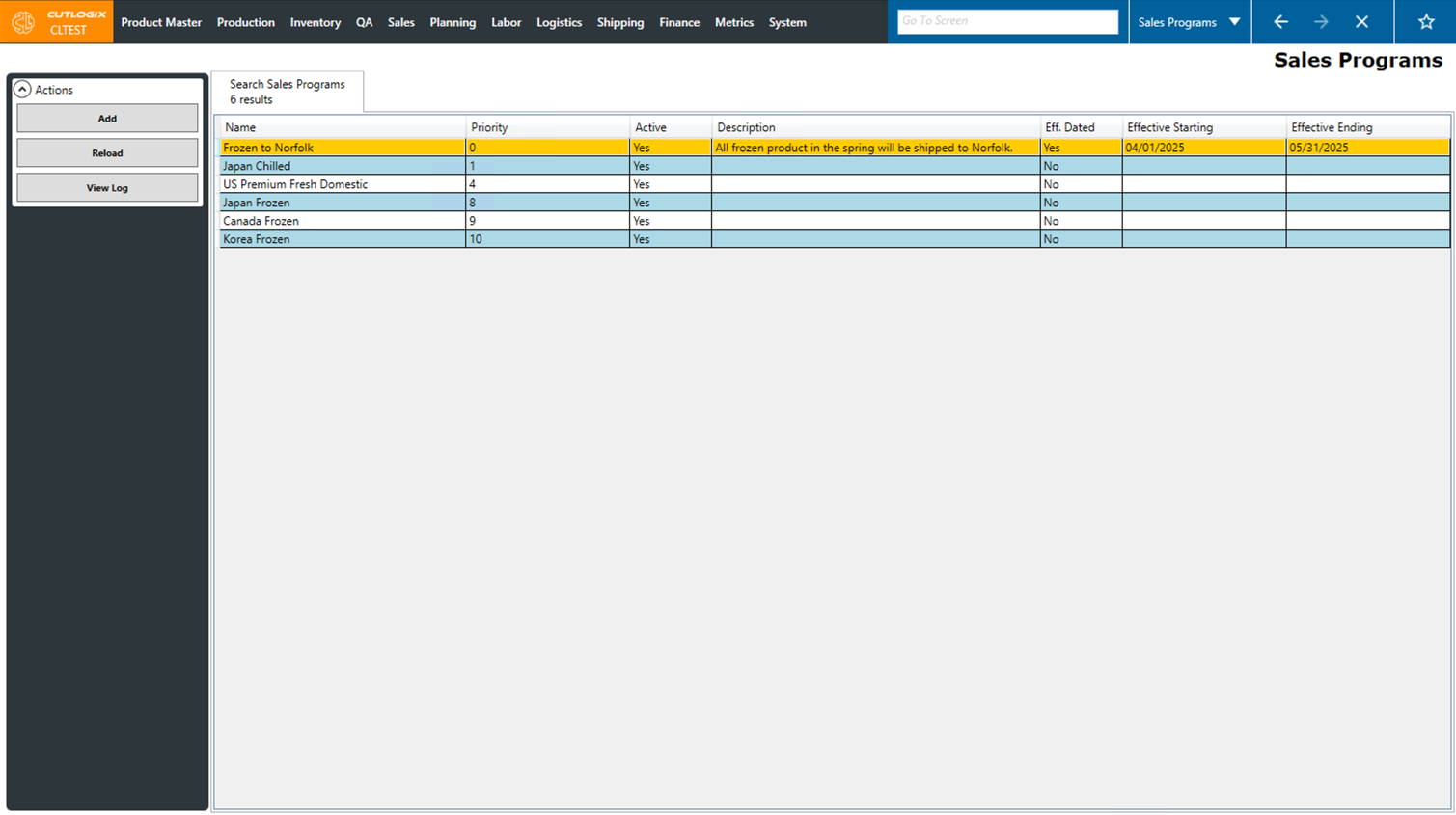
Actions
- Add: This action will create a new tab on the page with input fields for you to begin entering details about a new sales program.
- Reload: Reloads the list displaying the most up-to-date info from the database.
- View Log: This action allows you to view a history of what has been done to the selected record in the past, for example what changed and what user made the change.