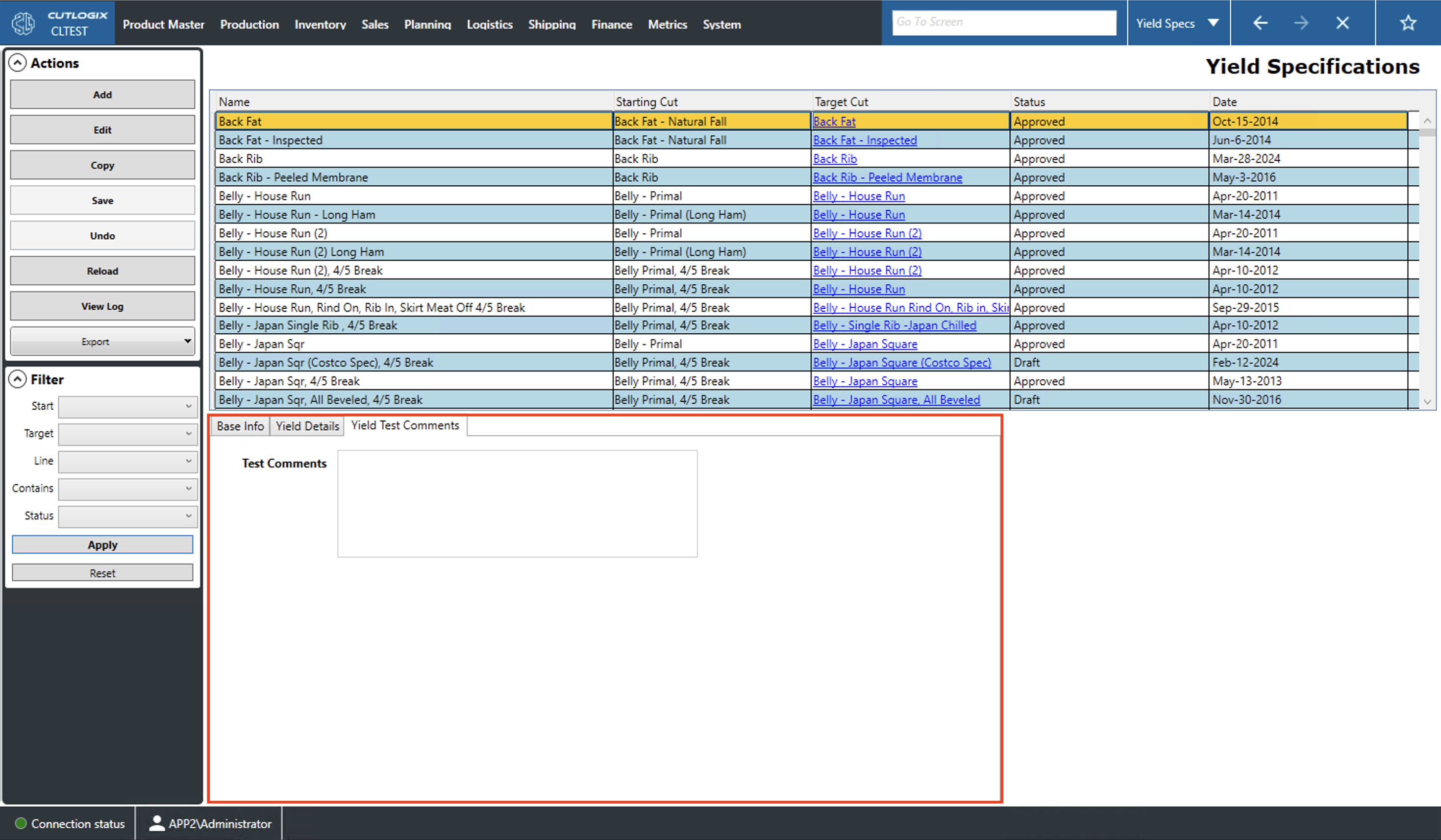
Yield Specifications Tabs
How to Navigate: Click on Product Master > Yield Specifications > Tabs
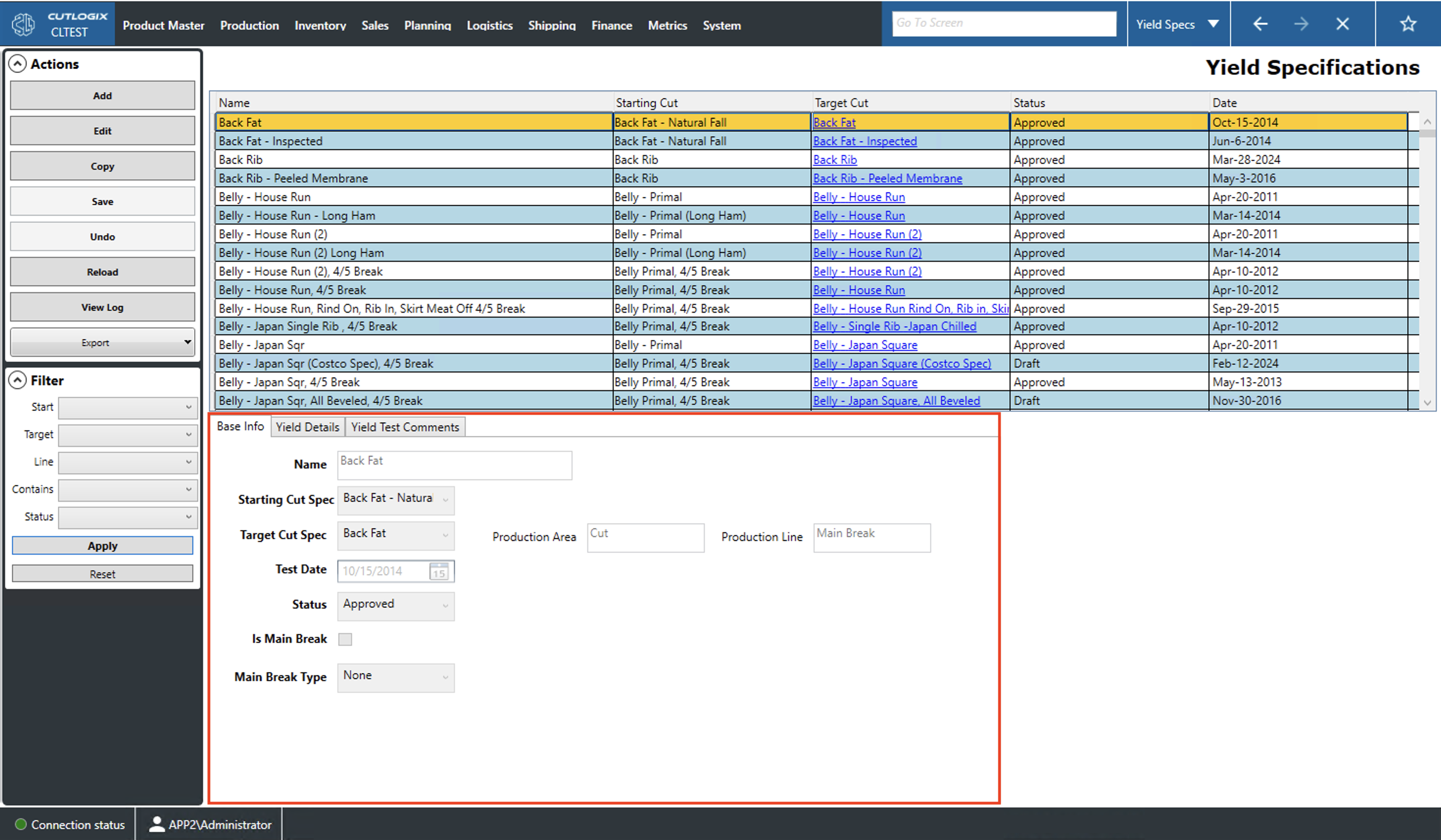
Base Info Tab
- Name: This is the name/description of the yield specification (yield spec).
- Starting Cut Spec: The cut specification (cut spec) that is started with in processing.
- Target Cut Spec: The cut spec that is yielded after processing.
- Production Area: Indicates whether the target cut spec is produced on the kill or cut floor.
- Production Line: Indicates which production line (shoulder, ham, belly, etc.) the starting cut spec is produced on.
- Test Date: This indicates the last date that a yield test was conducted to gather data for this yield spec.
- Status: The current status of the selected yield spec. These options are defined on the yield spec summary page.
- Is Main Break: This checkbox indicates whether the target cut is produced by the main break or on one of the production lines.
- Main Break Type: Indicates the type of main break that this product results from.
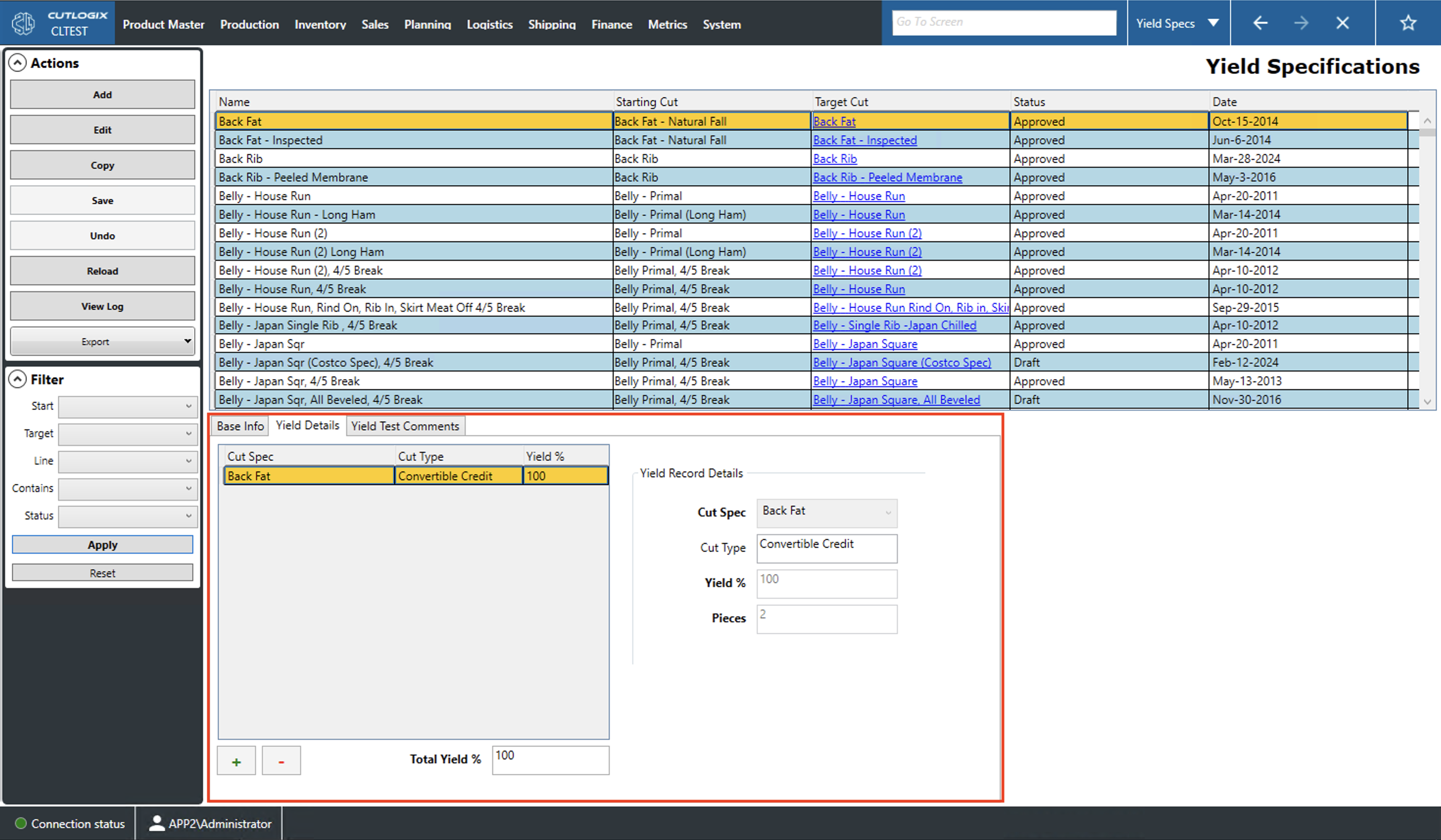
Yield Details Tab
This tab lists all of items that are produced when the starting cut specification (cut spec) is made is processed into the target cut spec. Any of the cut specs on the list can be selected. They will be highlighted in yellow to indicate this and their data will be populated in the Yield Record Details are on the right. When editing, the selected cut spec can be modified by entering the new data in the Yield Record Details fields.
- Cut Spec: The names/descriptions of the cuts that will be yielded.
- Cut Type: The type of each cut produced (primal, sub-primal, credit, convertible credit, etc.).
- Yield %: The percent of the starting cut that will go into creating each cut on the list.
- Pieces: This field is in the Yield Record Details second. It indicates the number of pieces yielded of the selected cut.
- Total Yield: Indicates how much of the starting cut spec is accounted for by the cut specs on this list.
Yield Test Comments
- Test Comments: A space for users to leave comments on the yield test for the currently selected yield specification.