Tabs
How to Navigate: Click on Product Master > Product Master List > Click the Desired Tab
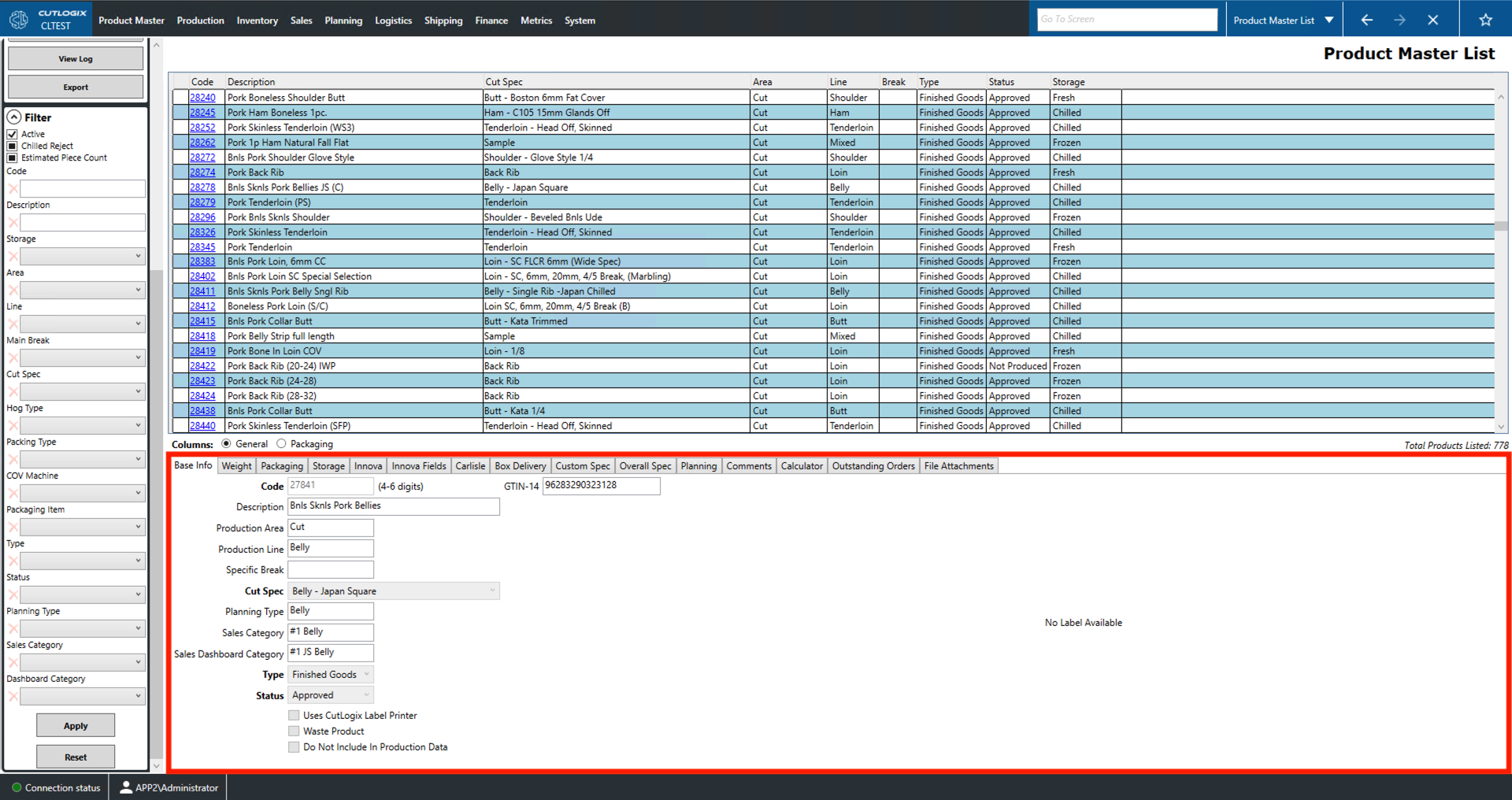
Base Info Tab
- Code: A unique identifier for the product.
- Description: A name/description of the product.
- Production Area: The area of the plant that this product is processed (cut or kill).
- Production Line: The specific production line on which this product is produced (main break, shoulder, belly, loin, ham, etc).
- Specific Break: Refers to the specific kind of main break used for this product.
- Cut Spec: Refers to the cut specification followed when processing the product.
- Planning Type: A type assigned to the product in the planning system (ex. Butt Kata, Butt Boston, Side Rib, Back Rib, Loin, Sirloin, etc.).
- Sales Category: The sales category that the product falls into (i.e. #1 is highest quality, #2 is a #1 product downgraded due to defects or quality concerns).
- Sales Dashboard Category: Dashboard categories reflect the sales strategy of the particular customer.
- Type: Indicates the products type. Finished goods are product intended for sale, WIP stands for work in progress and 3rd party refers to products bought from another vendor for sale or further processing.
- Status: The product's status in the system (Admin, Draft, Approved, Not Produced, Obsolete).
- GTIN-14: The Global Trade Item Number - 14 (GTIN-14) is a 14-digit barcode used to identify trade items (retail goods, food, pharmaceuticals, etc). This number is part of the Global Standards 1 (GS1) standardized system of barcodes and identification numbers used to identify and track trade goods on a global scale.
- Waste Product: Marks the product as produced from tanked (i.e. discarded) product.
- Do Not Include In Production Data: Checking this option will tell CutLogix not to send this product to your Manufacturing Execution System (MES). It will also hide it from the CutLogix production explorer and the planning system.
Weight Tab
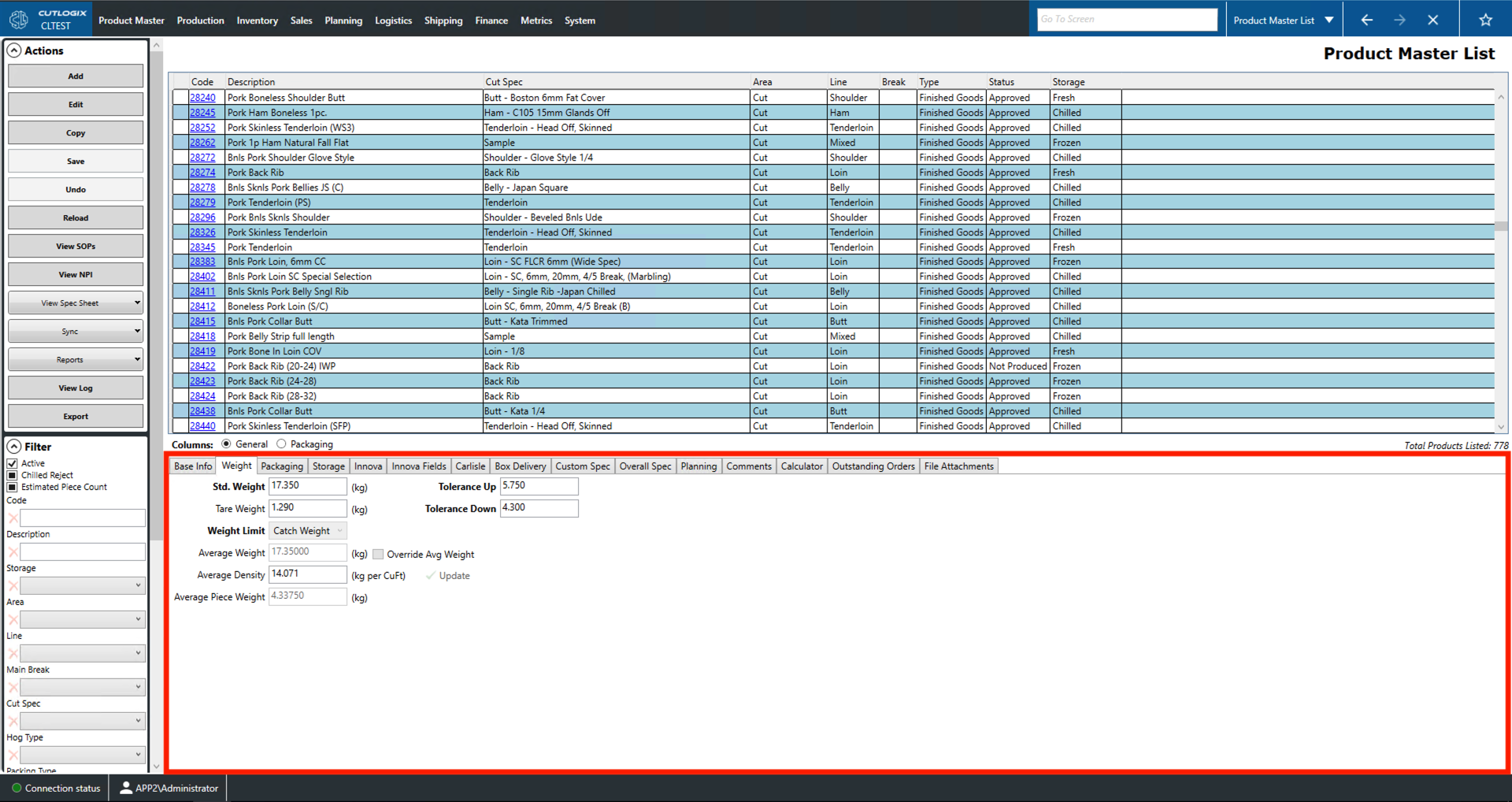
- Std. Weight: The weight that producers are aiming to have the product be before it is packaged.
- Tare Weight: This is the combined weight of the product's packaging items.
- Weight Limit: Determines whether the product is a catch weight or even weight product.
- Catch weight refers to products that are expected to vary up and down around an average weight.
- Even weight products are expected to be a specific weight.
- Average Weight: This is the average weight of the product calculated from historical data.
- Override Avg Weight: This option allows users to manually enter an average weight for this product.
- Average Density: The amount of kilograms (kg) of product in a cubic foot of carton.
- Average Piece Weight: This is the average weight of one unit or piece of this product. This is calculated by dividing the average weight by the piece count.
- Tolerance Up, Down: This is the maximum weight above/below the average weight that the product is allowed to be.
Packaging Tab
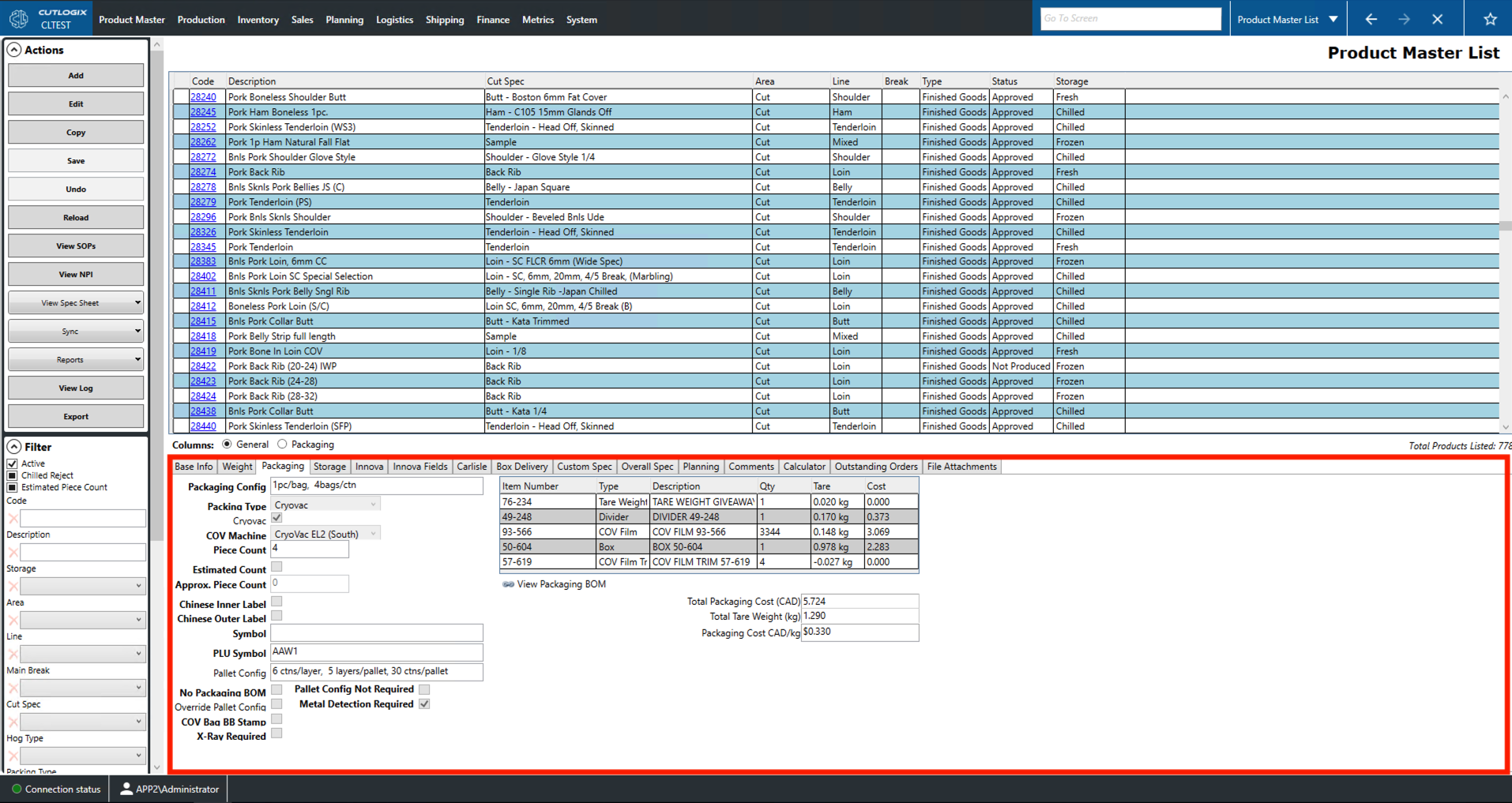
- Packaging Config: Explains how the selected product should be packaged (i.e. 1pc/bag, 4 bags/ctn).
- Packaging Type: Indicates how this product will be packaged.
- Combo: large cartons or bins of minimally processed product.
- Bulk: product grouped together in a box or bag (i.e. a box containing a bag of pork chops).
- Individually wrapped portions (IWP): products that are packaged individually.
- Cryovac: products that are vacuum sealed by a cryovac machine.
- Cryovac: Indicates whether or not the product is cryovaced when packaged.
- COV Machine: The default cryovac machine for this product.
- Piece Count: The number of units or pieces of product per package.
- Estimated Count: Whether or not the product's piece count is estimated or exact.
- Approx. Piece Count: Approximate piece count for products that do not use an exact count.
- Chinese Inner/Outer Label: This checkbox indicates whether this product requires Chinese labels inside or outside of the packaging.
- PLU Symbol: This refers to the price look up symbol typically used by retail establishments to identify items sold by weight.
- Pallet Config: Explains how this product should be stacked on a pallet. It gives the number of cartons per layer, the number of layers per pallet and the total number of cartons per pallet.
- No Packaging BOM: Indicate whether or not the product has an attached bill of materials (BOM).
- Pallet Config Not Required: Indicates whether or not this product requires a pallet configuration.
- Override Pallet Config: Indicates whether or not the pallet configuration is auto generated or manually configured. By default this is automatically generated from Packaging Materials Page -> Box Info tab. To change this setting, or the Pallet Config field, you can do so by modifying the attached packaging BOM. This can be accessed by clicking 'View Packaging BOM'.
- Metal Detection Required: Whether or not this product must be checked with a metal detector.
- COV Bag BB Stamp: Whether or not a cryovaced product requires a best before (BB) stamp on the bag.
- X-Ray Required: This box indicates whether the product is required to be x-rayed for validation.
- Total Packaging Cost (CAD): This is the total cost of the packaging materials used by this product.
- Total Tare Weight (kg): This is the total weight of all packaging items used to pack the product.
- Packaging Cost CAD/kg: Total cost to package 1 kg of this product.
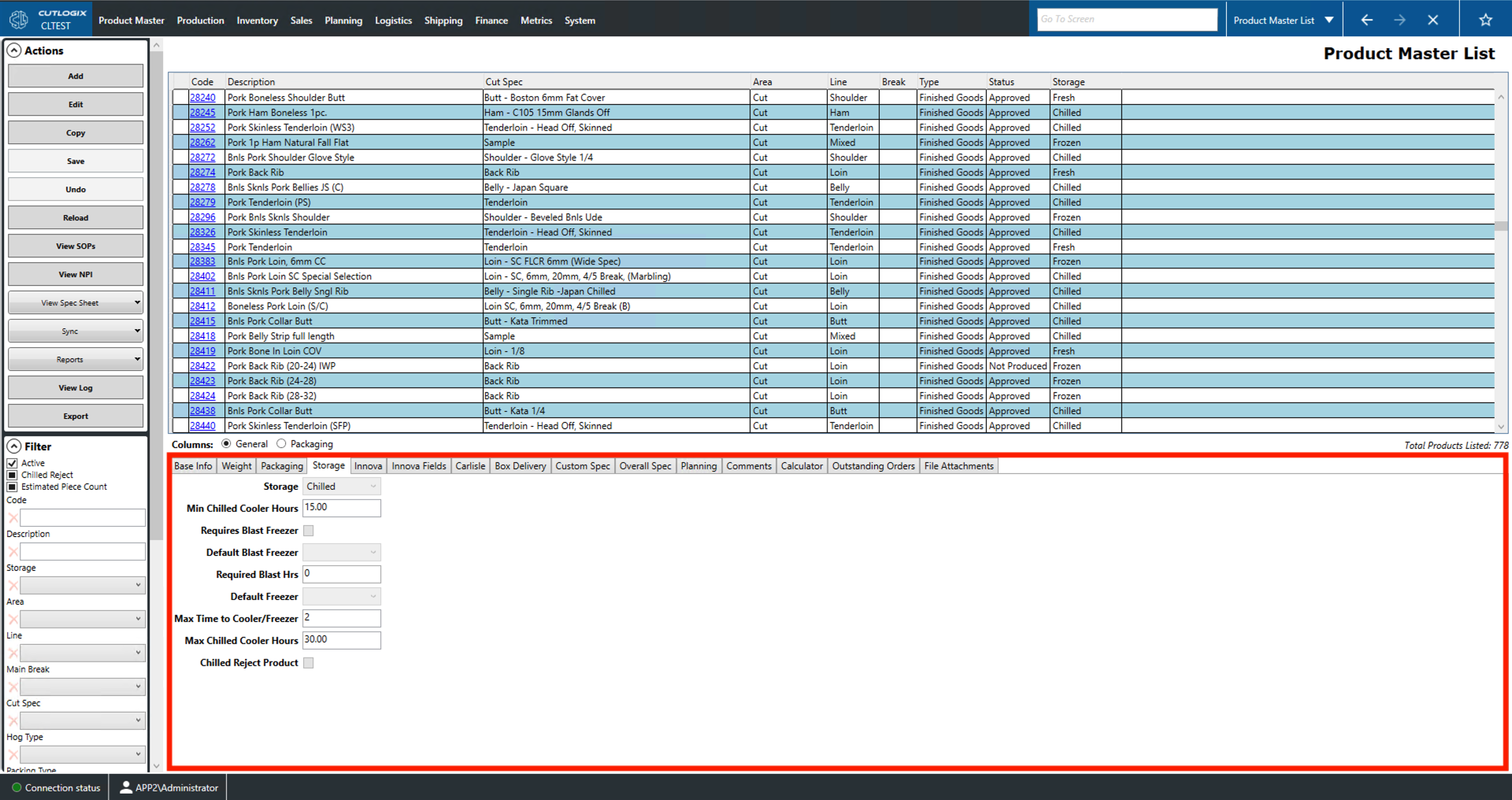
Storage Tab
- Storage: The type of storage used by this product (fresh, frozen, chilled).
- Min Chilled Cooler Hours: The minimum number of hours that the product must be cooled before it can be shipped.
- Requires Blast Freezer: Whether or not the product requires a blast freezer.
- Default Blast Freezer: The default blast freezer this product is shipped to for freezing. This option is deactivated until the 'Requires Blast Freezer' option is checked.
- Required Blast Hrs: The required number of hours that the product needs to be in a blast freezer.
- Default Freezer: Indicates the default freezer location that this product will be shipped to for storage.
- Max Time to Cooler/Freezer: This indicates the maximum number of hours allowed between when a product is processed and when it is stored in a cooler/freezer.
- Max Chilled Cooler Hours: Indicates the maximum number of hours that a chilled product can be kept in a cooler.
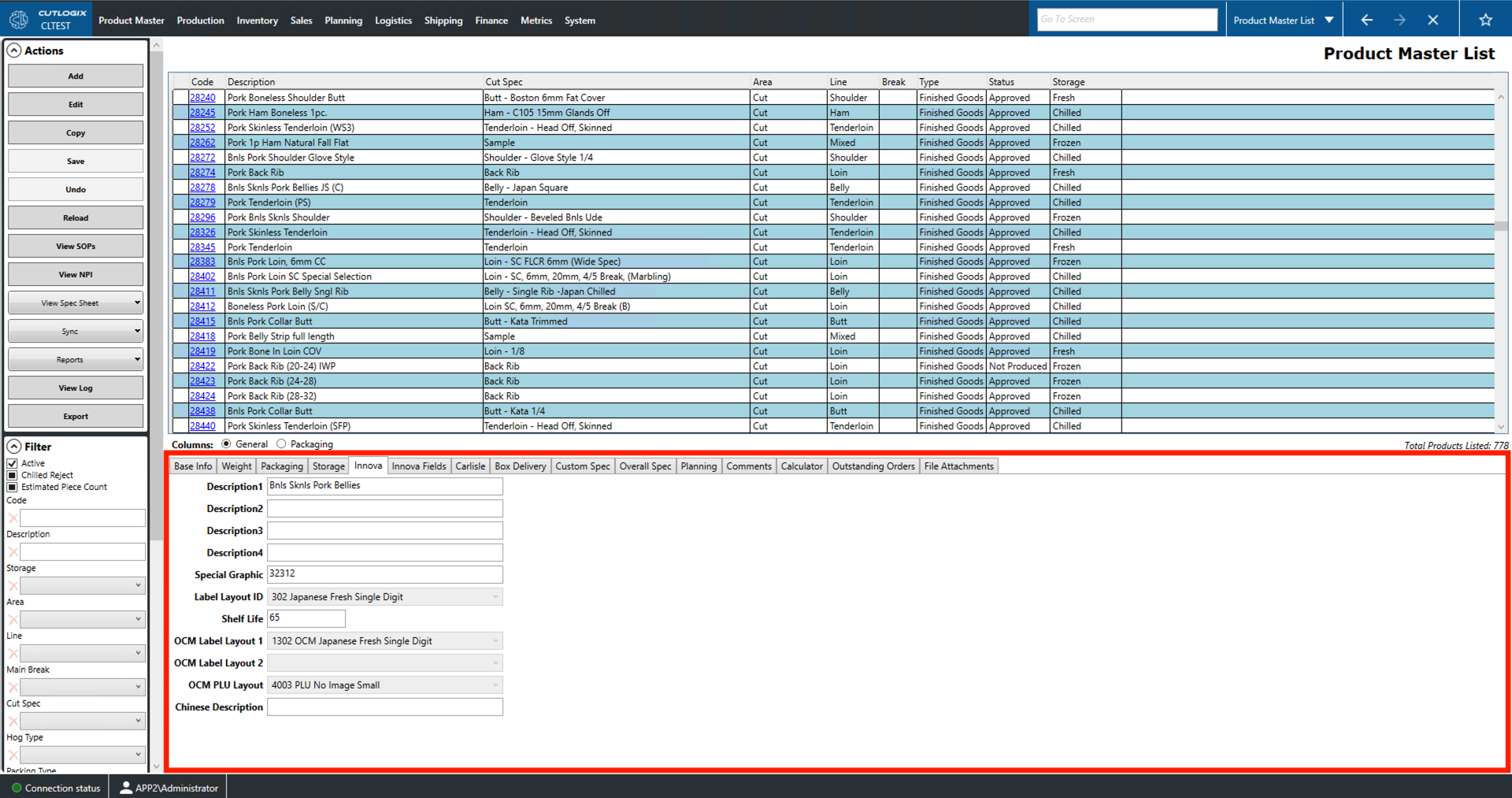
Innova Tab
- Description 1, 2, 3, 4: Separate description fields that will be passed to the Manufacturing Execution System (MES).
- Special Graphic: A number indicating the picture file to be applied to the label by the MES (ex. specify Japanese or Chinese characters for the label).
- Label Layout ID: This dropdown allows you to select the appropriate label type to send to the MES (i.e. a label for a frozen product might say 'Keep Frozen').
- Shelf Life: Shelf life in days.
- OCM Label Layout 1, 2: Allows you to select the outer case marking (OCM) label layout.
- OCM PLU Layout: Allows you to specify the layout of the price look up (PLU) number on the OCM.
- Chinese Description: A user can enter the description of the product in Chinese for products sold in China.
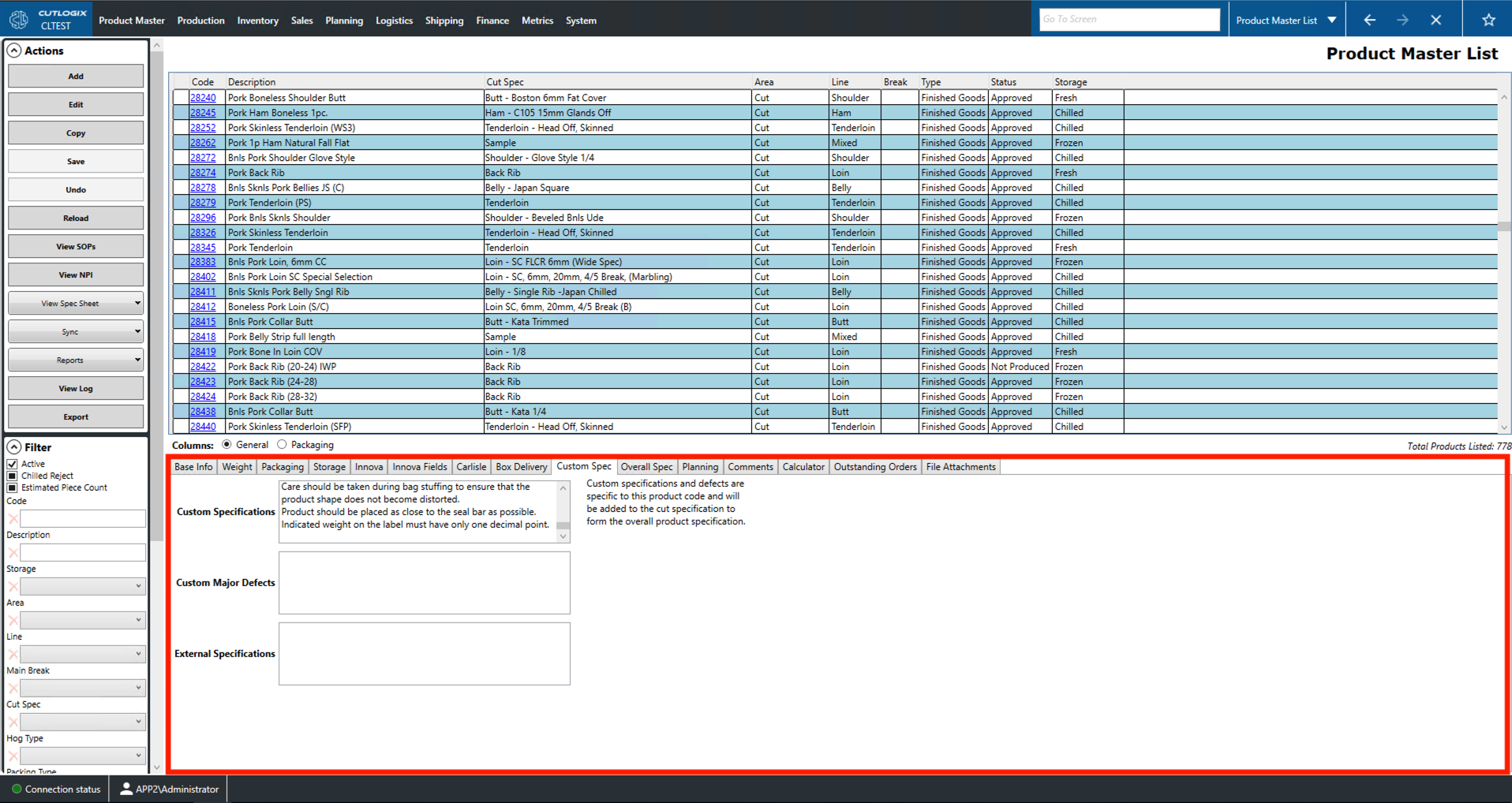
Custom Specification Tab
- Custom Specifications: Stores additional information (i.e. special customer requirements) about the cut specification for this product.
- Custom Major Defects: Stores additional requirements that pertain to major defects for this particular product.
- External Specifications: Additional specifications set by a relevant 3rd party (i.e. regulatory bodies or customs agencies) that this product must adhere to.
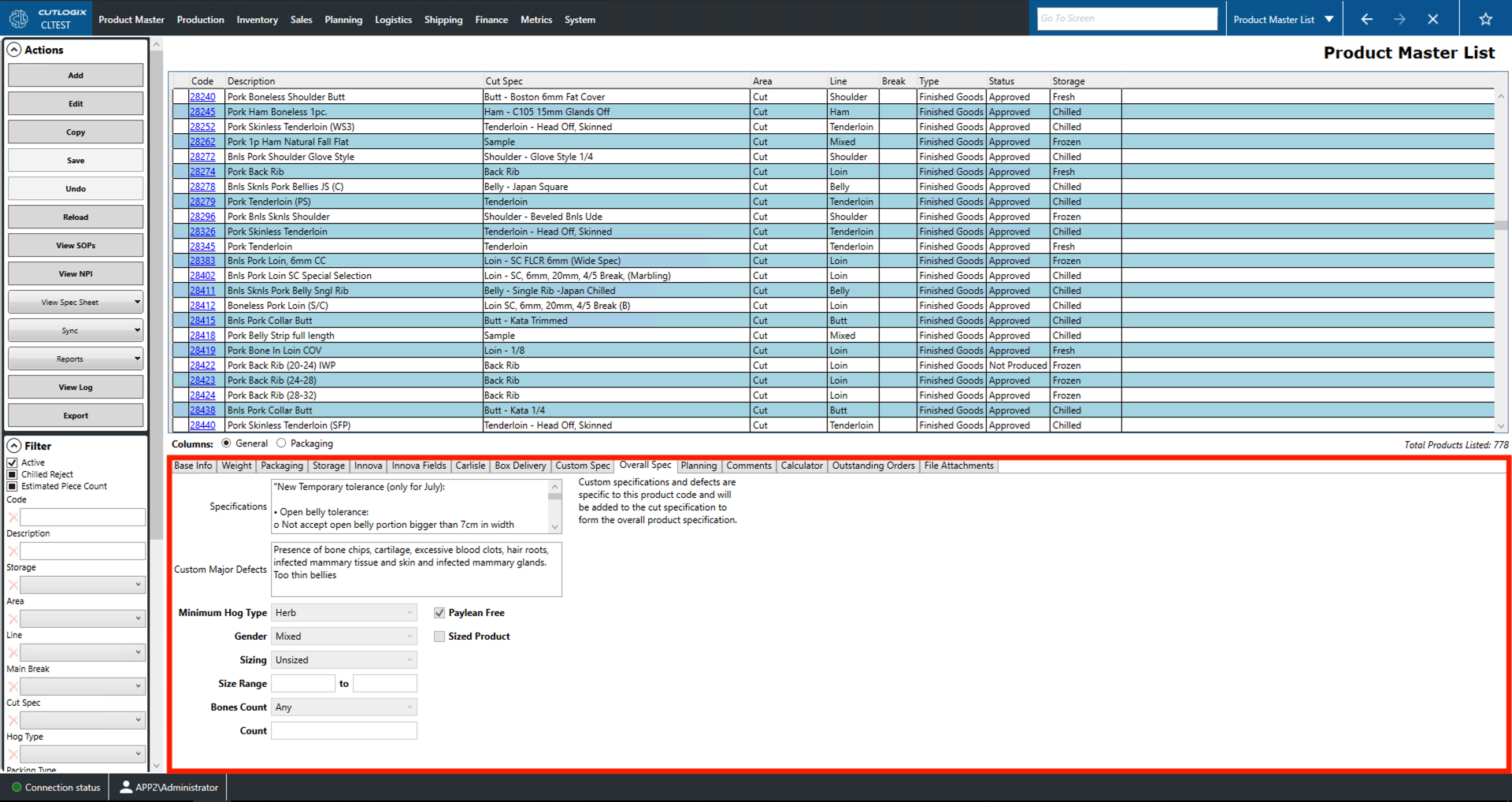
Overall Specification Tab
- Specifications: Amalgamates the specification field from the Cut Specification page (Specification tab) and the Custom Specifications field from the Custom Spec tab. This outlines the overall cut specification that must be followed when producing this product.
- Custom Major Defects: Amalgamates the Major Defects field from the Cut Specification page (Specification tab) and the Custom Major Defects field in the Custom Spec tab. This outlines the overall major defects for this product.
- Minimum Hog Type: The lowest level of hog, determined by genetics and feed regimen, that can be used to produce this product.
- Paylean Free: This box indicates whether or not the hogs used for this product are given the Paylean growth hormone.
- Gender: Specifies any hog gender constraints on the production of this product.
- None: No gender restrictions when making this product.
- Gilt: Only female pigs can be used to make this product.
- Barrow: Only castrated male pigs can be used to make this product.
- Mixed: A mix of genders is allowed when making this product.
- Sized Product: Check this box to indicate that this product has specific size criteria.
- Sizing: Indicates how to read the size range for this product if one is given.
- Size and Down: Sets the first number field as a maximum size.
- Size and Up: Sets the first number field as a minimum size.
- Size Range: Allows the user to specify both number fields to indicate a size range.
- Unsized: No size specifications. Fields can be left blank.
- Size Range: Gives the size range if a selection has been made in the 'Sizing' dropdown.
- Bones Count: Indicates the type of bone count constraint for this product and how to interpret the Count field.
- Any: Allows any number of bones. Count field can be left blank.
- Count and Down: Sets the count field as a maximum bone count.
- Count and Up: Sets the count field as a minimum bone count.
- Exact Count: Sets the count field as an exact bone count.
- Count: Records the bone count for the product.
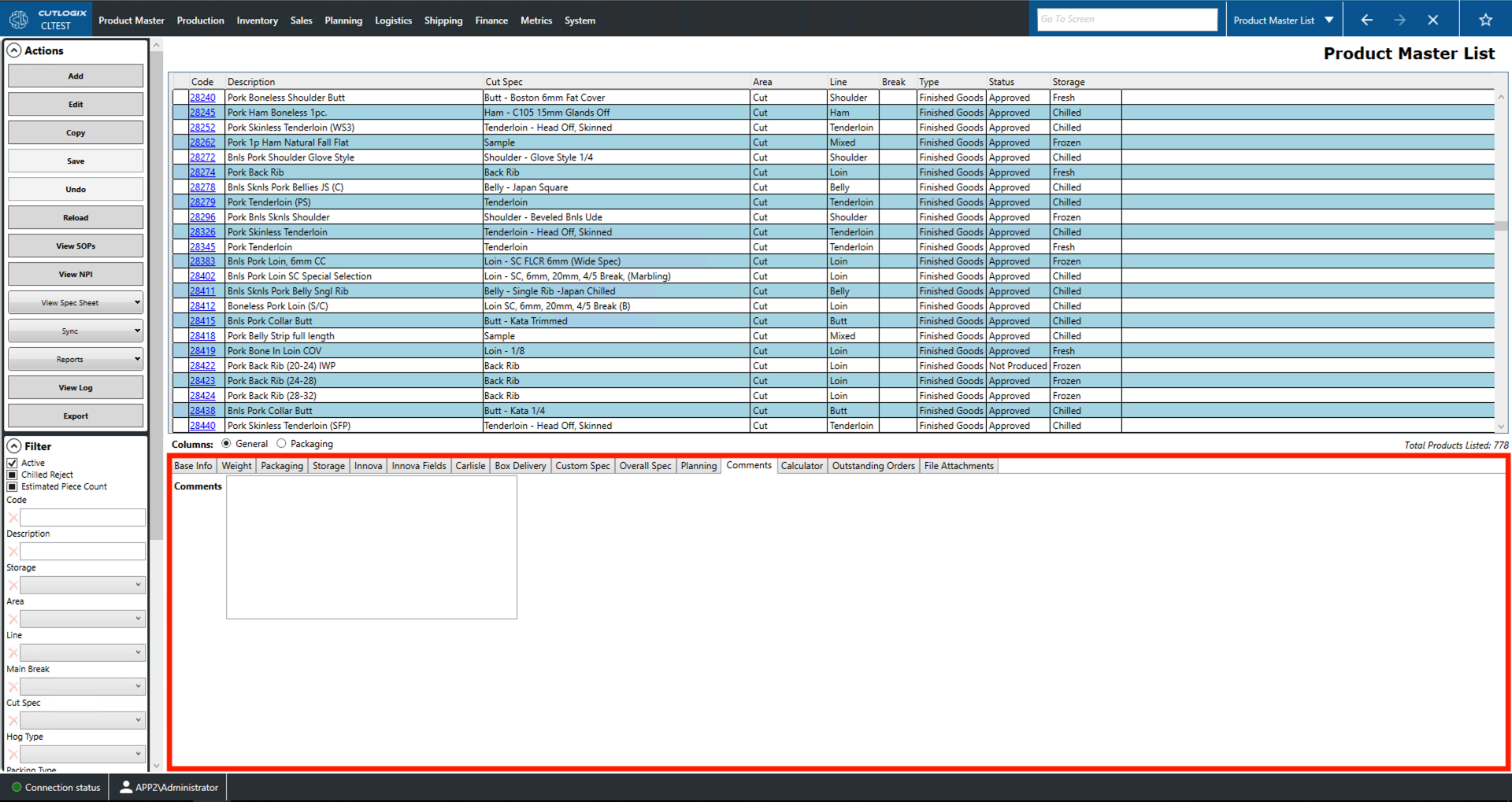
Comments Tab
- Comments: A space for comments on currently selected the product.
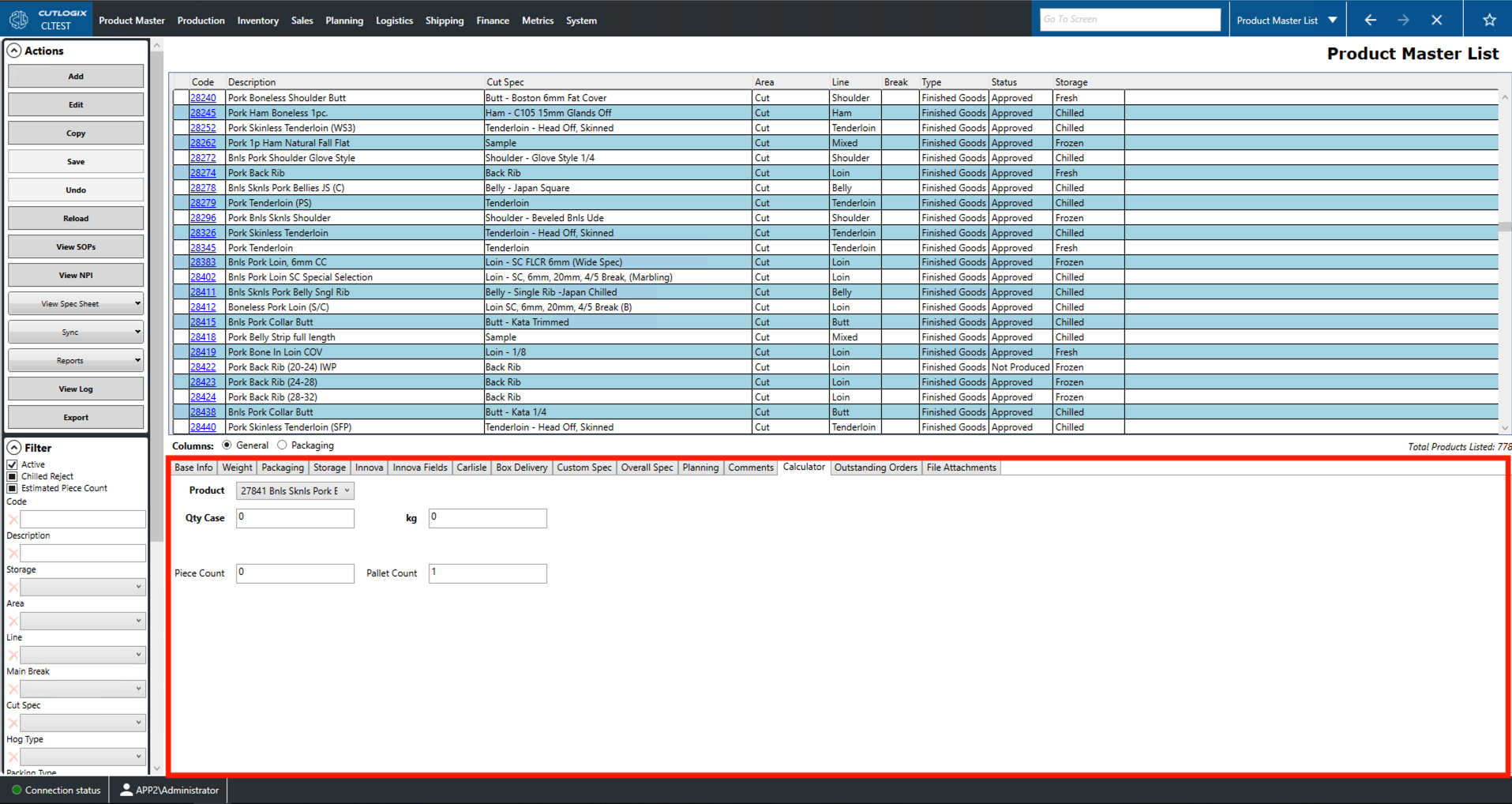
Calculator Tab
This page can be used to perform quick calculations for the specified product.
- Select a specific product from the drop down.
- Enter a case quantity or a number of kilograms (kgs). This will cause the other three fields to calculate automatically. Field explanations:
- Product: Use this dropdown to select the product you want to base the calculations on. Defaults to the selected product.
- Qty Case: Users can enter a number of cartons here.
- kg: The number of kgs of product. This will calculate the other three fields based on the input.
- Piece Count: The number of pieces produced for the specified number of cases or kgs.
- Pallet Count: The number of pallets required to pack the specified number of cases or kgs.
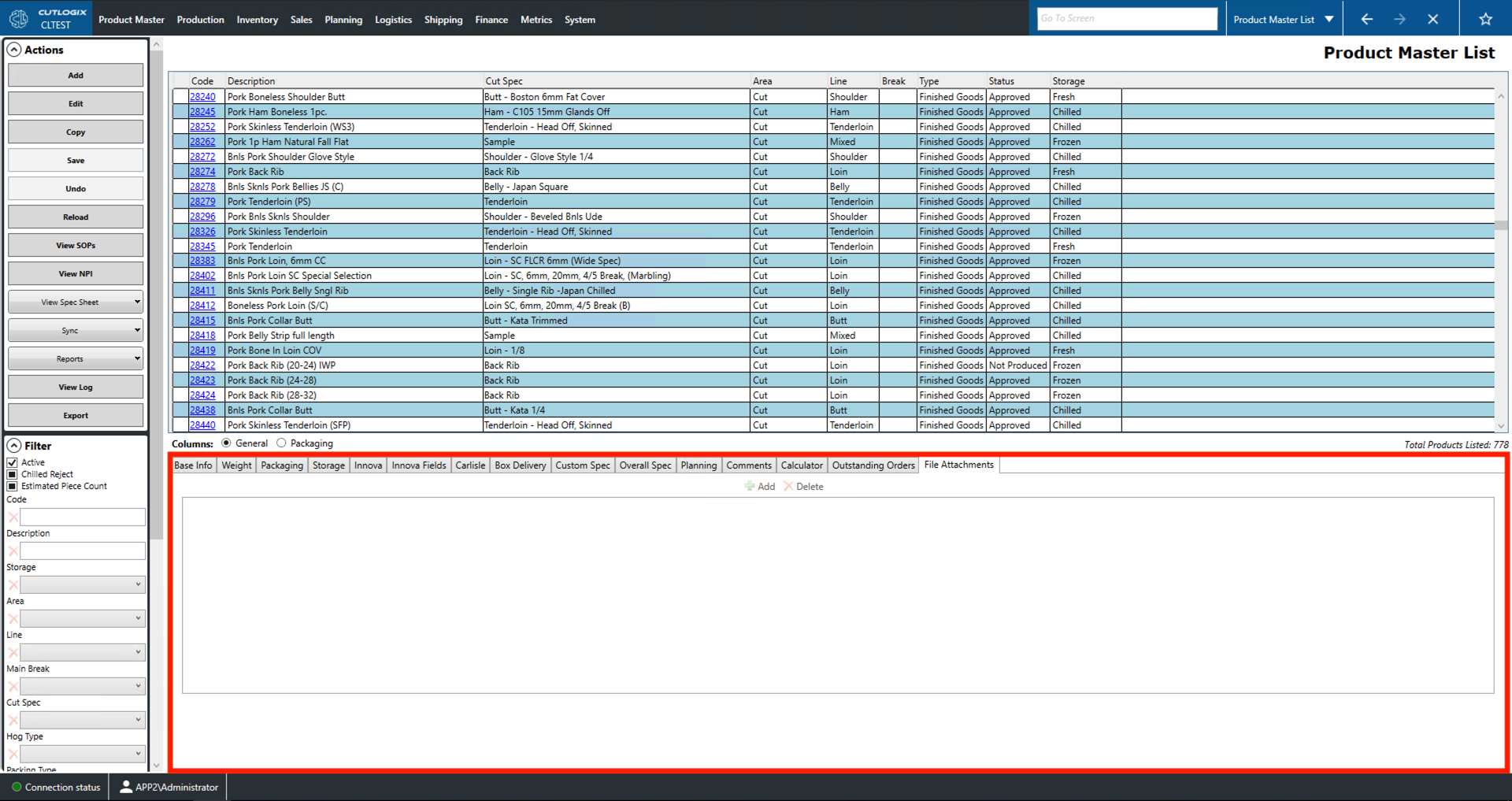
File Attachments Tab
- Add: Brings up a window that allows users to navigate to the file they want to attach.
- Delete: Clicking this with an attachment selected will remove it from the list.
- How to view list items: Double-clicking a list entry will open the file with an appropriate viewer.