Planned Mixed Products
How to Navigate: Click on Planning > Planning Rules Config > Planned Mixed Products
Summary
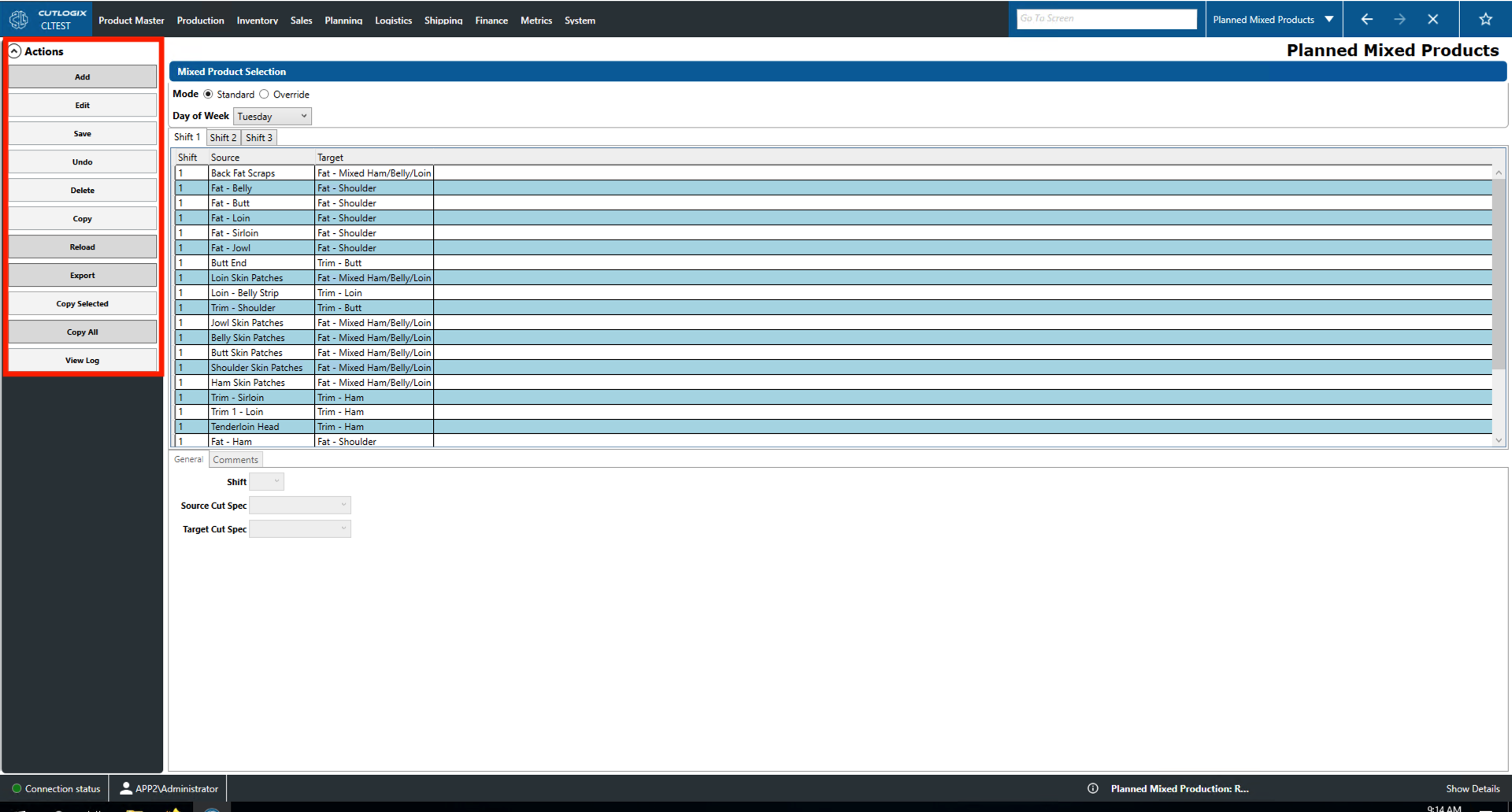
This page allows users to create and edit planned mixed product defaults and overrides. If a user wishes to view and edit default they can select standard mode and a day of the week. Override mode will allow users to view and edit overrides for a specific date. The fields on the 'General' and 'Comments' tabs can be used for both viewing info related to selected mixed product record and as data entry when adding/editing.
- Mode: Selected whether the list shows default planned mixed product entries for that day or specific overrides.
- Day of the Week: Use this dropdown to select the day to configure default mixed product production for.
- Shift 1, 2, 3 Tabs
- Shift: The shift that the mixed product is to be made on.
- Source: The source product for the mixed product.
- Target: The product that will be produced for sale after being mixed with the source product.
Actions
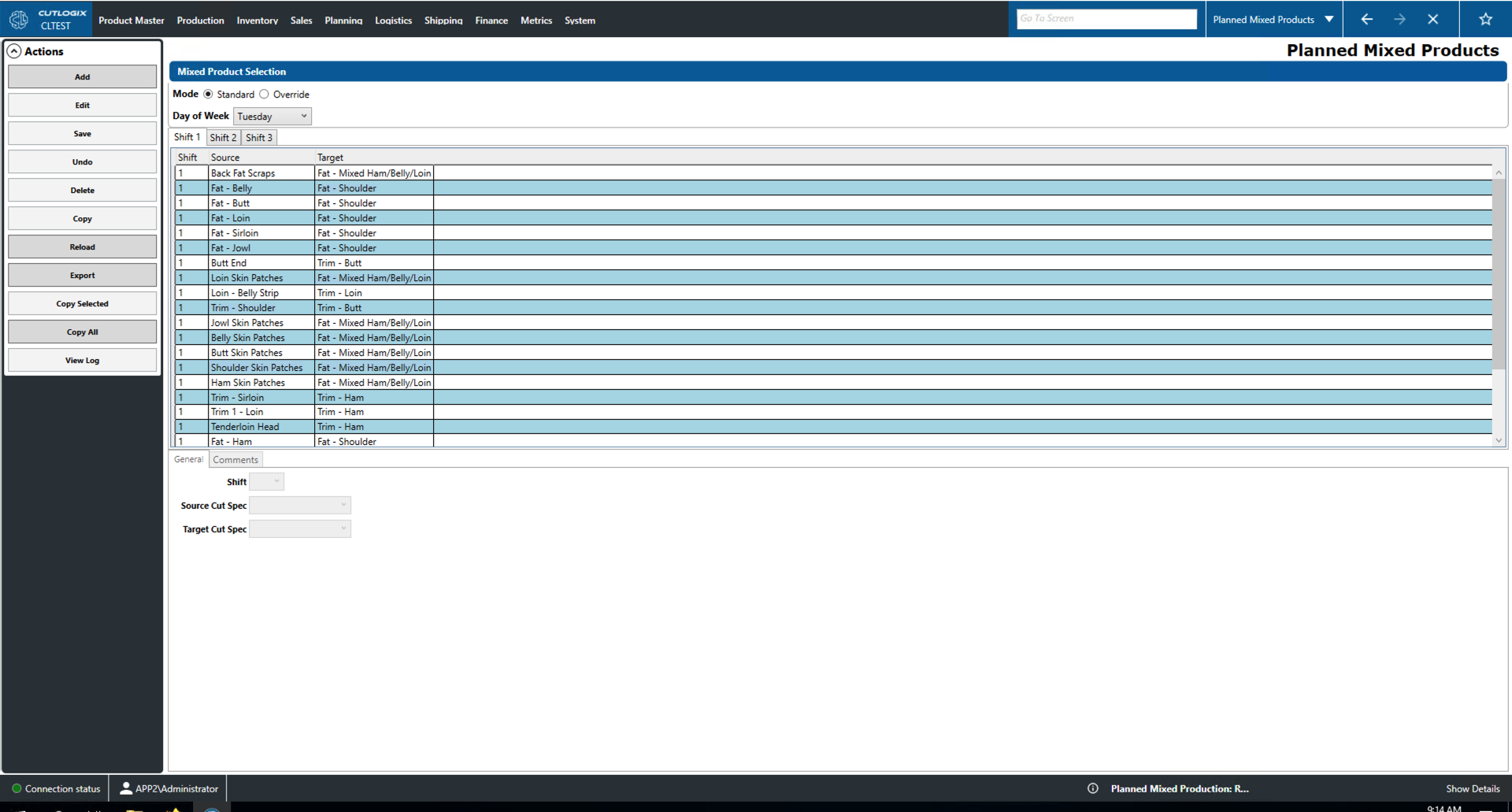
- Add: Add a new mixed product to the list for the selected day.
- Edit: Edit the currently selected mixed product to the list for the selected day.
- Save/Undo: Saves/undoes all changes made to the selected mixed product in the current editing session.
- Delete: Delete the currently selected mixed product.
- Copy: When in override mode, this button can be used to copy the default mixed products for the day of the week of the selected production day. This will allow users to use the standard list as a starting point when creating overrides for the specific production date.
- Reload: Reloads the list of mixed products to display the most up to date information from the data base.
- Export: Allows the user to save the list of mixed products locally to a .xlsx file (excel format). Users specify a date range and the local report will show what the default mixed product production was for that time period.
- Copy Selected: When in standard mode, this allows the user to copy the currently selected mixed product (highlighted in yellow) default to another day of the week.
- Copy All: When in standard mode, this allows the user to copy all of the current day of week's mixed product defaults to another day of the week.
- View Log: View the change log for the currently selected mixed product. This will include what was changed, by whom and when.