Sales Programs Tabs
How to Navigate: Click on Sales > Sales Programs > Tabs
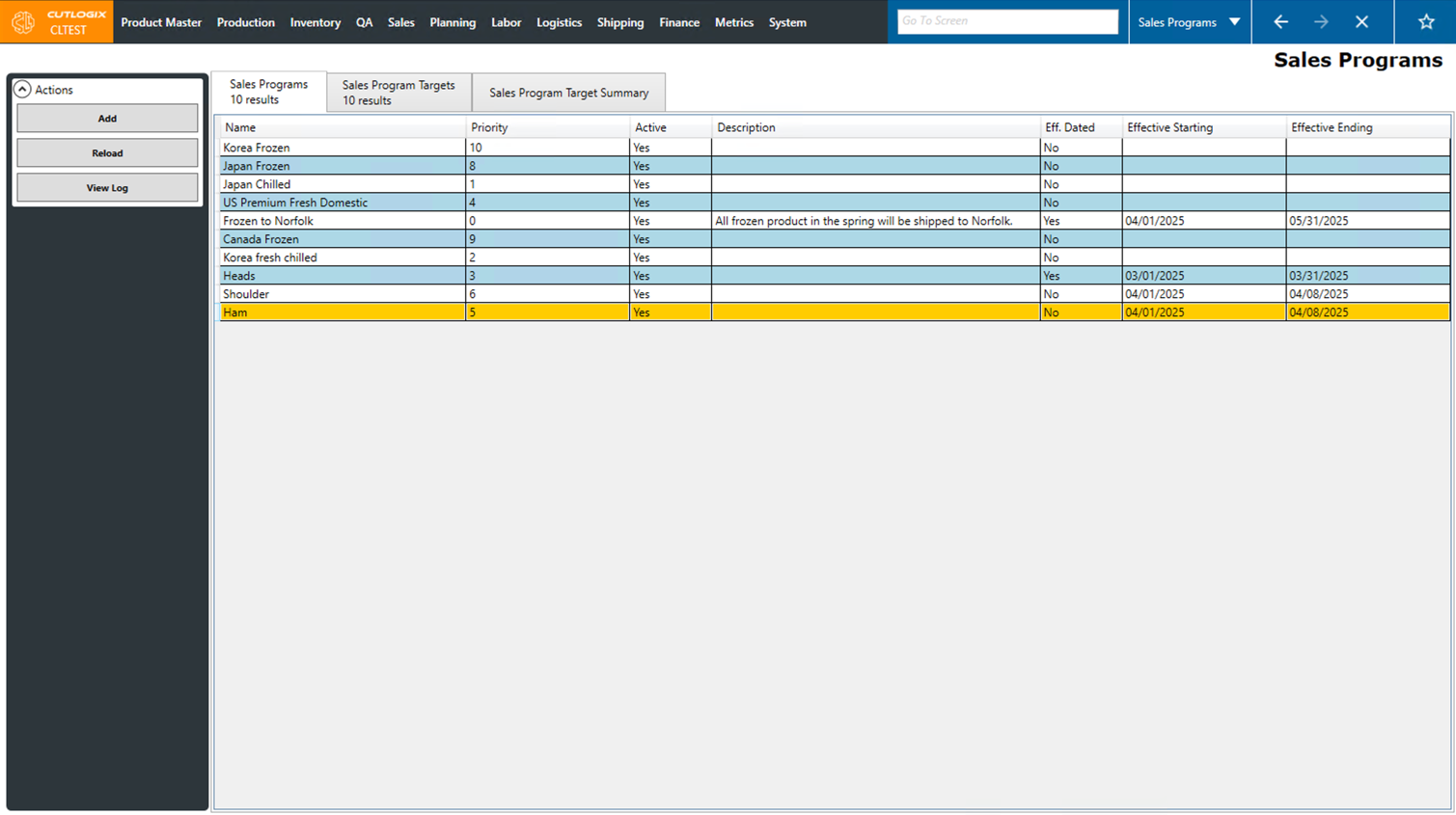
Sales Programs Tab
- Name: The name given to the sales program.
- Priority: The priority assigned to the priority rule.
- Active: Indicates whether the sales program is active or not.
- Description: The description given to the sales program.
- Eff. Dated: Indicates if the sales program is only in effect for a specified amount of time or not.
- Effective Starting: The day that the sales program goes into effect.
- Effective Ending: The day that the sales program ends.
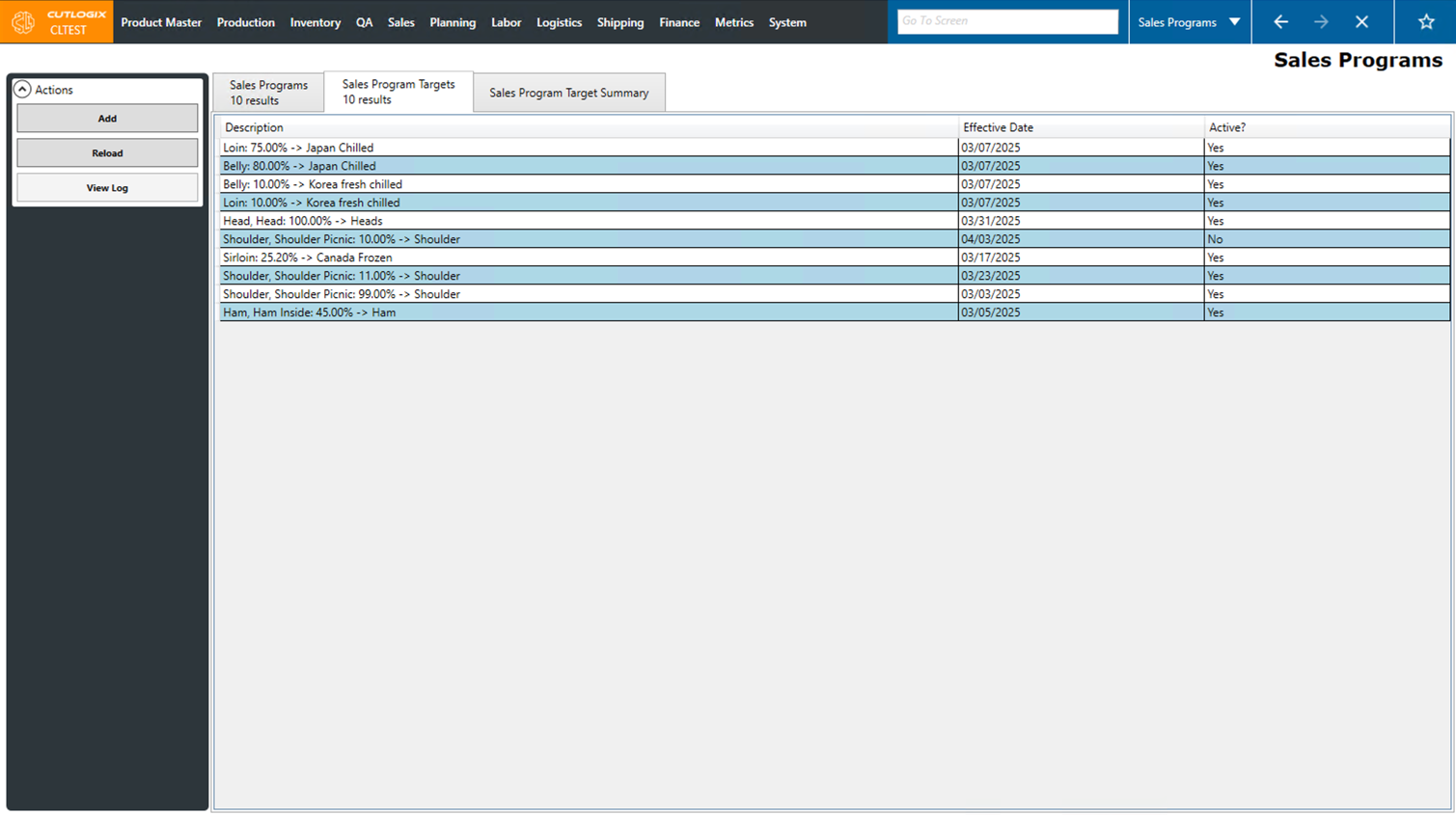
Sales Program Targets Tab
- Description: A description of the sales program target. This is an automatically generated combination of the planning type, percentage and associated sales program on the target.
- Effective Date: The date that the sales program target went into effect.
- Active?: Indicates "Yes" if the sales program target is active, or "No" if it's inactive.
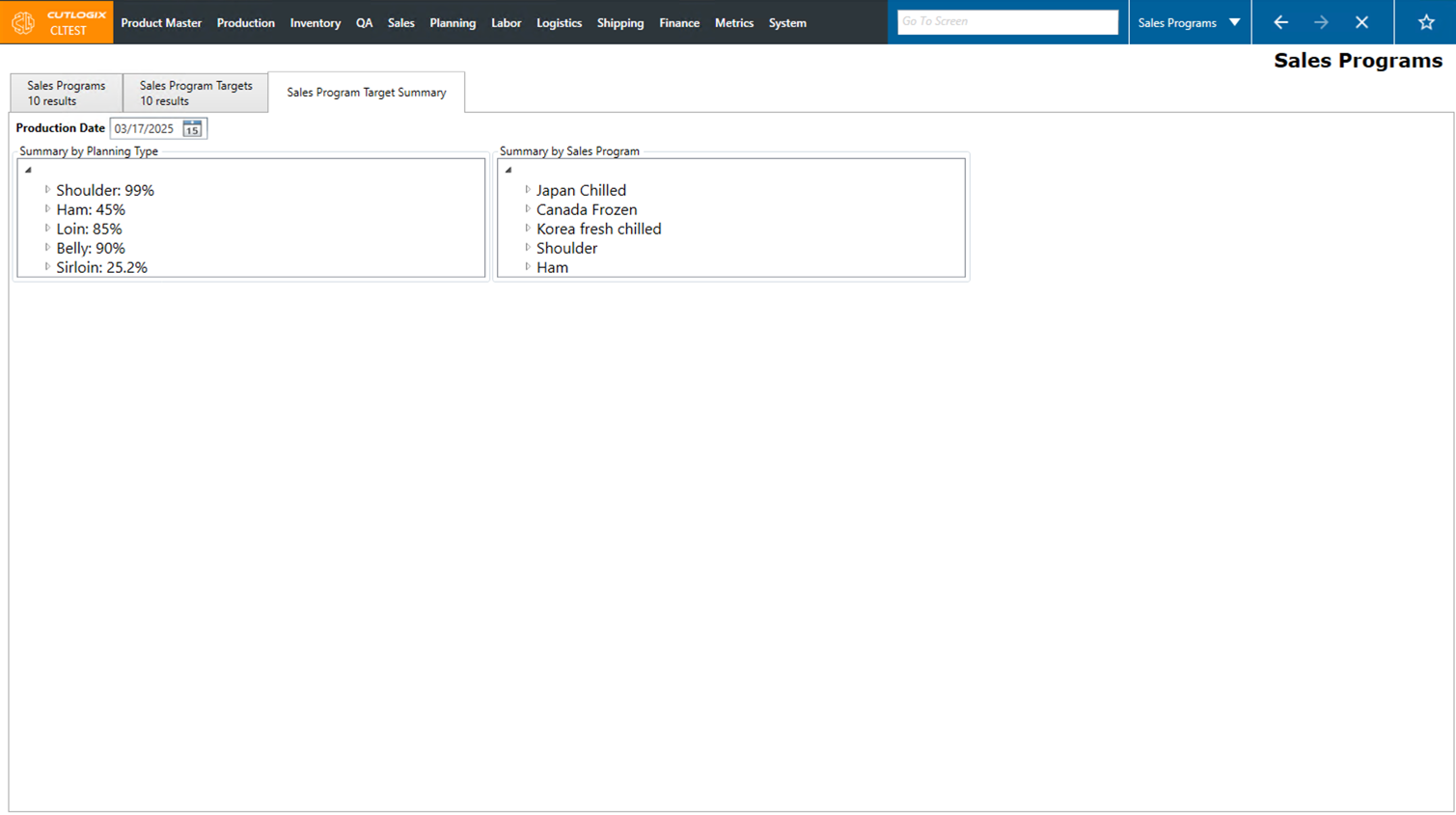
Sales Program Target Summary
- Summary by Planning Type: Shows the main planning types (excluding sundry and offal), then the percentage of that planning type that is allocated to sales program targets. Clicking on the arrow beside a planning type will open up the tree view, to show which specific sales programs have targets for the selected planning type and what the percentages are.
- Summary by Sales Program: Shows a list of all the active sales programs. When the arrow button to expand the tree view is clicked, a list of the planning types that the sales program has targets for will appear, along with the target percentage for each type.