Inventory Explorer Tabs
How to Navigate: Click on Inventory > Inventory Explorer > Tabs
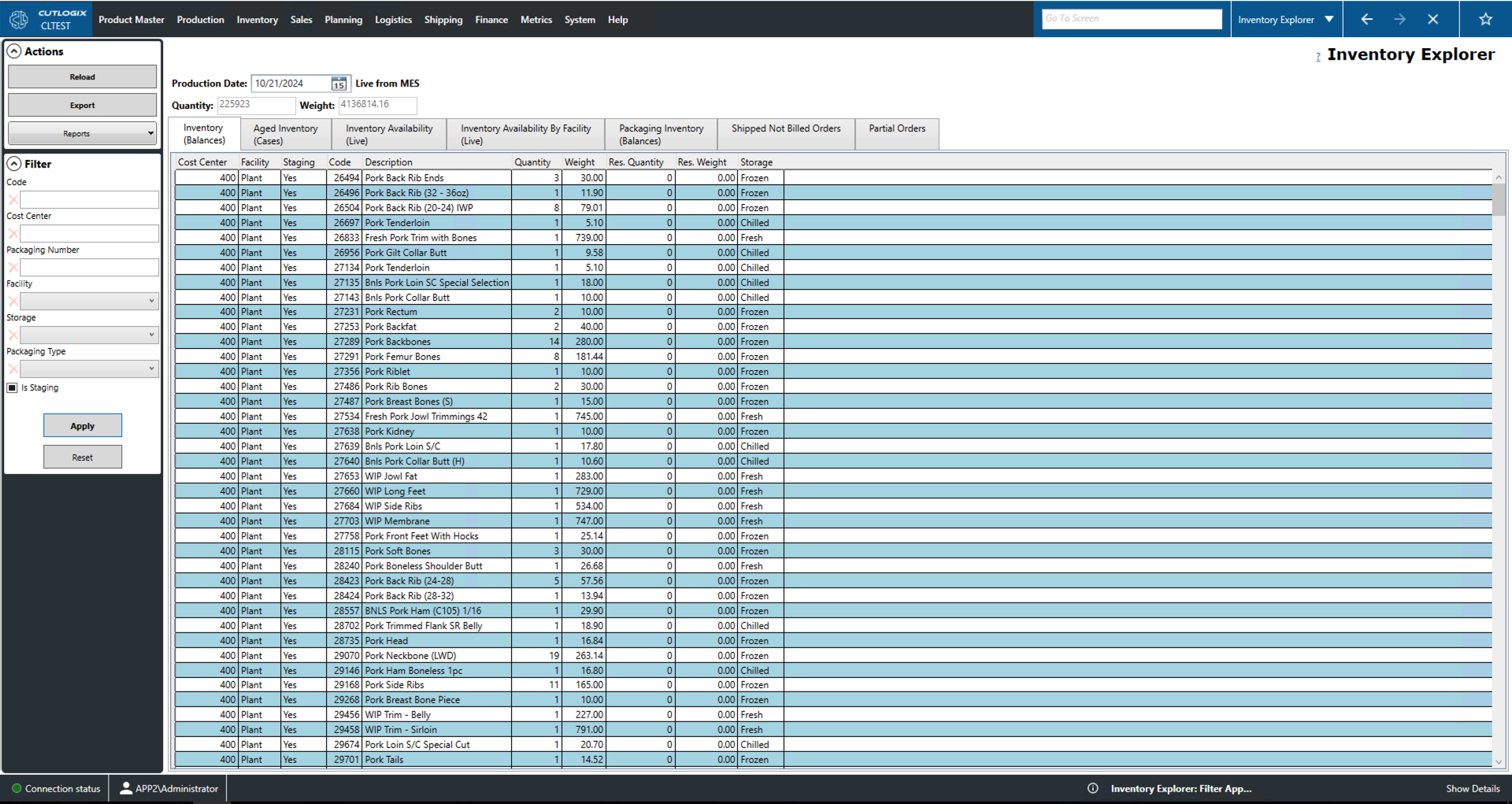
Inventory (Balances) Tab
- Cost Center: An ID number for a location.
- Facility: The facility that the inventory is stored at.
- Staging: Whether or not the inventory is being staged to be loaded.
- Code: Unique identifier for the product.
- Description: Name/description for the product.
- Quantity: Number of cartons of product in inventory.
- Weight: Weight in kgs of product in inventory.
- Res. Quantity, Weight: This is the number of cartons or kgs of product that is in inventory and has been reserved.
- Storage: Type of cooling the product requires (fresh, frozen, chilled).
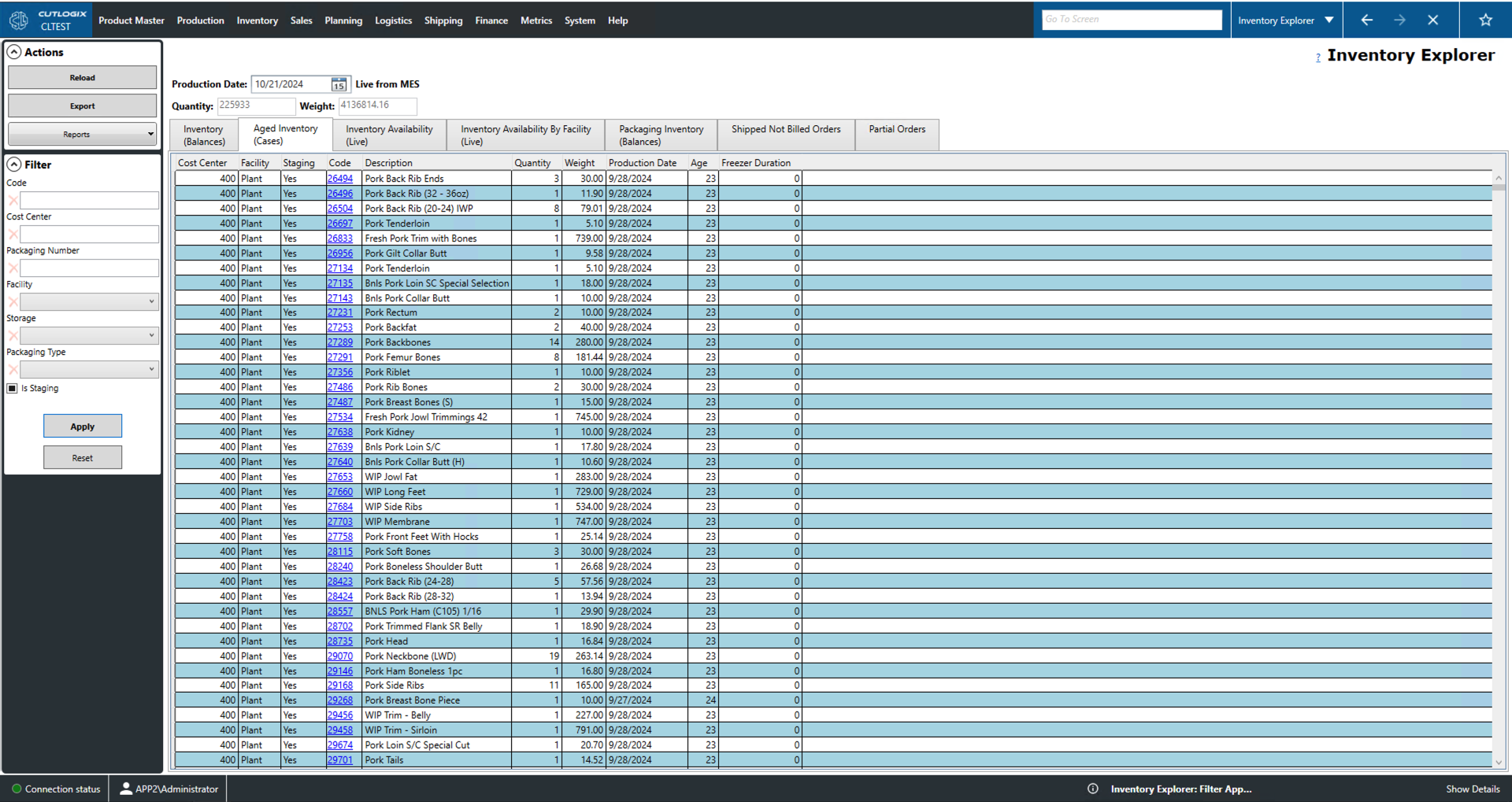
Aged Inventory Cases Tab
- Cost Center: Area in the plant or facility where the inventory is located.
- Facility: Name of the facility that which the aged inventory is stored.
- Staging: Inventory that is being staged for loading.
- Code: A unique identifier for the product.
- Description: Name/description of the product.
- Quantity: The number of cases of product in inventory.
- Weight: The weight in kgs of the product in inventory.
- Production Date: The date that the product was produced.
- Age: Number of days the product has been in inventory for.
- Freezer Duration: Number of days that the product has been in the freezer.
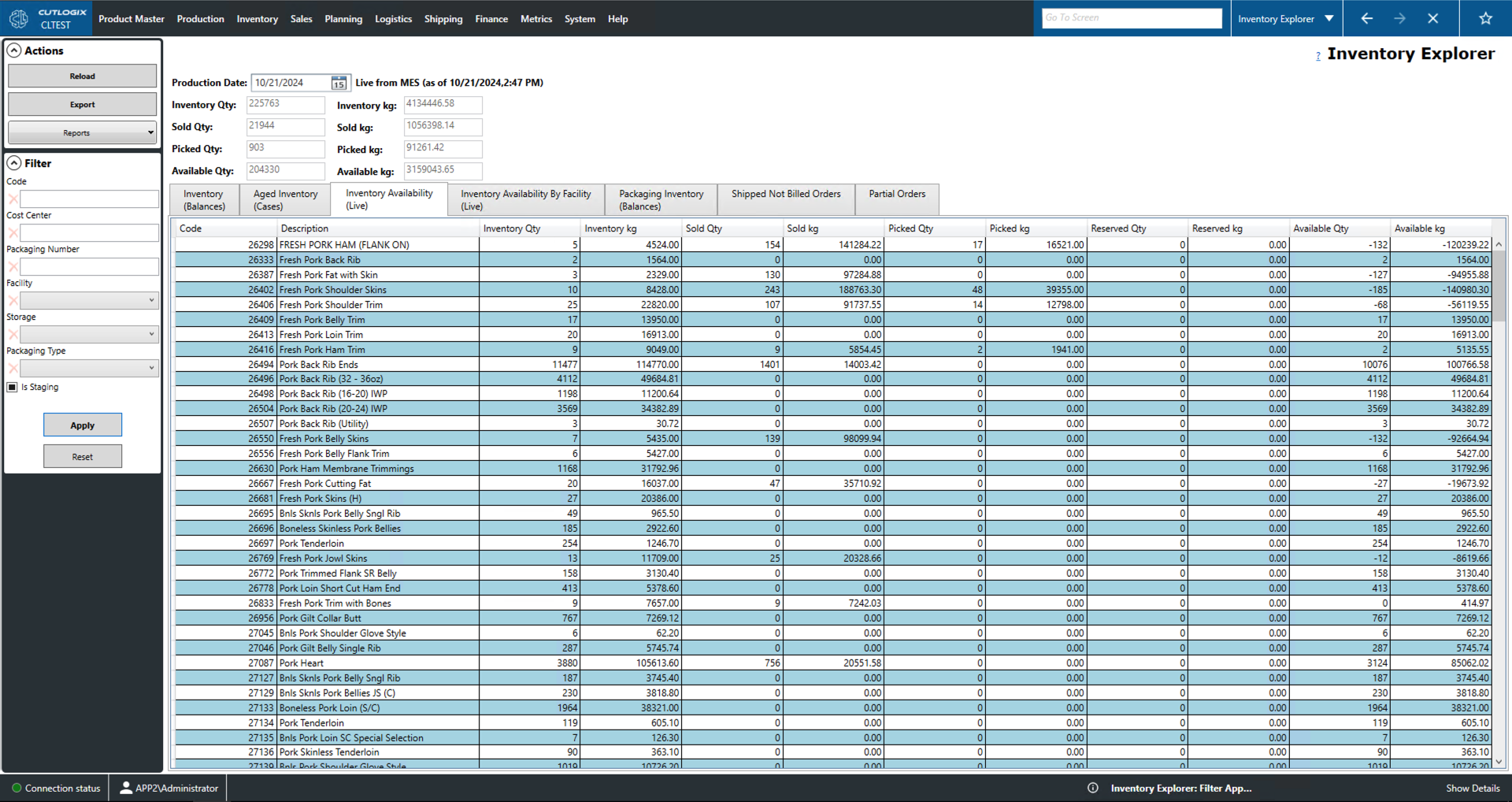
Inventory Availability (Live) Tab
- Code: Unique identifier for the product.
- Description: Name/description of the product.
- Category columns Qty/kg: These fields give the number of cartons or the weight in kilograms (kg) that fall under the specified category.
- Inventory: Total product in inventory.
- Sold: Inventory and has been sold.
- Picked: Inventory that has been pulled as part of an order.
- Reserved: Inventory that has been reserved but not officially ordered.
- Available: Inventory available to be sold.
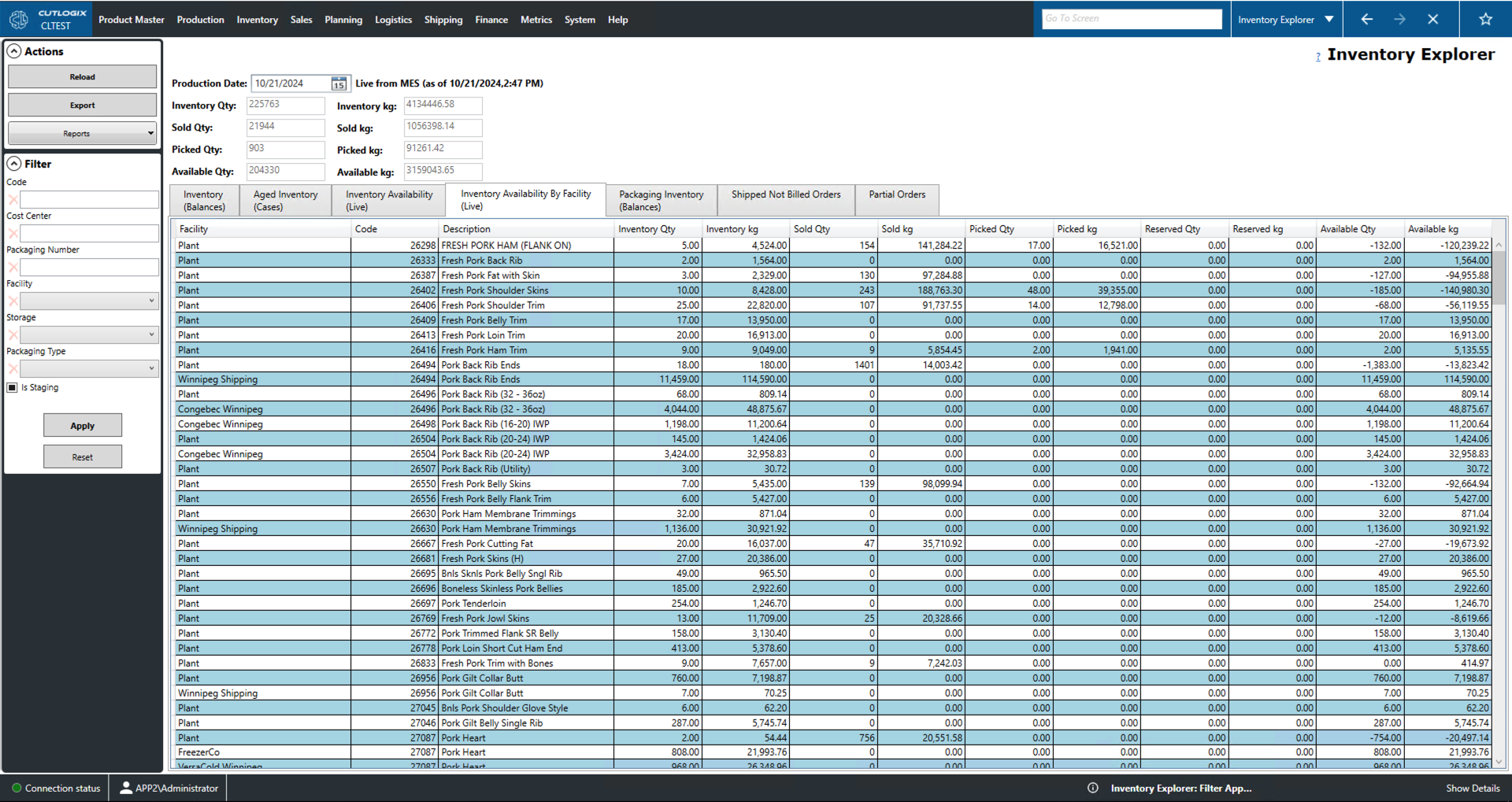
Inventory Availability by Facility (Live) Tab
- Facility: Name of the facility at which the inventory is stored.
- Code: Unique identifier for the product.
- Description: Name/description of the product.
- Category columns Qty/kg: These fields give the number of cartons or the weight in kilograms (kg) that fall under the specified category.
- Inventory: Total product in inventory.
- Sold: Inventory and has been sold.
- Picked: Inventory that has been pulled as part of an order.
- Reserved: Inventory that has been reserved but not officially ordered.
- Available: Inventory available to be sold.
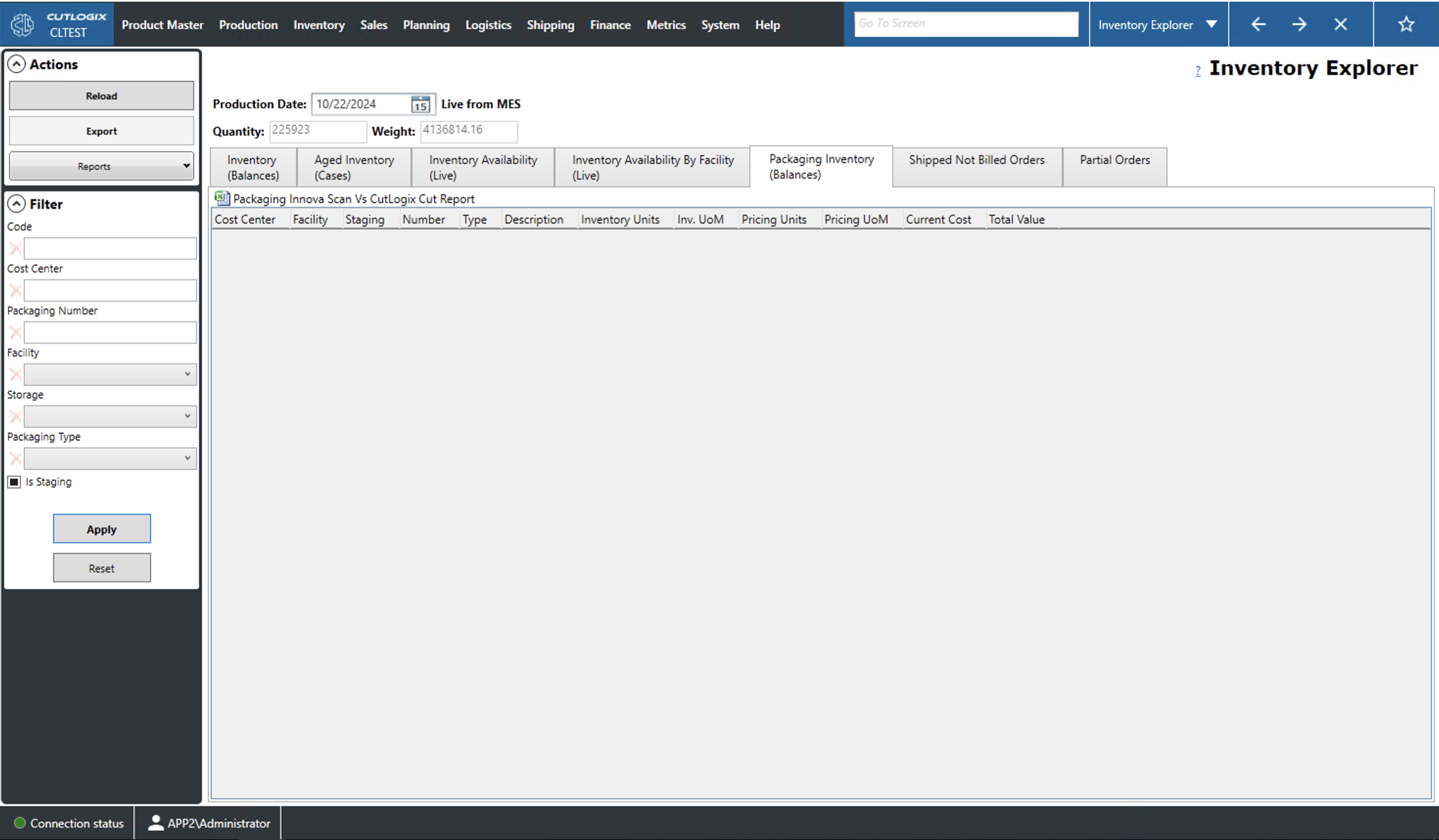
Packaging Inventory (Balances) Tab
- Cost Center: Area in the plant or facility where the inventory is located.
- Facility: Facility at which the packaging inventory is located.
- Staging: Inventory that is being staged to be loaded.
- Number: Unique identifier for the packaging item.
- Type: The type of packaging inventory item.
- Description: A name/description of the packaging item.
- Inventory Units: Number of units of that packaging item in inventory. A unit is defined by the unit of measurement.
- Inv. UofM: Inventory unit of measurement (Inv. UoM) is the unit by which the packaging item is counted (i.e. by bag, each, case, roll, etc.).
- Pricing Units: Number of units in inventory for which a price has been calculated. The unit is defined by the Pricing UoM.
- Pricing UofM: The unit of measurement in which the pricing units are counted.
- Current Cost: Cost of a single pricing unit.
- Total Value: Total value of that packaging item in inventory. Calculated by taking the pricing units multiplied by the current cost.
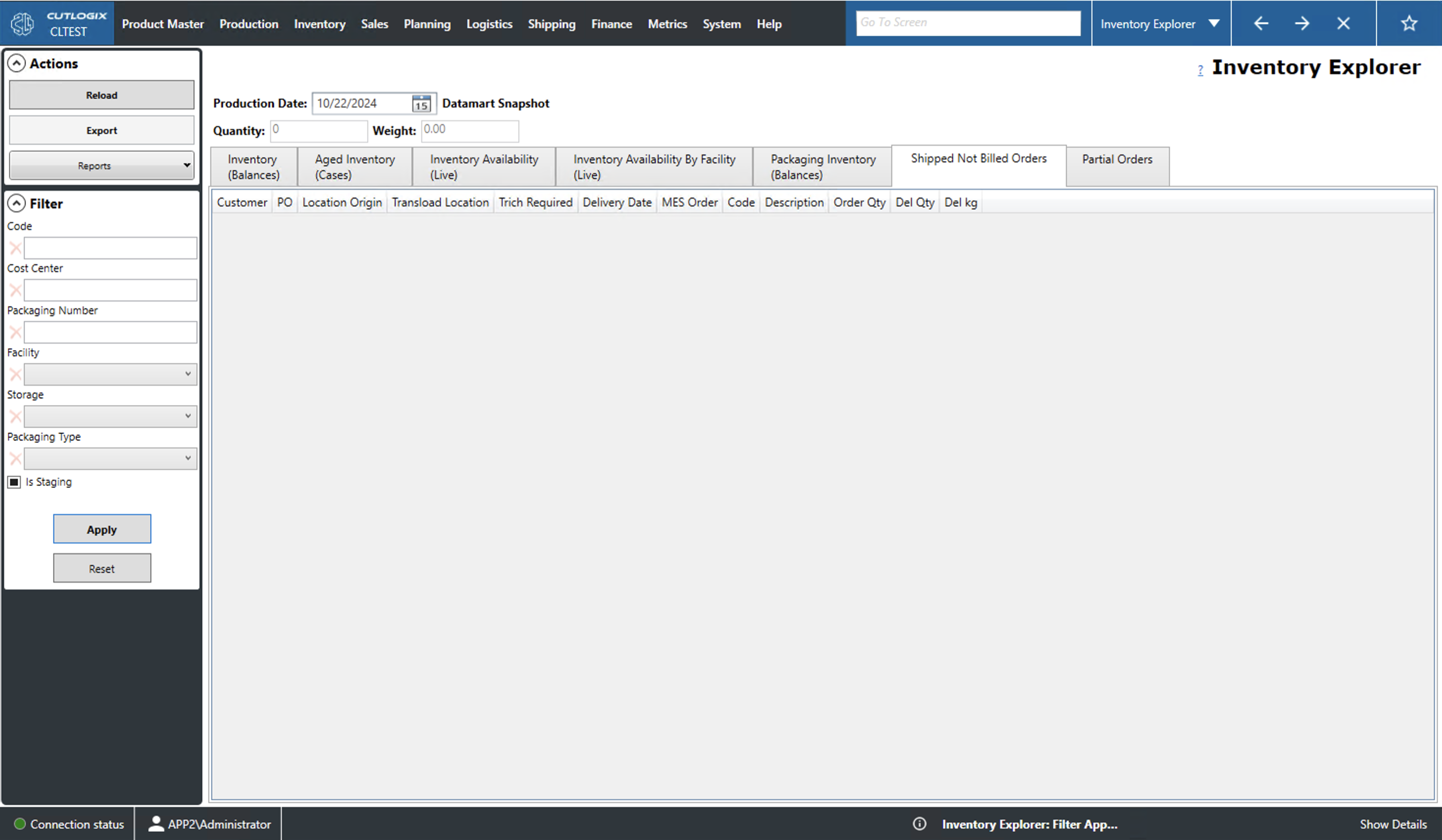
Shipped Not Billed Orders Tab
- Customer: The customer that placed the order.
- PO: The purchase order (PO) number for the order. This is a unique identifier for the order record.
- Location Origin: The location from which the order will be shipped.
- Transload Location: The location where the order will be switched from one method of transportation to another.
- Trich Required: Indicates whether the product requires documentation demonstrating that the product is free of trichinosis.
- Delivery Date: The date on which the order is expected to be delivered.
- MES Order: The order number assigned to the order by the manufacturing execution system (MES) (i.e. Innova).
- Code: A unique identifier for the product on the order.
- Description: A name/description of the product.
- Order Qty: The number of cartons of product that have been ordered.
- Del Qty/kg: The number of cartons that have been delivered.
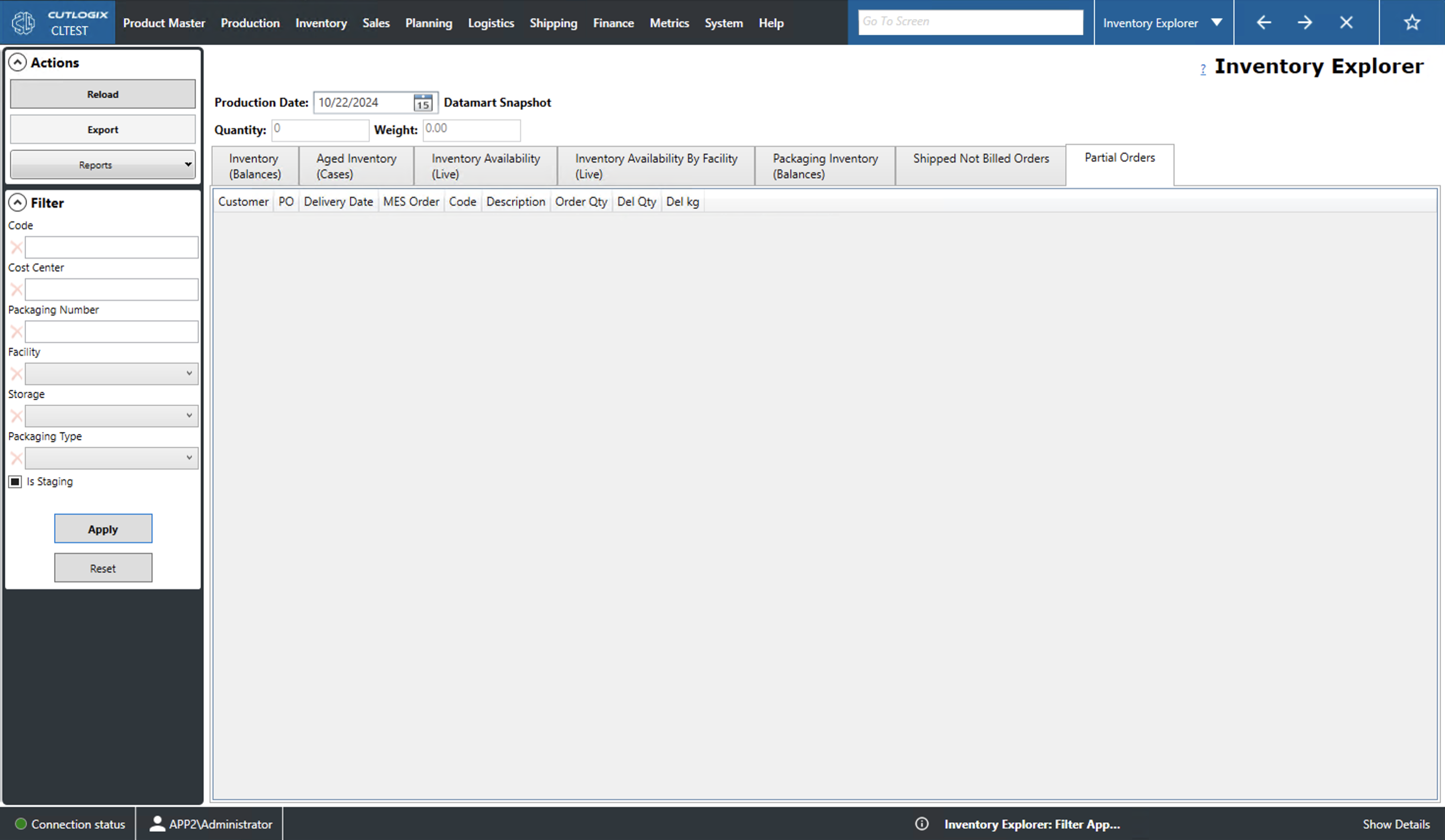
Partial Orders Tab
- Customer: The customer that made the order.
- PO: The purchase order (PO) number for the order. This is a unique identifier for the order record.
- Delivery Date: The date on which the order is expected to be delivered.
- MES Order: The order number assigned to the order by the manufacturing execution system (MES) (i.e. Innova).
- Code: A unique identifier for the product on the order.
- Description: A name/description of the product.
- Order Qty: The number of cartons of product that have been ordered.
- Del Qty/kg: The number of cartons that have been delivered