Freezing Time Constraints Overview
How to Navigate: Click on Planning > Planning Rules Config > Freezing Time Constraints
Summary
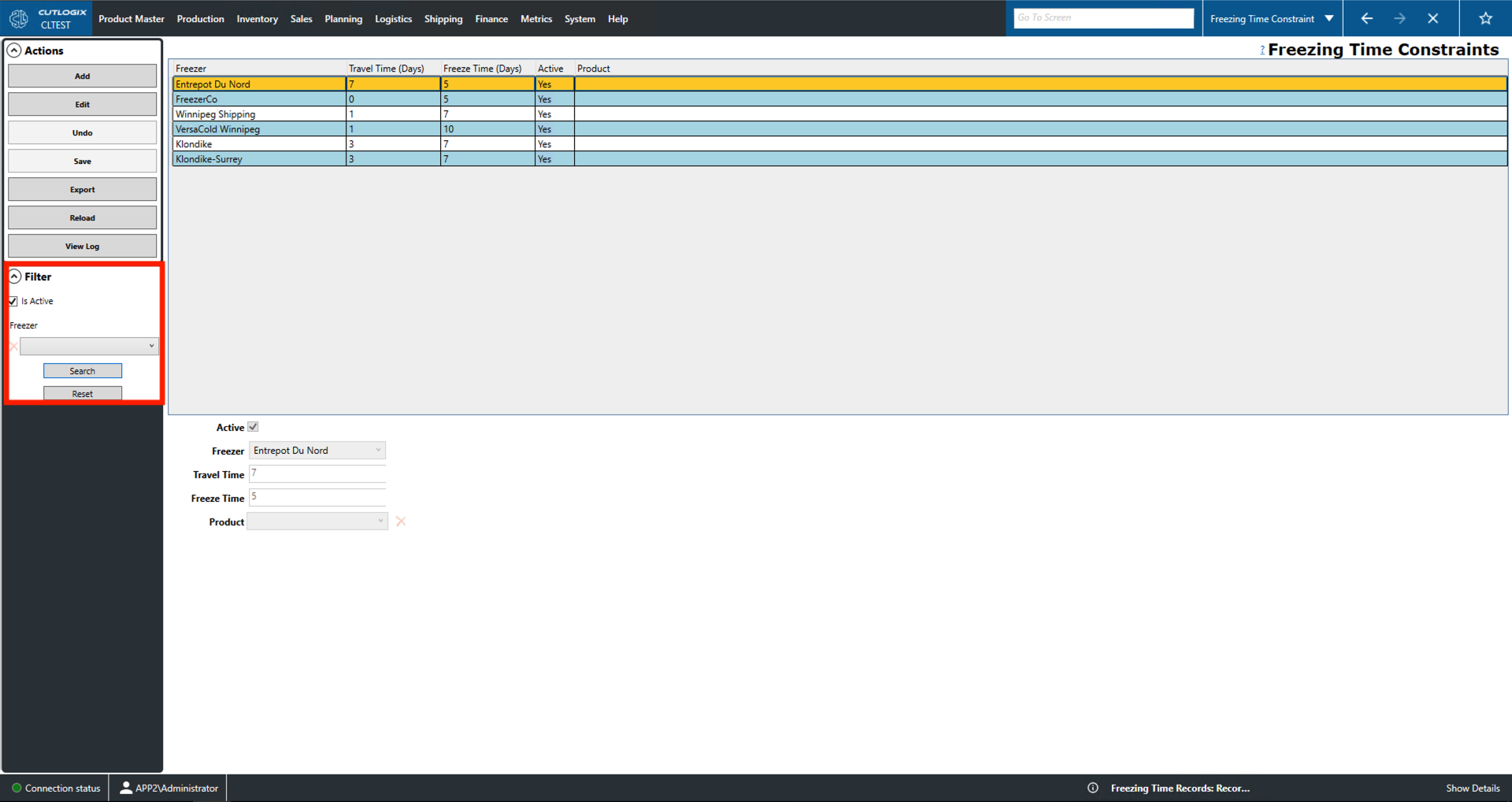
On this page users can add/edit Freezing Time Constraints for the planning system. These records include a freezer location, a default travel time (from the plant) and a default freeze time. Using this information, the planning system can determine when frozen product can be shipped to the customer. This page also allow users to choose a specific product that must be shipped to a freezer location if necessary. Selecting a record from the list will highlight it in yellow and populate its information in the fields on the bottom half of the screen. These fields are read-only until a user clicks 'Add' or 'Edit'. Once a user does this, they can be used for data entry.
- Freezer: Indicates the location of the freezer.
- Travel Time (Days): Indicates the travel time from the plant to that freezer location.
- Freeze Time (Days): How long it takes to freeze product at this location.
- Active: Indicates whether the constraint is currently active.
- Product: Indicates whether the constraint applies to a specific product and, if so, which product it is and its unique identifier.
Actions
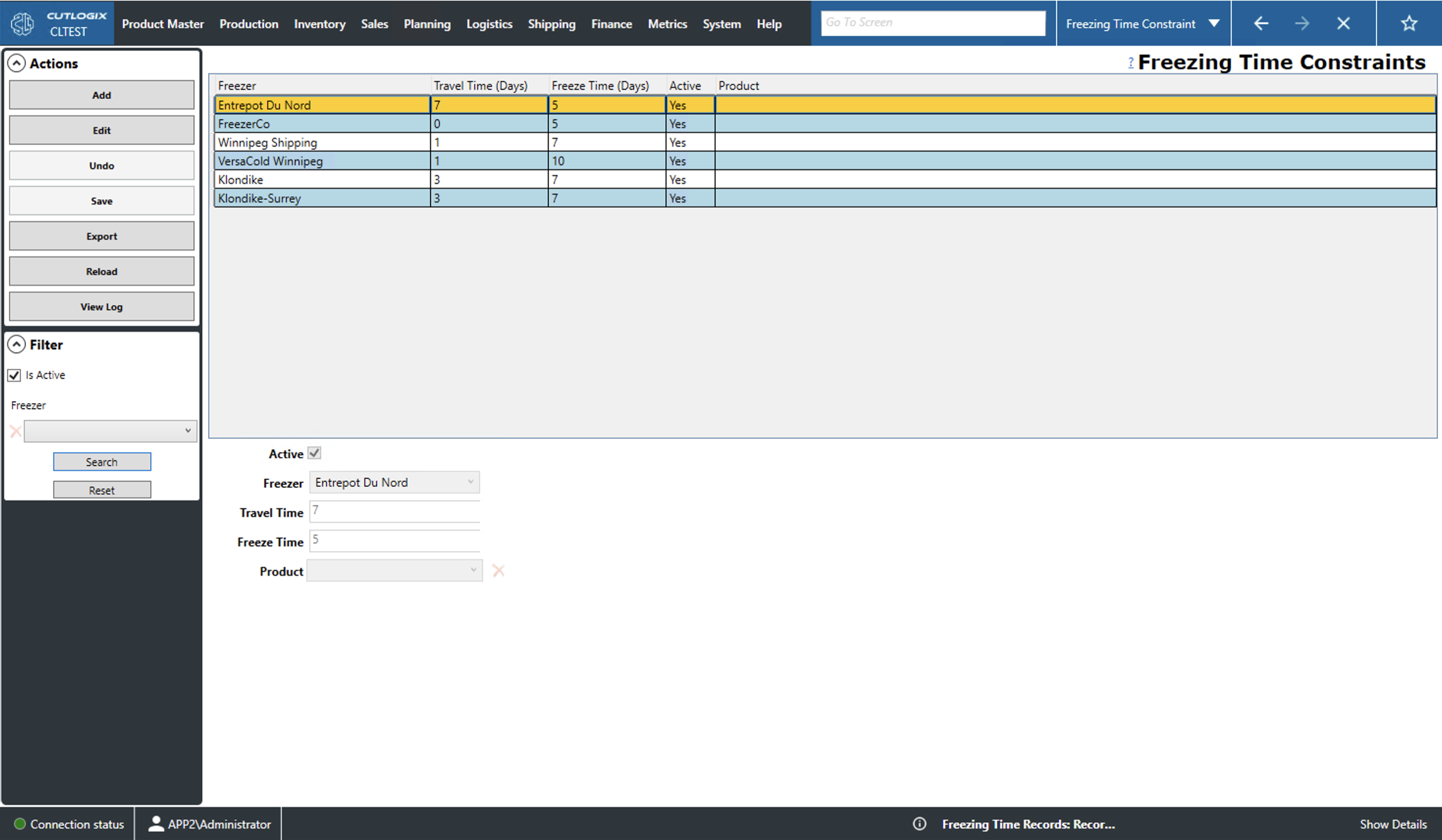
- Add: Add a new freezer time constraint.
- Edit: Edit the currently selected (highlighted in yellow) freezer time constraint.
- Required Fields for add/edit:
- Freezer
- Save/Undo: Saves/Undoes all changes made in the current add/edit session.
- Export: Allows the user to save the entire list of freezer time constraints locally as a .xlsx file (excel format).
- Reload: Reloads the list displaying the most up to date information from the data base.
- View Log: Allows the user to view the change log for the currently selected record. This includes what changes were made, by whom and when.
Filter
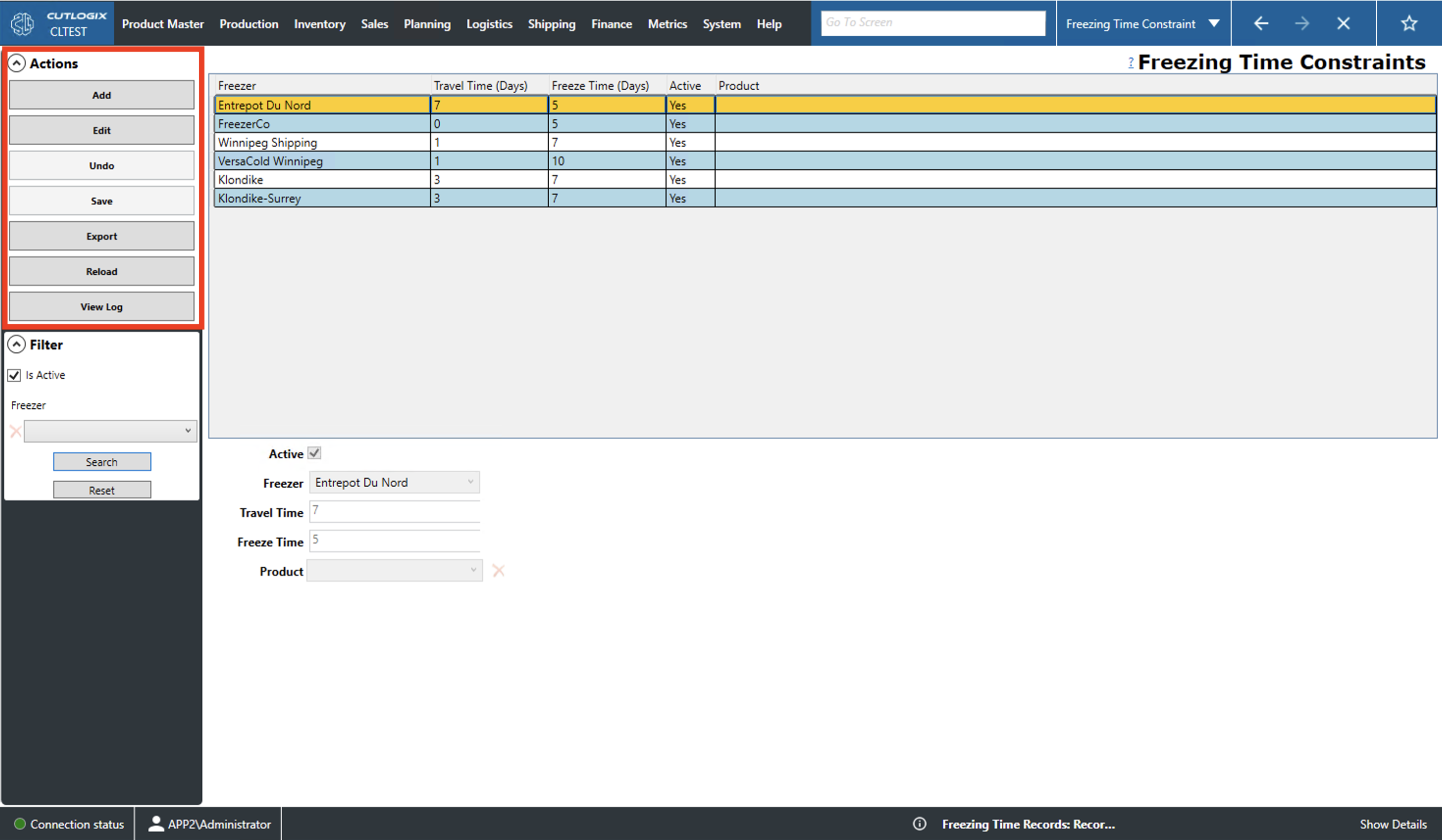
- Is Active: Filters by whether records are flagged as active.
- Freezer: Filters by the freezer location.
- Search: This will reload the list with the relevant filters applied.
- Reset: This will reset the filters and reload the list to an unfiltered state.