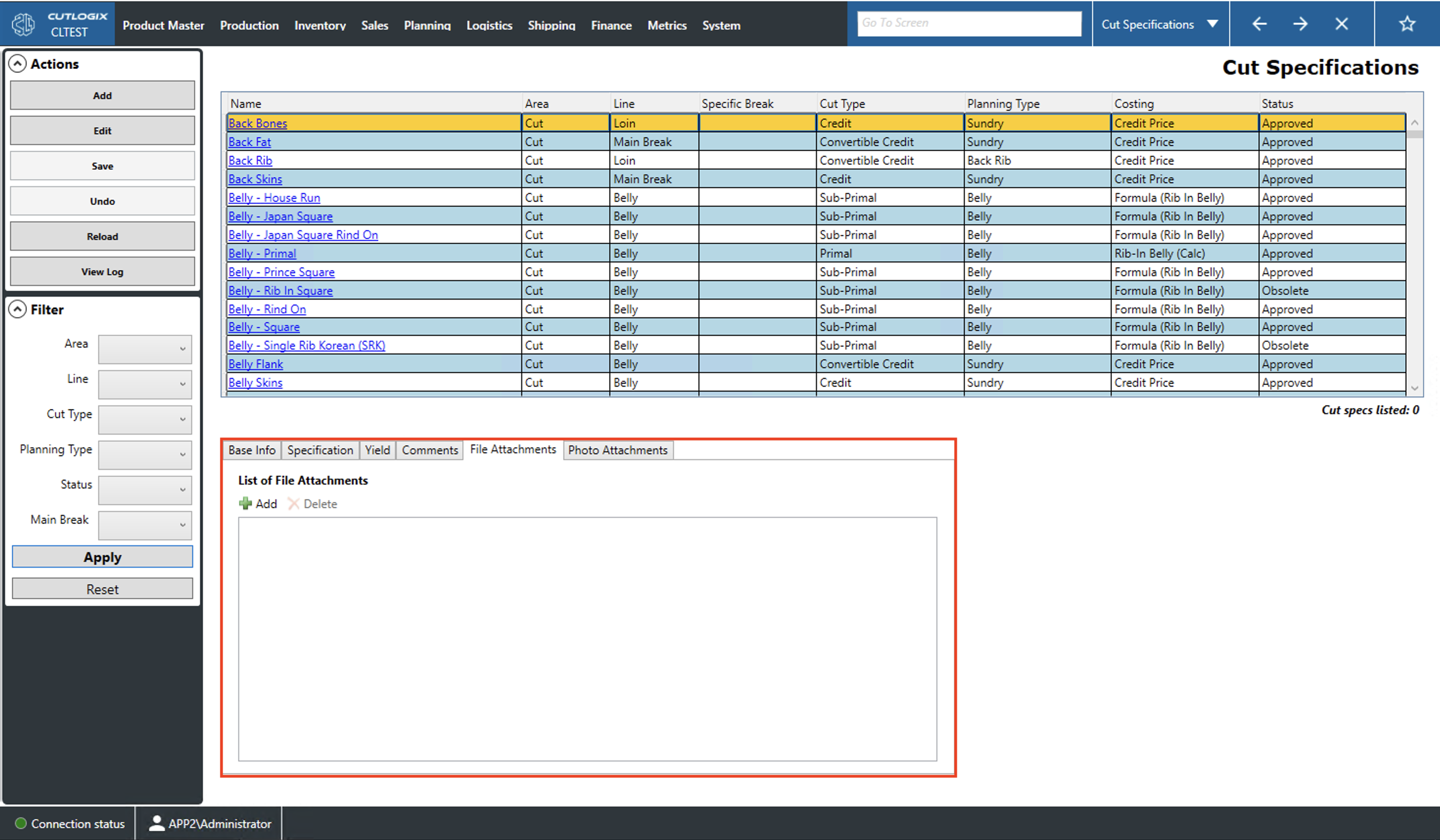
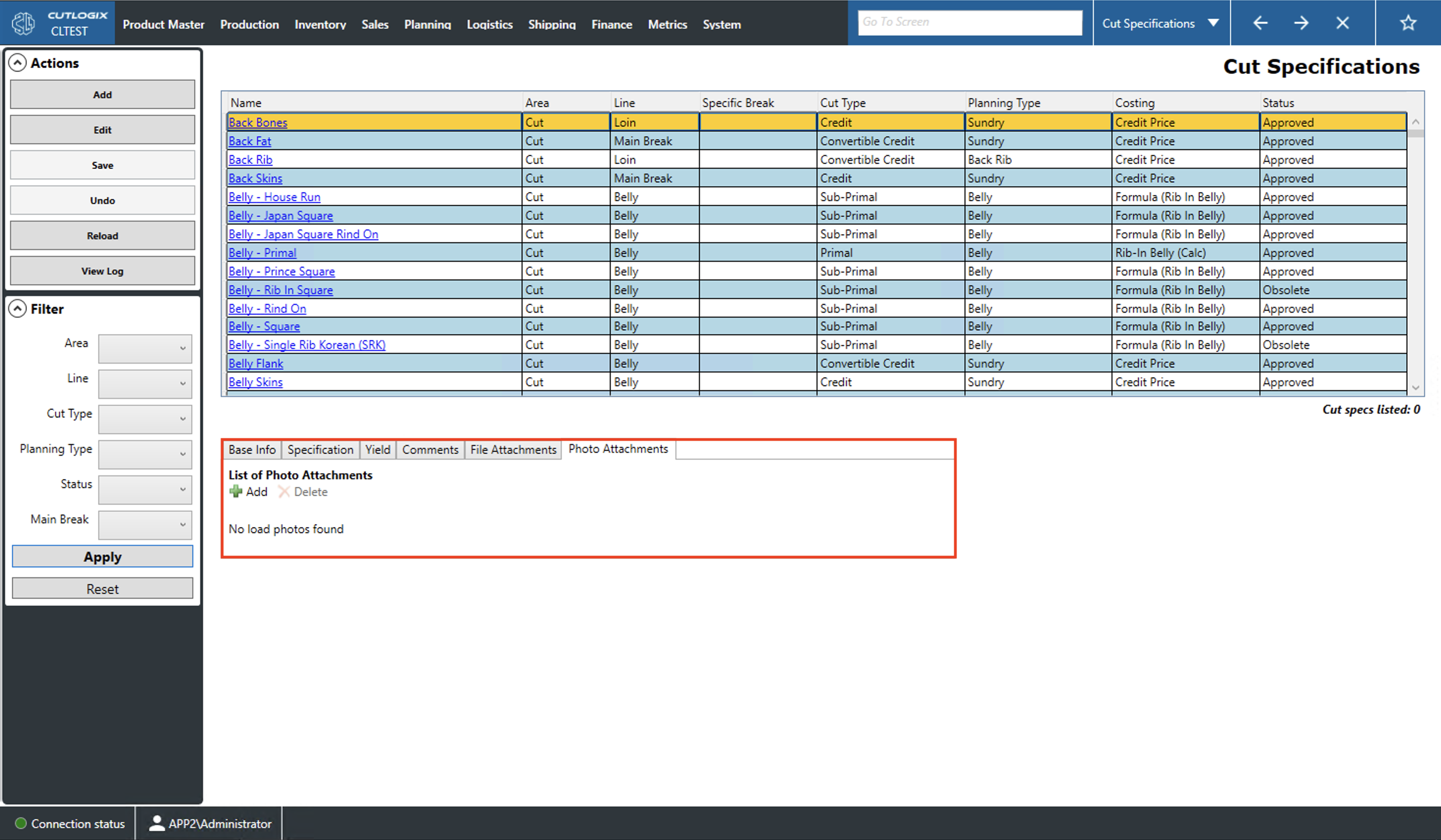
How to Navigate: Click on Product Master > Cut Specifications > Tabs
Base Info Tab
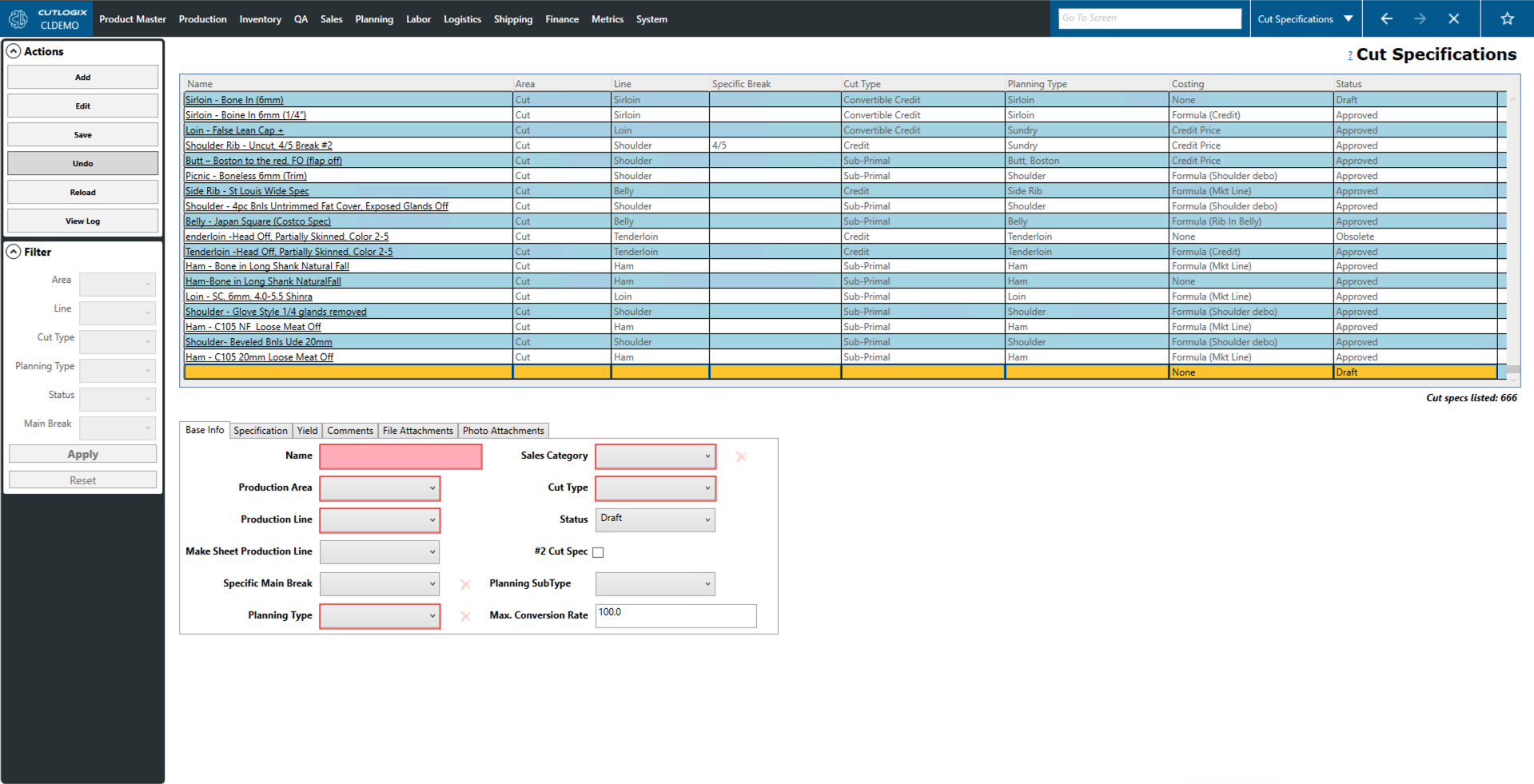
Name: A name/description of the cut spec.
Production Area: Where the cut spec's product is produced (i.e. cut or kill floor).
Production Line: The production line on which the product's cut spec is produced (i.e. ham, loin, butt, etc.).
Make Sheet Production Line: Specifies which production line's make sheet this cut spec should appear on.
Specific Main Break: Specifies the main break required to produce this cut spec.
Planning Type: The type assigned to the cut spec in the planning system.
Sales Category: The sales category (also called the dashboard category) of the cut spec (i.e. #1 products are the highest quality, #2 are #1 products downgraded and sold for less because of defects or quality concerns).
Cut Type: The type of the cut spec. (i.e. Primal, Sub-Primal, Credit, etc.)
Status: The status of the cut spec. (i.e. Approved, Draft, Obsolete)
#2 Cut Spec: Indicates whether or not this product is a #2 product (i.e. a product downgraded because of defects or quality concerns).
Planning SubType: The sub-type of the cut spec in the planning system.
Specification Tab
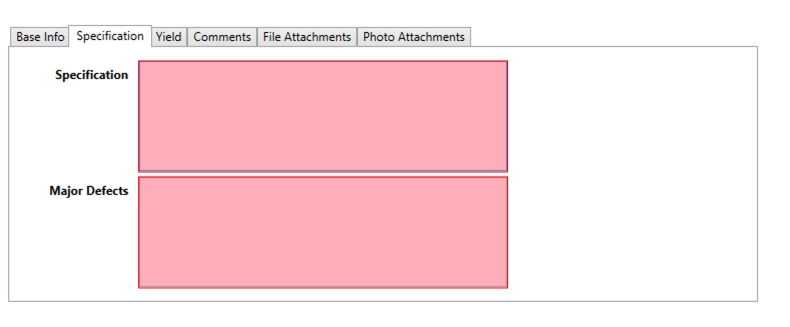
Specification: A space to enter a detailed specification of the cut spec. This text added to the Specifications field on the Overall Spec tab on the Product Master List page.
Major Defects: A space to enter descriptions of the major defects of the cut spec. This text is added to the Custom Major Defects field on the Overall Spec tab of the Product Master List page.
Yield Tab
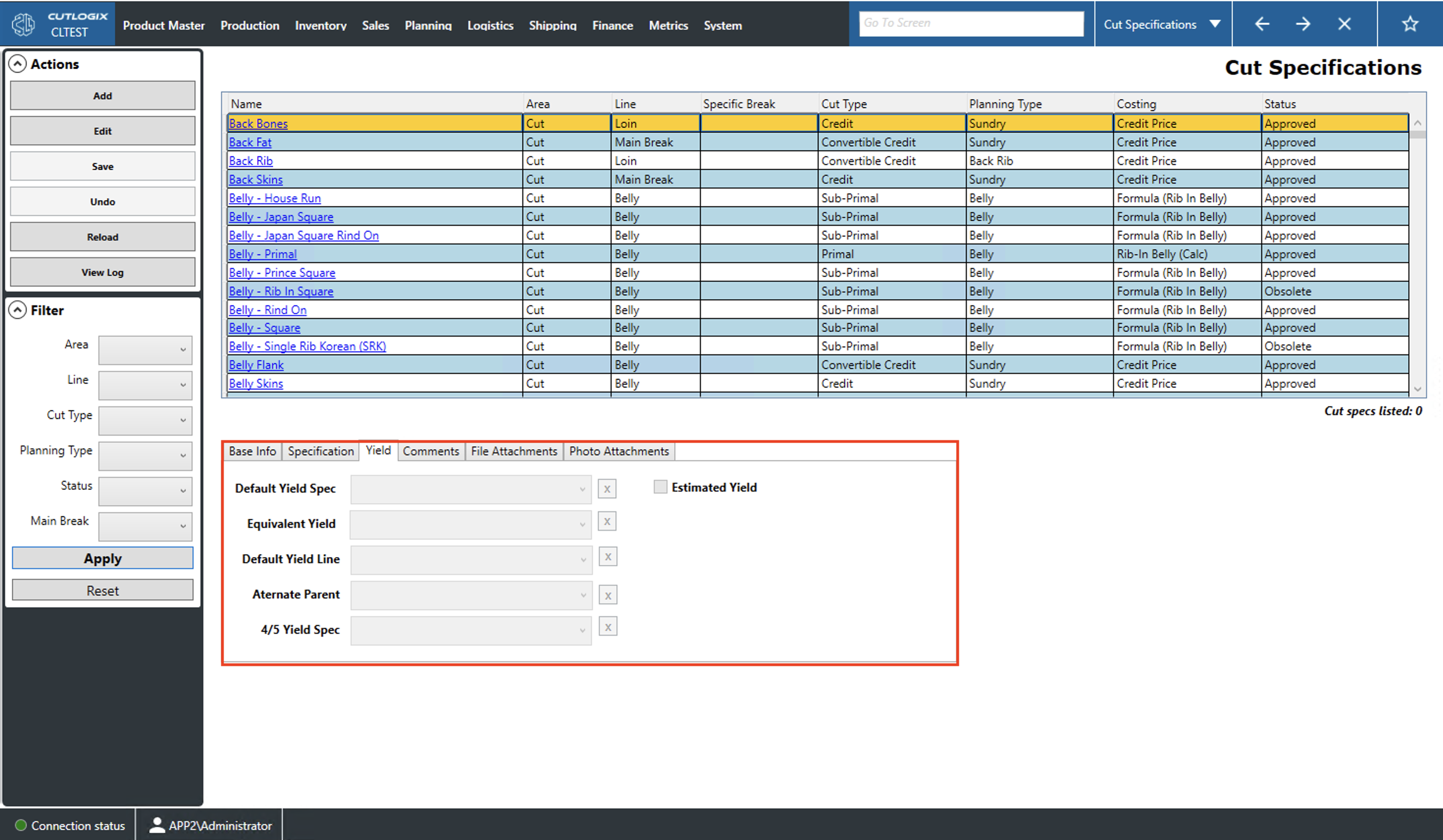
Default Yield Spec: The default yield spec assigned to this cut specification. This defines how much of the starting cut will be processed into which products by default.
Equivalent Yield: An equivalent yield specification to the default yield spec.
Default Yield Line: The default production line on which the product's are made when following this cut spec.
Alternate Parent: An alternative cut spec from which the current cut spec can be yielded.
4/5 Yield Spec: The yield specification for this cut spec when using a 4/5 main break.
Estimated Yield: Indicates whether or not this cut spec is an estimated yield.
Comments
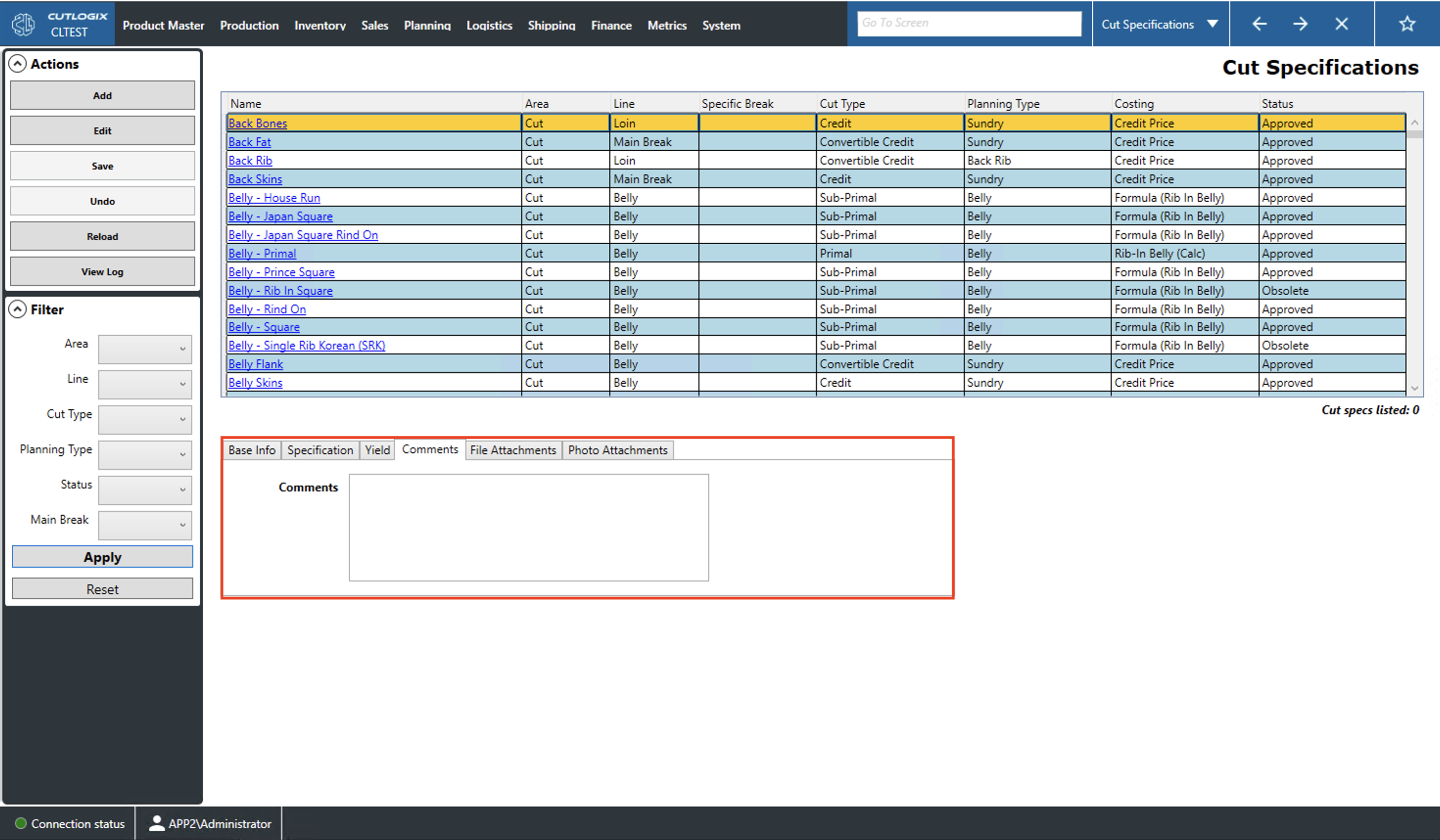
Comments: A space for comments about the currently selected (highlighted in yellow) cut spec.
File Attachments Tab
Add: Brings up a window that allows users to navigate to the file they want to attach.
Delete: Clicking this with an attachment selected will remove it from the list.
How to view list items: Double-clicking a list entry will open the file with an appropriate viewer.
Photo Attachments Tab
Add: Clicking this button will bring up a window that allows the user to select the photo they wish to upload.
Delete: Clicking this, with a thumbnail selected, will delete the attached photo from the selected product.
How to view photo attachments: Double-clicking a thumbnail will bring up a photo viewer. From here, users can zoom in, focus on different parts of the image (using the mouse to click and drag), cycle between images in the list and download the images.