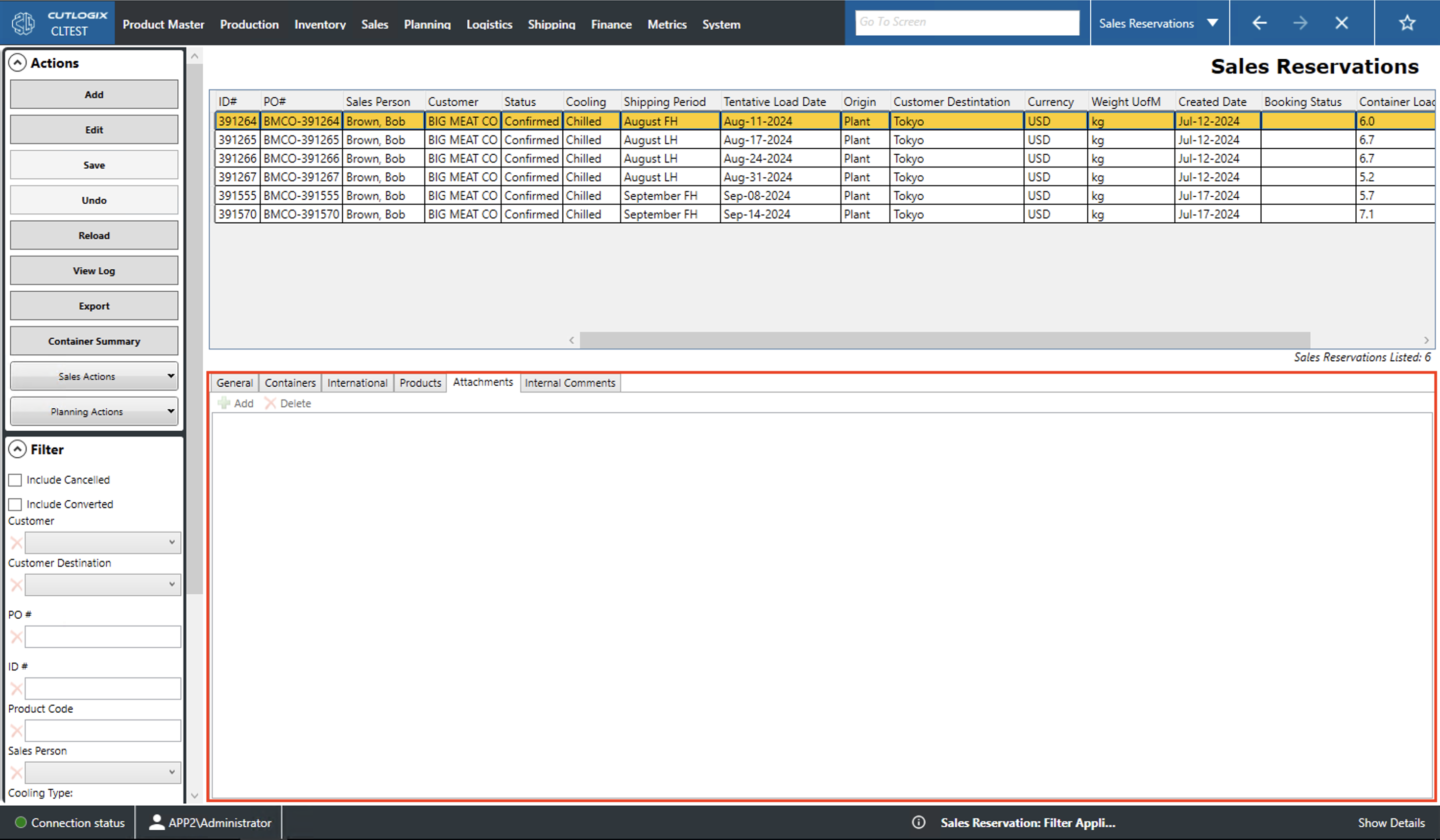
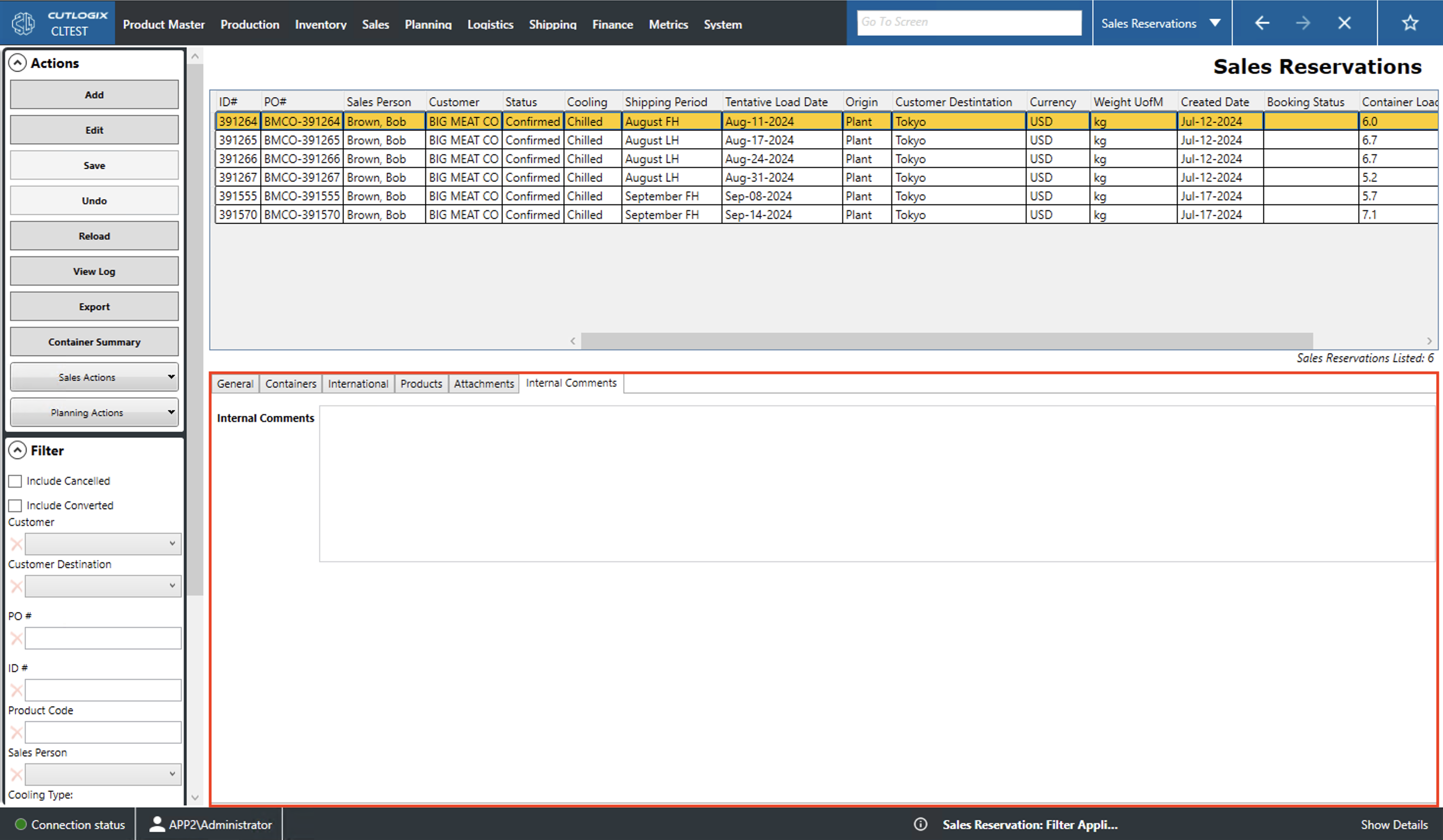
How to Navigate: Click on Sales > Sales Reservations > Tabs
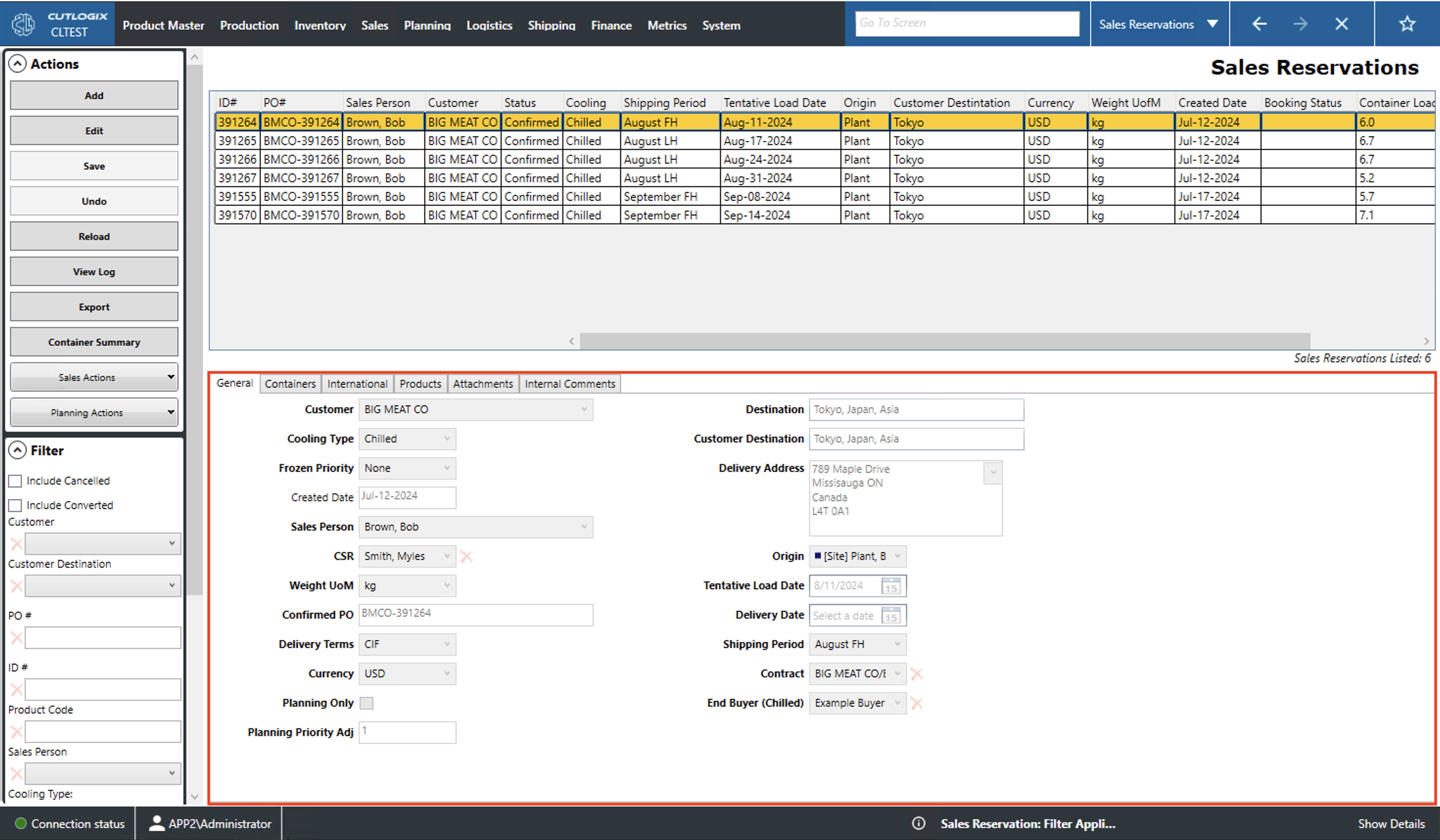
General Tab
Customer: The name of the potential customer.
Cooling Type: Indicates whether the order contains fresh, chilled or frozen product. Reservations indicate one load or shipping container. Thus, products of different cooling types will not be mixed together on a single reservation.
Frozen Priority: Indicates whether this product must be scheduled by the planning system or whether it can be rescheduled.
Created Date: The date on which the reservation was created.
Sales Person: The name of the sales person associated with the reservation.
Weight UofM: Gives the unit of measurement (UofM) should the product needs to be weighed.
Confirmed PO: Purchase order number (PO#).
Delivery Terms: The delivery terms for the reservation.
Currency: The currency the customer will use to pay.
Planning Only: Checking this indicates that this reservation has been made to indicate that the product must be produced despite the fact that it is not for an order.
Planning Priority Adj: The amount that the product being ordered must be adjusted by.
Destination: Where the reservation would be shipped if converted to an order.
Customer Destination: Where the order will ultimately end up.
Delivery Address: An optional delivery address that can be chosen from the list of customer contacts.
Origin: The location from which the product will be shipped.
Tentative Load Date: A date that the product may be loaded.
Delivery Date: The date that the product is planned to be delivered.
Shipping Period: The half (FH is first half and LH is last half) of the month in which the reservation would be shipped if converted to an order.
Contract: This will be populated with matching chilled sales contracts if any exist.
End Buyer (Chilled): Specify the company that is the ultimate customer for a chilled order.
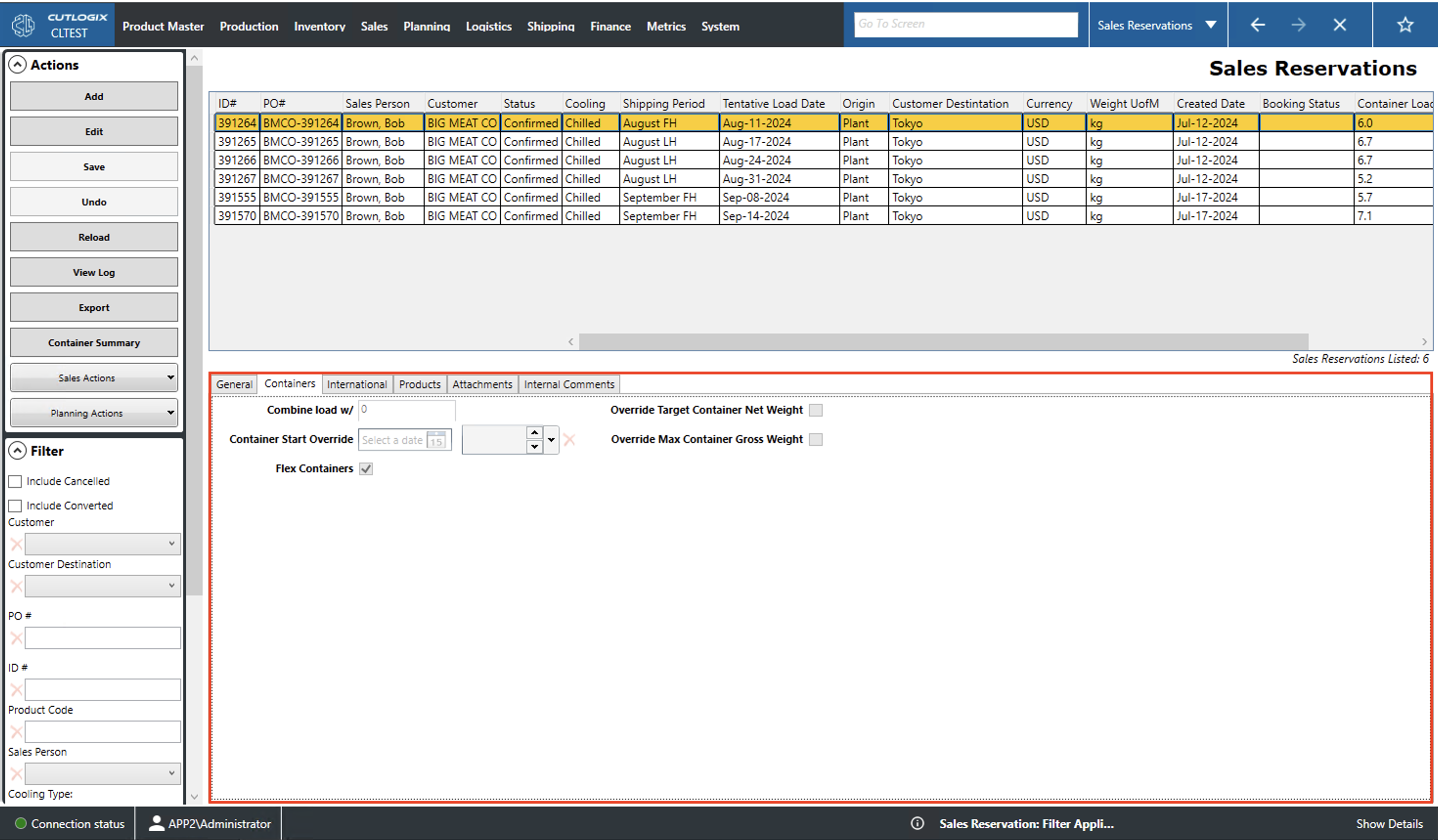
Containers Tab
Combine load w/: Manually indicate which container to put the contents of this order on.
Container Start Override: ? Manually indicate the date to load this container.
Flex Containers: ? Tells the planning system that the contents of this order can be placed with other orders.
Override Target Container Net Weight: ? Manually set the net weight (weight of the load minus the weight of the packaging) to get the container to.
Override Max Container Gross Weight: ? Manually set the maximum total weight of the load (product weight and packaging weight).
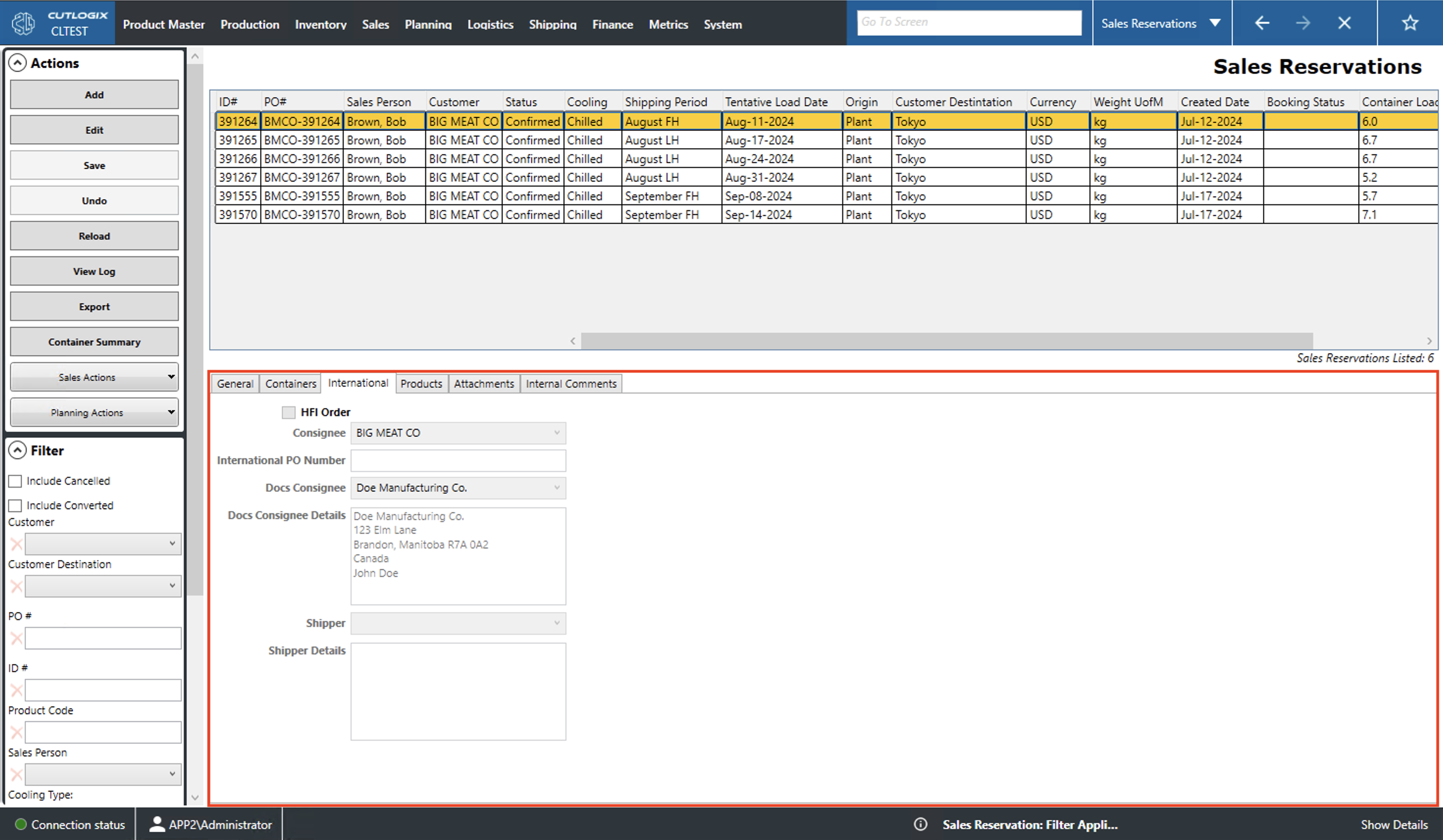
International Tab
Consignee: The company that will receive the order.
International PO Number: The international product order (PO) number. This is a unique identifier for the order that can be used internationally.
Docs Consignee: Indicates the consignee listed on the shipping documentation.
Docs Consignee Details: A field to enter information about the consignee listed on the shipping documentation (i.e. name, address, phone number, etc.).
Shipper: The name of the company that will ship the reservation should it be converted to an order.
Shipper Details: A field to enter information about the shipper (i.e. name, address, phone number, etc.).
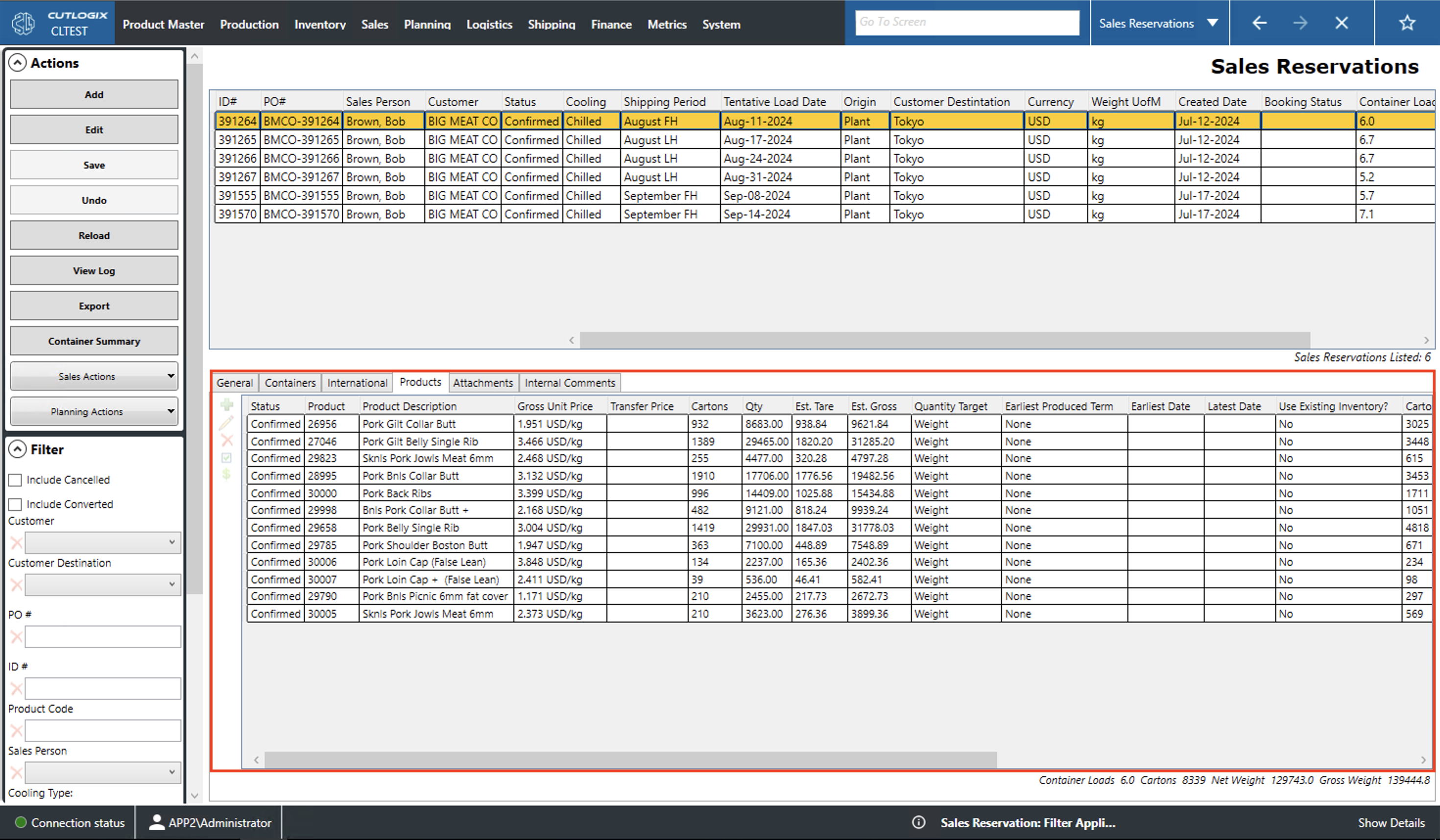
Products Tab
Status: Status of the reservation.
Not Verified: Has been entered into the system but not reviewed.
Needs Revision: Has been reviewed and has changes requested. Will not be scheduled by the planning system.
Needs Revision - Not Scheduled/Scheduled: Has been reviewed and changes have been requested. Will be scheduled by the planning system.
Revised: Has been modified to address feedback and is back up for review.
Scheduled/Not Scheduled: Whether or not the reservation will be planned.
Cancelled: Reservation has been canceled.
Converted: Has been converted to a sales order.
Confirmed: Has passed reviewed.
Product: Unique identifier for the product.
Product Description: Name/description for the product.
Gross Unit Price: Price per unit of the product and the packaging.
Cartons: Number of cartons of product reserved.
Qty: Weight of product ordered.
Est. Tare: Estimated weight of the product's packaging.
Est. Gross: Estimated weight of the product plus the weight of the packaging.
Quantity Target: Indicate whether the Cartons of Qty number are the goal to meet.
Earliest Produced Term: ?
Earliest Date: Earliest date that this product can be shipped. This takes into account the required minimum cooling and freezing time.
Latest Date: Latest date that this product can be shipped. This takes into account the maximum amount of required freezing and cooling time.
Use Existing Inventory?: Indicates whether product already in inventory should be used to fill the order.
Cartons Locked On Container: Tells the planning system how many cartons are fixed to a certain container.
Planned Short: Indicates the number of cartons that the order is planned to be shorted (ordered product not shipped).
Fixed Cartons/Container: Tells the planning system whether there should be a fixed number of cartons per container.
Min Cartons/Container: Tells the planning system whether there should be a minimum number of cartons per container.
Max Cartons/Container: Tells the planning system whether there should be a maximum number of cartons per container.
Attachments Tab
Add: Allows the user to add a file attachment to the selected order. When added, the name of the file will be listed in the box. Double-clicking a file name will allow the user to download and/or view the file.
Delete: This will delete the selected attachment from the list.
Internal Comments Tab
Internal Comments: This provides a space for comments to be left on the selected sales reservation.