Yield Monitor Tasks
How to Drill Down on a Yield Monitor Record
Demo
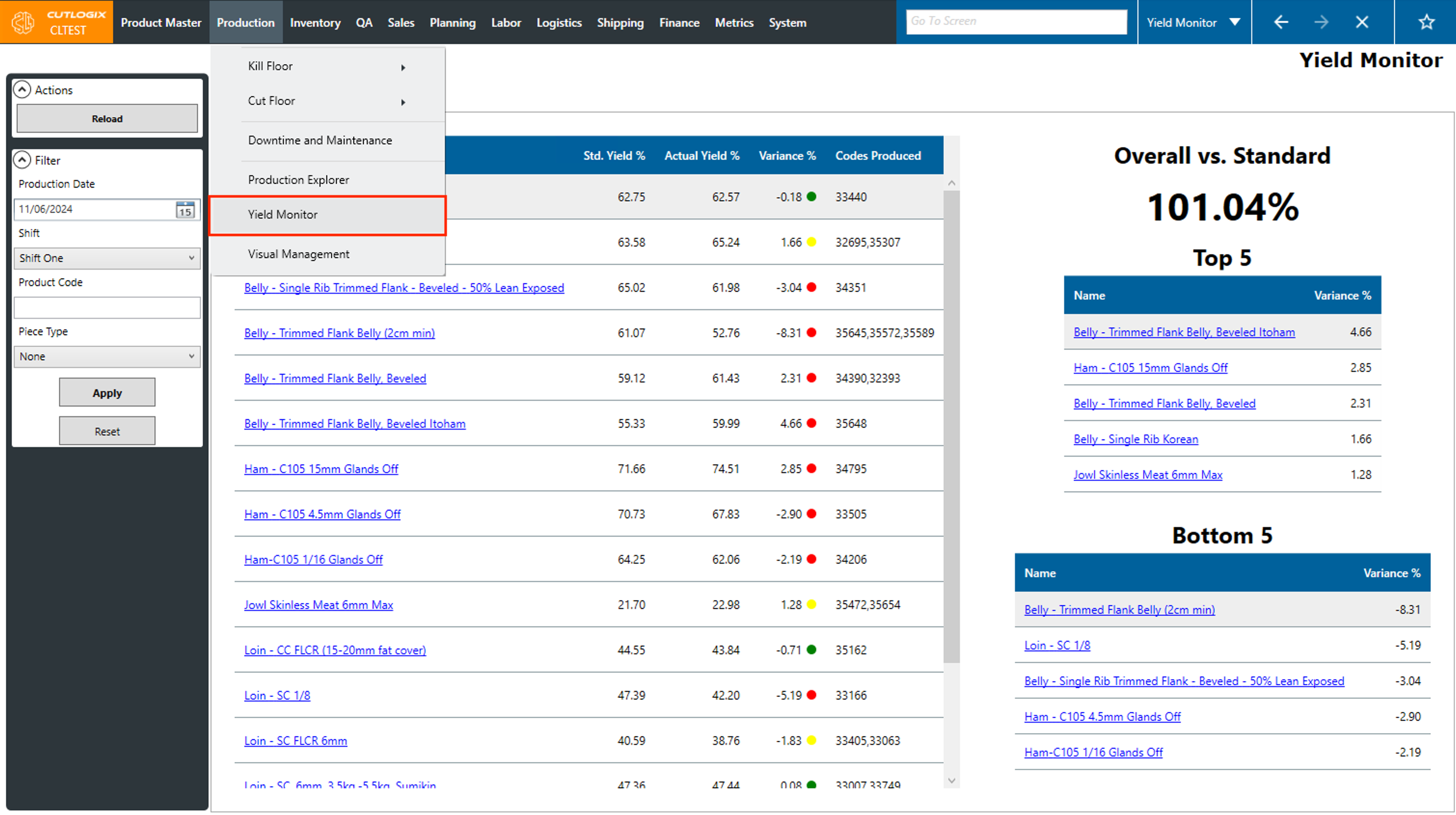
Step 1: Navigate to the "Yield Monitor" page (Under the Production menu → Yield Monitor)
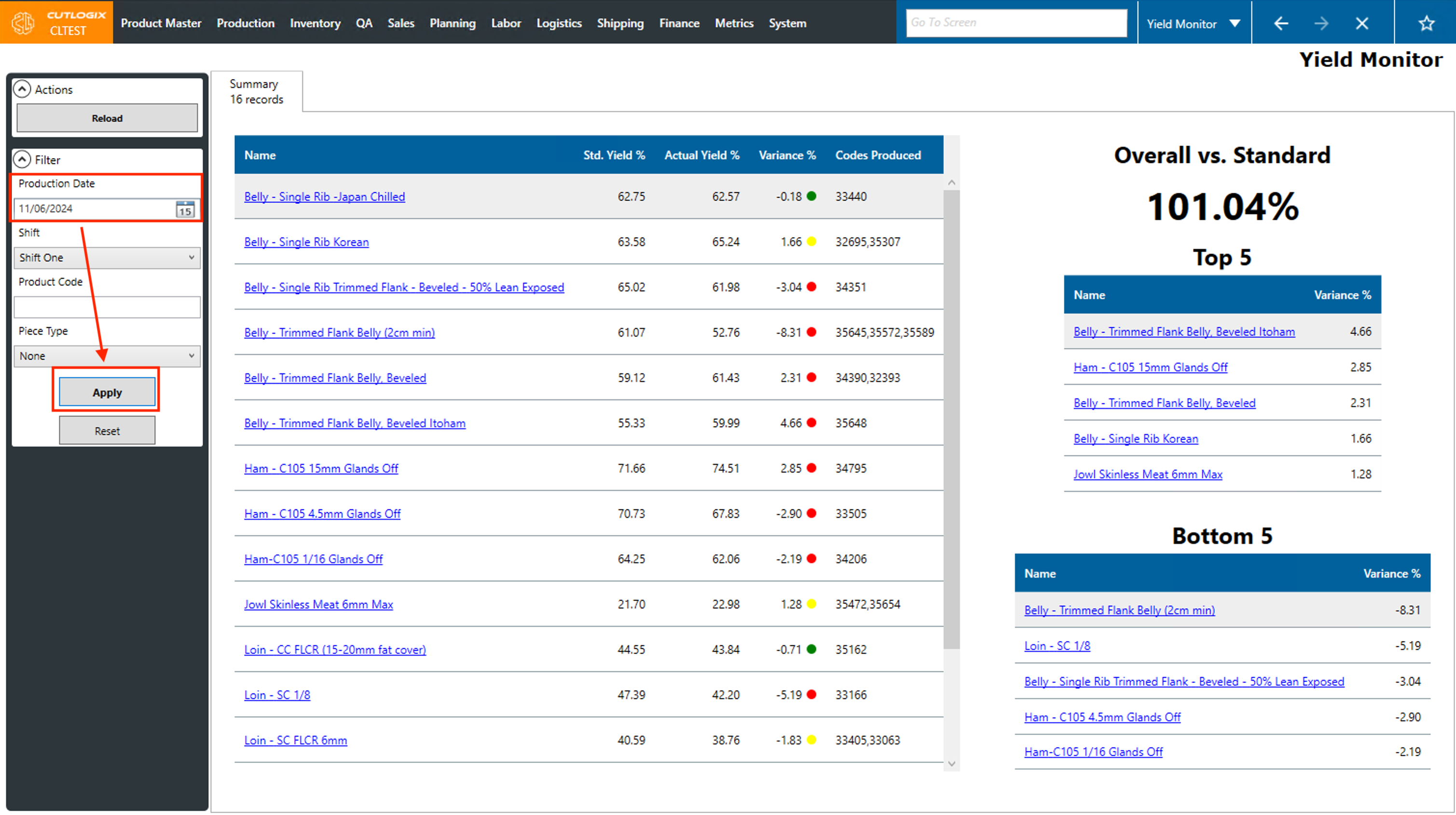
Step 2: Use the Production Date filter to select a production day to view yield data for, the click the "Apply" button.
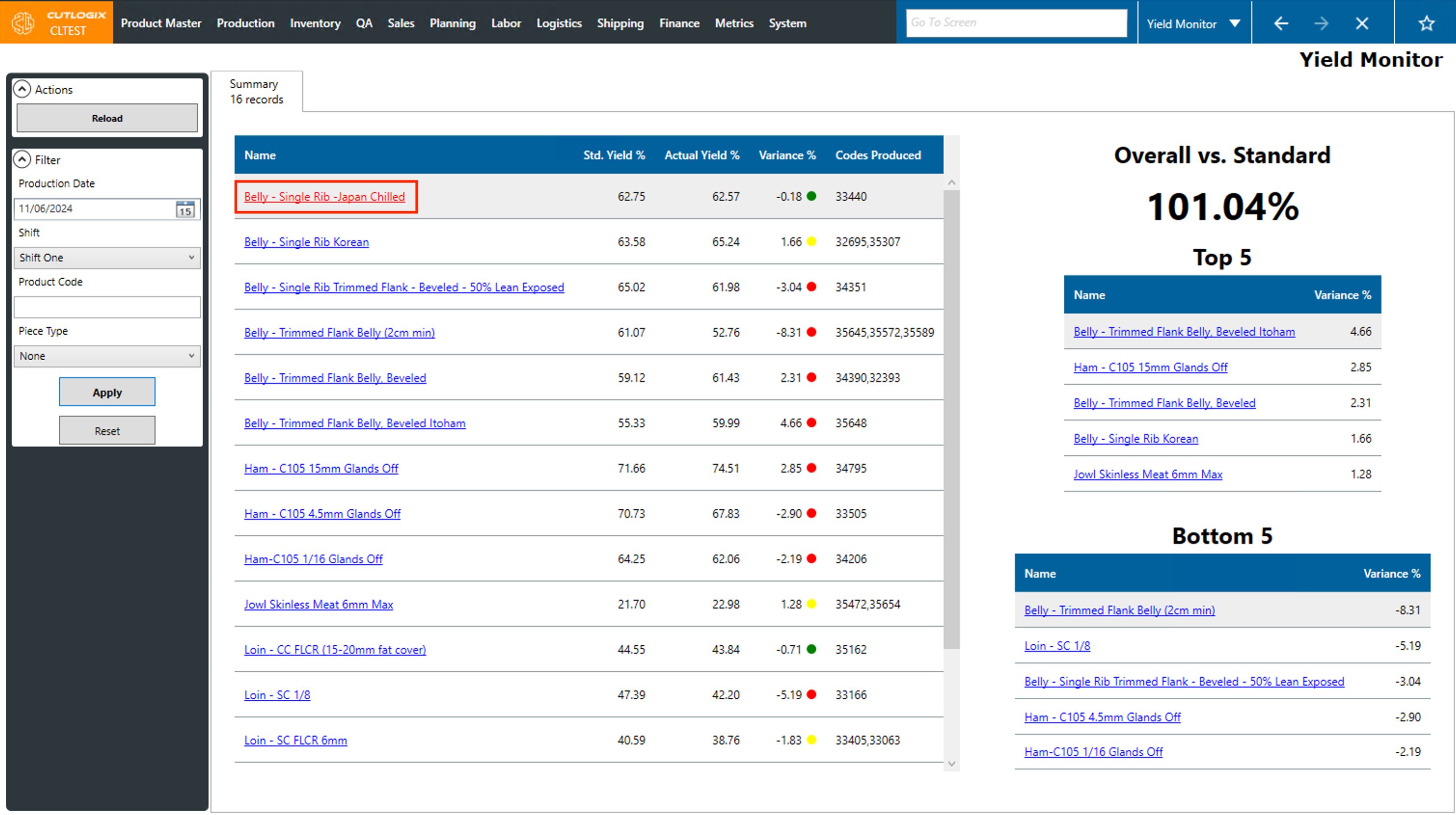
Step 3: Click on the cut spec name that you want to view more information about.
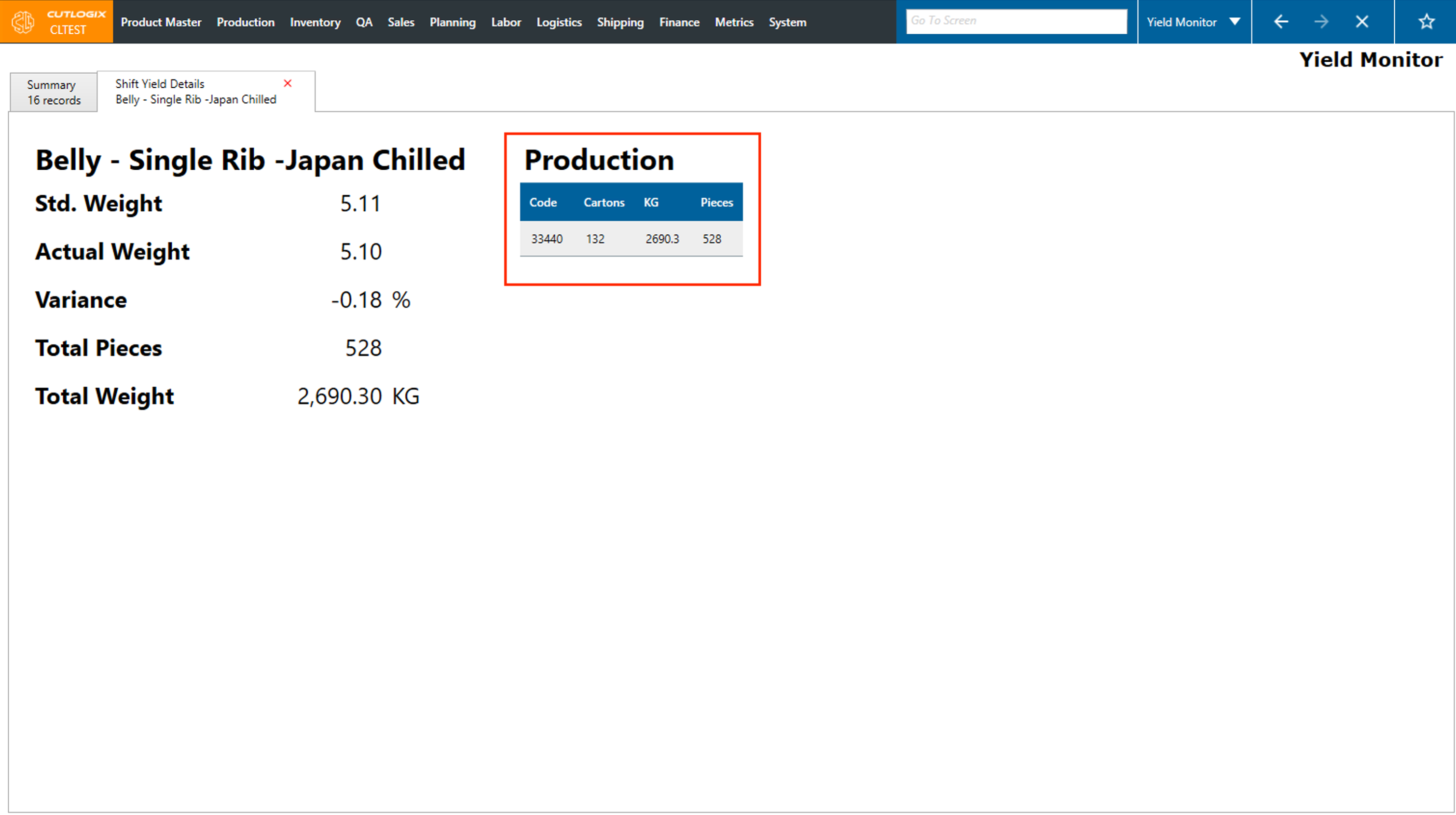
Step 4: A details tab will appear and show you more information about that cut spec for the selected shift. Here you can see information such as the standard weight of the cut spec, the average actual weight for the cut spec on that shift, the variance percentage, total pieces produced on that shift and the total weight.
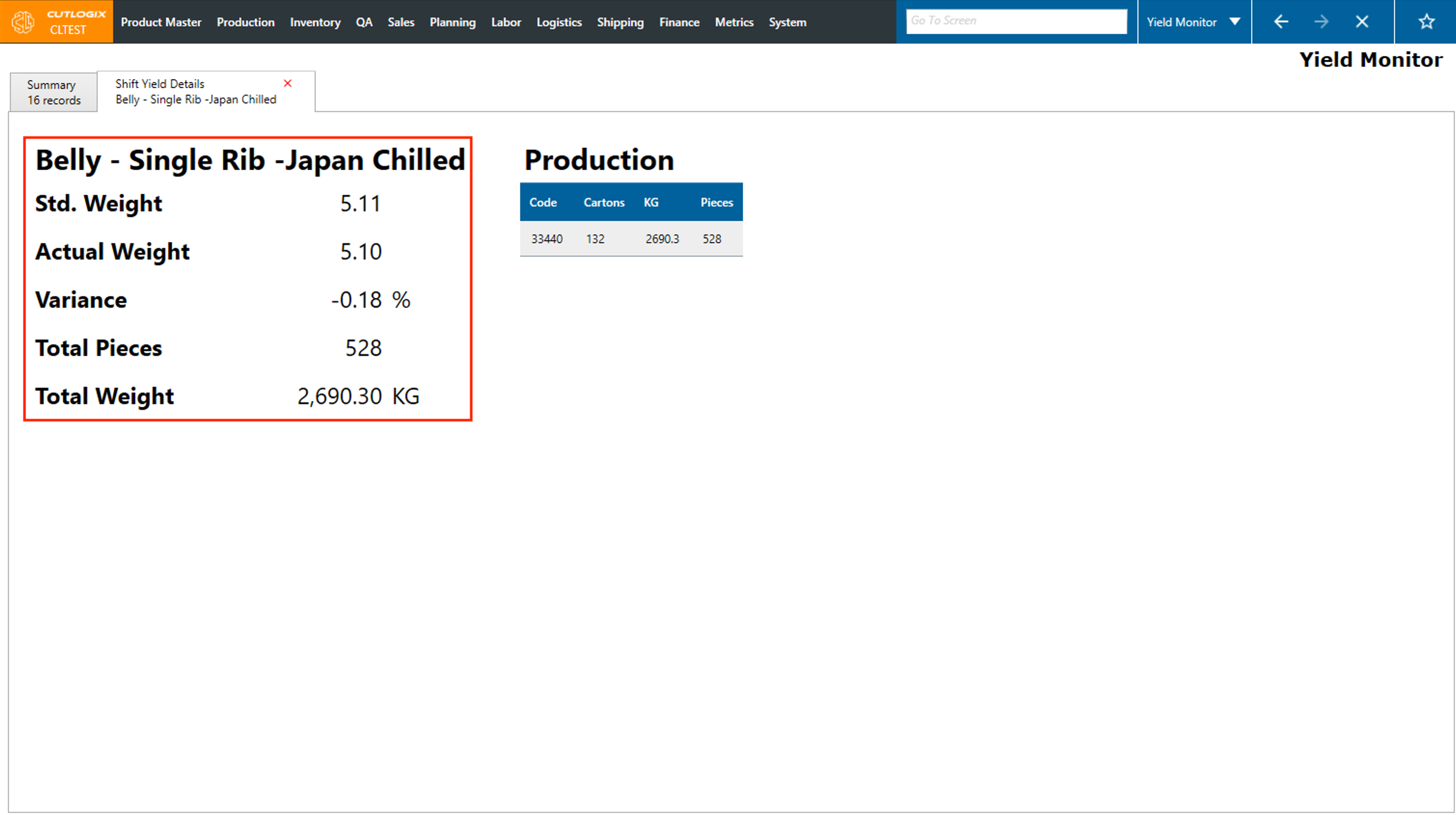
Step 5: In the production table on the right side of the page, you can view each product code that was produced on that shift as well as the number of cartons, kgs and pieces.